
📌 Editor’s note (July 2026): This article reflects the AI models and versions current at the time of writing. The AI landscape moves quickly and newer model versions may have been released since. We’ve kept the original references as a snapshot from that period rather than rewriting the analysis.
The Prompt Engineering Rabbit Hole Nobody Warns You About
Picture someone spending an entire Saturday refining a single prompt. Six hours, dozens of iterations, a notebook full of “frameworks” lifted from various YouTube tutorials — and by the end, output that seems only somewhat better than where they started. All they wanted was for ChatGPT to write better product descriptions.
That scenario isn’t unusual. There’s an entire cottage industry built around the idea that prompt engineering is some kind of high-skill discipline — a secret layer between you and AI greatness that only the initiated understand. Courses sell for hundreds of dollars. LinkedIn is full of people listing “Prompt Engineer” in their job titles. Twitter threads promising “100 prompts that will change your life” rack up thousands of retweets every week.
For everyday writing, research, coding, and analysis work with tools like ChatGPT and Claude, my honest take? Most of what gets labeled “prompt engineering” is either marginally useful or actively distracting you from the things that actually move the needle. Let me break down what tends to work — and what you can probably ignore.
What “Prompt Engineering” Actually Means vs. What People Sell It As
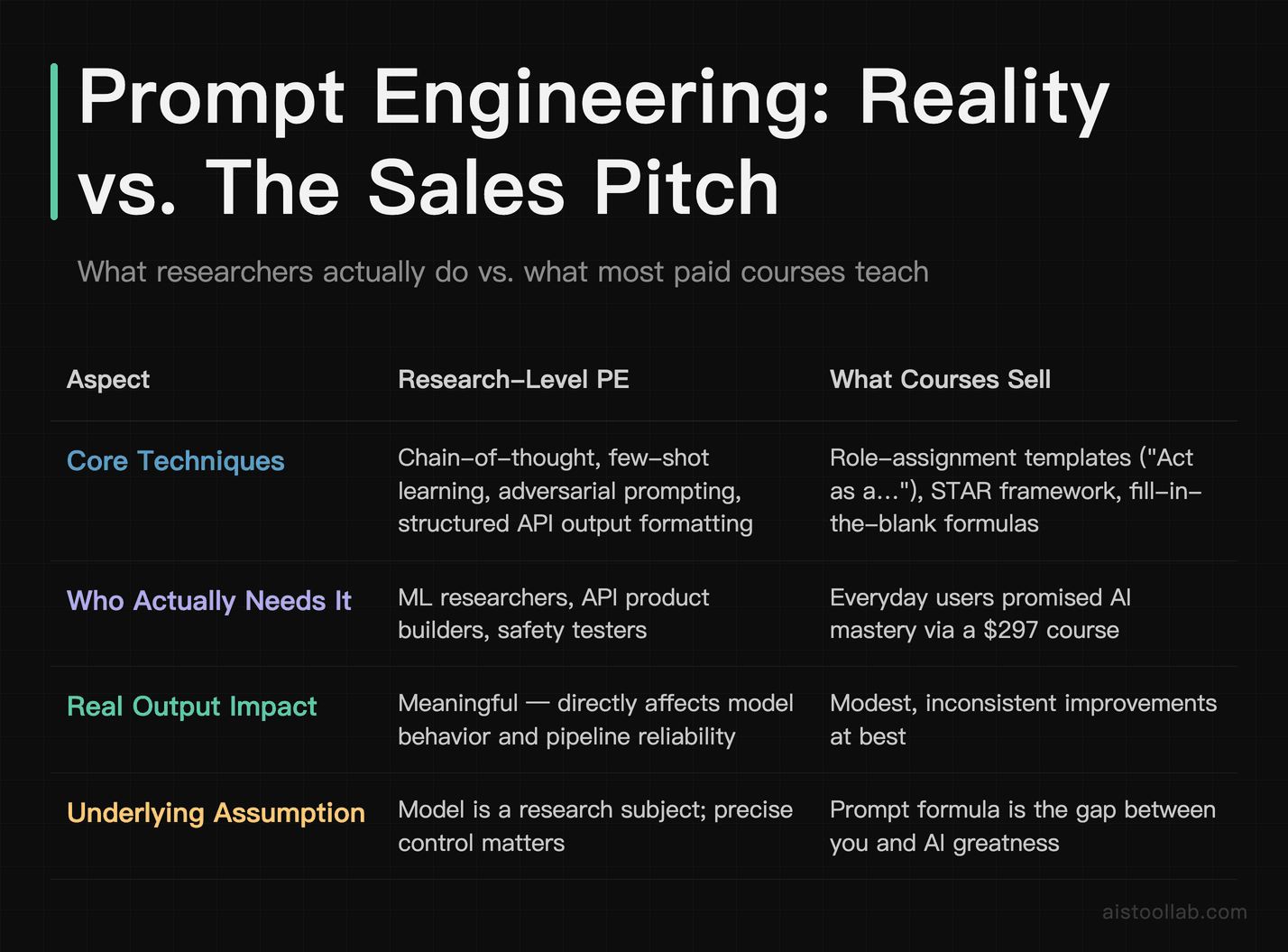
To be fair, prompt engineering as a concept isn’t wrong — it’s just, in my view, wildly overstated for casual and professional users. At the research level, prompt engineering involves genuinely sophisticated techniques: chain-of-thought prompting, few-shot learning, structured output formatting for API pipelines, adversarial prompting for safety testing. That stuff is real, it matters, and it requires expertise.
But that’s not what most people are buying when they sign up for a $297 “Prompt Engineering Mastery” course. What they’re getting is a collection of formulaic templates — “Act as a [role],” “Use the STAR framework,” “Output in a table with columns for X, Y, Z” — that tend to provide modest, inconsistent improvements at best.
The uncomfortable reality is that modern large language models are remarkably good at understanding intent from relatively plain language. The gap between a “perfectly engineered” prompt and a clear, conversational one is, in my experience, much smaller than the prompt engineering industry wants you to believe. And in many cases, what looks like a prompting problem is actually a model selection problem, a context problem, or simply a task that AI isn’t well-suited for yet.
Compare the same task done two ways — a careful “engineered” prompt with role assignment, output format instructions, tone specifications, and step-by-step reasoning requests, versus just explaining what you want clearly, the way you’d explain it to a smart colleague. Neither approach consistently comes out ahead. The difference is rarely dramatic enough to justify treating prompt crafting as a serious time investment.
The Three Things That Actually Improve AI Output
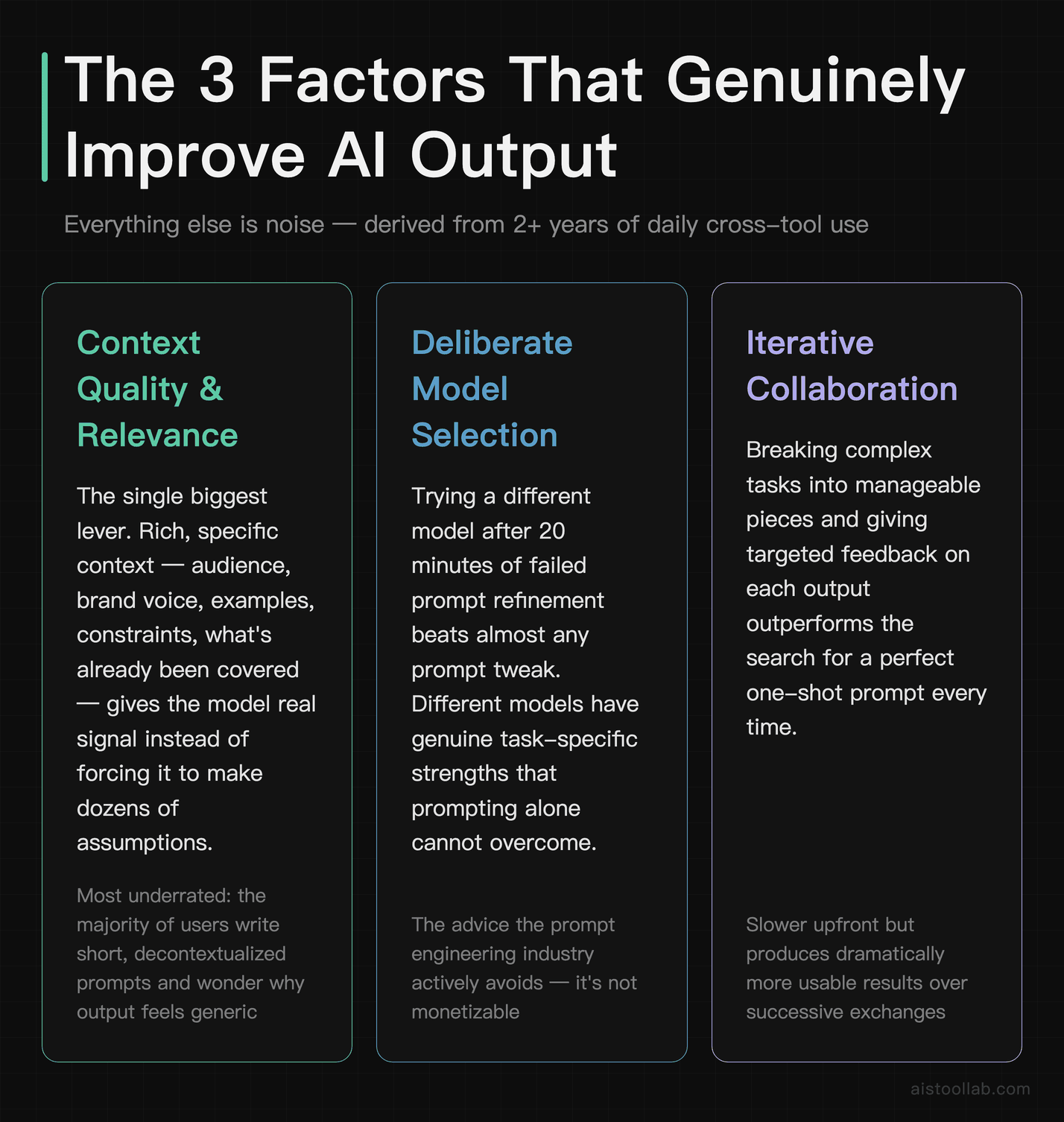
Three factors, in my view, genuinely and consistently improve AI output quality. Much of the rest is noise.
1. Quality and Relevance of Context
This is the biggest one by a significant margin, and it’s the most underrated. Most people write short, decontextualized prompts and then wonder why the output feels generic. “Write me a blog post about content marketing” is a weak prompt — not because it lacks a role assignment or a chain-of-thought trigger, but because the model has almost no useful signal to work with. It has to make dozens of assumptions about your audience, your brand voice, your angle, what you’ve already covered, what your readers already know.
Compare that to: “I run a blog for independent e-commerce store owners who are technically literate but time-poor. I want a post about why email marketing outperforms social media for their specific situation. My tone is direct and a bit skeptical of hype — I don’t do inspirational fluff. The post should be around 800 words and lead with a concrete data point.” That’s not a clever prompt. It’s just good context. And the output will typically be much better, not because of any prompting technique, but because the model now has something real to work with.
Context includes: your actual goal (not just the surface task), the audience, relevant background information, examples of what good looks like, constraints that matter, and what you’ve already tried. Pasting in a sample of previous writing before asking Claude to match that tone tends to produce far better results than asking it to “write in a casual, conversational style.”
2. Task Decomposition
The second biggest lever is breaking complex tasks into smaller, sequential steps rather than asking the model to do everything at once. This isn’t about prompting technique — it’s about understanding how these models process information. Asking for “a complete 3,000-word research report with analysis, recommendations, and an executive summary” in a single shot will often produce something shallower than building it in stages: first an outline you can review and adjust, then section by section, then a final synthesis pass.
This approach tends to work well for anything non-trivial. For a detailed comparison piece, you can ask the model to first list out all the key dimensions of comparison, refine that together, then request each section individually. The final product is usually more coherent, more thorough, and requires less correction. The “magic” isn’t in the wording of any individual prompt — it’s in the workflow structure.
3. Iterative Refinement (But Not the Way You Think)
Iteration matters, but there’s a right and wrong way to do it. The wrong way is spending hours tweaking a single prompt in isolation, adjusting adjectives, rearranging clauses, trying different role assignments. The right way is to get a first draft, identify specifically what’s wrong with it, and give the model that concrete feedback. “This is too formal — make it sound like I’m talking to a friend, not writing a press release” is more useful than rewriting your original prompt from scratch. “The third paragraph contradicts the point you made in the first — resolve that” is more useful than adding “be consistent and logical” to your instructions.
Treat the first output as a starting point, not a pass/fail test of your prompting skill. The models are generally quite good at incorporating specific, targeted feedback. What they’re not good at is reading your mind when your original request was underspecified.
Context vs. Instructions: Which One Actually Wins
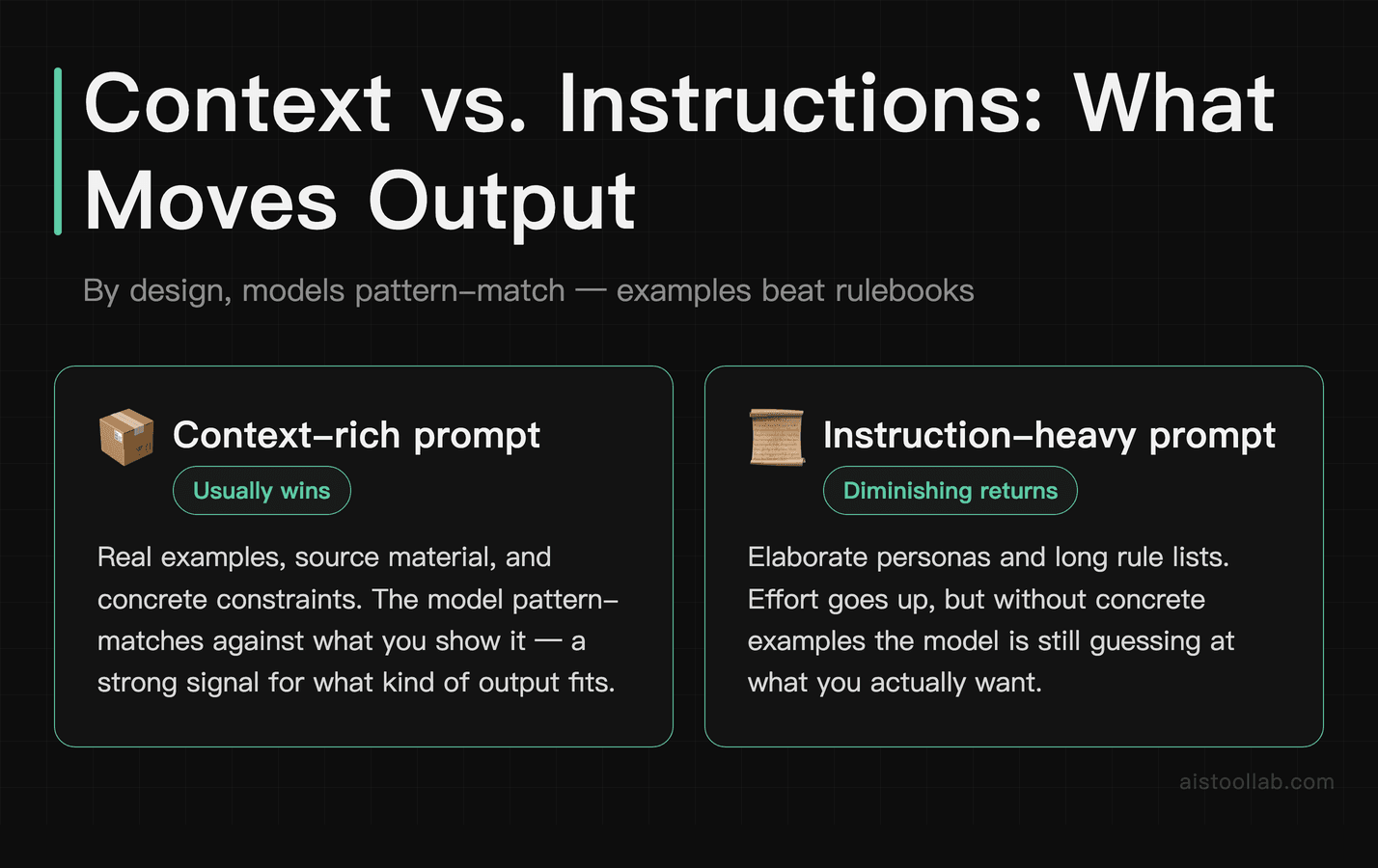
This is worth its own section because the debate plays out constantly. People spend enormous energy crafting elaborate instruction sets — persona definitions, formatting rules, tone guidelines, behavioral constraints — when the context they’re providing is thin or generic.
My view is fairly firm here: context tends to beat instructions. Give a model rich, relevant context and simple instructions versus elaborate instructions and vague context, and in my experience the former usually produces better output.
Here’s a practical example. Consider setting up a Claude workspace for customer support drafts. A common first instinct is to write a long system prompt defining the “persona” — name, personality traits, communication style — basically a character sheet. Outputs from that approach can be fine but robotic. Scrapping the persona and instead pasting in a handful of examples of actual customer support replies, along with a brief description of the company’s situation and common customer pain points, tends to make outputs feel more authentic and usable with minimal editing. Same model, same basic task, often very different quality — driven largely by richer context rather than better instructions.
This connects to something important about how these models work. They’re not following instructions the way a computer executes code. They’re pattern-matching against training data, and the context you provide acts as a strong signal about what kind of output fits. Real examples tend to outperform written style guides.
Why Switching Models Often Beats Prompt Refinement
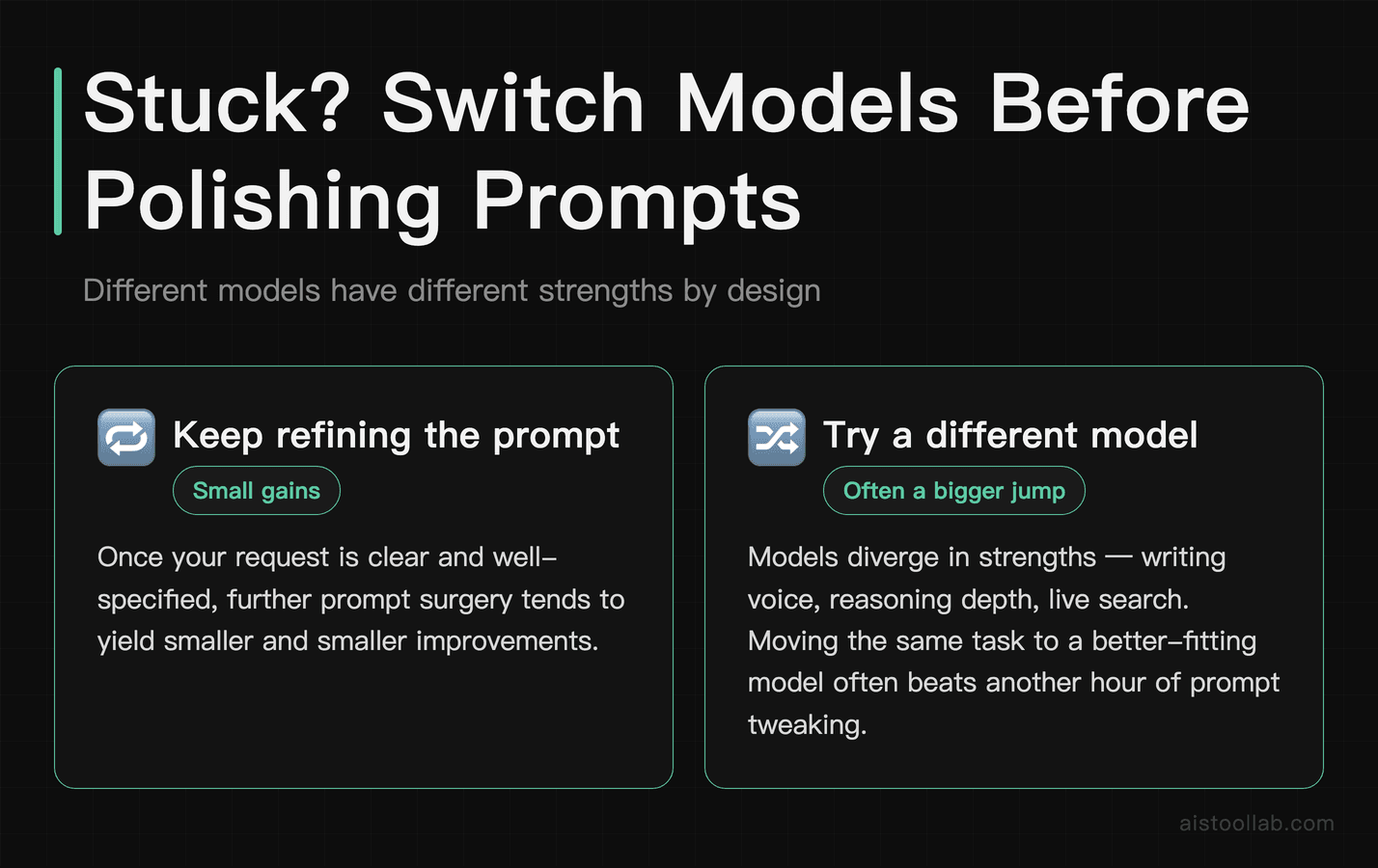
This is the advice nobody in the prompt engineering space wants to give you, because it’s not monetizable. But it’s probably the most practically useful thing I can say: if you’ve spent more than 20 minutes trying to get a decent output on a specific task and it’s still not working, try a different model before you try a different prompt.
Different models have genuinely different strengths that no amount of prompting will fully overcome. I’ve written about this at length in my Claude vs ChatGPT comparison — but the short version is that the right choice depends heavily on the task, and it’s worth checking each vendor’s own documentation rather than trusting blanket claims about which model “wins.” No single model is universally better, and the task type matters enormously.
For coding tasks, the same problem described in the same way can get meaningfully different responses from different models — and the best response isn’t always from the most obvious one. The same holds for creative writing, data analysis, and structured output: results vary, so it’s worth running the request through more than one option. OpenAI’s model page and Anthropic’s Claude documentation are worth reading just to understand what each model is actually optimized for.
The practical implication: before you spend another hour refining your prompt, spend five minutes running the same basic request through a different model. It’s a faster diagnostic than prompt iteration, and it’s often the actual solution.
The Skills Worth Developing vs. The Ones You Can Skip
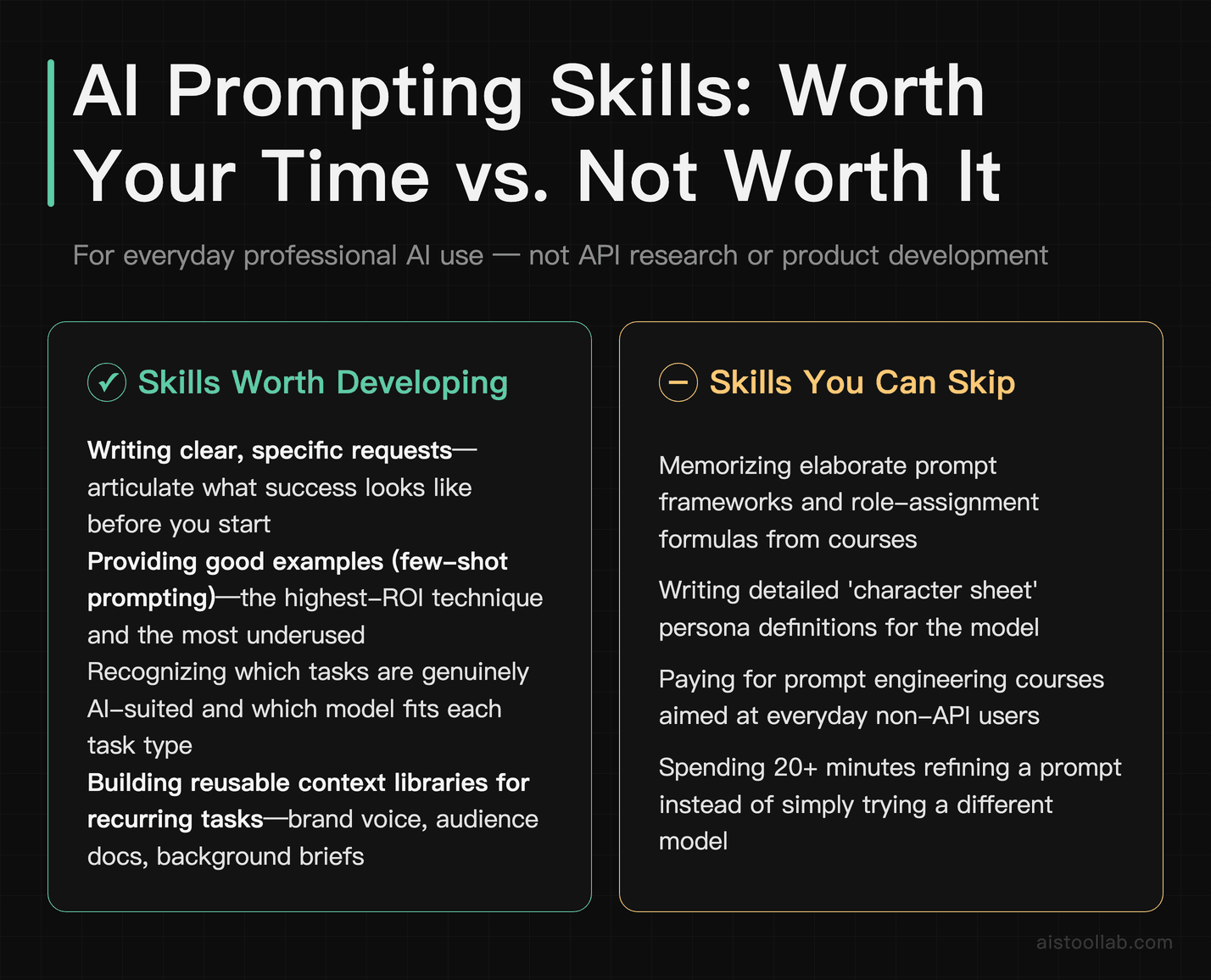
I want to be concrete here because a lot of people, in my view, waste time on techniques that sound sophisticated but don’t pay off in everyday use. Let me split this into what’s worth your attention and what probably isn’t.
Worth Developing
- Writing clear, specific requests. This sounds obvious, but most people are surprisingly vague. The skill here is learning to articulate exactly what success looks like before you start prompting. This pays dividends across every tool you use.
- Providing good examples. Few-shot prompting — giving the model two or three examples of what you want — is arguably the single highest-ROI prompting technique and also one of the most underused. If you want a specific kind of output, show it.
- Recognizing when a task is genuinely AI-suited. Not every task benefits from AI assistance, and knowing which ones do (and which model fits them) is a real skill that saves enormous time.
- Building useful context libraries. If you do the same type of task repeatedly, having pre-written context blocks — your brand voice, your audience description, relevant background — that you can paste in quickly is much more valuable than memorizing prompt formulas.
- Giving targeted feedback on outputs. Learning to identify specifically what’s wrong (not just “this isn’t great”) and communicate that efficiently is a skill that compounds over time.
Safely Ignorable
- Complex role-assignment prompts. “Act as a senior McKinsey consultant with 20 years of experience in…” — these tend to have modest and inconsistent effects. A clear task description outperforms elaborate personas in most cases.
- Memorizing specific prompt frameworks. STAR, RISEN, CRISPE — these framework acronyms are mostly mnemonic devices for remembering to include context and specificity. Once you understand the underlying principle, the acronym is just scaffolding you don’t need.
- Chasing prompt “hacks” and “tricks.” “Add ‘think step by step’ to every prompt” — some of these tips have a kernel of truth but get cargo-culted long past their usefulness. They’re often solving problems that newer model versions have already addressed.
- Extensive system prompt engineering for personal use. Unless you’re building a product or working with the API at scale, spending hours on system prompts is mostly procrastination. A good context block achieves most of the same effect.
Practical Principles That Work Across Every Major AI Tool
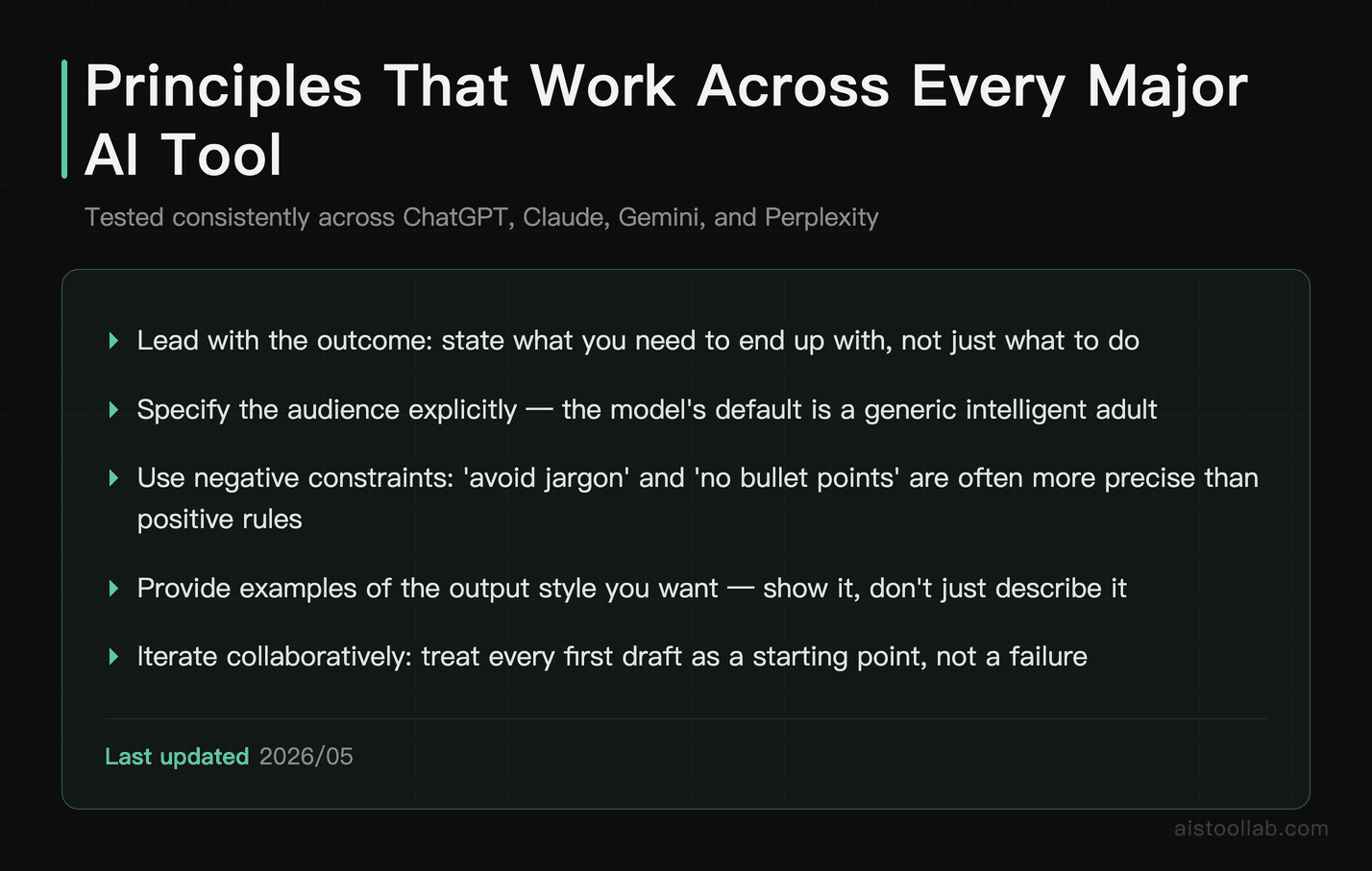
There are plenty of AI tools to work with — ChatGPT, Claude, Gemini, Perplexity, and various specialized tools depending on the task. If you’re curious how these stack up for research specifically, there’s more in the Perplexity AI vs ChatGPT for Research piece. A small set of principles tends to translate cleanly across all of them, regardless of the underlying model.
Lead with the outcome, not the process. Tell the model what you want to end up with, not just what you want it to do. “I need a 500-word email that convinces my manager to approve a budget increase for design tools” is better than “Write a professional email about design tools.”
Specify the audience explicitly. This single addition tends to improve output quality reliably across every tool. The model’s default “audience” is a generic intelligent adult. The more specific you are about who’s actually reading the output, the better calibrated the response tends to be.
Tell it what to avoid. Negative constraints are often more efficient than positive instructions. “Don’t use bullet points,” “avoid jargon,” “don’t start with a definition” — these tend to work very cleanly and save you from having to edit out the model’s default tendencies.
Ask for a draft, not a final product. This shifts your mindset and the model’s output. When you frame it as a first draft, you’re more likely to engage with it critically, and the model is less likely to pad the output to seem comprehensive.
Use the conversation history intentionally. Multi-turn conversations where you build on previous outputs tend to be better than single mega-prompts. The context accumulates naturally, and you can steer incrementally rather than trying to anticipate everything upfront.
These aren’t secret techniques. They’re just good communication principles that happen to work especially well with AI models. If you’re newer to all of this, the AI Tools Starter Pack has a solid grounding in which tools to even start with before you worry about any of this.
The Bottom Line: Stop Optimizing the Wrong Thing
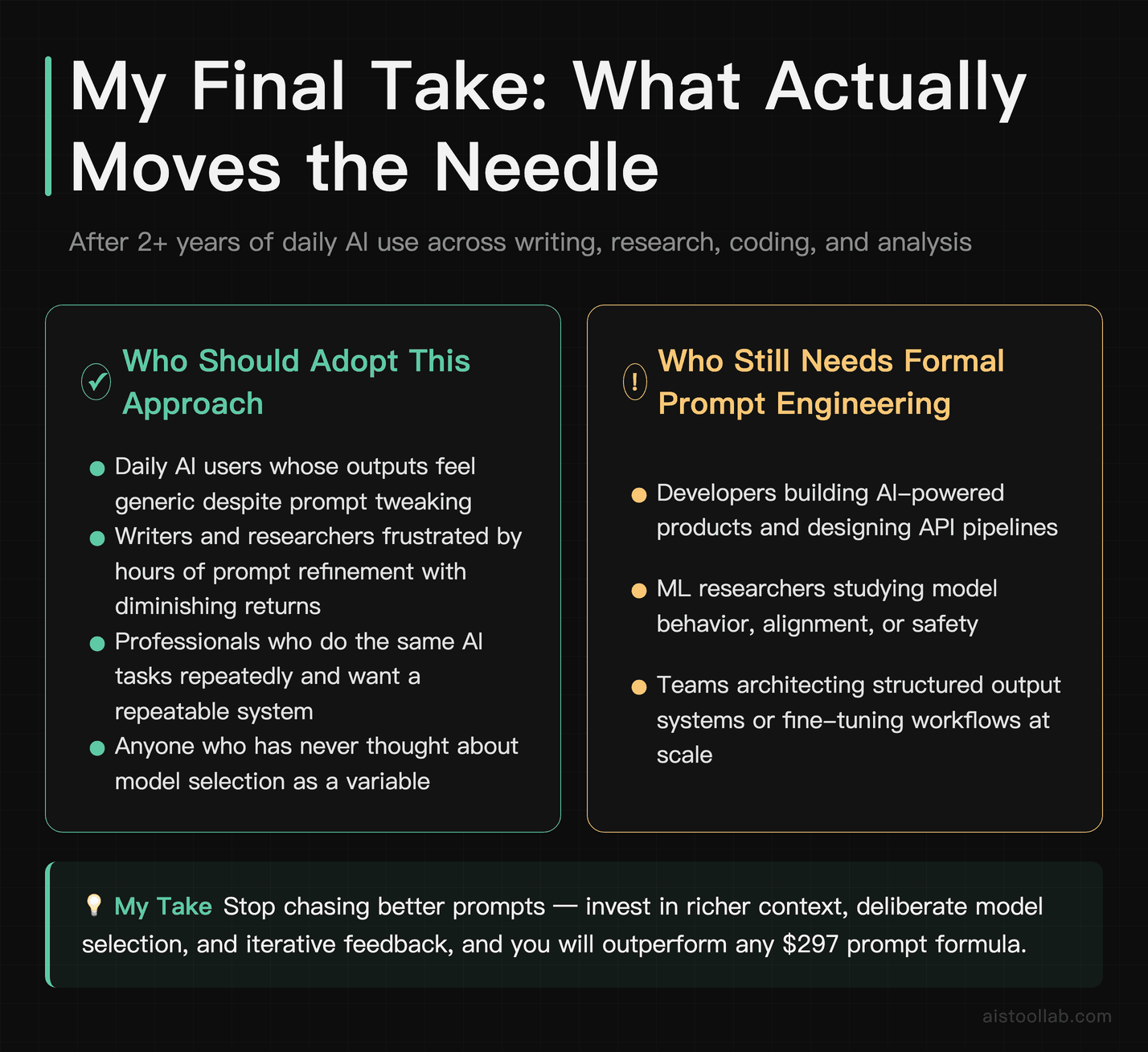
Here’s where I land after plenty of trial and error and more failed prompt experiments than I’d like to admit. Prompt engineering as a discipline is real and valuable — at the API level, for building products, for research into model behavior. For the vast majority of people using AI tools daily, it’s largely a distraction from the things that actually matter.
What actually matters: giving the model enough real context to do the work, breaking complex tasks into manageable pieces, and being a good iterative collaborator rather than searching for the perfect one-shot prompt. Oh, and just trying a different model when one isn’t working — that five-minute switch will often beat a long prompt refinement session.
The skills worth building are the ones that make you better at thinking clearly about what you actually need and communicating that efficiently. That’s it. That’s the whole game. And honestly? Those skills make you better at working with people too, which is a nice bonus.
The prompt engineering industrial complex will keep selling courses and frameworks. That’s fine. Meanwhile, the people quietly getting the most out of these tools tend to be the ones who’ve stopped trying to hack the prompt and started treating the model like a capable collaborator who needs good briefings, not magic words.
If you want to go deeper on specific models, my GPT-5 Breakdown covers what’s changed in the latest generation and whether any of this advice needs updating for the newest models. Spoiler: the fundamentals hold.
Use Cases
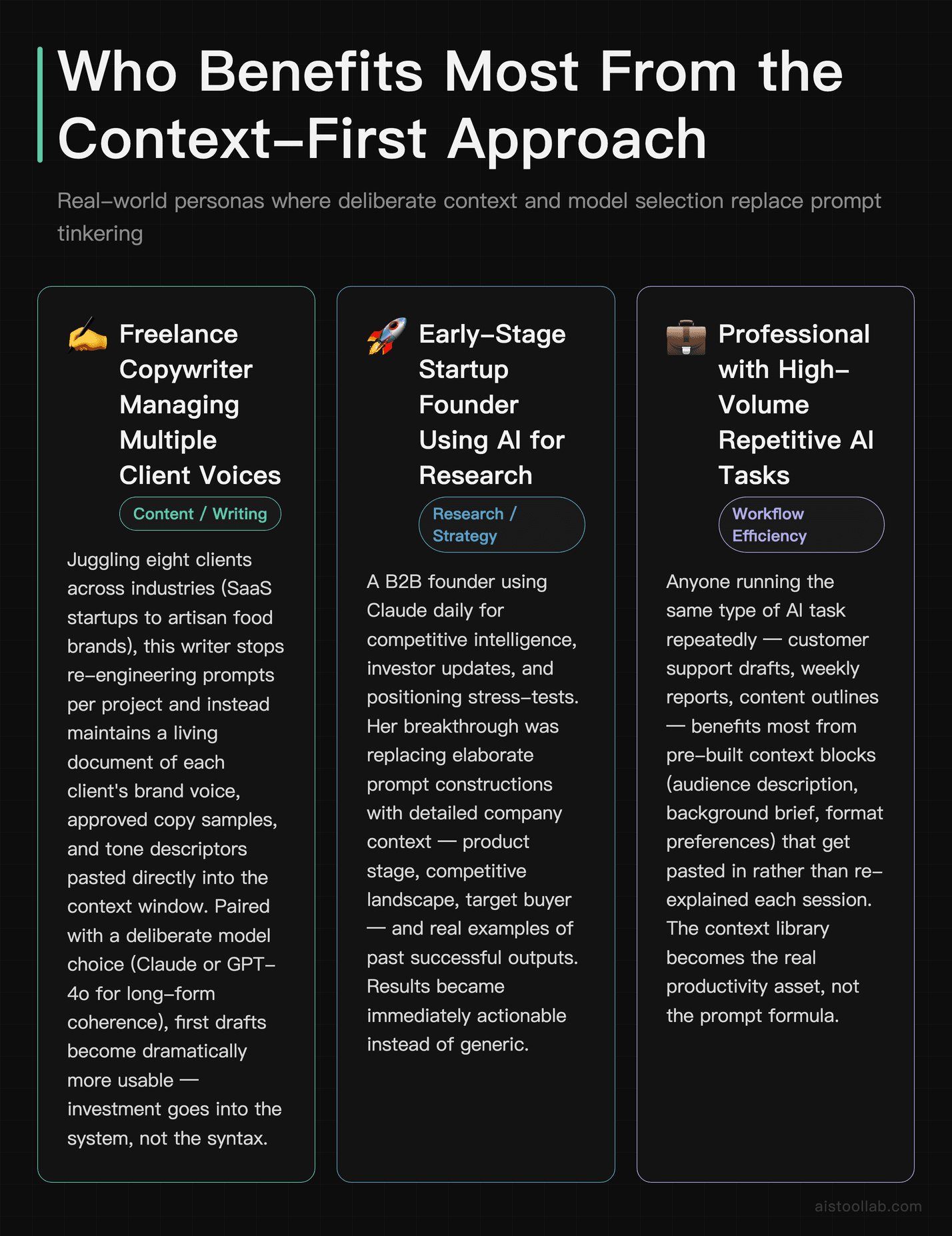
The scenarios below are illustrative examples, not documented case studies — they’re meant to show how a context-first approach can play out in different roles.
Freelance Copywriter Managing Multiple Client Voices
Consider a freelance copywriter juggling several clients across very different industries — from SaaS startups to artisan food brands. Re-engineering prompts from scratch for every project isn’t a great use of time. The higher-leverage move, in my view, isn’t memorizing prompt frameworks; it’s building a structured system: a living document of each client’s brand voice guidelines, past approved copy samples, and tone descriptors that get pasted directly into the context window before any generation happens. Paired with a capable model chosen deliberately for long-form coherence, this context-first approach tends to yield more usable first drafts — not because of any clever prompt trick, but because the model has real, specific information to work from. The investment is in the system, not the syntax.
Early-Stage Startup Founder Using AI for Market Research
Consider an early-stage founder building a B2B startup who leans on AI to synthesize competitive intelligence, draft investor updates, and stress-test positioning statements. A common early mistake is chasing elaborate prompt chains borrowed from productivity influencer content. The simpler and usually more powerful approach is feeding the model actual data — anonymized customer interview transcripts, competitor pricing pages copied verbatim, internal strategy docs — and asking direct, specific questions. Output quality tends to improve noticeably, not because of prompting mastery, but because the model is no longer being asked to invent context it doesn’t have. The time that would have gone into prompt iteration goes into analysis instead.
UX Researcher at a Mid-Size E-Commerce Company
Consider a UX researcher using AI to help synthesize usability test findings, draft discussion guides, and generate affinity map themes from raw interview notes. A frequent early frustration is getting generic, surface-level output despite trying elaborate role-playing prompts and chain-of-thought techniques. Things tend to improve when the researcher starts pasting in actual participant quotes, session timestamps, and specific task-failure moments before asking the model to identify patterns — and when they treat model selection as a real variable rather than rephrasing the same request seventeen different ways. Richer input and deliberate model choice usually do more for synthesis quality than prompt wording.
Independent Financial Consultant Preparing Client Reports
Consider a fee-only financial planner using AI to help draft personalized retirement planning summaries and scenario analyses. Regulatory sensitivity means the output needs to be precise and appropriately caveated, which can lead to over-investing in elaborate constraint-based prompts. A more effective combination tends to be deliberate model choice plus rigorous expert review paired with a structured editing checklist. Rather than trying to prompt away a model’s tendency toward overconfidence, the sensible approach is to treat AI output as a strong first draft requiring expert review — which is how any professional tool in a regulated context should be used.
Frequently Asked Questions
Is prompt engineering a real skill worth learning?
Yes, with a caveat. At the API and product-building level, prompt engineering involves genuinely useful techniques like few-shot learning, structured output formatting, and chain-of-thought prompting. For everyday AI use, the returns are much more modest. The fundamentals — providing clear context, specifying your audience, breaking tasks down — are worth internalizing. Memorizing elaborate prompt frameworks and paying for prompt engineering courses is, in my view, mostly not worth your time.
Should I use ChatGPT or Claude for better outputs?
It depends heavily on the task, and I’d be skeptical of anyone claiming one is universally better. Each tends to have different strengths across writing, analysis, tone calibration, structured reasoning, tool use, and ecosystem integrations, and the vendors’ own documentation is the most reliable guide to what each is optimized for. For a detailed breakdown, check my comparison of these two tools — and, honestly, the fastest way to know is to run the same request through both and see which fits your task.
What’s the single most impactful change I can make to get better AI outputs?
Provide more context. Not longer prompts, not more instructions — more relevant background information. Tell the model who the audience is, what you’ve already tried, what good looks like, and what constraints actually matter. That single change tends to improve outputs more than any prompting technique.
Do “jailbreak” prompts and tricks actually work?
Some historically did, and some still work around specific edge cases. But modern models have been extensively trained to resist manipulation, and most of what circulates as “jailbreak prompts” either doesn’t work on current models or produces outputs that aren’t actually useful. It’s also worth noting that trying to circumvent safety guidelines is a good way to get your account flagged. Not worth the effort for legitimate use cases.
How important is the system prompt vs. the user prompt?
For API and product contexts, system prompts are genuinely important for setting consistent behavior, persona, and constraints. For everyday conversational use through the standard interfaces, this distinction matters much less. Spending time on elaborate system prompts for personal ChatGPT or Claude use is usually overkill — a good context block at the start of your conversation achieves most of the same effect.
Last updated: 2026