
Read the pricing page like a feature list, not a price tag
Here’s a small habit worth breaking. Most people open an AI vendor’s pricing page, scan for the dollar figure, and close the tab. On Mistral’s page, doing that skips the actual story — because the interesting content isn’t the number in the header, it’s the bullet points underneath each plan describing what the platform can do.
So this piece flips the usual angle. Instead of asking “what does it cost,” I’m reading Mistral’s official pages the way you’d read a capabilities spec: what does the vendor say you can build, train, and run, and what does that imply for how you’d actually spend money on it? Everything below is compiled from Mistral’s own pricing page (mistral.ai/pricing, checked 2026-08-13) and its API documentation (docs.mistral.ai/api, checked 2026-08-13). I did not test any of it — this is a documentation read, not a hands-on review, so treat the capability lines as what the vendor states, not as verified performance.
That distinction matters more than usual with a platform like this, because Mistral’s pricing page reads less like a menu and more like a table of contents for an entire model-development stack. Let’s walk through what it lists and, more usefully, figure out which of those lines actually matter for your situation.
What the official page says you get
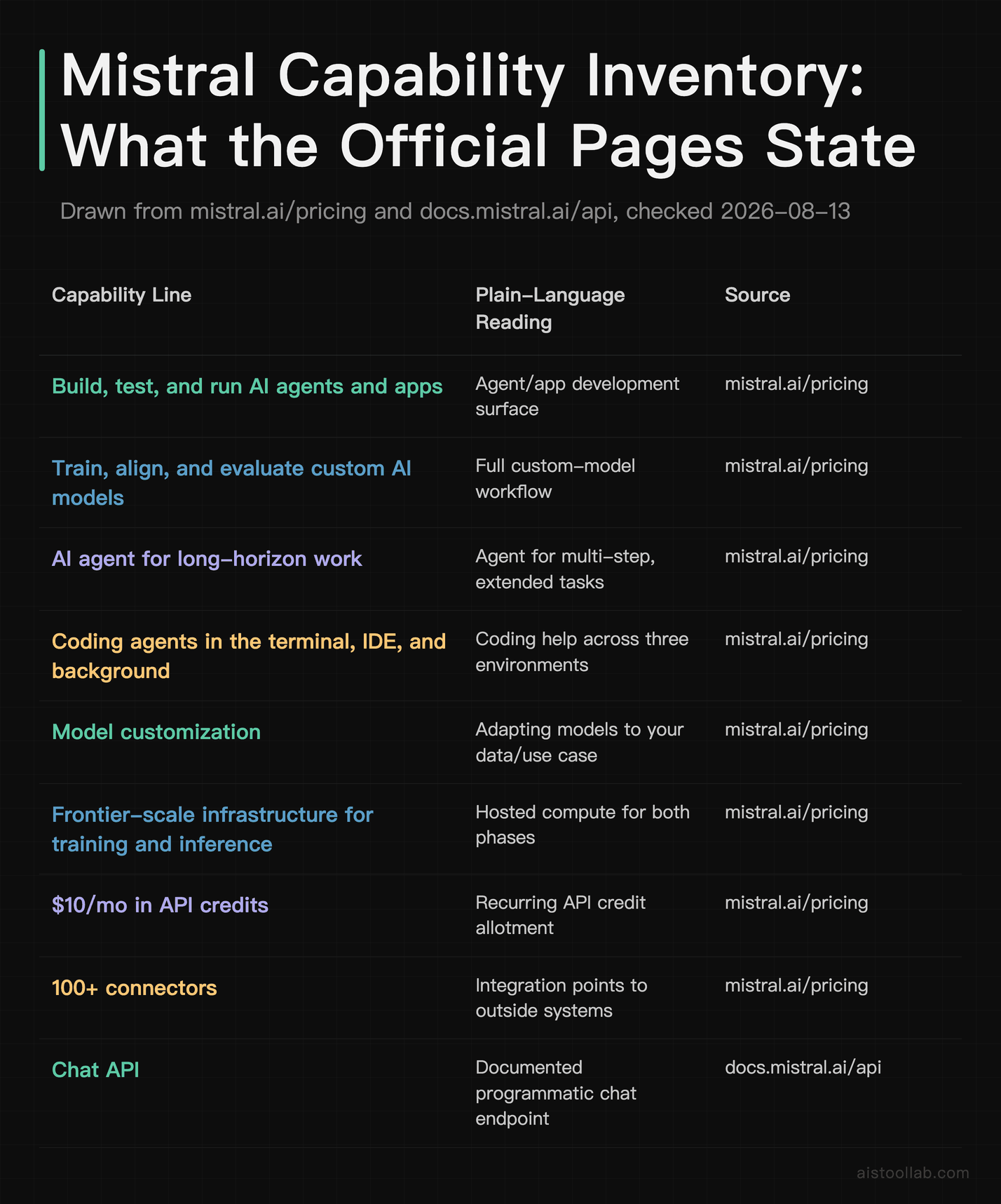
Before splitting things by scenario, here’s the flat inventory. Every row below is drawn verbatim (or near-verbatim) from Mistral’s official pages, with the source and check date attached. There are no relative ratings here and no comparison to other vendors — just what the documentation states exists.
- Build, test, and run AI agents and apps — Plain-language reading: An agent/app development surface; Source (checked 2026-08-13): mistral.ai/pricing
- Train, align, and evaluate custom AI models — Plain-language reading: A full custom-model workflow; Source (checked 2026-08-13): mistral.ai/pricing
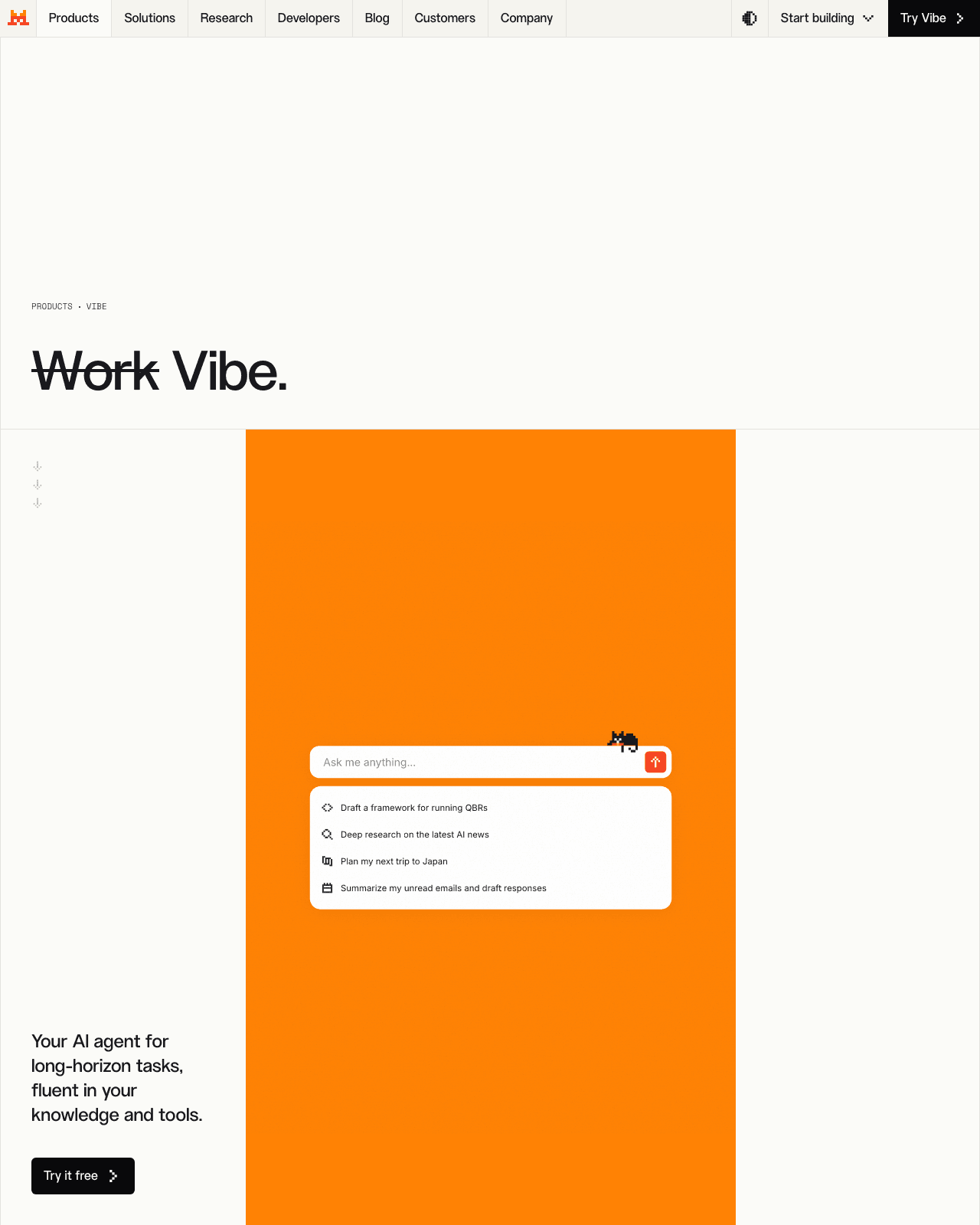
- AI agent for long-horizon work — Plain-language reading: An agent aimed at multi-step, extended tasks; Source (checked 2026-08-13): mistral.ai/pricing
- Coding agents in the terminal, IDE, and background — Plain-language reading: Coding help across three environments; Source (checked 2026-08-13): mistral.ai/pricing
- Model customization — Plain-language reading: Adapting models to your data/use; Source (checked 2026-08-13): mistral.ai/pricing
- Frontier-scale infrastructure for training and inference — Plain-language reading: Hosted compute for both phases; Source (checked 2026-08-13): mistral.ai/pricing
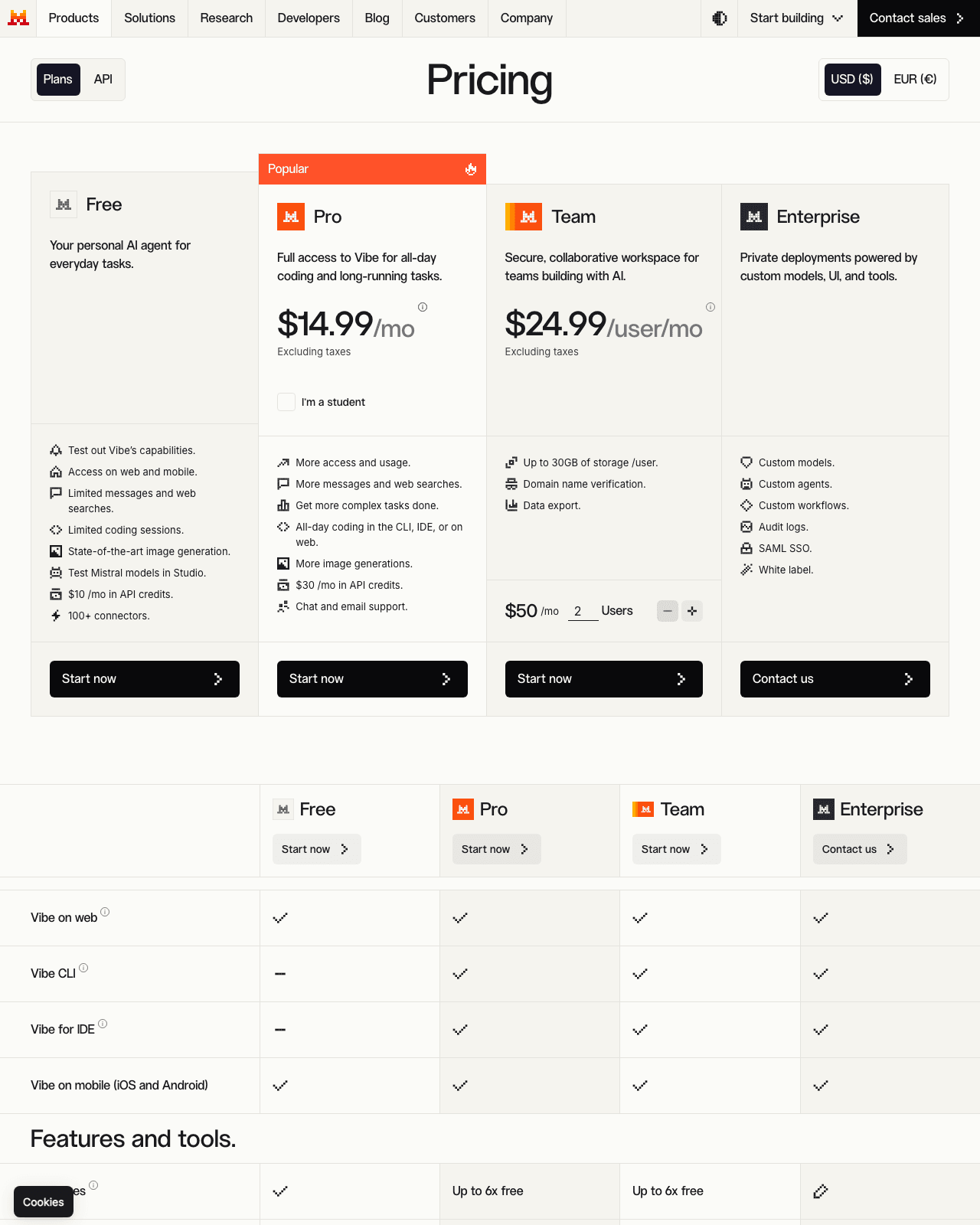
- $10/mo (official pricing page, checked 2026-08-13) in API credits — Plain-language reading: A recurring API credit allotment; Source (checked 2026-08-13): mistral.ai/pricing
- 100+ connectors — Plain-language reading: Integration points to outside systems; Source (checked 2026-08-13): mistral.ai/pricing
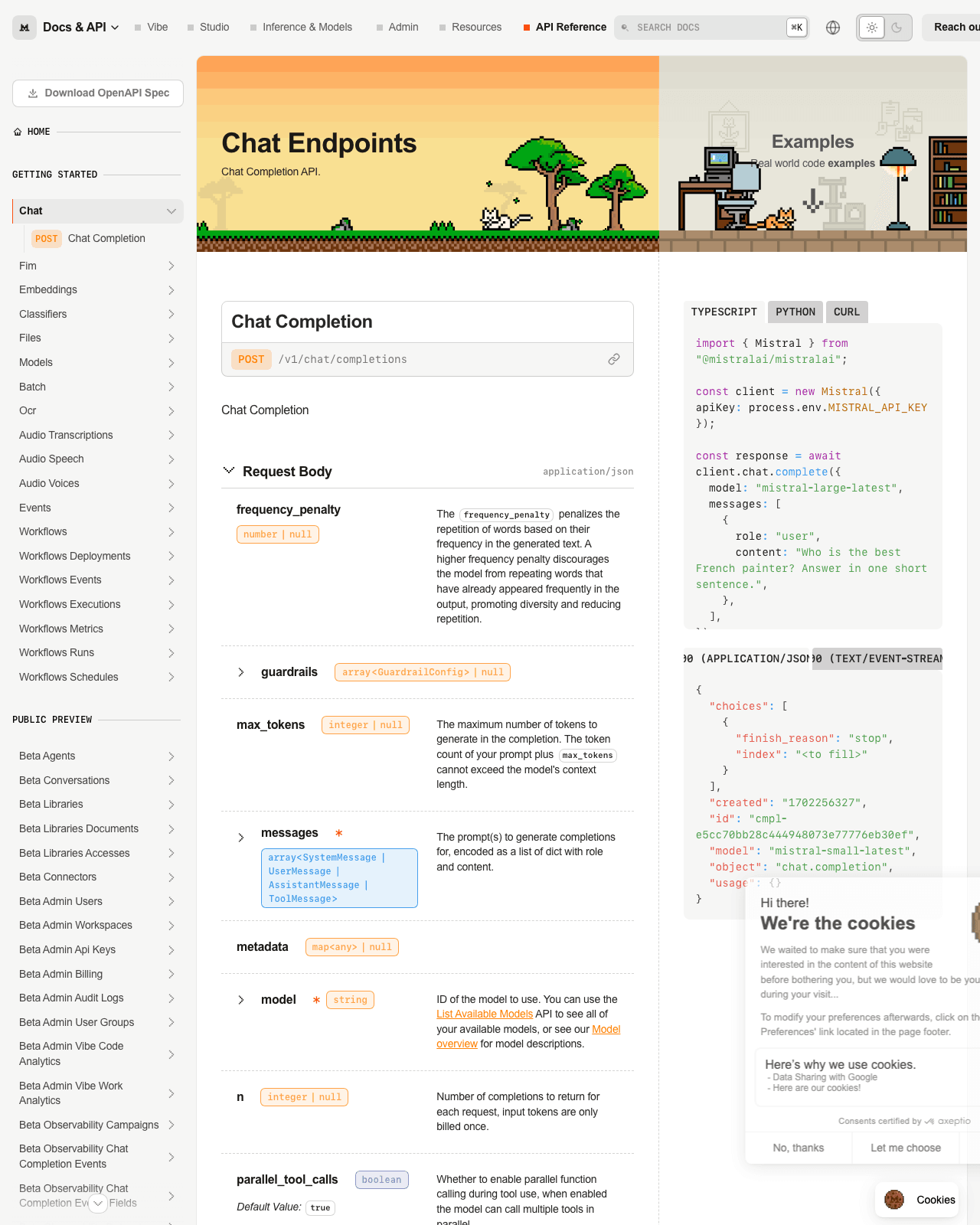
- Chat API — Plain-language reading: A documented programmatic chat endpoint; Source (checked 2026-08-13): docs.mistral.ai/api
The middle column is my plain-language gloss, not a vendor claim — it’s just me restating the bullet in everyday words. The left and right columns are the parts you can go verify yourself. Notice what’s not in this table: no speed figures, no accuracy benchmarks, no “better than X” claims. That’s deliberate. The pricing page doesn’t publish those, and I’m not going to invent them. What the page does give you is a map of surface area, and surface area is genuinely useful for deciding whether a tool fits your workflow.
If you’re building agents vs. if you’re customizing models
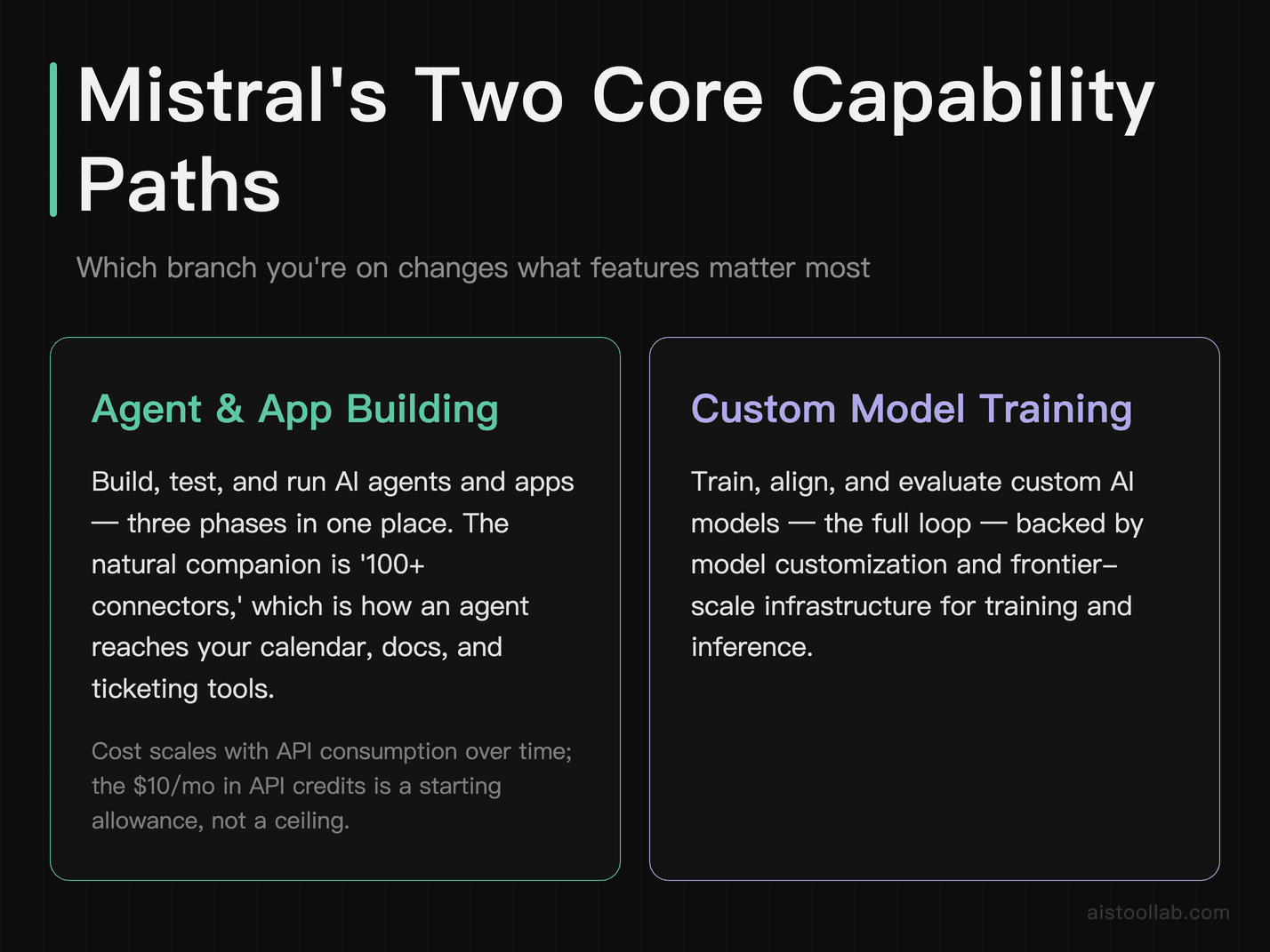
These are the two biggest branches on Mistral’s stated capability tree, and they attract very different users. Let’s separate them, because the money and effort implications diverge sharply.
If you’re building agents and apps, the relevant line is “Build, test, and run AI agents and apps” (per the official pricing page, checked 2026-08-13). Read that as three phases in one place: you assemble the agent, you exercise it against test cases, and you deploy it to run for real. The “100+ connectors” line is the natural companion here — an agent is only as useful as the systems it can reach, and connectors are how it touches your calendar, your docs, your ticketing tool, whatever. If your project is “wire a language model into an existing workflow and let it take actions,” this branch is where you’ll live. The cost question for you is mostly about API consumption over time, and the “$10/mo in API credits” line (same source and date) is a starting allowance, not a ceiling — more on that below.
If you’re customizing models, your line is “Train, align, and evaluate custom AI models,” backed by the separate “Model customization” and “Frontier-scale infrastructure for training and inference” entries. This is a different animal entirely. “Train, align, and evaluate” describes a loop, not a feature: you fine-tune a model on your data, you align its behavior toward what you want, and you evaluate whether it actually improved. The fact that Mistral lists “frontier-scale infrastructure for training and inference” on the same page tells you the vendor intends to host the heavy compute so you don’t stand up a GPU cluster yourself. If you’ve ever priced out doing this on raw infrastructure — the way I discussed in the Replicate API write-up — you know the appeal of a managed path. Whether Mistral’s managed path is cheaper for your workload is not something the pricing page settles, and I won’t pretend to know your token volumes.
Which branch are you on? That’s the first fork in the road. Agent-builders care about connectors and deployment; model-customizers care about training/eval loops and the compute underneath them. A lot of teams eventually want both, but they rarely start there, and starting on the wrong branch is how you overpay for capacity you don’t use yet.
Terminal, IDE, or background: three homes for the coding agent
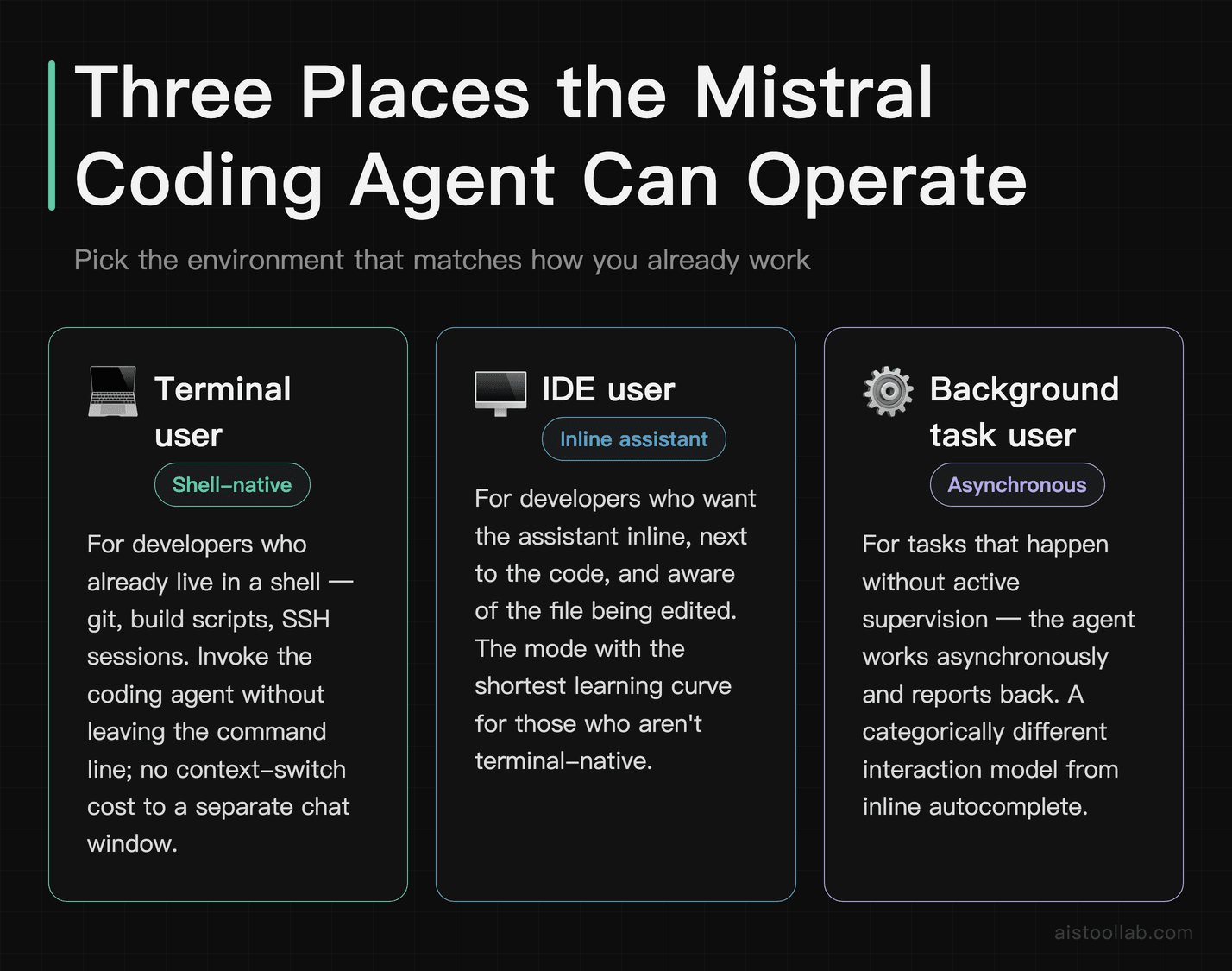
The line “Coding agents in the terminal, IDE, and background” (official pricing page, checked 2026-08-13) is doing more work than it looks. It names three distinct places a coding assistant can operate, and picking the right one is really a question about how you like to work.
The terminal is for people who already live in a shell. If your day is git, build scripts, and SSH sessions, an agent you can invoke without leaving the command line fits the muscle memory you already have. There’s no context-switch cost — you’re not tabbing over to a chat window and pasting code back and forth.
The IDE is the opposite temperament: you want the assistant inline, next to the code, aware of the file you’re editing. This is the mode most developers picture when they hear “coding assistant,” and it’s the one with the shortest learning curve for people who aren’t terminal-native.
The background is the most interesting of the three because it implies work that happens without you watching. A background coding agent is doing something asynchronous — running while you do other things and reporting back. That’s a categorically different interaction model from inline autocomplete, and it connects directly to the next capability worth its own section.
My honest read: the value of listing all three is optionality, but optionality has a cost in decision fatigue. If you’re evaluating this, don’t try to use all three at once. Pick the one that matches where you already spend your hours — terminal people to the terminal, IDE people to the IDE — and only reach for the background mode when you have a task that genuinely benefits from running unattended.
What “long-horizon work” actually implies
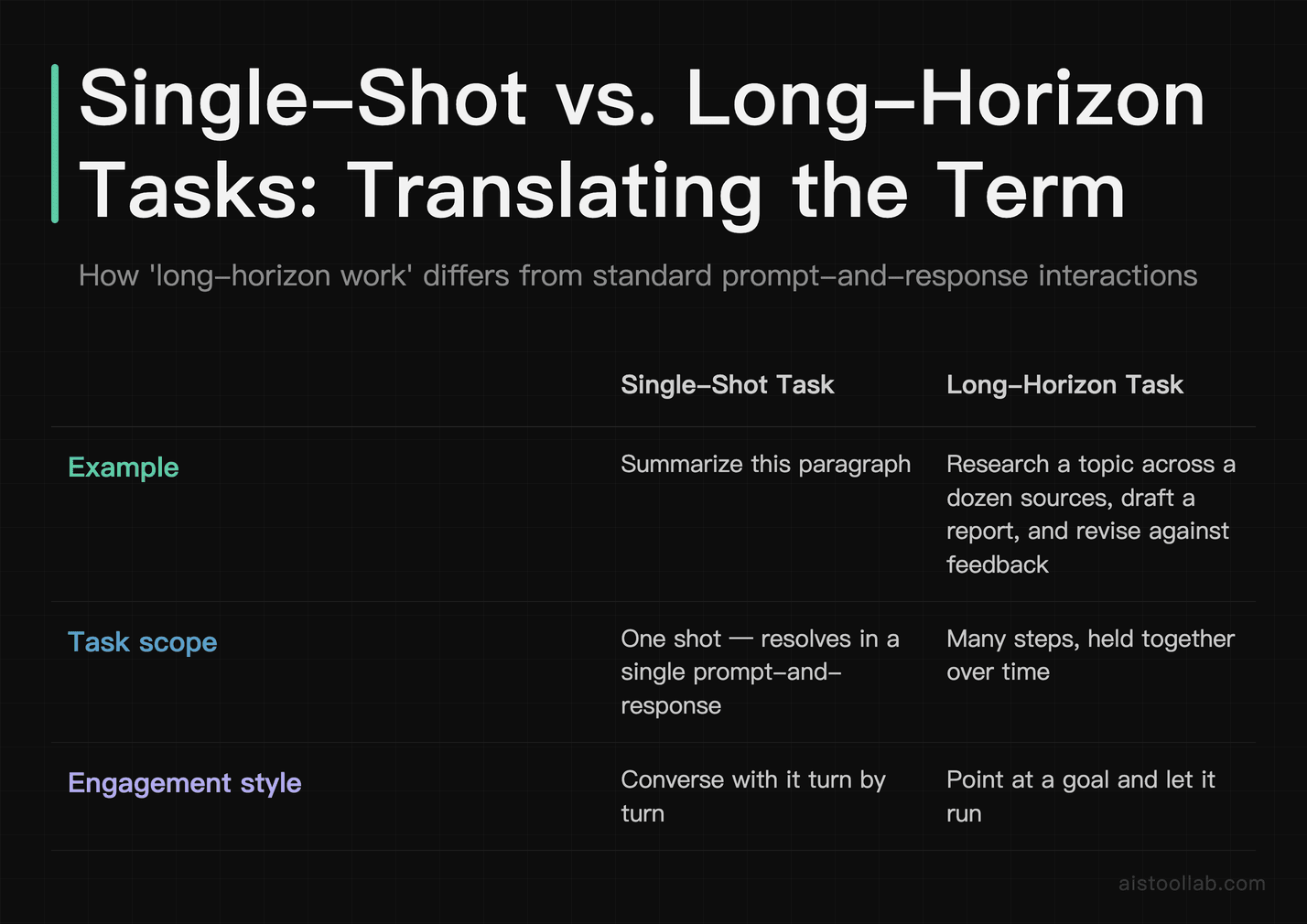
Mistral lists an “AI agent for long-horizon work” (official pricing page, checked 2026-08-13), and that phrase deserves unpacking because it’s the kind of line that sounds impressive and means very little until you translate it.
“Long-horizon” is agent-speak for tasks that span many steps and don’t resolve in a single prompt-and-response. Think of the difference between “summarize this paragraph” (one shot) and “research this topic across a dozen sources, draft a report, and revise it against feedback” (many steps, held together over time). Long-horizon agents are the ones you point at a goal and let run, rather than the ones you converse with turn by turn. If you want the broader research context on how these agents plan and pick their steps, I dug into that in How Do AI Agents Choose and Use Tools.
Here’s where I’ll offer a judgment grounded in the documentation rather than a performance claim I can’t back: the presence of a long-horizon agent alongside the background coding agent tells you Mistral is building toward unattended, multi-step automation, not just chat. That’s a coherent product direction, and if your problem is “I need something that grinds through a long task while I’m in meetings,” this is the line to circle. But the pricing page publishes no figures on how reliably it completes those tasks, how long “long” is, or what it costs to run one to completion. So the honest position is: the capability is stated, the fit is plausible for extended-task workflows, and the performance is unproven from public docs alone. If reliability on multi-step work is your deciding factor, you’ll need to trial it against your own tasks — the docs won’t answer that for you.
Reading the $10/mo API credit without kidding yourself
The single number this whole angle keeps circling back to is “$10/mo in API credits” — and it is listed under the Free plan, not a paid tier (per Mistral’s official pricing page, checked 2026-08-13; the Pro plan at $14.99/mo lists “$30 /mo in API credits” instead). It’s the most concrete money figure the page hands you, so it’s worth reading carefully rather than optimistically.
A recurring API credit is not the same as “the platform is free.” It’s a monthly allowance against usage-based billing. The mental model to hold: the meter runs on what you consume through the API, and the credit offsets the first slice of that each month. For light experimentation — poking at the Fireworks AI Pricing-style question of “what does a small workload actually cost” — a monthly credit is genuinely useful, because it lets you build and test without watching a bill accumulate from dollar zero. For anything at production volume, a fixed monthly credit is a rounding error against real throughput, and you should plan on paying beyond it.
What the pricing page does not tell you, and what I therefore won’t invent, is the per-token or per-request rate that the credit is spent against. Without that rate, “$10/mo in API credits” can’t be converted into “X requests per month” — the credit’s real value depends entirely on the underlying pricing, which you should read off the specific plan you’re considering on the day you sign up, because vendor rates change. Treat the credit as a “try before you scale” gesture, not as a budget you can plan a business around.
Where the official docs go quiet
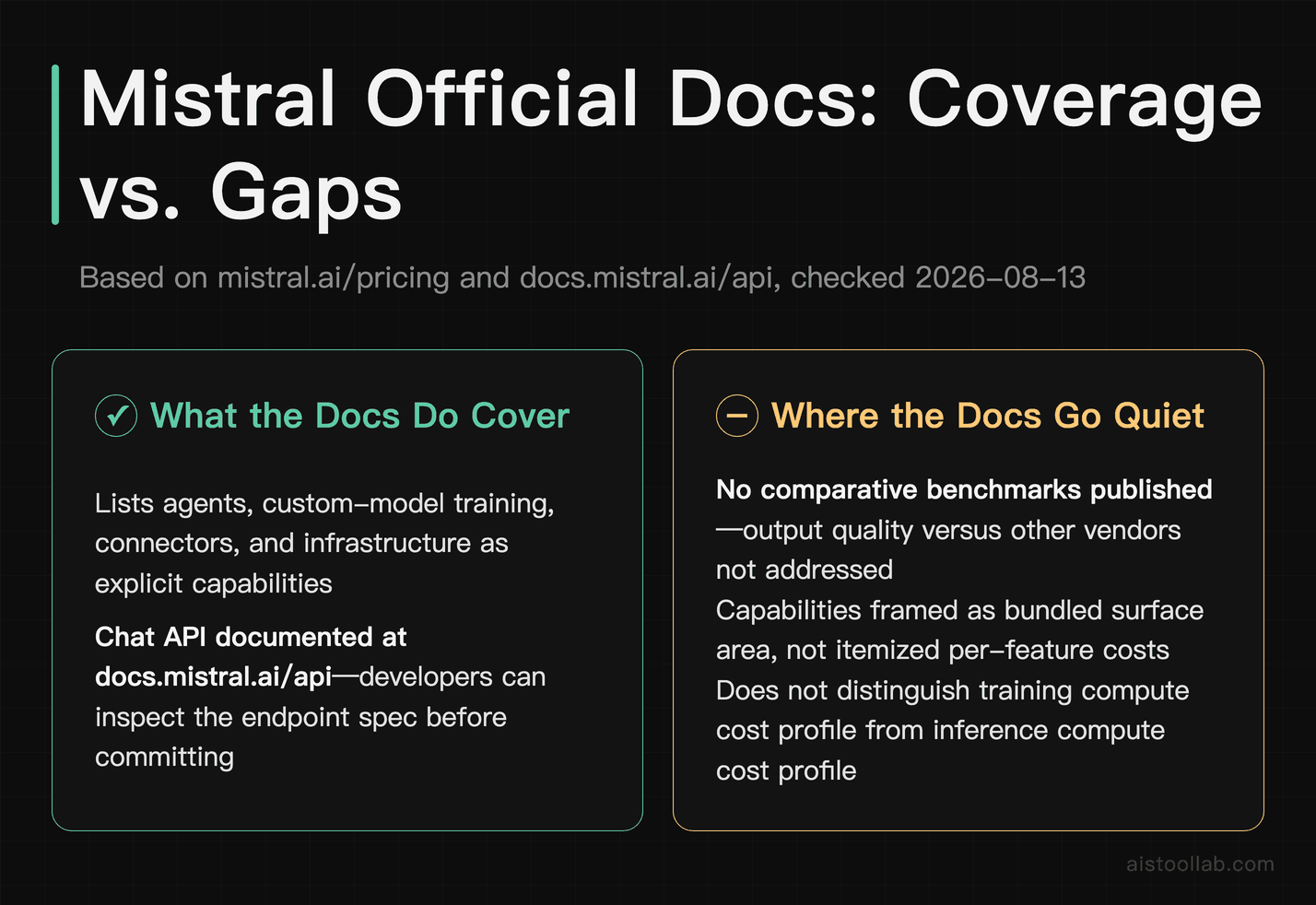
An honest capability review has to name the gaps, and there are a few worth flagging so you don’t walk in expecting answers the documentation doesn’t give.
The pricing page is strong on what and weak on how much under load. It lists agents, custom-model training, connectors, and infrastructure, but it doesn’t publish comparative benchmarks, and I’m not going to manufacture them. If your evaluation hinges on “how does its output quality compare to another vendor’s,” the official pages won’t settle that, and neither will I — that’s exactly the kind of claim that needs an independent test, which this article does not have.
The documentation also frames capabilities as bundled surface area rather than clearly itemized line-item costs for each feature. “Frontier-scale infrastructure for training and inference” is a reassuring phrase, but training compute and inference compute have very different cost profiles in practice, and one line can’t tell you which will dominate your bill. The Chat API is documented (docs.mistral.ai/api, checked 2026-08-13), which is the right first stop if you’re a developer who wants to see the actual request shape before committing — reading the endpoint spec beats reading marketing bullets every time. I make that same point in The Documentation Checklist Every AI Tool Needs: the docs quality is itself a signal, and a documented Chat API is a good one.
So my compiled verdict on the gaps: Mistral’s public pages are a solid map of capability breadth, and a poor map of cost-at-scale. That’s not a knock unique to Mistral — most vendors publish it this way — but it means the pricing page is where you start your evaluation, not where you finish it.
Who this capability set is actually written for
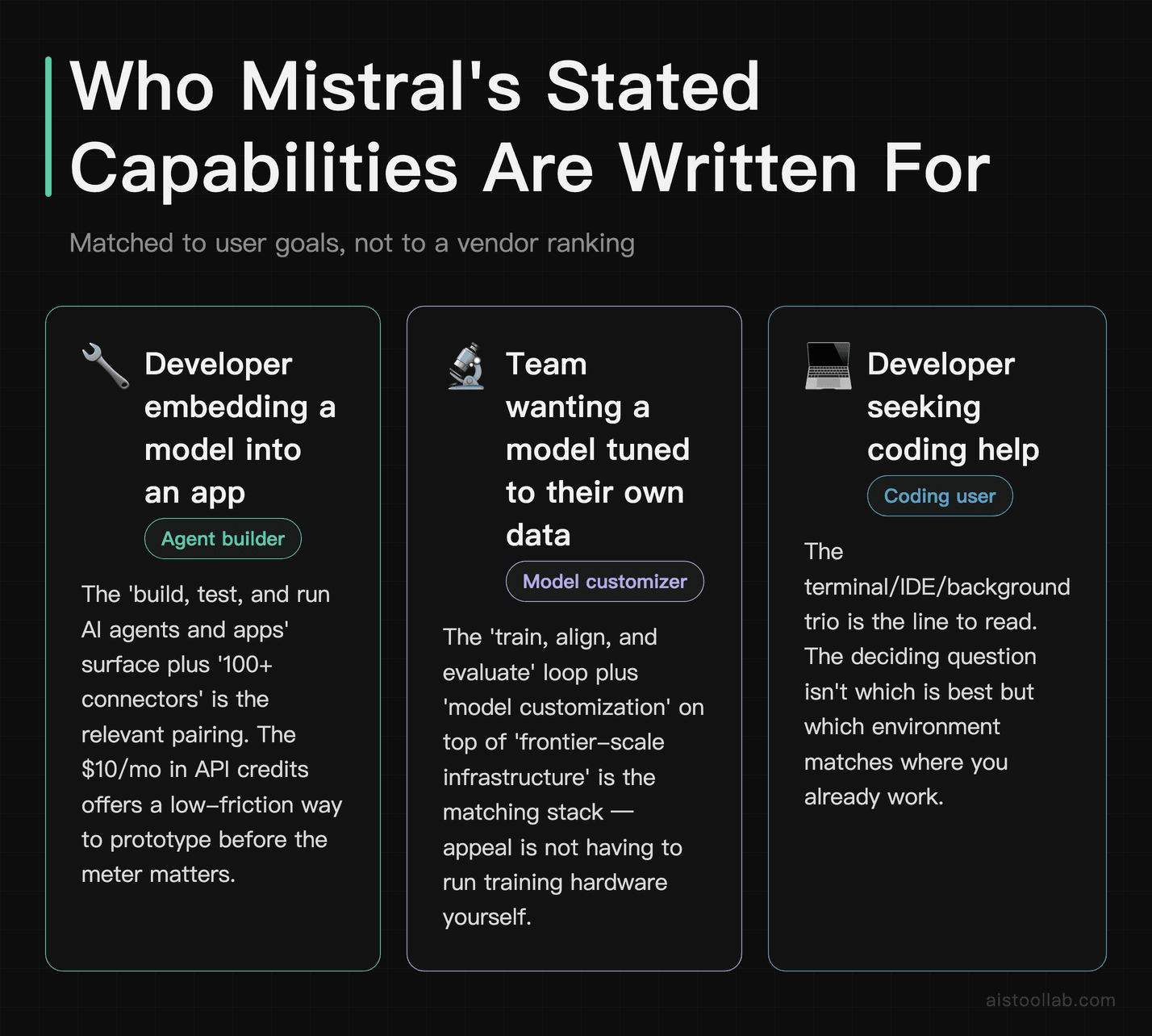
Pulling the threads together, here’s how I’d match Mistral’s stated capabilities to the person reading them — bound to what you’re doing, not to an overall crown I have no evidence to award.
If you’re a developer who wants to embed a model in an app and have it take actions, the “build, test, and run AI agents and apps” surface plus “100+ connectors” is the relevant pairing, and the “$10/mo in API credits” on the Free plan gives you a low-friction way to prototype before the meter matters. On that combination — a development surface plus a starter credit — this is a reasonable place to begin building.
If your goal is a model tuned to your own data, the “train, align, and evaluate” loop plus “model customization” on top of “frontier-scale infrastructure” is the stack that speaks to you, and the appeal is not having to run the training hardware yourself. Whether that’s cheaper than alternatives for your specific volume is a calculation the docs can’t do for you — so trial it against a real workload before you commit budget.
If you mostly want coding help, the terminal/IDE/background trio is the line to read, and the deciding question isn’t “which is best” but “which matches where you already work.” Terminal-natives to the terminal, IDE-first developers to the IDE, and the background mode when a task genuinely benefits from running unattended.
What I won’t do is tell you it’s the strongest option on the market or that it beats a competitor — the public documentation doesn’t support that claim, and inventing it would be dishonest. What I can say from the docs is that the capability breadth is coherent and wide, the starting credit lowers the cost of trying, and the real spending question lives one level below the pricing page, in the per-use rates you should read on the day you sign up. Start with the branch that matches your actual work, use the credit to prototype, and treat everything about cost-at-scale as something you verify yourself rather than something the marketing page has already answered.
Frequently Asked Questions
Does the $10/mo API credit mean I can use Mistral for free?
No, and it’s worth being precise about why. Per Mistral’s official pricing page (checked 2026-08-13), one thing you get is “$10/mo in API credits.” A credit is an allowance applied against usage-based billing, not a flat free tier. The mental model that keeps you out of trouble: your API usage accrues cost as you consume it, and the monthly credit offsets the first portion of that cost each month. For low-volume experimentation — building a prototype, testing an agent against a handful of cases — that allowance can genuinely cover you, which is the point of offering it. For sustained or production-level usage, a fixed monthly credit is small relative to real throughput, and you should plan on paying beyond it. Critically, the pricing page doesn’t publish the per-token or per-request rate that the credit is spent against, so I can’t convert “$10/mo” into a specific request count for you, and I won’t guess. Read the exact rate on the plan you’re considering, on the day you sign up, because vendor rates change over time.
Do I need my own GPUs to train a custom model on Mistral?
Based on what the official pricing page states (checked 2026-08-13), the platform lists “frontier-scale infrastructure for training and inference” alongside “train, align, and evaluate custom AI models” and “model customization.” Read together, that framing points to a managed path — the vendor provides the training and inference compute rather than expecting you to stand up your own hardware. So the intent, as documented, is that you don’t bring your own GPU cluster to fine-tune a model. What the documentation does not tell you is the cost of that managed compute for a specific job, and training compute and inference compute have very different cost shapes, so one bundled line can’t predict your bill. If a managed training path is the reason you’re considering Mistral, that’s a legitimate draw, but the deciding factor should be a real cost estimate against your own data volume and how often you’ll retrain — not the reassurance of the phrase “frontier-scale,” which describes capability, not price. The docs give you the capability claim; you supply the workload math.
Last updated: 2026
Still shopping around?
👉 Browse the AI Tools Library and filter by what you actually need.