
Say you’ve got a landing page half-built in your head — a portfolio, a product teaser, a “coming soon” for the thing you keep meaning to launch. You open a website builder’s pricing page hoping for a quick yes or no, and instead you get four columns, a credit system you’ve never heard of, and the nagging suspicion that the cheap option is deliberately hobbled.
Framer’s pricing page is worth reading slowly for exactly that reason. It reads less like “pick a price” and more like “pick where you are on a ladder.” So rather than re-typing the vendor’s feature list, I want to walk through what the official page actually commits to — and, just as usefully, what it leaves you to confirm for yourself.
Everything below is compiled from Framer’s official pricing page (framer.com/pricing, checked 2026-08-12). I didn’t run the builder for this piece, so you won’t get any “here’s how fast it felt” lines — just what the page states, plus my read on who each tier is realistically for.
The free tier is the pitch, not the bait
Most builders use “free” as a shop window: you can look, you can drag a few boxes around, but the moment you want to publish something real, a paywall drops. It’s easy to assume Framer works the same way. Reading the pricing page, I don’t think that’s the framing they’re going for.
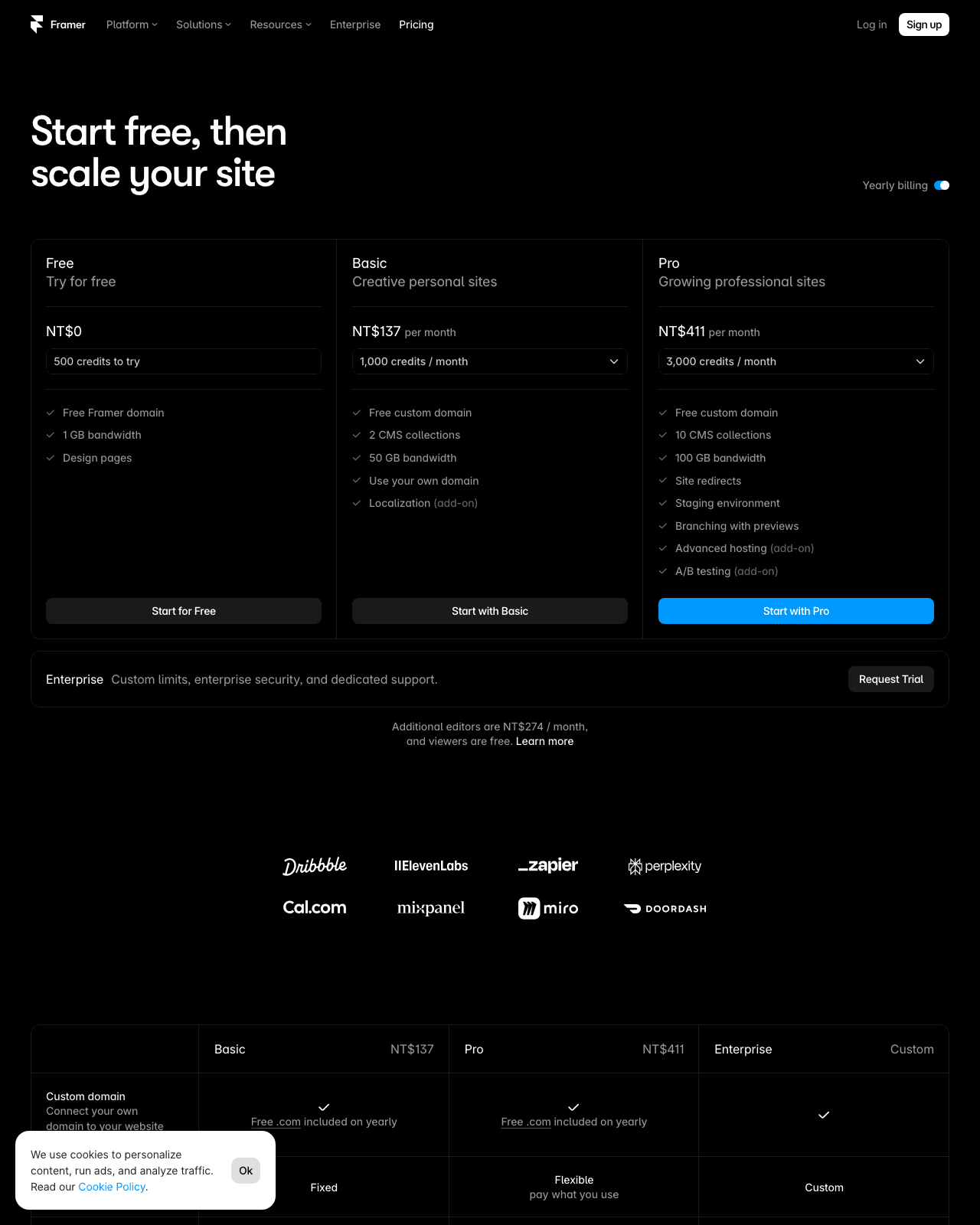
The headline on the page is “Start free, then scale your site” (per Framer’s official pricing page, checked 2026-08-12). That’s a small phrase doing a lot of work. “Start” implies the free plan is a genuine beginning, not a locked demo, and “then scale” implies the paid tiers are steps you take when you outgrow the first one — not a toll you pay just to get through the door.
Two concrete things back that reading up. The free plan comes with 500 credits to try, and it includes a free Framer domain (both per the official pricing page, checked 2026-08-12). The credits let you actually use Framer’s AI/agent features rather than just look at them, and the free domain means you can publish and share a live URL without buying anything first. Publishing, not previewing, is the part that matters here — a lot of “free” tiers stop right before you can put your work in front of another human.
Here’s my honest caveat, though: “start free, then scale” is a positioning line, not a promise that you’ll never hit a wall. It tells you the free tier is a real starting point; it does not tell you exactly where the ceiling sits, and the pricing page frames the paid tiers as the place you go when you need more. So treat free as a legitimate on-ramp for trying the builder and shipping a first site — just don’t assume it’s an infinite runway. The rest of this piece is really about reading where that runway ends before you commit a card.
Step 1: Read the free plan for exactly what it includes
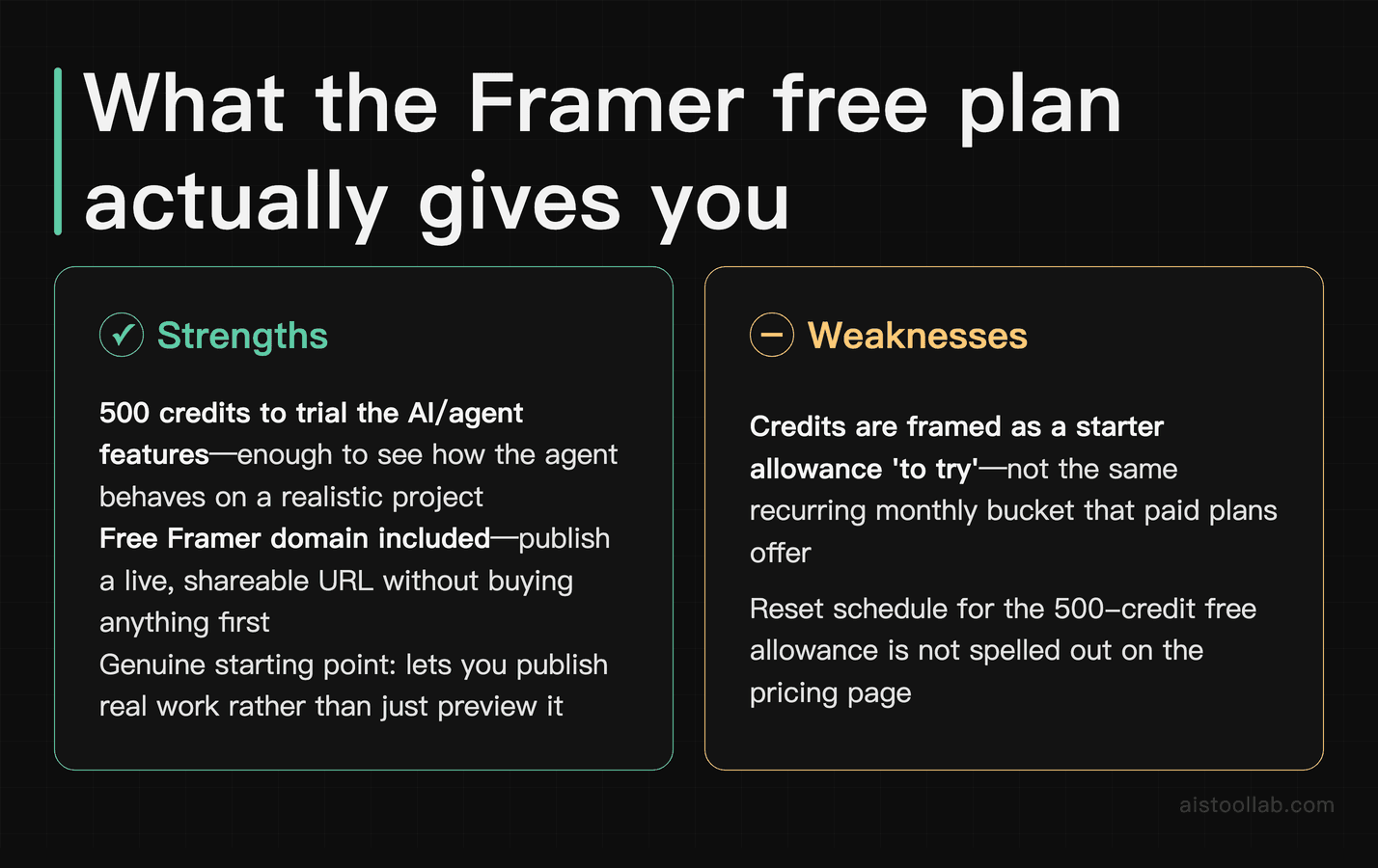
Before comparing anything, it’s worth pinning down what “free” actually buys you, because the free plan is doing three separate jobs and it’s easy to blur them together.
The 500 credits. Framer’s pricing page lists “500 credits to try” on the free plan (checked 2026-08-12). Credits are Framer’s currency for its AI/agent features — the paid tiers are described in terms of monthly credit allowances, and this free grant is phrased as an amount “to try.” That wording is doing something specific: it reads as a starter allowance to test-drive the AI features, not the same kind of recurring monthly bucket that the paid plans advertise. I’d budget your expectations accordingly — 500 credits is enough to see how the agent behaves and whether it fits how you work, not a bottomless supply for daily production. The page doesn’t spell out a reset schedule for that free allowance in the copy I verified, so if the difference between “one-time” and “monthly” matters to your plan, that’s the first thing to confirm directly on the pricing page.
The free Framer domain. This is the underrated one. A free Framer domain (per the official pricing page, checked 2026-08-12) means you can publish a live site on a Framer subdomain without paying for hosting or buying a custom domain to go live. For a portfolio, a personal site, or a quick campaign page, that’s often all you need — a real URL you can drop into a bio, a Slack thread, or an email signature. If and when you want your own yourname.com in front of it, that’s a separate decision, and the excerpts I checked don’t detail custom-domain handling per tier, so I won’t pretend to know where that kicks in.
The permission to start. The third job is the least tangible but arguably the point: the free plan is framed as the beginning of “start free, then scale.” Practically, that means you can build, publish, and get a feel for whether Framer suits your workflow before any money changes hands. If you’ve priced out other credit-based or usage-based tools — I went through a similar exercise reading Fireworks AI Pricing — you’ll recognize the pattern: the free grant exists to let you calibrate your real usage before you pick a paid tier, not to be your permanent home. Use it as a measuring stick. The clearer you are on how many credits your actual projects burn, the less guessing you’ll do when you look at the paid columns.
Step 2: Line the four tiers up side by side
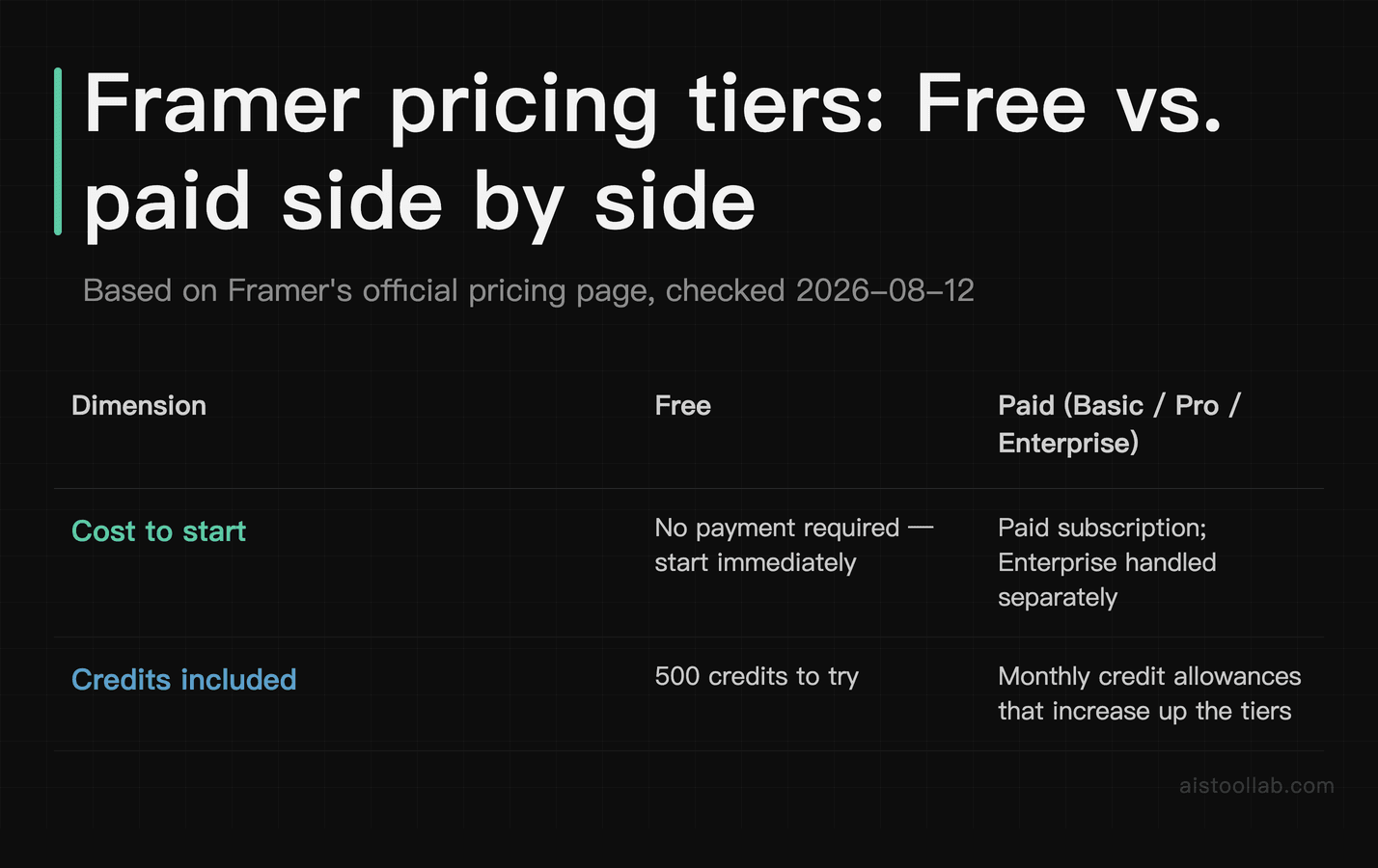
Framer offers four pricing plans: Free, Basic, Pro, and Enterprise (per the official pricing page, checked 2026-08-12). That four-rung structure is the skeleton of the whole page, so it helps to see it laid out plainly.
One thing before the table: I’m orienting this comparison for a solo builder or a small team deciding whether to start on Free or step up to a paid tier — not for an enterprise procurement team weighing custom contracts. Where the official page states a figure, I’ve cited it; where the page lists details I can’t confidently map to a specific column from the excerpts I verified, I’ve said so rather than guess. If a cell reads “see pricing page,” that’s me refusing to invent a number, not the vendor hiding one.
- Cost to start — Free: Start free — no payment to begin (official pricing page, checked 2026-08-12); Paid tiers (Basic / Pro / Enterprise): A paid subscription; Enterprise is handled separately — see current figures on the official pricing page (checked 2026-08-12)
- Credits included — Free: 500 credits to try (official pricing page, checked 2026-08-12); Paid tiers (Basic / Pro / Enterprise): Monthly credit allowances that increase up the ladder — see pricing page (checked 2026-08-12)
- Credit type — Free: A starter allowance “to try”; Paid tiers (Basic / Pro / Enterprise): Recurring monthly credits (per the pricing page’s tier descriptions, checked 2026-08-12)
- Framer domain — Free: Free Framer domain included (official pricing page, checked 2026-08-12); Paid tiers (Basic / Pro / Enterprise): Custom-domain handling not detailed in the excerpts I verified — see pricing page (checked 2026-08-12)
- Number of named tiers here — Free: One (the entry tier); Paid tiers (Basic / Pro / Enterprise): Three: Basic, Pro, Enterprise (official pricing page, checked 2026-08-12)
- Pro Experts agent-credit discount — Free: Not applicable; Paid tiers (Basic / Pro / Enterprise): Pro Experts save 50% on agent credits (official pricing page, checked 2026-08-12)
- Intended role — Free: Where you begin; Paid tiers (Basic / Pro / Enterprise): Where you “scale your site” (official pricing page, checked 2026-08-12)
- Good starting point for — Free: Trying the builder and shipping a first site on a Framer subdomain (from the 500 credits + free domain above); Paid tiers (Basic / Pro / Enterprise): Ongoing or heavier use where monthly credit volume and scaling matter
The row that deserves a second look is the Pro Experts one. The pricing page states that Pro Experts save 50% on agent credits (checked 2026-08-12). That’s a targeted discount, not a blanket one — it’s tied to Framer’s Experts program rather than to every Pro subscriber automatically. The excerpts I verified don’t define who qualifies as a “Pro Expert,” so I won’t guess at the eligibility bar; if you build sites professionally and expect to lean on the agent features, that 50% is the line item to investigate on the page, because a halved rate on your heaviest cost is exactly where a credit-based plan either works out or doesn’t.
Notice how few hard numbers I’ve been able to responsibly put in that table. That’s the nature of a credit-and-tier model: the pricing page carries the specifics, and those specifics move. Which is precisely why I’d resist choosing a paid tier on paper. Start on free, watch how many credits your real projects consume, and let that number pick the tier for you.
Step 3: Match a tier to what you’re actually shipping
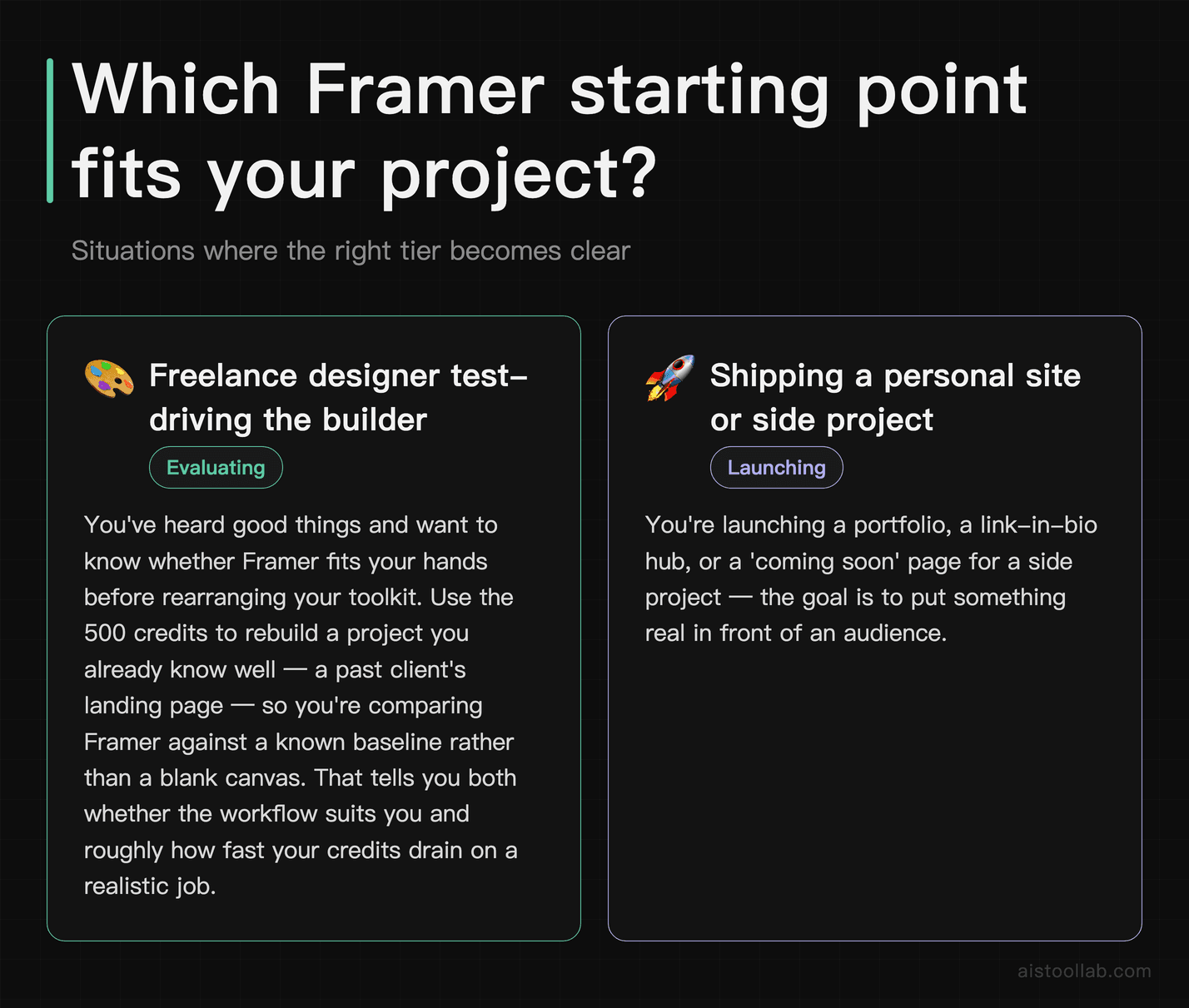
Plans only mean something against a project. Here are three situations where the choice is fairly clear-cut, framed as “if this is you.” None of these are real named users — they’re hypotheticals to think through your own case.
If you’re a freelance designer test-driving the builder
Say you’ve heard good things and you want to know whether Framer fits your hands before you rearrange your toolkit. The free plan is built for exactly this moment. You get 500 credits to try the AI/agent features and a free Framer domain to publish something real (both per the official pricing page, checked 2026-08-12). My advice: don’t spend the whole allowance on one over-ambitious page. Rebuild a project you already know well — a past client’s landing page, say — so you’re comparing Framer against a known baseline rather than a blank canvas. That tells you two things at once: whether the workflow suits you, and roughly how fast your credits drain on a realistic job. Both are the inputs you’ll want before you look at any paid column.
If you’re shipping a personal site or side project
Imagine you’re launching a portfolio, a link-in-bio hub, or a “coming soon” page for the side project you keep talking about. The free Framer domain matters more than it looks here — it means you can go live and share a working URL today, without buying hosting or a domain to prove the idea to a few people first. The pricing page’s whole framing, “start free, then scale your site” (checked 2026-08-12), fits this arc: publish on the free tier, see whether the thing gets traction, and step up to a paid plan when you actually need a custom domain, more monthly credits, or whatever the higher tiers unlock. Paying before you’ve validated the project is the trap; the free tier is designed to let you skip it. This “read the official docs first, then commit” habit is the same one I took into Hailuo AI — cheaper to learn the plan than to guess it.
If you build client sites for a living
Now say you run a small studio or you’re an independent who ships sites for paying clients month after month. Your usage profile is the opposite of the two above: steady, repeated, and credit-hungry, because you’re leaning on the tooling every week rather than kicking the tires once. This is where the Pro Experts 50% saving on agent credits (per the official pricing page, checked 2026-08-12) becomes the deciding factor rather than a footnote. If agent credits are a recurring line in your cost of doing business, cutting that rate in half changes the math on whether Framer pencils out as a production tool versus an occasional one. What I can’t tell you from the pricing page alone is whether you qualify for the Experts program or how much you’d actually save at your volume — that depends on the eligibility terms and your real monthly credit burn, both of which you’ll need to check directly. But if you’re in this bucket, that discount is the number I’d chase down before comparing anything else.
Across all three, the through-line is the same: the free plan is the measuring instrument, and your own credit consumption is the reading. Framer’s page even nods at fit with positioning language like “Creative personal sites” (official pricing page, checked 2026-08-12) — a hint at the kind of work the lower end is aimed at. Let your project, not the pricing table, tell you when it’s time to climb the ladder.
Click “Start free” first, then let the ceiling tell you when to pay
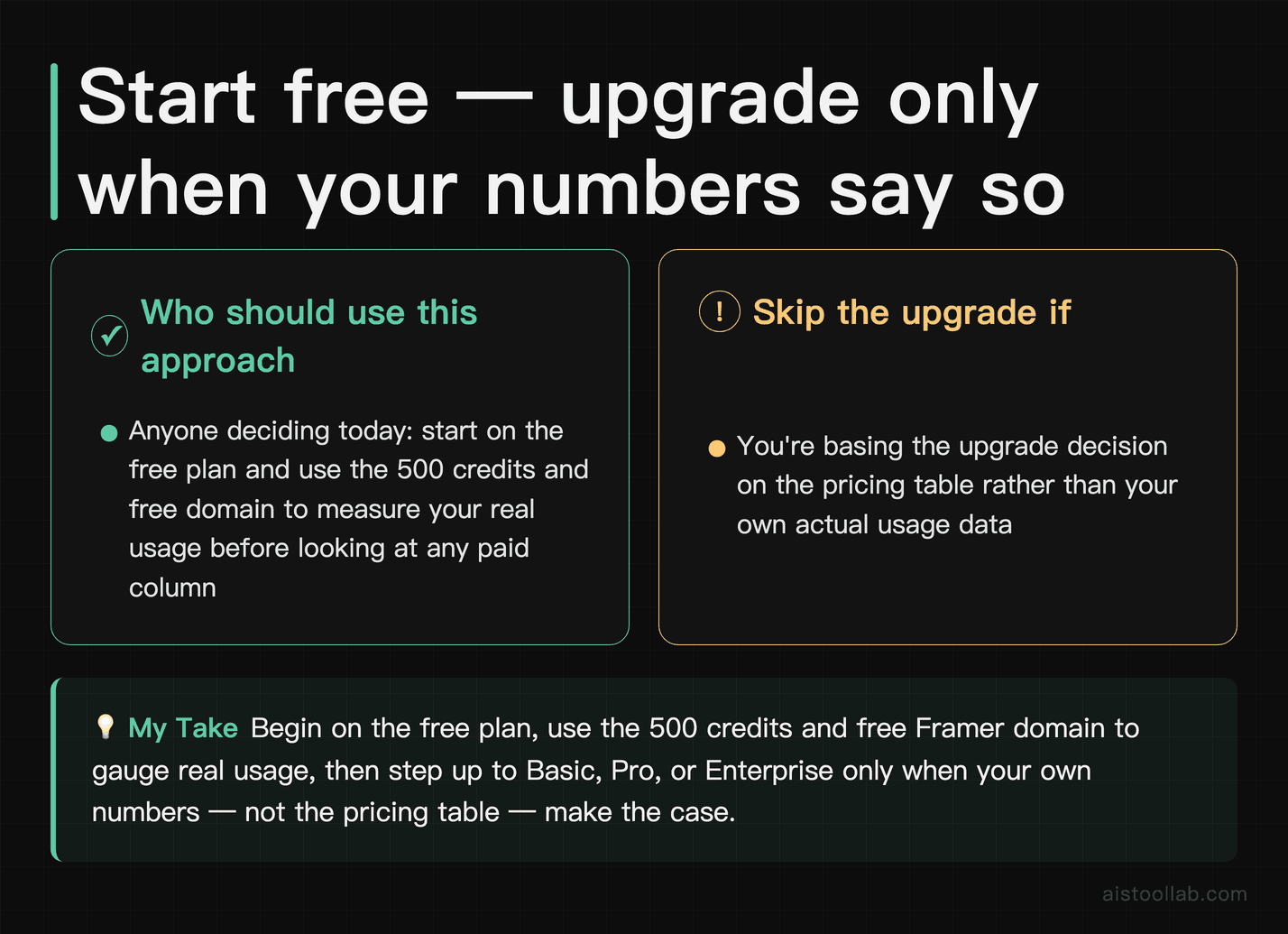
If you’re deciding today: begin on the free plan, use the 500 credits and free Framer domain to measure your real usage, and only climb the tiers — Basic, Pro, or the Pro Experts discount — when your own numbers, not the pricing table, say it’s time.
Frequently Asked Questions
Do the 500 free credits reset every month, or is it a one-time allowance?
The pricing page phrases it as “500 credits to try” (Framer’s official pricing page, checked 2026-08-12), and that wording is the whole answer to how much you can lean on it. “To try” reads as a starter allowance for kicking the tires, in contrast to the paid tiers, which the same page describes in terms of monthly credit allowances. So my honest read is that the free grant is best treated as a one-time-ish trial budget rather than a recurring monthly bucket — but I want to be straight with you: the exact reset behavior for the free allowance isn’t spelled out in the excerpts I verified. If the difference between “renews each month” and “spend it once” changes your decision — and for anyone planning steady use, it should — that’s the single detail I’d confirm on the pricing page itself before you build a workflow around it. Don’t design a monthly process on the assumption that 500 credits keep coming back; verify it first.
Can I stay on the free plan indefinitely, or is it a countdown trial?
Framer frames the free plan as the start of a path — “Start free, then scale your site” (official pricing page, checked 2026-08-12) — not as a ticking trial that locks you out on day 14. The inclusion of a free Framer domain reinforces that: you can publish a live site and keep it live on a Framer subdomain, which isn’t how disappearing demos behave. So in spirit, free is a genuine tier you can build and ship on, not a countdown. The caveat is that “you can stay” and “you’ll never want to leave” are different things. The whole point of the four-tier ladder is that heavier use — more monthly credits, a custom domain, the Pro Experts discount if you build professionally — sits on the paid rungs. Whether the free tier’s limits eventually nudge you upward depends entirely on your own usage, and those specific limits live on the pricing page, which is where I’d look once you know roughly how much you actually consume.
Last updated: 2026
Looking for other options in this category?
👉 Browse the AI Tools Library and compare more tools side by side.