
For Some Teams, the Copilot Question Is Value, Not Code Quality
The biggest complaint about GitHub Copilot isn’t the quality of its suggestions — it’s the value calculation. At $10/month for an individual Copilot Pro seat and $19/user/month for Copilot Business (GitHub’s official pricing page, checked 2026-07-29), you’re paying for an AI that lives almost exclusively inside VS Code and JetBrains IDEs, leans heavily on the GitHub ecosystem, and — until fairly recently — had a chat and agent experience that lagged behind competitors. For a solo developer working across multiple editors, or a team that doesn’t live in GitHub, that price tag invites scrutiny.
Transparency note: this article is compiled from each tool’s official documentation and publicly available user feedback rather than a first-hand paid test; check the vendors’ latest announcements for current pricing and features.
That said, let’s be honest: Copilot is genuinely impressive at inline autocomplete. Its training on an enormous corpus of public code means it handles boilerplate, common patterns, and framework idioms well. The deep GitHub integration — pull request summaries, issue context, repository-aware suggestions — is a real advantage for teams already on that stack. If that describes you perfectly, Copilot might still be the right call.
But the AI coding tool market has matured fast. In 2026, there are legitimate alternatives that beat Copilot on price, IDE flexibility, privacy, or agentic capabilities. This guide covers four of them, plus status updates on two tools that have changed hands or changed name — Cursor, Cody, Amazon Q Developer, Tabnine, Continue.dev, and Windsurf (now called Devin Desktop; verified 2026-08-02, source: devin.ai/desktop official page) — so you can figure out which one actually fits your workflow.
Where Copilot Runs Out of Road: Seats, IDEs and Lock-In

Before diving into the tools, it’s worth naming the specific frustrations that send developers searching. These aren’t theoretical — they come up constantly in developer forums and communities:
- The cost adds up for teams. Copilot Business at $19/user/month sounds manageable until you multiply it across a 10-person engineering team — that’s $190/month for a tool that some members may use lightly (GitHub’s official pricing page, checked 2026-07-29). Several alternatives offer more generous free tiers or cheaper team plans.
- Agent mode is still catching up. Copilot’s agentic features — where the AI autonomously writes, edits, and runs code across multiple files — arrived later than competitors and still has limitations compared to tools like Cursor or Windsurf that were built around this use case from the start.
- It assumes the GitHub ecosystem. If your team uses GitLab, Bitbucket, or an internal VCS, you lose some of Copilot’s best features. Repository context, PR assistance, and issue-linking are GitHub-specific perks.
- Limited IDE support for some workflows. VS Code and JetBrains are well-supported. But Neovim users, Emacs users, or developers on niche editors often get a degraded experience or none at all.
- Privacy and codebase concerns. Copilot sends code to Microsoft/GitHub’s servers by default. For developers handling sensitive codebases — especially at companies without an enterprise plan that includes privacy guarantees — this is a real concern. Self-hosted alternatives exist that don’t.
Switching away from Cursor instead? The same shortlist reads differently when the trigger is price and the forked IDE rather than agent capability — see our Cursor alternatives guide.
Start Here: Match the Tool to How Your Team Already Works
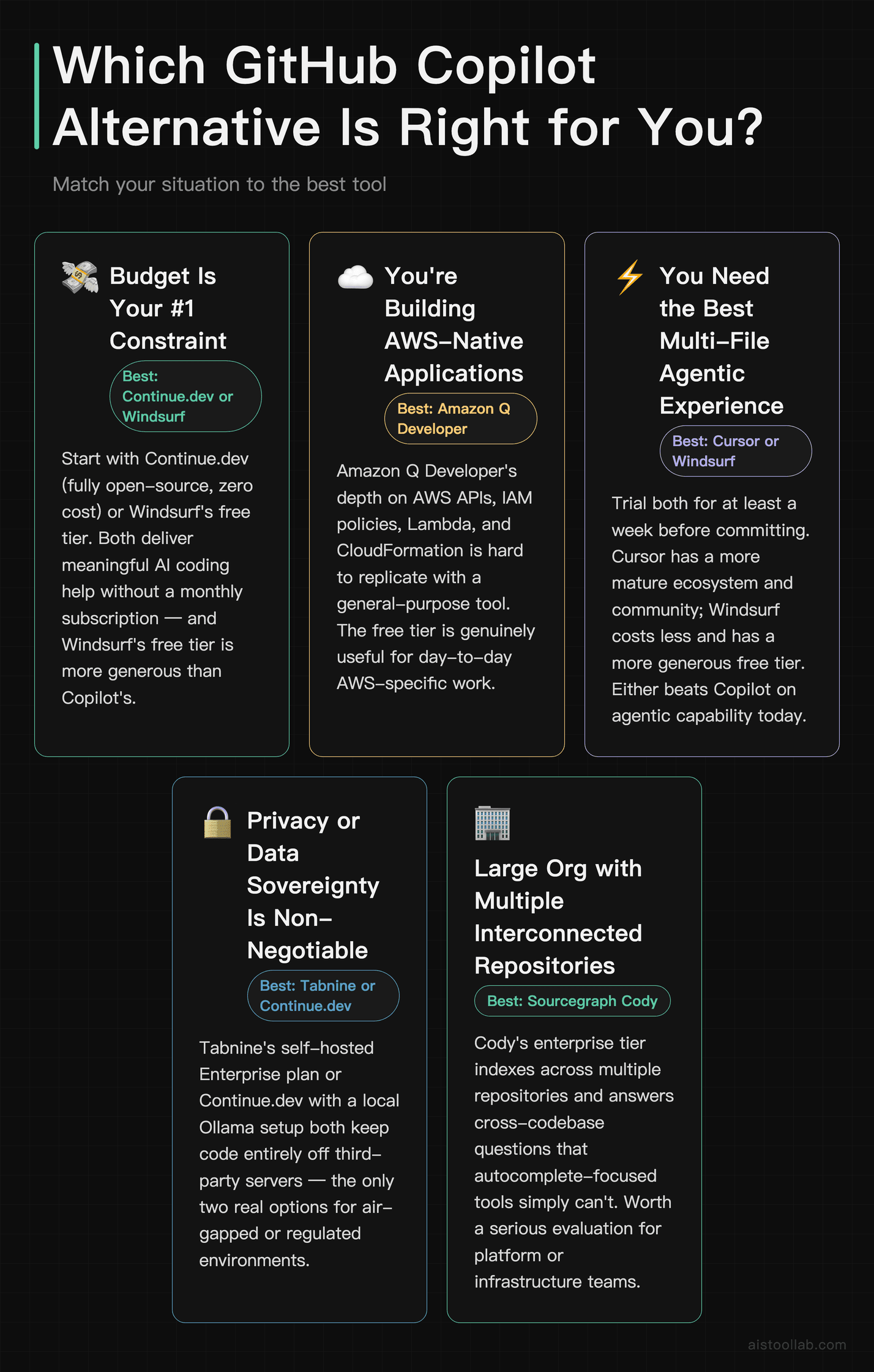
- If you’re a developer on a GitHub-heavy team with deep VS Code usage → Honestly, stick with Copilot or try Cursor if you want better agent capabilities. Both integrate well with the same environment.
- If budget is your #1 constraint → Continue and Windsurf used to be the budget picks in this guide. Both have since changed — see the status updates below. The other tools’ entry tiers are described in their own sections above; this update did not re-check their pricing.
- If you’re on an AWS-native team → Amazon Q Developer is the obvious first test. The free tier is genuinely useful, and the AWS-specific context depth is hard to replicate elsewhere.
- If privacy or data sovereignty is non-negotiable → Continue used to be one of the two routes here, via a local Ollama setup; its current status is covered in the update below rather than recommended. Tabnine’s self-hosted option is described in its own section above — this update did not re-check its current plan names or terms.
- If you want the best multi-file agentic experience available right now → Windsurf was one of the two recommendations here; it has since been renamed — see the status update below. That leaves Cursor from the original pair, which this update did not re-test. Try it for a week before committing.
- If you work in a large organization with multiple interconnected repositories → Sourcegraph Cody’s enterprise tier deserves a serious look. The cross-repo context awareness is genuinely unique.
While your AI coding tool handles code generation, these free browser utilities cover the manual tasks that come up constantly: JSON Formatter for parsing API responses, Regex Tester for validating patterns without a terminal, and Base64 Encoder for handling tokens and encoded payloads.
Cursor, if you want the editor itself to be AI-native
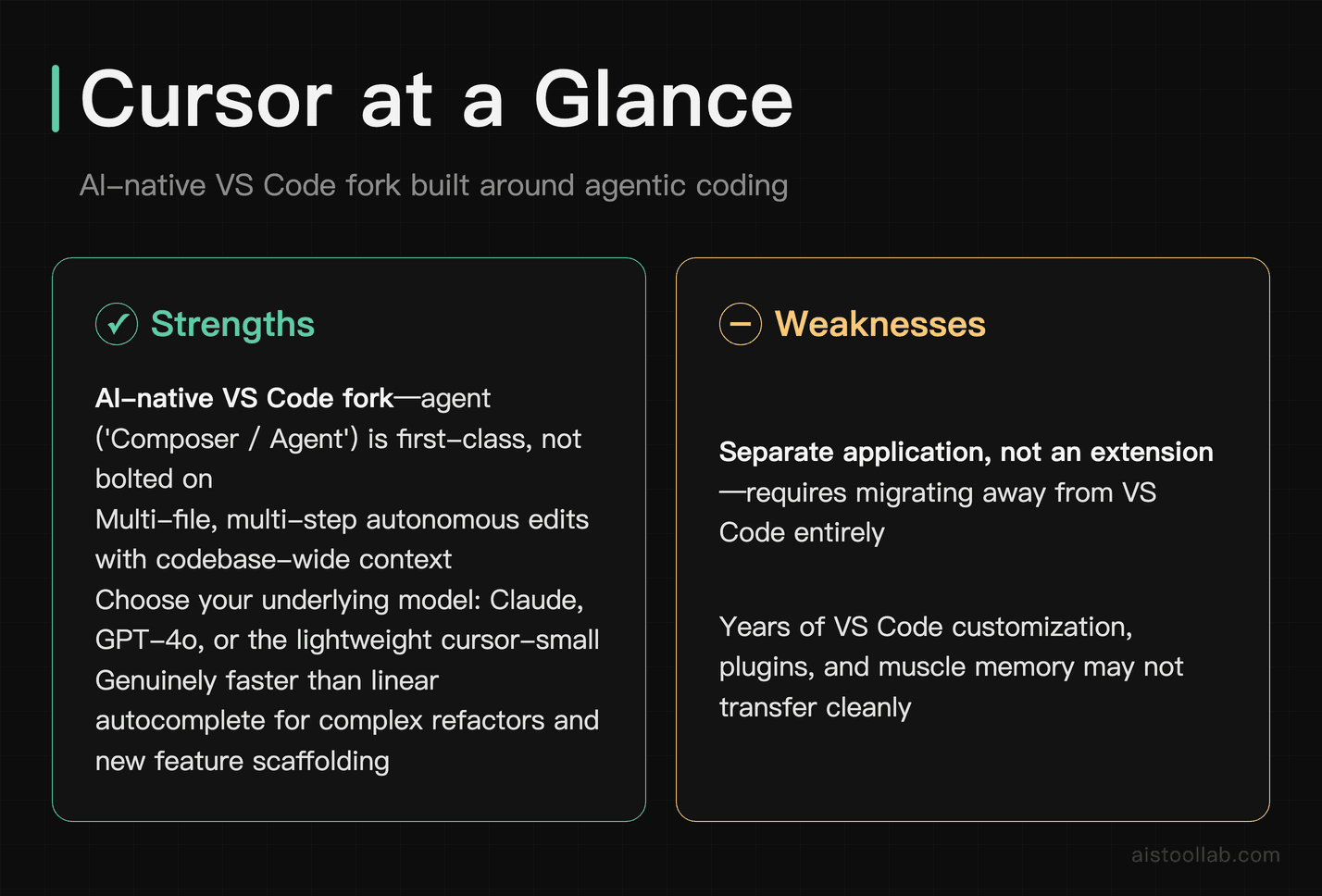
Cursor is the tool that’s generated the most buzz among working developers over the past year, and for good reason. Rather than bolting an AI assistant onto an existing editor, Cursor built its own VS Code fork where AI is a first-class citizen. The result is a noticeably more integrated experience: multi-file edits, codebase-aware context, and an agent mode that can actually plan and execute multi-step changes without you babysitting every line.
The standout feature is Cursor’s “Composer” (now called Agent in recent versions), which lets you describe a goal — “add authentication to this Express app using JWT” — and watch it touch multiple files, write tests, and handle imports autonomously. It’s not magic and it makes mistakes, but for complex refactors or scaffolding new features, it’s genuinely faster than Copilot’s more linear autocomplete approach. It also lets you choose your underlying model (Claude, GPT-4o, or its own cursor-small model), which gives you more control over the speed/quality tradeoff.
The honest weakness: Cursor is a separate application, not an extension. If you have years of VS Code customization, plugins, and muscle memory, switching has friction. Some developers also find the pricing jumps fast — the free tier is limited, and heavy usage on the Pro plan can feel like it burns through “fast requests” quickly.
Pricing: Hobby tier free; Pro $20/month; Pro+ $60/month; Ultra $200/month; Teams $40/user/month (Cursor’s official pricing page, checked 2026-07-29).
Sourcegraph Cody — for questions that span the whole repo
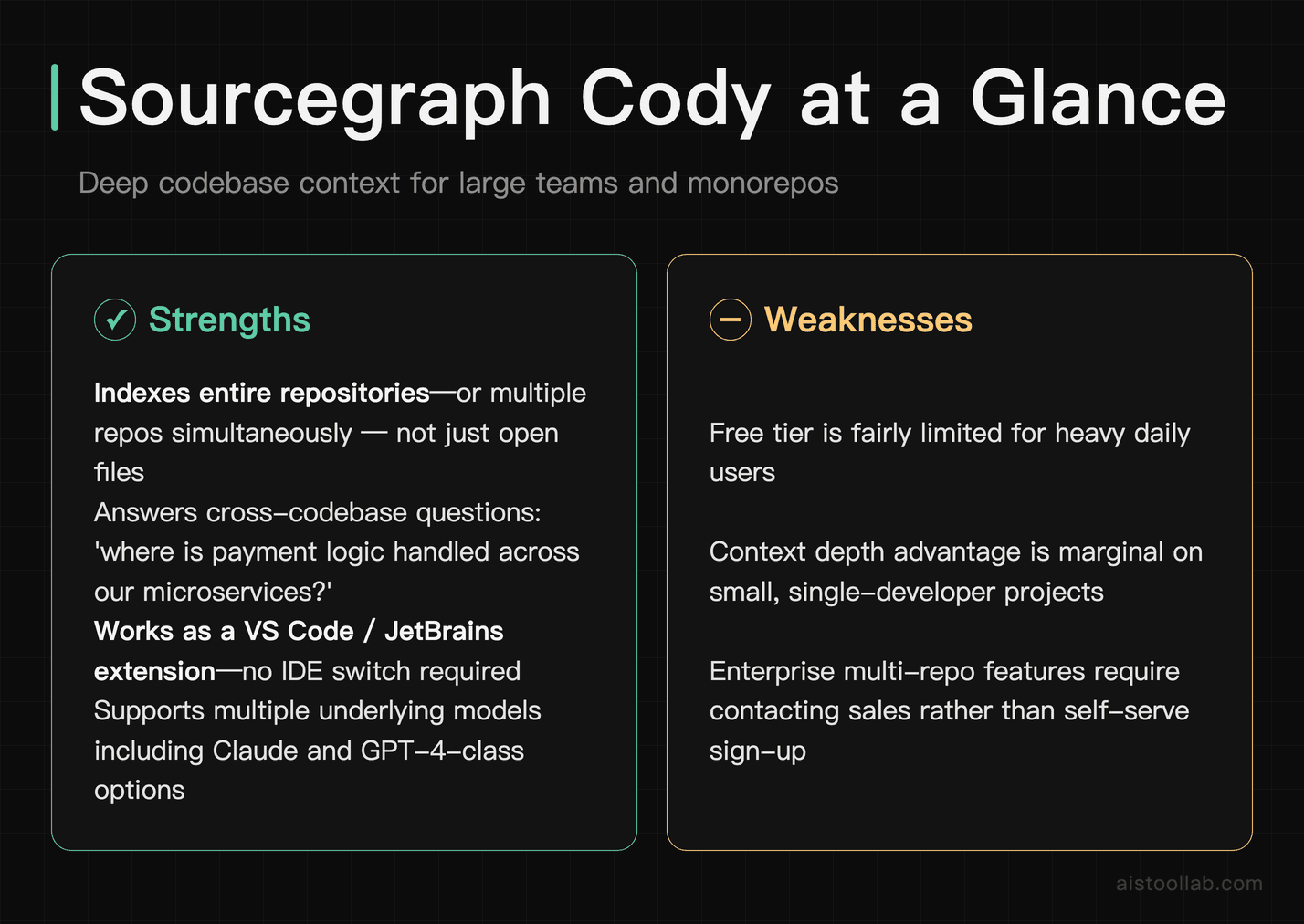
Cody, made by Sourcegraph, takes a different angle than most AI coding tools. Its superpower is codebase context. While Copilot and Cursor work with what’s in your open files and recent history, Cody can index your entire repository — or even multiple repositories — and answer questions like “where is the payment logic handled across our microservices?” or “find every place we handle null user IDs.” That’s a fundamentally different capability.
For teams on large monorepos or organizations with dozens of connected services, this context depth is legitimately useful in ways that autocomplete-focused tools aren’t. Cody also works as an extension inside VS Code and JetBrains, so there’s no IDE switch required, and it supports multiple underlying models including Claude and GPT-4-class options depending on your plan.
The weakness is that Sourcegraph’s pricing page lists no free or self-serve paid tier for Cody, and the experience on smaller, single-developer projects doesn’t stand out as much anyway, because the context advantage matters less when your codebase fits in working memory. The only plan on the pricing page is Enterprise, which requires contacting sales rather than self-serve signup.
Pricing: Sourcegraph’s official pricing page shows no self-serve plan: it lists one Enterprise plan, starting at $16K, and does not state a billing period; the official Cody docs mark Cody as supported on Sourcegraph Enterprise (checked 2026-07-29).
AWS end to end? Amazon Q Developer
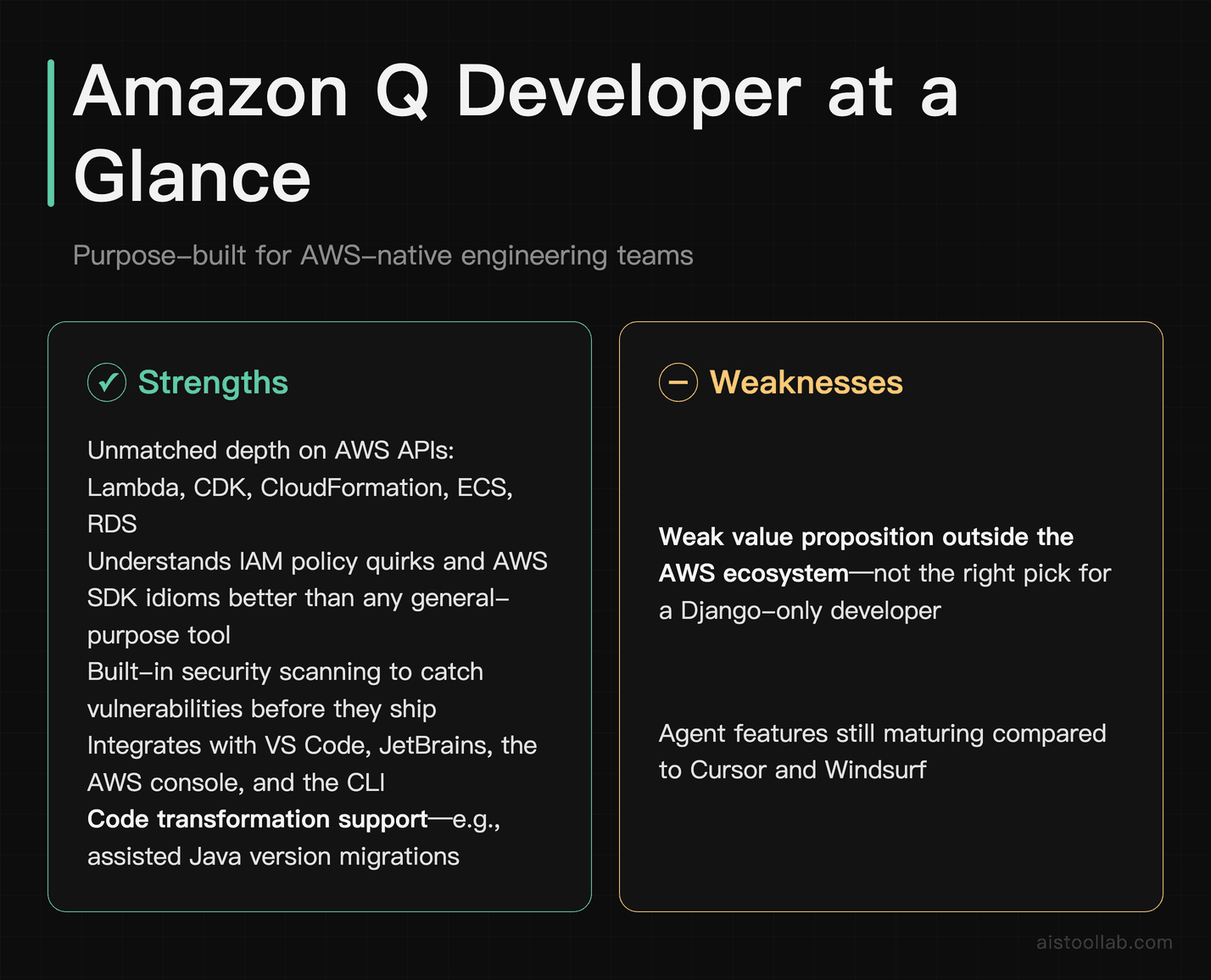
Amazon Q Developer (formerly CodeWhisperer, rebranded and significantly expanded) is Amazon’s answer to Copilot. If your team is building on AWS — Lambda, CDK, CloudFormation, ECS, RDS — Q Developer has a depth of context for AWS APIs and patterns that no general-purpose coding assistant can match. It knows the quirks of IAM policies, the correct syntax for CloudFormation resources, and the idioms of the AWS SDK in a way that feels purpose-built rather than generic.
Beyond autocomplete, the newer Q Developer includes an agent mode for tasks like code transformation (it can assist with Java version migrations, for instance) and security scanning — the latter being genuinely useful for teams that need to catch vulnerabilities before they ship. It integrates with VS Code, JetBrains, the AWS console directly, and even the CLI.
The honest caveat: outside of the AWS ecosystem, Q Developer’s suggestions are competent but not exceptional. You wouldn’t choose it as a Python/Django developer who doesn’t touch AWS. The agent features are also still maturing. But for the right team — backend engineers building AWS-native applications — it’s a compelling alternative that also happens to have a generous free tier.
Pricing: Free Tier with limited agentic requests; Pro Tier $19/mo. per user, per the official AWS pricing page (checked 2026-07-29).
Tabnine, for code that cannot leave your infrastructure
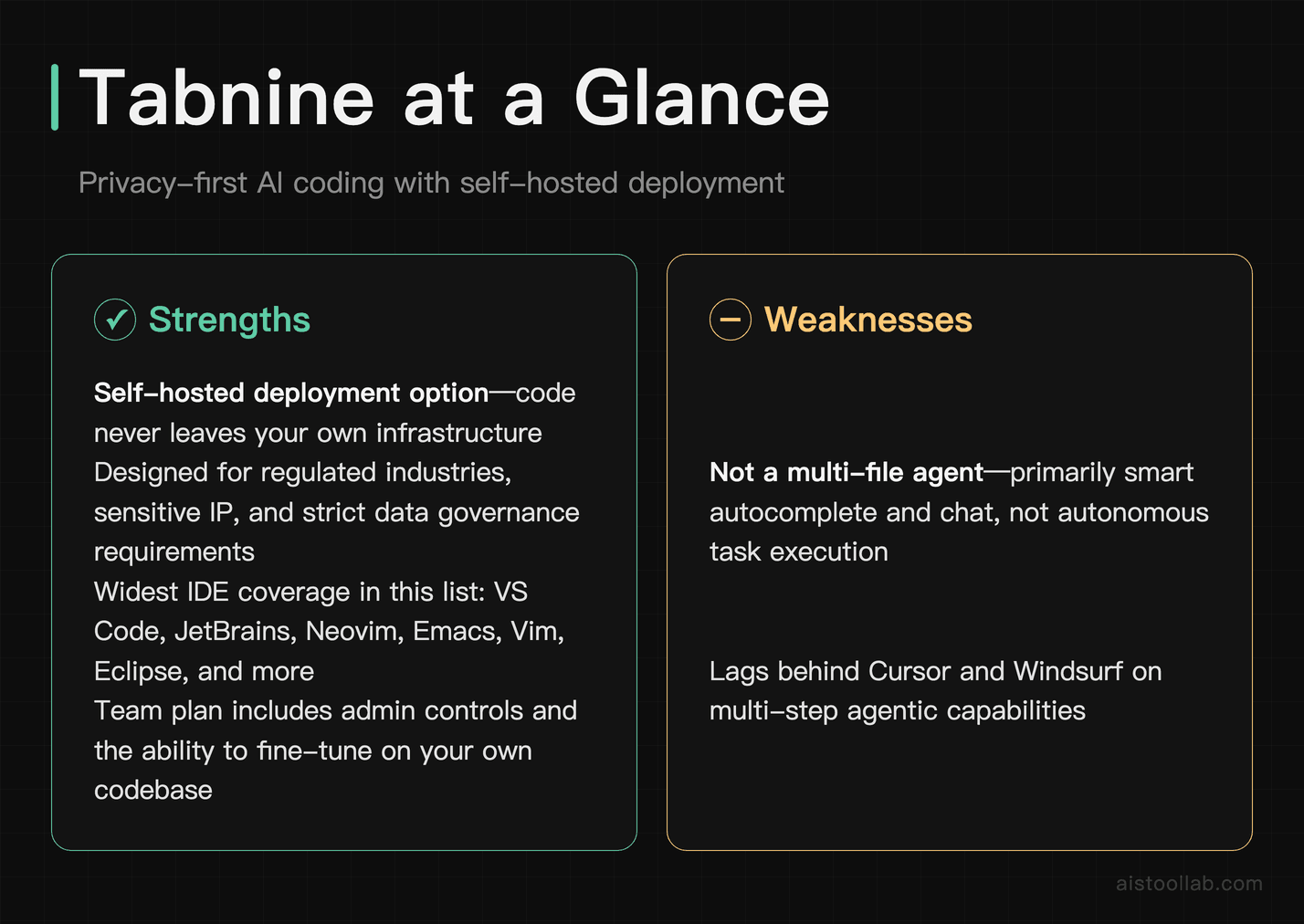
Tabnine has been around longer than most of its competitors — it was one of the first serious AI code completion tools — and it’s carved out a distinct position by leaning into privacy and control. Tabnine offers a self-hosted deployment option, meaning your code never has to leave your infrastructure. For companies in regulated industries, with sensitive IP, or under strict data governance requirements, this is the argument that wins the conversation.
The quality of autocomplete is solid for common patterns. Tabnine’s models have also improved substantially, and the chat assistant handles standard coding questions well. Where it doesn’t compete is on agentic features — it’s primarily a smart autocomplete and chat tool, not a multi-file agent. If you’re evaluating it against Cursor or Windsurf on that dimension, it will feel limited. That’s not what it’s trying to be.
It also has genuinely broad IDE support — VS Code, JetBrains, Neovim, Emacs, Vim, Eclipse, and more — which makes it one of the best options for teams with diverse editor preferences. The team plan includes admin controls and the ability to train or fine-tune on your own codebase, which is a real differentiator for organizations that want AI suggestions that match their internal coding standards.
Pricing: Tabnine’s official pricing page lists two quote-based plans — Code Assistant at $39 per user per month and the Agentic Platform at $59 per user per month, both on an annual subscription — and shows no self-serve free tier; private, self-hosted and air-gapped deployment is listed on both (checked 2026-07-29).
Continue — status update: acquired by Cursor

Continue was the open-source option in this guide. Its official site now states “Continue has been acquired by Cursor” (continue.dev, checked 3 August 2026), and the page currently presents an acquisition announcement rather than a product page. This guide has not retested installation, the extension listings, or day-to-day use since the acquisition, and has not checked what the acquisition means for the open-source repository, so the capability claims that used to sit here are not carried forward.
What is not reverified: whether the current build still installs cleanly, which model backends are still supported, whether the local-Ollama route still works end to end, and whether community support and documentation are still maintained at the level this guide previously described. Those were the reasons Continue appeared here, and none of them were retested for this update — so treat the section as a status note, not a recommendation.
The weakness is what you’d expect: it’s not a polished product. The experience isn’t as refined as Cursor or Copilot, and if something breaks, you’re debugging your own configuration rather than filing a support ticket. But for a budget-conscious developer or a privacy-focused organization willing to invest in setup, the flexibility is unmatched by any commercial alternative.
Pricing: Free and open-source. You pay only for API costs if you use cloud models (which vary by provider), or nothing if you run models locally.
Windsurf — status update: renamed Devin Desktop

Windsurf has been renamed. Its own site now redirects to devin.ai/desktop, where the official wording is “Devin Desktop is the new name for Windsurf. We’re building on the IDE foundation of Windsurf” (checked 3 August 2026). The official wording describes a rename rather than the product being taken over by a different editor. This guide has not re-tested what is behind that name today.
What is not reverified: what “Cascade” does in the current build (the name still appears in the interface, which is not the same as confirming the feature is unchanged), whether a free tier still exists and what its limits are, how pricing now compares with Cursor, and how it handles long agentic task sequences. This guide did not test Devin Desktop hands-on for this update, so none of the earlier comparisons are carried forward.
If you were considering it because of this guide, the honest position is: check devin.ai/desktop directly for what the current product offers, rather than relying on a comparison written before the rename.
Pricing: Windsurf’s own pricing URL now serves a redirect — windsurf.com/pricing returns HTTP 308 to devin.ai/pricing, which lists Free $0, Pro $20/month, Max $200/month, and Teams at $80/month plus $40/mo per full dev seat (checked 2026-07-29).
Agent Mode, Free Tier and Self-Hosting, Lined Up

Frequently Asked Questions
Is there a completely free alternative to GitHub Copilot?
Yes — Continue.dev’s open-source codebase is still free to use, although Continue itself was acquired by Cursor and continue.dev now serves an acquisition notice rather than a product page. If you run it with a local model via Ollama, there are zero ongoing costs. windsurf.com/pricing redirects to devin.ai/pricing, which lists a free plan; Sourcegraph’s pricing page lists no free tier for Cody (checked 2026-07-29). The tradeoff on what is left is either setup complexity (Continue.dev) or usage limits (devin.ai’s free plan).
Is GitHub Copilot still worth it in 2026?
For developers deeply embedded in the GitHub ecosystem — using GitHub for PRs, issues, and project management — Copilot’s integrations add real value beyond raw code completion. For developers who aren’t, the case is weaker. At $10/month for Copilot Pro it’s not expensive, but the alternatives have moved: windsurf.com/pricing redirects to devin.ai/pricing, which lists Pro at $20/month, and Continue.dev’s open-source codebase stays free after the Cursor acquisition (checked 2026-07-29).
Which GitHub Copilot alternative has the best autocomplete quality?
This depends on your language and framework. Cursor offers strong autocomplete backed by frontier models. Tabnine is competitive for common languages. For AWS-specific code, Q Developer often outperforms on AWS APIs and service patterns. (Windsurf appeared in this answer before its rename — see the status update above.)
Can I use these tools offline or without sending code to the cloud?
Tabnine offers a self-hosted deployment option; this update did not re-check its current plan names, which have changed since this guide was written. Continue with a local Ollama setup used to be the other commonly cited path, but this guide has not retested it since the acquisition — see the status update above before relying on it.
What’s the best GitHub Copilot alternative for a team on a tight budget?
Sourcegraph’s official pricing page lists no Cody Pro tier — the only plan shown is Enterprise, starting at $16K — so that route is closed for a tight budget. Among the paid options here, Amazon Q Developer is $19/mo. per user on the official AWS pricing page (checked 2026-07-29). Continue.dev is free but requires more setup investment. Amazon Q Developer’s free tier covers quite a bit for individual developers and may be enough before you need to pay anything.
Last updated: 2026
All prices in this article were verified against official pricing pages in July 2026; plans and fees may change, so please refer to the official page for current details.