
The Real Problem with Finding AI Tools as a Student or Researcher
Picking AI tools for academic work means walking through a minefield. You need help synthesising dense literature, structuring arguments, and managing citations — but the tools that get hyped on social media are either built for marketers, optimised for code generation, or simply make up references with total confidence. A fabricated citation in a term paper is embarrassing. In a dissertation or published paper, it’s career-ending.
The other frustration is that a “best AI tools for students” list often just name-drops a chatbot and calls it a day. This guide takes a different angle. Every tool here has a specific job in an academic workflow, a note on its free tier, and an honest take on where it falls short. If you’re an undergrad writing your first research paper, a PhD student drowning in papers to read, or a lifelong learner who just wants to understand complex topics faster — there’s a distinct best pick for each of you.
This guide covers seven tools: Perplexity AI, NotebookLM, ChatGPT, Claude, Elicit, Consensus, and Grammarly. Together they cover research discovery, literature synthesis, essay drafting, academic writing polish, and source-grounded note-taking. We’ll tell you which one to start with today and which ones are only worth paying for if your needs are serious.
How to read this guide (method note): This article is compiled from official documentation and publicly available information. Except where a section explicitly says otherwise, we have not independently tested every paid or login-gated feature — capability descriptions reflect vendor materials and public reports and should be read as such, not as first-hand test results. Pricing figures are indicative only; they follow each vendor’s official pricing page and may change, so confirm current numbers before subscribing.
How We Picked These Tools
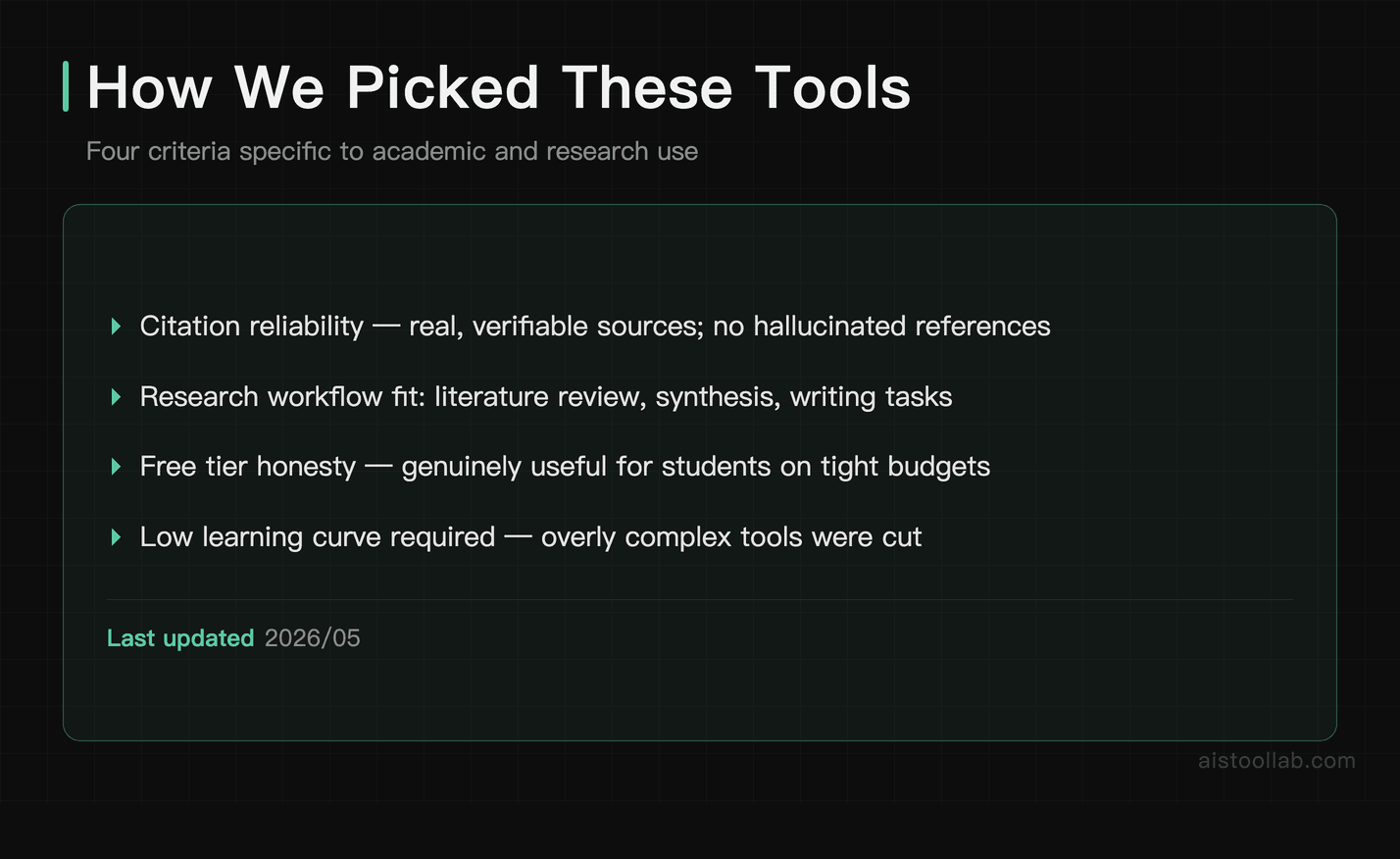
We filtered a longer list down to seven using four criteria specific to academic and research use:
- Citation reliability: Does the tool ground its outputs in real, verifiable sources, or does it hallucinate confidently? For academic use, this is non-negotiable.
- Real-world research workflow fit: Can it actually help with literature review, synthesis, note-taking, or writing — not just chat?
- Free tier usefulness: Is the free plan genuinely useful for a student on a tight budget, or is it a teaser that breaks after five minutes?
- Learning curve vs. payoff: Tools that require a PhD to operate were cut. Academic work is already complex enough.
The Best AI Tools for Students and Researchers in 2026
#1. Perplexity AI — Best for Research Discovery and Cited Answers
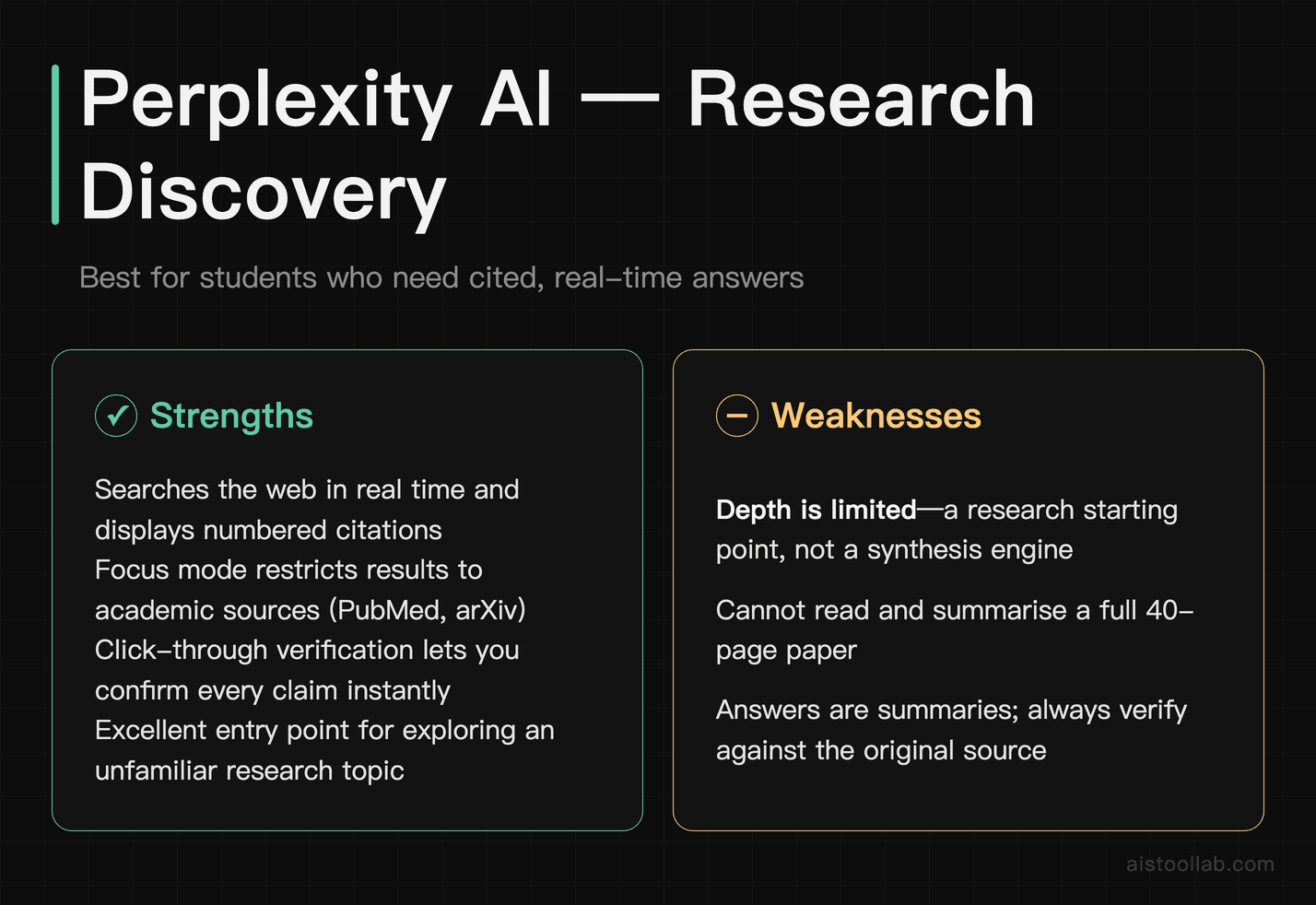
If there’s one tool worth keeping open alongside your browser, it’s Perplexity. Unlike a plain chatbot without browsing, Perplexity searches the web in real time and — crucially — shows you the sources behind most claims it makes. You can open those sources to check the statements yourself. That is the main reason it is better suited to academic use than a standard language model: you can verify rather than trust.
For research discovery specifically, Perplexity is strong. Type a research question in plain language and it returns a synthesised answer with source cards and citations where available that you can inspect. It’s particularly good at surfacing recent papers, news articles, and authoritative sources on a topic you’re just entering. The “Focus” feature lets you restrict searches to academic sources (via services such as PubMed and arXiv) or to community discussion, which is useful for finding practitioner-level context on a topic.
What the free tier looks like (from public information)
Research discovery is the low-cost part to evaluate, and it is available on the free tier without logging in. Based on publicly available information, asking a plain-language research question — for example, about the leading carbon-capture approaches in 2026 and their limitations, with sources — typically returns a row of dated source cards followed by a synthesised, structured answer, with a Sources panel alongside.
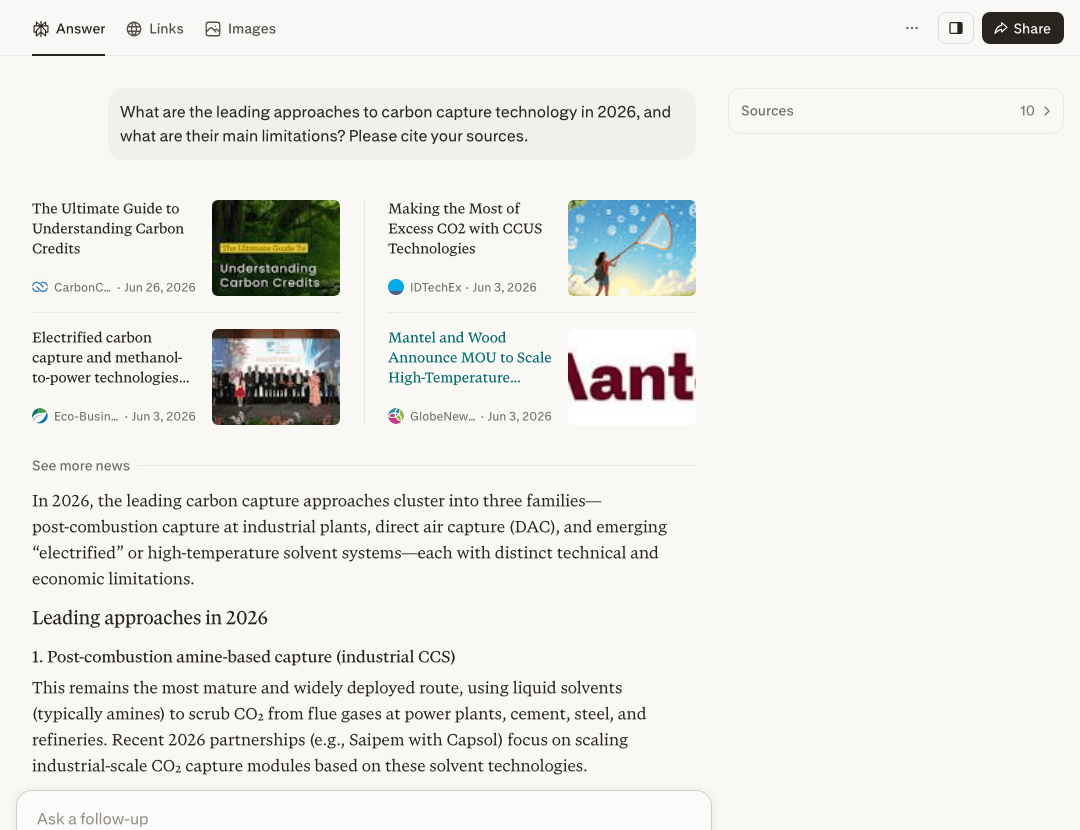
In this kind of interaction the tool groups related sources into a short list of cards and then writes a structured summary — a “here are recent sources plus a synthesised map” behaviour that fits what this section describes, and it runs on the free plan without an account.
Honest caveats: source cards and labels appearing on screen are not the same as verified citations. You should click through each source to confirm the link resolves and that it actually supports the claim before relying on it. Free-tier interfaces also commonly show cookie banners and sign-in prompts. Treat the above as a description of typical behaviour, not a benchmark.
Where Perplexity falls short is depth. It’s a research starting point, not a synthesis engine. It won’t read a 40-page paper and give you a structured summary — that’s NotebookLM’s job. And while citations are real, the answers are still summaries; you should always read the primary source before citing it yourself.
Pricing: The free tier is genuinely usable, with standard searches that include citations. Perplexity Pro is listed at around $20/month and adds more powerful models, higher “Pro Search” limits, and file-upload analysis. Pricing is per Perplexity’s official pricing page (perplexity.ai/pro) and may change.
One-line verdict: If you start every research session by Googling things, replacing that habit with Perplexity is, in my view, a quicker route to a cited, synthesised starting point on a topic.
#2. NotebookLM — Best for Literature Synthesis and Source-Grounded Note-Taking
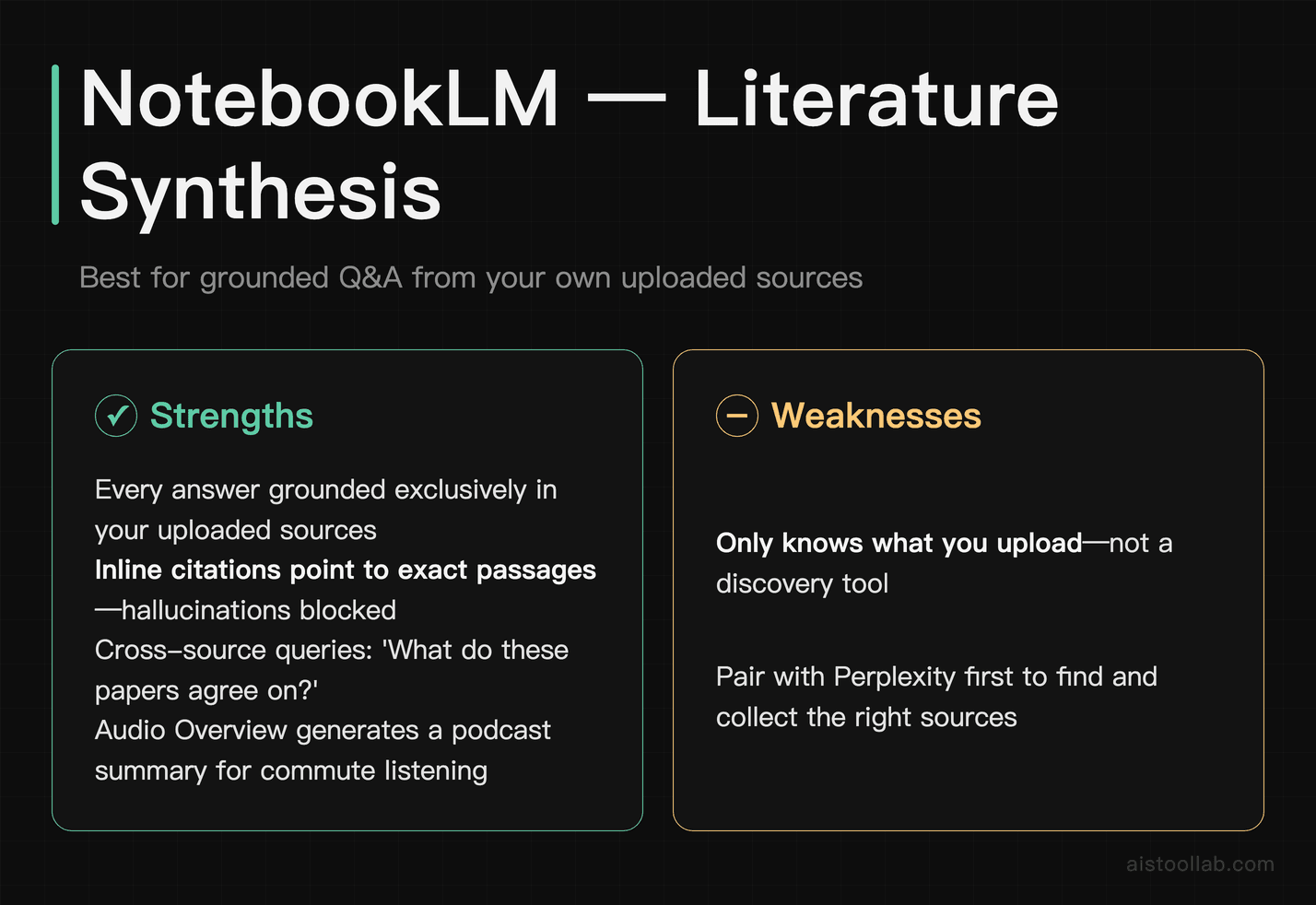
NotebookLM, built by Google, is worth a closer look than its profile suggests, at least for serious academic work. The premise, per Google’s documentation, is simple but powerful: you upload your own sources — PDFs of journal articles, lecture notes, book chapters, your own draft — and then ask questions. Critically, every answer is described as grounded exclusively in what you’ve uploaded, with inline citations pointing to the exact passage, so training-data hallucinations are less likely to sneak in.
For a literature review, this design is compelling. Upload ten papers on your topic, ask “What do these sources agree on regarding X?” or “Which authors contradict each other on Y?” and you get a structured answer tied back to your own documents. The “Audio Overview” feature, which generates a podcast-style conversation between two AI voices summarising your sources, sounds gimmicky but is, by many public accounts, useful for absorbing a set of papers on a commute.
The limitation is that NotebookLM only knows what you feed it. If you haven’t uploaded a paper, it doesn’t exist in its world. It’s a synthesis tool, not a discovery tool — pair it with Perplexity for finding sources, then import them here for deep analysis.
Pricing: Free with a Google account. A paid tier (Google’s official plans page lists Google AI Pro at US$19.99 per month, checked 2026-07-26) adds higher source limits, more notebooks, and enhanced features. For most students, the free tier is sufficient. Pricing is per Google’s official pages (Google One plans) and may change.
One-line verdict: For graduate students and researchers doing literature reviews, this is the tool I’d reach for daily — it’s free, source-grounded by design, and purpose-built for exactly this kind of work.
#3. ChatGPT — Best for Essay Drafting, Brainstorming, and Explaining Complex Concepts
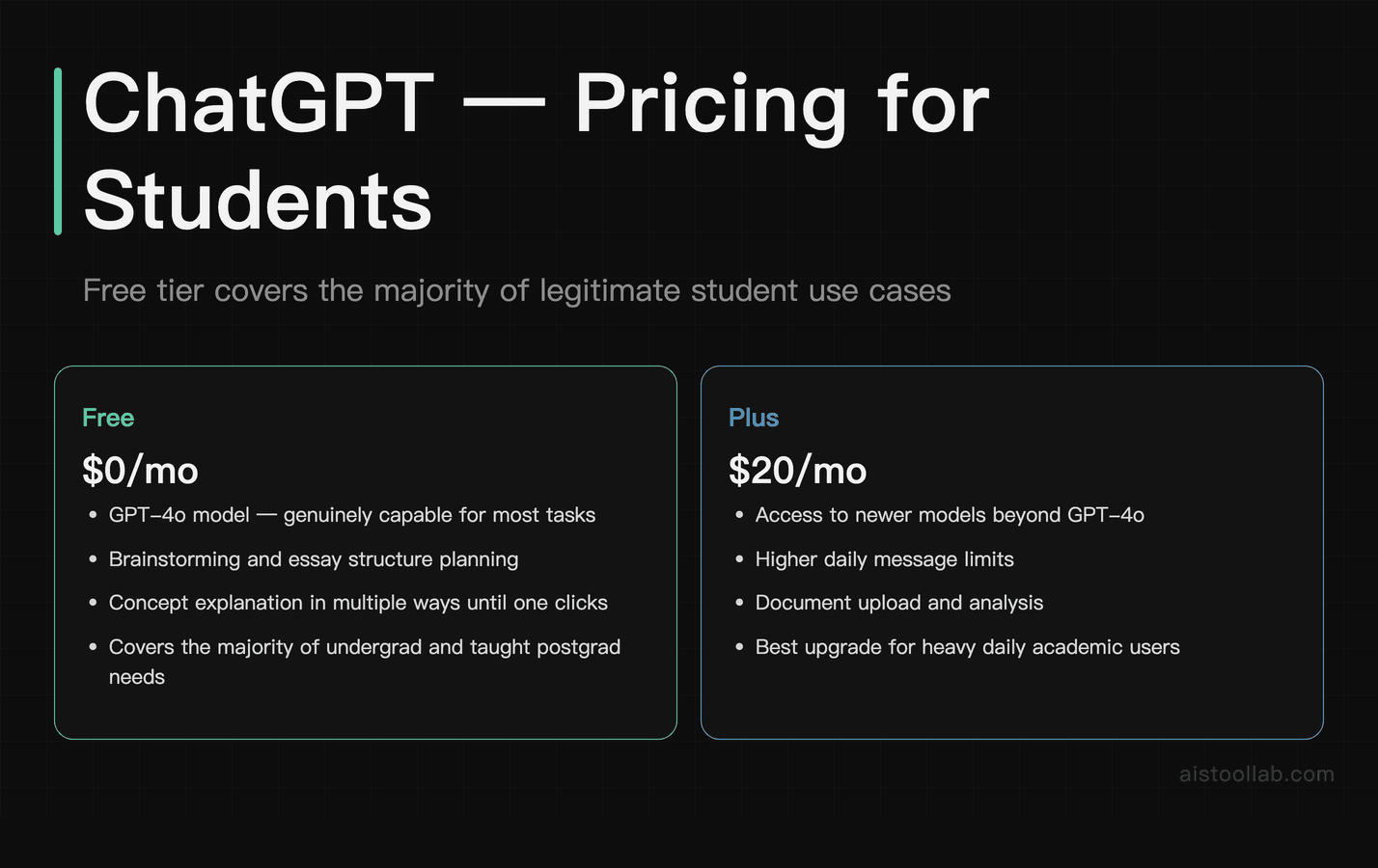
ChatGPT needs no long introduction, but it does need an honest one. For students, it’s most valuable as a thinking partner and drafting tool — not a citation engine. Use it to brainstorm essay structures, generate counterarguments you hadn’t considered, get a difficult concept explained three different ways until one clicks, or work through the logic of an argument before you write it up properly.
The models available on the free tier are, by public accounts, genuinely capable for most of these tasks. For undergrads and taught postgrads, the free tier will cover the majority of legitimate use cases. ChatGPT Plus ($20/month) adds access to newer models, higher message limits, and document analysis — which starts to overlap with NotebookLM’s territory, though with less rigorous source-grounding.
The academic integrity concern is real and worth naming directly. Using ChatGPT to write your essay for you is academic dishonesty at most institutions. Using it to understand a concept, get feedback on your argument, or identify gaps in your reasoning is — at most institutions — in a legitimate grey zone that’s rapidly being codified. Check your institution’s specific policy. The tool itself is neutral; how you use it isn’t.
The hallucination problem remains significant for citations specifically. ChatGPT can confidently produce plausible-sounding but entirely fictional references. Never cite anything from ChatGPT without independently verifying the source exists. For citation-safe research, use Perplexity or Elicit instead.
Pricing: Free tier with usage limits; ChatGPT Plus at $20/month; ChatGPT Edu plans are available for institutions. Pricing is per OpenAI’s official pricing page (openai.com/chatgpt/pricing) and may change.
One-line verdict: In my view this is the one to reach for when you need a difficult concept explained or an argument stress-tested — just keep it far away from your reference list.
#4. Claude — Best for Long-Form Reading, Nuanced Essay Feedback, and Academic Writing
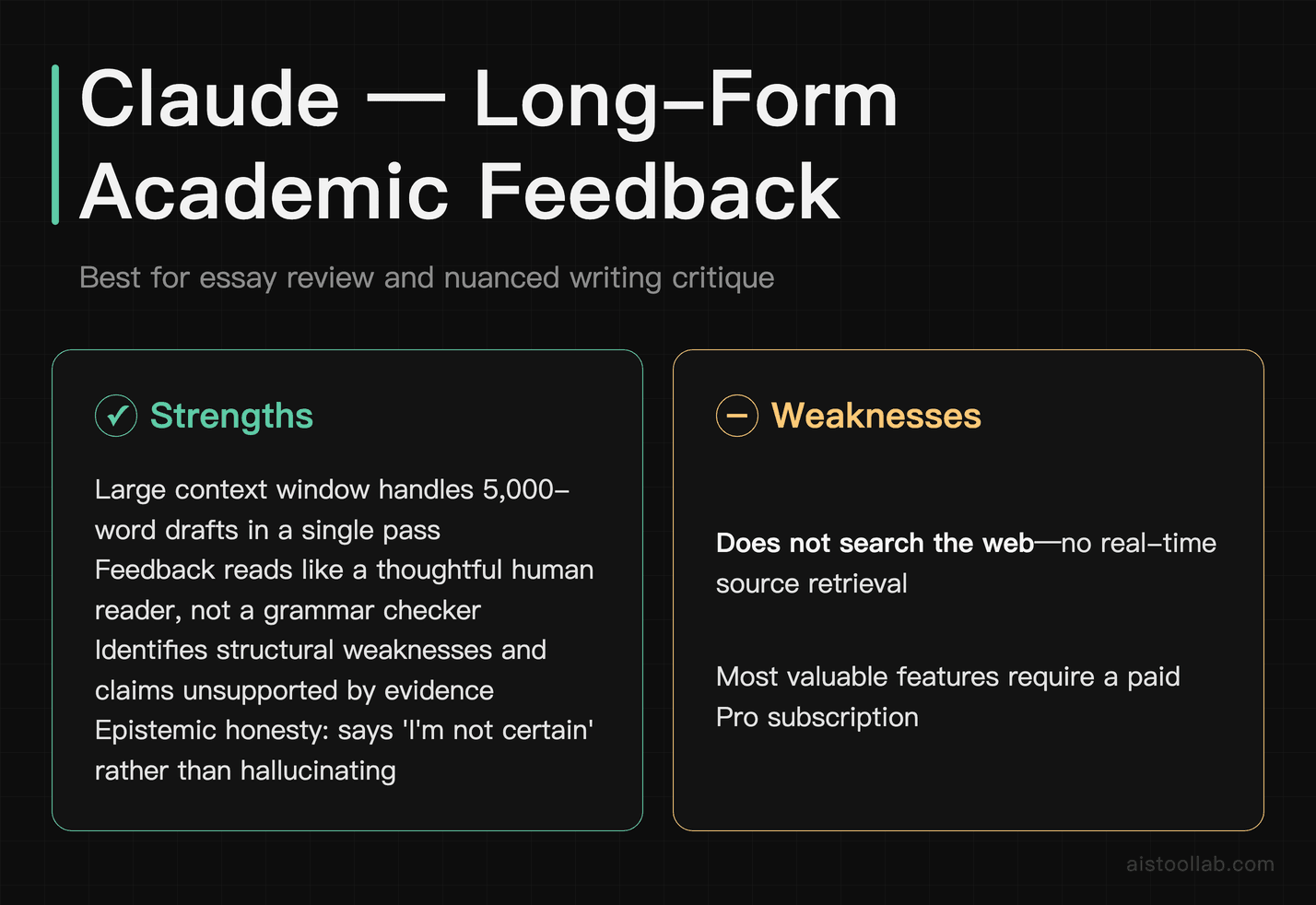
Claude, built by Anthropic, is built around one specific strength that matters here: handling long, dense text in a single pass. Its context window — the amount of text it can process in one go — is large enough to matter when you’re trying to get feedback on a 5,000-word essay draft or ask questions about a lengthy technical document (see Anthropic’s official docs for the current figure).
For academic writing specifically, Claude is, by many public accounts, well-suited to giving feedback that reads like a thoughtful human reader rather than a grammar checker. It can identify structural weaknesses in an argument, point out where evidence doesn’t support a claim, or flag where writing assumes knowledge the reader might not have. That makes it useful as a pre-submission review before you hand something to a supervisor or tutor.
Claude is also often described as more cautious about making things up than some alternatives — more likely to say “I’m not certain about this specific detail” than to fabricate a confident answer. That epistemic caution is valuable in academic contexts.
The limitation for researchers is that Claude works from its training data and what you paste in, rather than browsing the live web for real-time sources. For literature synthesis, you still need to bring your own documents.
Pricing: Free tier available with usage limits. Claude Pro at $20/month gives significantly higher usage, priority access, and access to the most capable models. Pricing is per Anthropic’s official pricing page (anthropic.com/pricing) and may change.
One-line verdict: For substantive, careful feedback on academic writing, I’d treat Claude like a well-read study partner that will tell you when your argument has holes.
#5. Elicit — Best for Systematic Literature Review and Research Paper Analysis
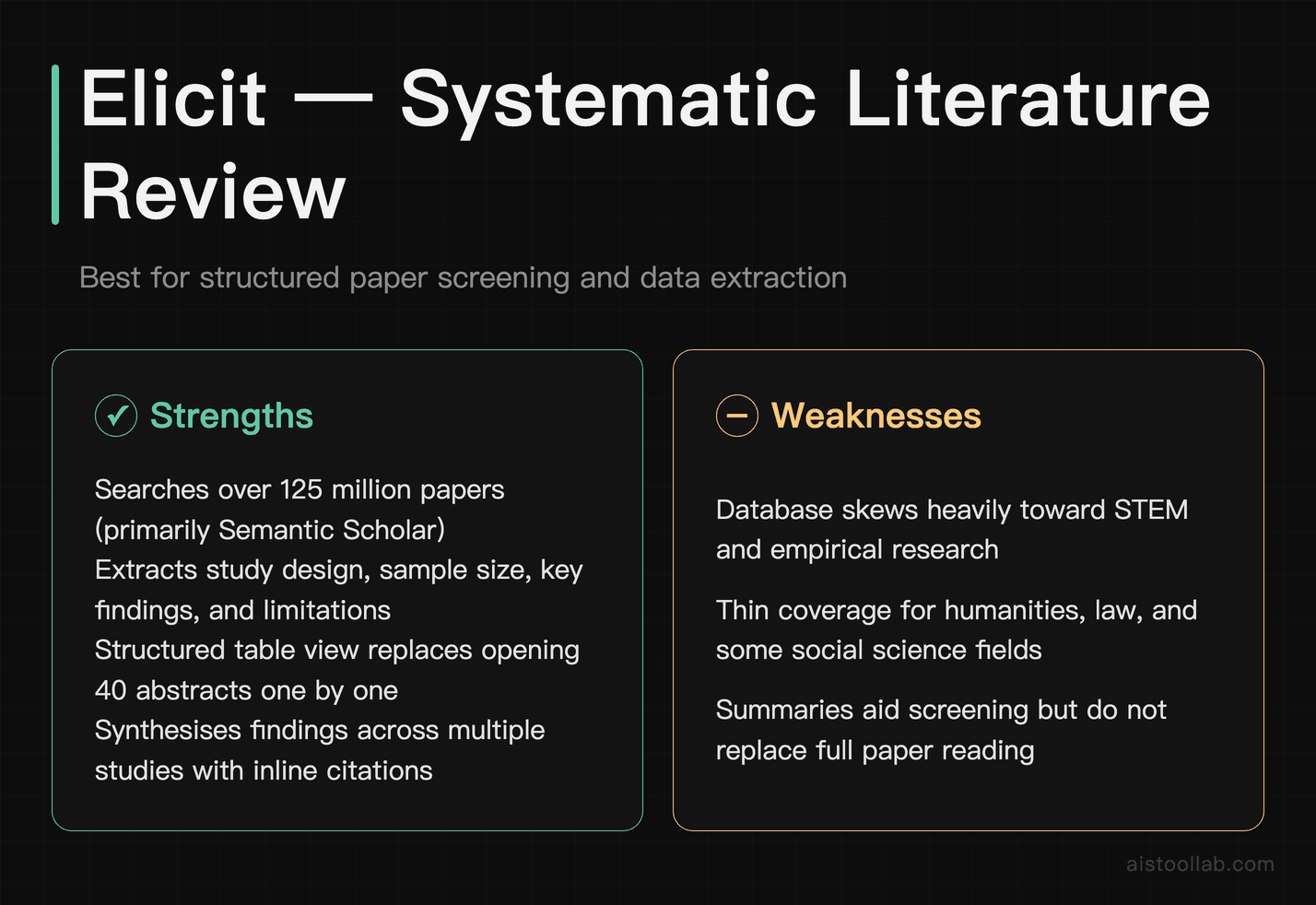
Elicit is built specifically for academic research. It’s designed specifically for literature review workflows — not general chat, not marketing copy, not code. According to Elicit, you enter a research question, and it searches a large database of papers (primarily from Semantic Scholar) to find relevant studies, then extracts structured information such as study design, sample size, key findings, and limitations.
For anyone doing a systematic or scoping review, this design is aimed at saving time on the screening and data-extraction phases. Instead of opening dozens of abstracts one by one, you scan extracted summaries in a structured table and identify which papers are worth reading in full. The “Summarise papers” feature synthesises findings across multiple studies on a question, again with inline citations to real papers.
The limitation is scope: Elicit’s database skews heavily toward empirical research and STEM fields. If your research is in humanities, law, or certain social science areas, coverage can feel thin. It also doesn’t replace careful human reading — the summaries are useful for screening, but you still need to read papers you plan to cite.
Pricing: The free tier includes a limited number of AI credits per month, enough to evaluate the tool. A paid plan (listed at around $12/month, or less on annual billing) is aimed at anyone doing regular literature reviews. Pricing is per Elicit’s official pricing page (elicit.com/pricing) and may change.
One-line verdict: If you’re a graduate student or researcher doing literature reviews, Elicit is the tool I’d evaluate first here, because it’s built exactly for that job.
#6. Consensus — Best for Evidence-Based Question Answering from Research Papers
Consensus sits in similar territory to Elicit but approaches it differently. Rather than a research-management workflow, Consensus is more like a search engine that answers your question by finding agreement (or disagreement) across published studies. Ask “Does sleep deprivation affect working memory?” and, per the vendor, it returns a synthesised answer with a breakdown of what studies found, colour-coded by whether they support, contradict, or partially support the claim.
The “Consensus Meter” feature — a visual indicator of how much published research agrees with a given claim — is designed to help you quickly gauge contested topics. For students writing evidence-based arguments, it can help you understand whether you’re arguing with the weight of evidence or against it, which matters for how you frame your claims.
Consensus is narrower than Elicit in its use case. It’s better suited to answering specific factual or empirical questions than to managing a full literature review workflow. Think of it as a background-understanding tool for specific claims, rather than a comprehensive research assistant.
Pricing: The free tier includes a limited number of searches per day. A premium plan is listed at around $9.99/month for regular evidence-based research; the free tier suits occasional use. Pricing is per the Consensus official pricing page (consensus.app/pricing) and may change.
One-line verdict: Handy for quickly checking what the research broadly says on a specific claim — particularly for health, psychology, and social science topics where the evidence base matters.
#7. Grammarly — Best for Academic Writing Polish and Clarity
Grammarly has been around long enough that some readers might dismiss it as basic. Don’t. The current version, with its AI-powered writing suggestions, is described as going well beyond spell-check. It accounts for register — academic writing has different conventions than email — and it flags issues like unclear antecedents, overly convoluted sentence structures, weak hedging language, and consistency problems across a long document.
For non-native English speakers writing in English-language academic contexts, Grammarly can be particularly valuable. It catches the kinds of grammatical and idiomatic errors that native speakers skim past but that can affect how seriously academic writing is taken.
The limitation is that Grammarly won’t improve your ideas or your argument structure — it works at the sentence and paragraph level. It also occasionally suggests changes that flatten distinctive voice, so use it as a checklist, not a replacement for your own judgment. The plagiarism-detection feature in the paid tier is useful but shouldn’t replace your institution’s own submission system.
Academic integrity note: Grammarly’s AI rewriting features sit in the same grey zone as other AI writing tools. Using it to fix grammar and clarity is the low-risk end of that range. Using its “full rewrites” feature to substantially transform your writing may not be, depending on your institution’s policy.
Pricing: The free tier covers core grammar and clarity suggestions and is genuinely useful. Premium is listed at around $12–$15/month (cheaper on annual plans) and adds tone suggestions, clarity rewrites, and plagiarism checking. Pricing is per Grammarly’s official plans page (grammarly.com/plans) and may change.
One-line verdict: The free tier is worth installing for anyone writing in English — it catches the surface errors that undermine otherwise strong academic work.
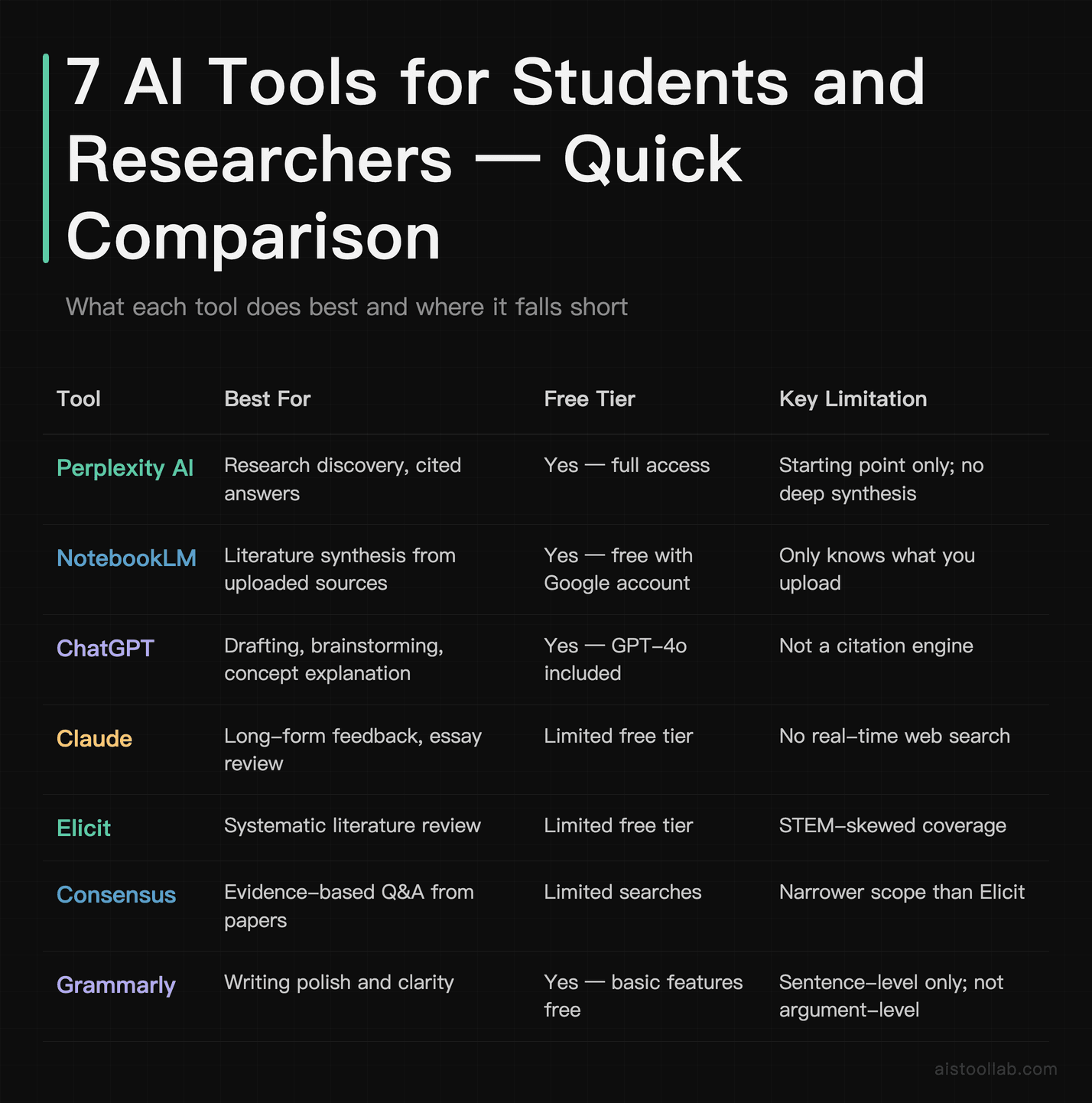
Quick Comparison Table
How to Choose the Right Tool for Your Situation
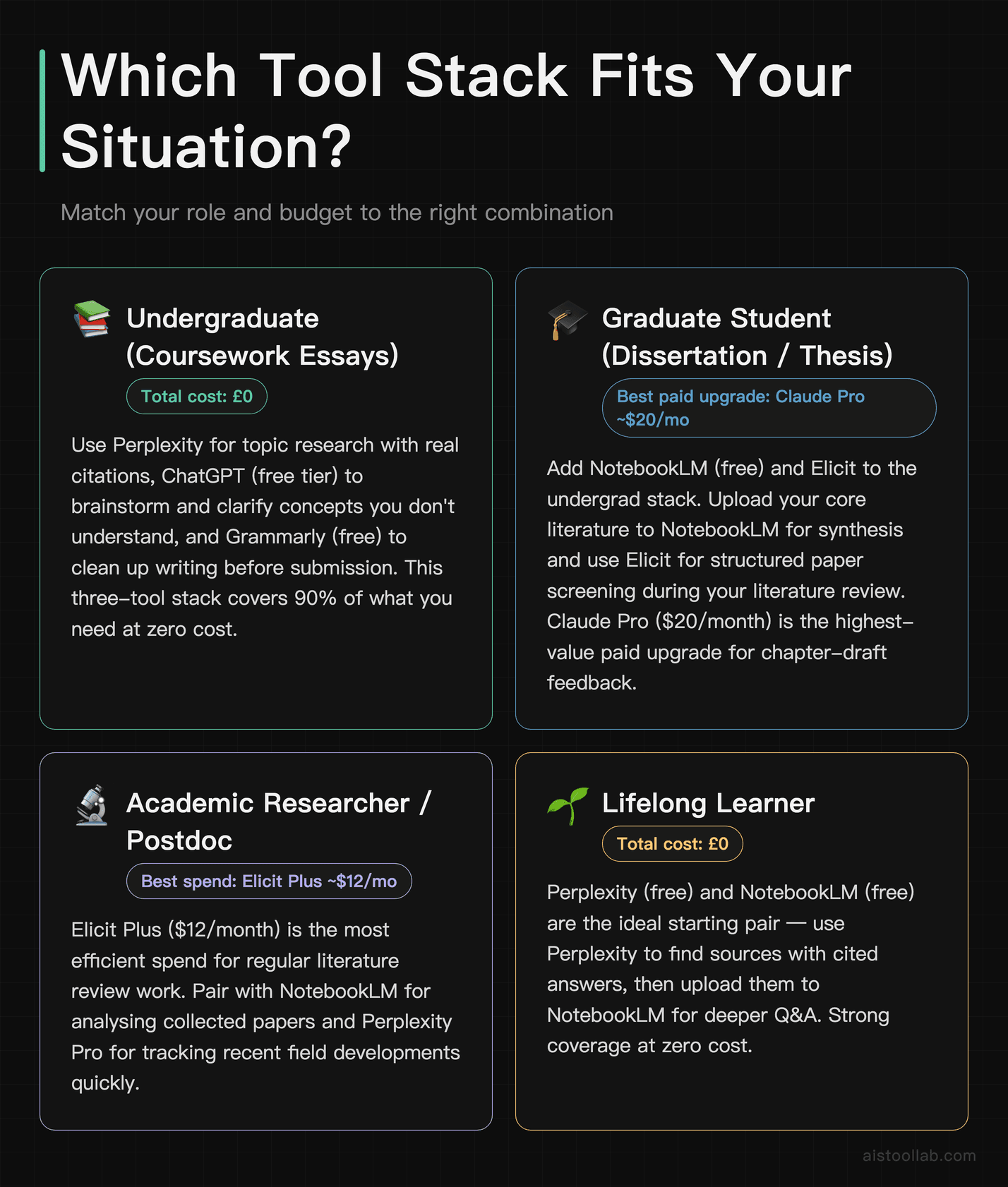
Not every student needs every tool. Here’s how to match the list to your actual situation:
- If you’re an undergraduate writing coursework essays: Start with Perplexity for researching your topic with real citations, use ChatGPT (free tier) to brainstorm and clarify concepts you don’t understand, and install Grammarly (free) to clean up your writing before submission. Total cost: £0. This three-tool stack covers most of what you need without spending anything.
- If you’re a graduate student doing a dissertation or thesis: Add NotebookLM (free) and Elicit to the above. Upload your core literature to NotebookLM for synthesis, use Elicit for structured paper screening during your literature review. Consider Claude Pro ($20/month) for detailed feedback on chapter drafts, if written feedback between supervisor meetings is what you are short of.
- If you’re an academic researcher or postdoc: Elicit Plus (~$12/month) is an efficient spend for regular literature review work. Pair it with NotebookLM for analysing papers you’ve collected and Perplexity Pro if you need to track recent developments in a field quickly.
- If you’re a lifelong learner who just wants to understand complex topics: Perplexity (free) and ChatGPT (free) are your tools. Ask Perplexity to explain topics with sources you can follow up on, and use ChatGPT to get explanations at different levels until one makes sense. No need to pay for anything.
- If you’re on a strict budget (free tools only): Perplexity, NotebookLM, and Grammarly’s free tier together form a surprisingly capable free research and writing toolkit. All three have free tiers that are genuinely functional — not just teaser plans.
- If English is your second language and academic writing is a challenge: Prioritise Grammarly Premium and Claude (free or Pro). Claude is, by many accounts, good at explaining why a sentence reads awkwardly, not just flagging that it does — which helps you improve rather than accept corrections blindly.
Two free tools that complement your academic writing workflow: the Readability Score tool checks whether your writing hits the right complexity level for your audience — useful before submitting to journals or professors. The Word Counter gives you exact word, sentence, and character counts to meet submission requirements.
Frequently Asked Questions
What’s the best free AI tool for student research?
For research specifically — meaning finding real sources and synthesising information from them — Perplexity AI is a strong free option. It searches the web in real time, cites most claims, and has an academic search mode that pulls from databases like PubMed and arXiv. NotebookLM is a close alternative for students who already have their source materials and need help making sense of them. Both are free with a Google account or email signup.
Is using AI tools for academic work cheating?
It depends entirely on how you use them and what your institution’s policy says — and the honest answer is that policies vary significantly and are still evolving. Using AI to understand a concept, get feedback on your argument’s logic, or improve your grammar is widely accepted and functionally similar to using a tutor or writing centre. Using AI to write your essay or generate content you submit as your own work is treated as academic misconduct under most institutional policies — check yours, because the wording is what binds you. The specific tools on this list vary in risk: Grammarly for proofreading and Perplexity for research discovery are low-risk; using ChatGPT or Claude to draft sections of your submitted work is where you need to consult your institution’s specific policy before proceeding.
Do AI tools make up citations? How do I avoid fake references?
Yes — general language models like ChatGPT and Claude can sometimes generate plausible-sounding but entirely fictional citations. This is called hallucination, and it’s a well-documented problem. The tools that are safer for citations are those grounded in real-time web search or specific databases: Perplexity AI pulls from the live web and shows you its sources; Elicit and Consensus work from indexed academic databases and link you to real papers; NotebookLM only cites documents you’ve uploaded yourself. If you use ChatGPT or Claude for research, treat any specific citation they produce as unverified until you’ve independently confirmed it exists and says what they claim it says.
Is Elicit worth paying for as a student?
If you’re doing regular literature reviews, Elicit Plus at around $12/month is one of the more targeted paid plans on this list. The time saved on abstract screening can be meaningful during a literature review phase. The free tier gives you enough credits to evaluate whether it fits your workflow before committing. If you’re an undergraduate who only does occasional research papers, the free tier is probably sufficient. Pricing is per Elicit’s official pricing page and may change.
Can I use these AI tools without any technical knowledge?
These tools are aimed at non-technical users. Perplexity, ChatGPT, Claude, and Grammarly are all conversational interfaces — you type naturally, they respond. NotebookLM requires you to upload files, which takes about a minute. Elicit and Consensus involve slightly more structured input (research questions rather than chat), but neither requires any technical background. The bigger learning curve is developing good prompting habits — knowing how to ask questions that get you useful answers. That skill improves quickly with practice, and it transfers across all these tools.
Last updated: 2026
Google plan names and prices checked on 2026-07-26 in the raw markup of one.google.com/about/plans: the plan cards on Google’s AI plans page are Google AI Plus, Google AI Pro and Google AI Ultra, and the page’s own structured data pairs the service “Google AI Pro” with price 19.99 USD. Storage allowances and local prices differ by tier and region (the Taiwan storefront shows Google AI Plus 2 TB at NT$330/mo and Google AI Pro 5 TB at NT$650/mo). Check the official page for your region.