
1. The $1 (official pricing page, checked 2026-08-10) free credit is the least useful number on the whole pricing page
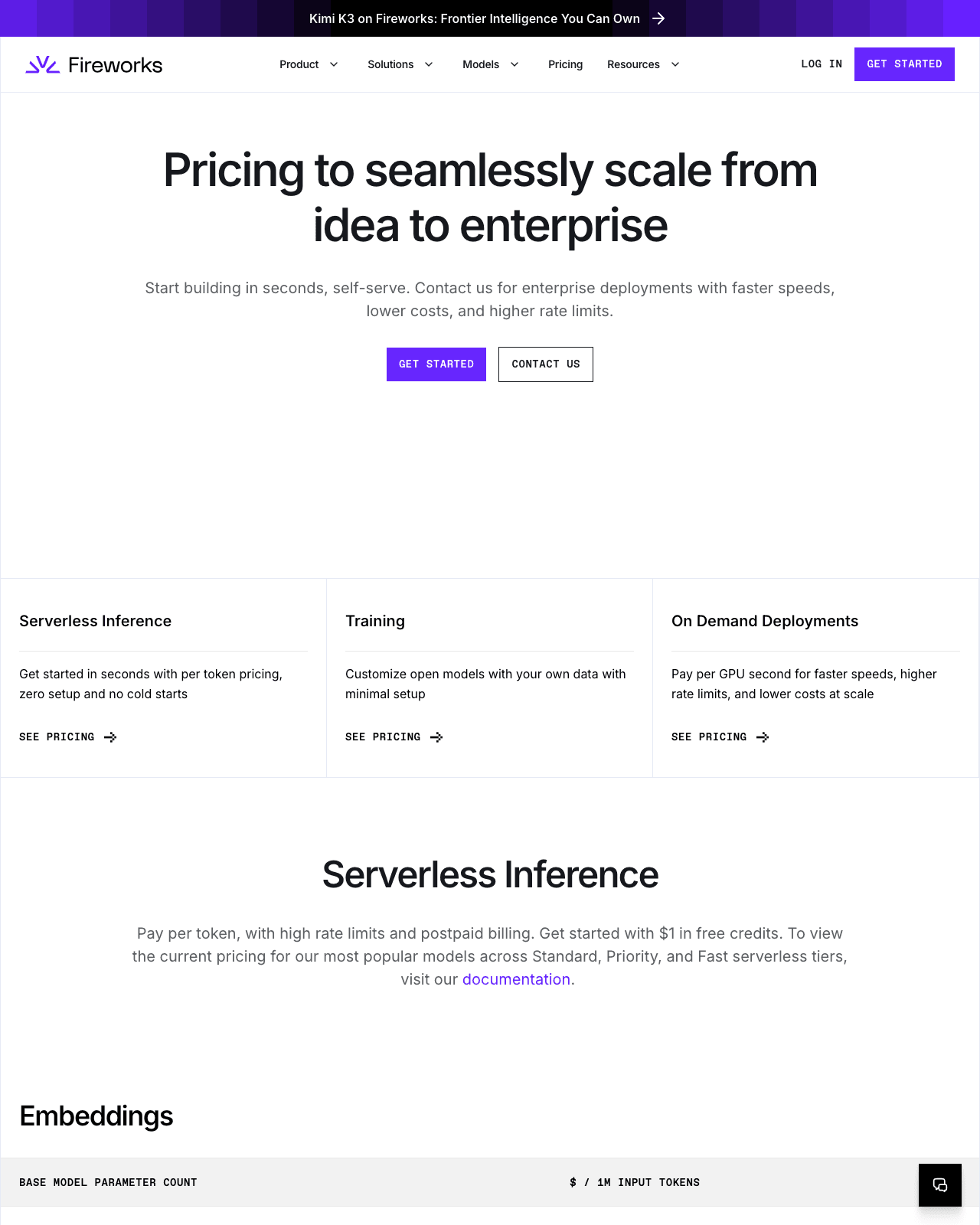
{{AFFILIATE:Fireworks AI}} opens its pricing page with a friendly line: get started with $1 in free credits (per Fireworks AI’s official pricing page, checked 2026-08-10). It’s a nice gesture, and it’s also the number you should spend the least time on. A single dollar of inference credit tells you almost nothing about what a real workload will cost, because Fireworks doesn’t sell you a plan — it sells you tokens, and it bills you after you’ve spent them.
That distinction is the whole article, so it’s worth slowing down on. Most SaaS pricing pages hand you a ladder of monthly tiers and make your job “guess which one you’ll outgrow.” Fireworks flips that around. There’s no seat price to choose, no monthly minimum sitting at the top of the page. The cost lives in two moving parts instead: how many tokens your application pushes through, and which size of model does the pushing. The free dollar is just enough runway to fire off a handful of test prompts before either of those variables starts to matter.
So if you came looking for “the price of Fireworks AI,” the honest answer is that there isn’t one figure to quote. There’s a billing model (pay per token, postpaid), a set of serverless tiers (Standard, Priority, and Fast), and a size-banded rate table where the Standard tier starts at $0.50 (official pricing page, checked 2026-08-10) for the smallest models and steps up from there (all per the official pricing page, checked 2026-08-10). The three sections below walk the decisions that genuinely move your bill, in the order you’ll hit them — and none of them is the $1 free credit.
2. Step 1: What “pay per token, postpaid” actually signs you up for
Fireworks describes its billing in one compact sentence: “Pay per token, with high rate limits and postpaid billing” (per the official pricing page, checked 2026-08-10). Three phrases, and each one changes how you should plan.
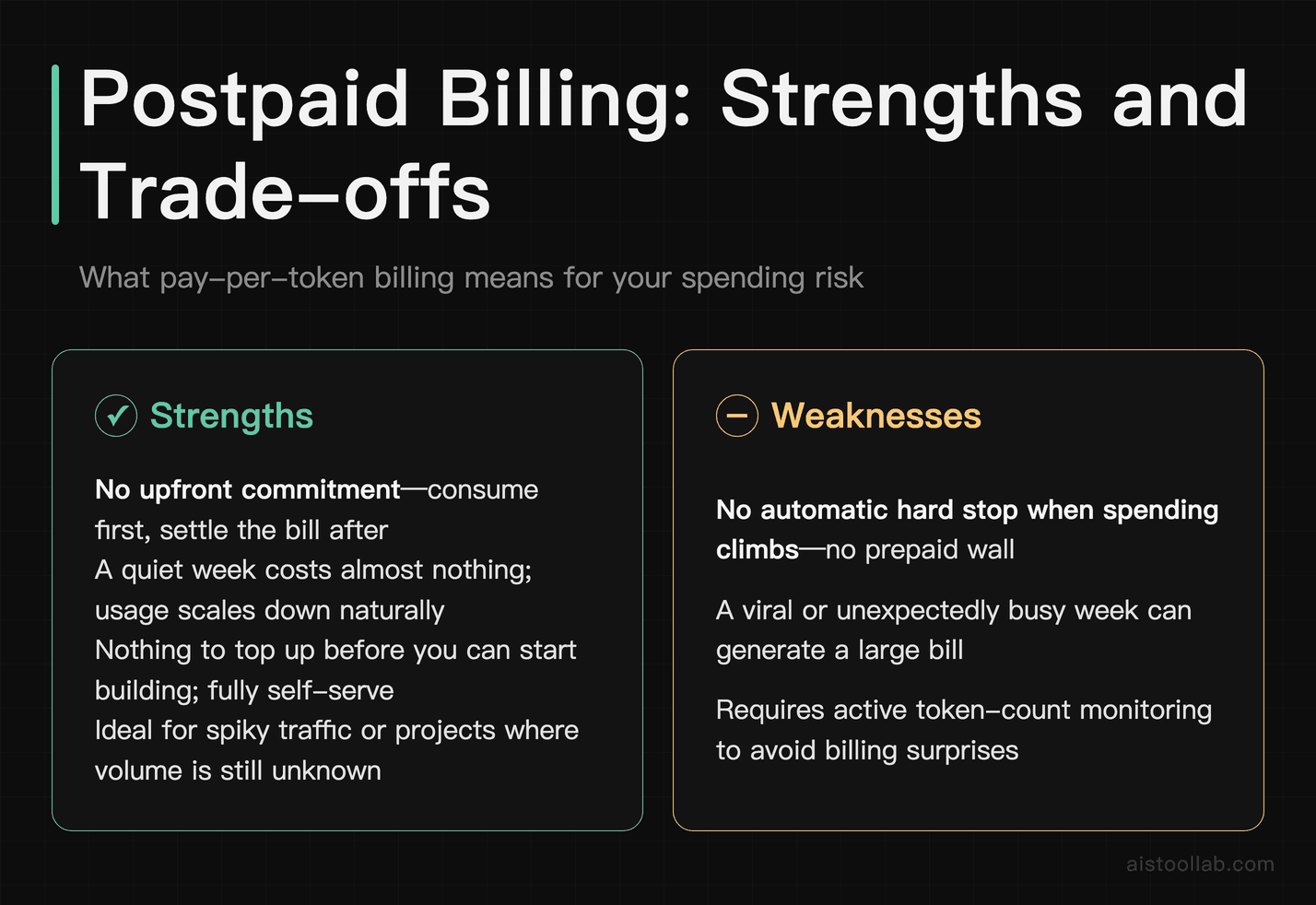
Pay per token means your cost scales with usage, not with a subscription. A token is a chunk of text — roughly a word or a piece of one — and both the text you send in and the text the model generates back count toward what you’re charged. There’s no flat monthly fee buying you a bucket of capacity; a quiet week costs you almost nothing, and a viral week costs you a lot. That’s ideal when your traffic is spiky or you genuinely don’t know your volume yet, which describes most projects before they ship.
Postpaid billing is the part people skim past and shouldn’t. Prepaid platforms make you buy credit up front, and when the balance hits zero, the service simply stops — an annoying but effective spending cap. Postpaid works the opposite way: you consume first and settle the bill afterwards, the way a utility meter runs. The upside is obvious — no upfront commitment, nothing to top up before you can build. The trade-off is just as real: there’s no prepaid wall automatically stopping a runaway loop or a misconfigured batch job. The platform isn’t going to save you from your own usage, so if you’re wiring Fireworks into anything that calls models repeatedly, you want your own logging and alerts in place from day one. If you’re building an agent that calls a model in a loop, those per-call token costs compound quickly — I got into how agents plan and select their calls in {{INTERNAL_LINK:AI agents}}.
High rate limits, the third phrase, is Fireworks’ way of saying you’re less likely to get throttled during a burst than on a platform with tight caps. That’s genuinely useful for production traffic. But read it alongside the first two phrases and the implication is clear: high limits plus pay-per-token plus postpaid means the meter can run fast, freely, and out of sight. The billing model is friendly to developers who want to move quickly and hate commitment — which is a fair description of most of us — but it hands you the responsibility of watching the dial. That’s not a criticism of Fireworks so much as the natural shape of metered infrastructure. If you’ve priced any usage-based cloud service, this will feel familiar; if you’re coming from flat-fee AI subscriptions, it’s a different mental model to adopt.
3. Step 2: The Standard-tier table, and why model size is the lever that actually moves money
Serverless on Fireworks isn’t a single price. It’s split into three tiers — Standard, Priority, and Fast (per the official pricing page, checked 2026-08-10) — and within a tier, the rate you pay depends on how large the model is, measured in parameters. That second axis is the one most people underestimate.
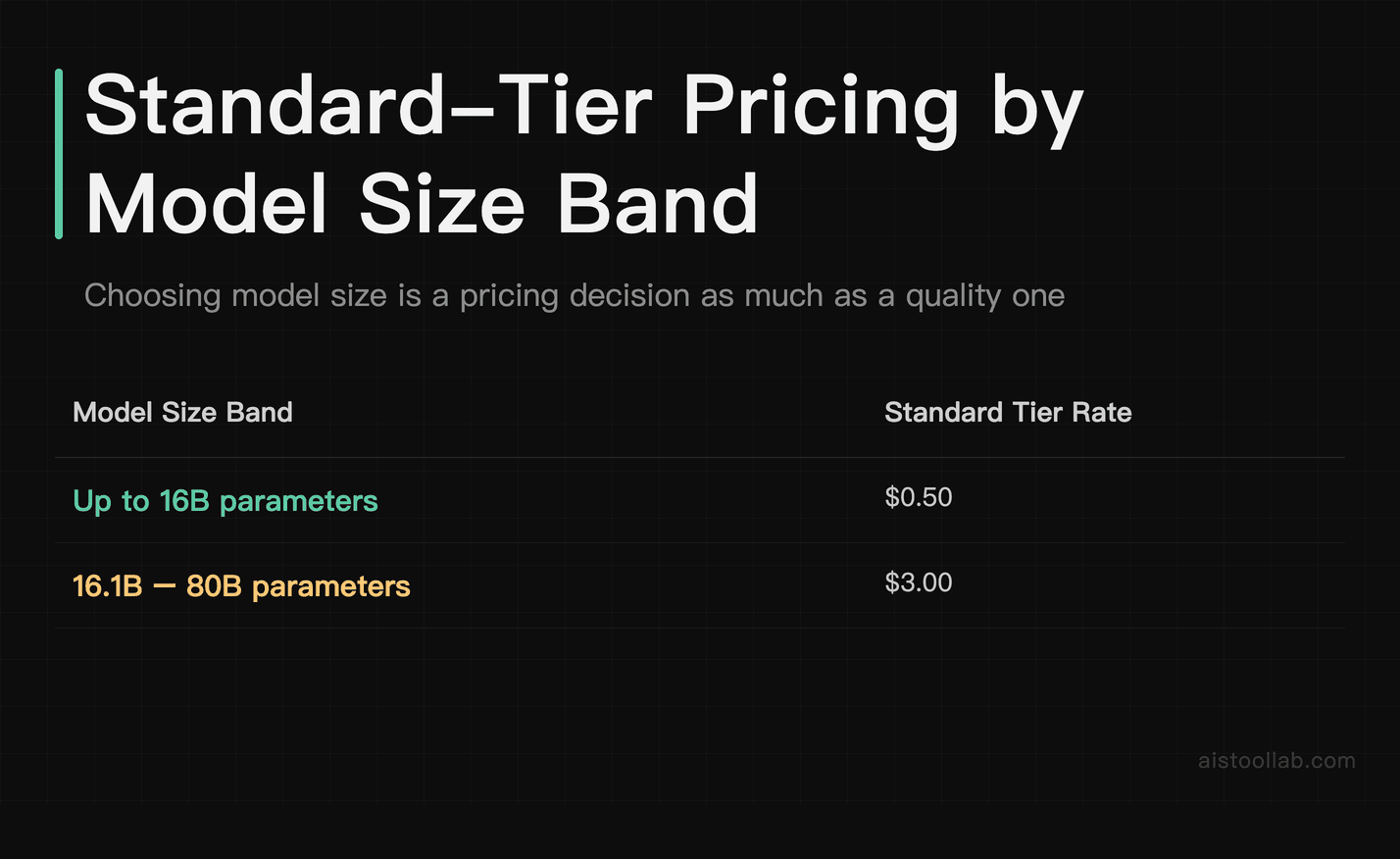
Here’s the concrete part. On the Standard tier, the pricing table lists $0.50 for models up to 16B parameters, and $3.00 (official pricing page, checked 2026-08-10) for models in the 16.1B–80B band (per the official pricing page, checked 2026-08-10). Billing is per token, as covered above. Sit with the gap for a second: the mid-size band is priced six times higher than the small band on the very same tier. That means the single biggest cost decision you make often isn’t which tier or how many tokens — it’s which model you point your app at. Swapping a mid-size model for a small one that’s good enough for your task can reshape your unit economics before you’ve optimised a single prompt. Model selection on Fireworks is a pricing decision as much as a quality one, and treating it as purely a quality decision is how bills surprise people.
The “best suited for” row is my read based on the billing facts in the rows above it — it’s a judgement, not a measured performance ranking, and it’s not claiming any tier beats another on speed.
- Billing model — Standard: Pay per token; Priority: Pay per token; Fast: Pay per token; Enterprise: Custom — contact sales
- Credit to start — Standard: $1 in free credits, applied at the account level; Priority: Contact sales
- Payment timing — Standard: Postpaid; Priority: Postpaid; Fast: Postpaid; Enterprise: Contact sales
- Rate limits (official wording) — Standard: High; Priority: High; Fast: High; Enterprise: Higher rate limits
- Rate: models up to 16B — Standard: $0.50; Priority: Published in the docs; Fast: Published in the docs; Enterprise: Lower costs (official) — contact sales
- Rate: models 16.1B–80B — Standard: $3.00; Priority: Published in the docs; Fast: Published in the docs; Enterprise: Lower costs (official) — contact sales
- Provisioning — Standard: Self-serve, in seconds; Priority: Self-serve; Fast: Self-serve; Enterprise: Contact us
- Vendor positioning — Standard: Standard tier; Priority: Priority tier; Fast: Fast tier; Enterprise: Faster speeds (official)
- Best suited for (my read, condition-bound) — Standard: Getting started and lower-volume workloads where the lowest listed serverless rate matters; Priority: Workloads that outgrow the Standard tier’s limits; Fast: Workloads that outgrow the Standard tier’s limits; Enterprise: Teams at volume who want the lower per-token cost and higher limits Fireworks offers on a contract
Two things to note about the table. First, the specific per-model rates for the Priority and Fast tiers aren’t printed on the pricing page itself — Fireworks points you to its documentation for “the current pricing for our most popular models across Standard, Priority, and Fast serverless tiers” (per the official pricing page, checked 2026-08-10). So I’ve left those cells pointing at the source rather than guessing. Second, the $0.50 and $3.00 figures are keyed to parameter-size bands, not to a named model, so the practical move is to look up the exact model you intend to run in the docs, then map it back to its band to sanity-check the rate. The size band tells you the ballpark; the docs tell you the number.
4. Step 3: Three situations, three different right answers
Because the price isn’t a single tier, “which Fireworks plan is right” only makes sense once you know what you’re building. Here are three common shapes, in the second person, and where each one lands.
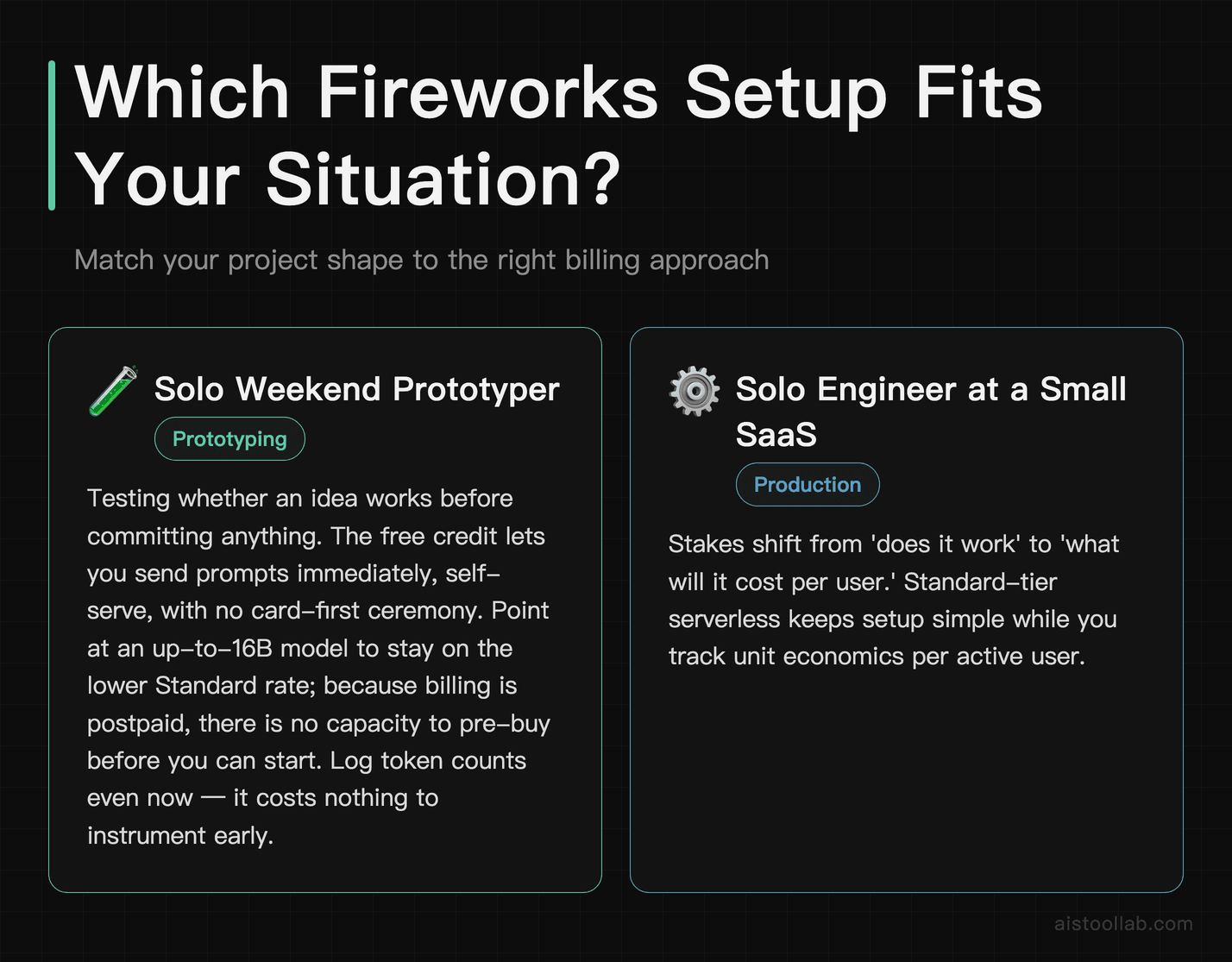
Say you’re a solo developer prototyping on a weekend
You want to see whether an idea works before you commit to anything. This is exactly what the billing model is built for. The $1 free credit gets you sending prompts immediately, self-serve, with no card-first ceremony to negotiate before you can test (Fireworks’ pricing page frames the whole entry point as “Start building in seconds, self-serve,” checked 2026-08-10). Point your prototype at a model in the up-to-16B band so you’re on the up-to-16B band’s Standard rate while you experiment, and because billing is postpaid, you’re not pre-buying capacity you might never use. The one habit to adopt even at this stage: log your token counts. It costs nothing to instrument now and saves a confusing bill later.
Say you’re the only engineer at a small SaaS shipping an AI feature
Now the stakes shift from “does it work” to “what will it cost per user.” Standard-tier serverless keeps your setup simple — pay per token, no dedicated infrastructure to babysit — but the model-size decision from Step 2 becomes a business decision. If a small-band model does the job, you stay in the smaller band; reach for a 16.1B–80B model and you move into the larger band, so check that model’s current rate before estimating per-user cost, which multiplies against every request your users make. Because there’s no prepaid wall, wire up usage alerts before you launch, not after. This is the profile where postpaid billing is most comfortable and most dangerous at once: comfortable because you never front cash, dangerous because a popular launch day meters faster than you’ll notice by refreshing a dashboard.
Say you’re scaling a live product and per-token serverless is starting to sting
At real volume, metered serverless pricing can add up past the point where a dedicated arrangement makes sense. This is where Fireworks’ other track comes in. Alongside self-serve serverless, it offers self-serve dedicated deployment and enterprise deployments, and it describes the enterprise route as “faster speeds, lower costs, and higher rate limits” (per the official pricing page, checked 2026-08-10) — that’s the vendor’s own claim, not something I’ve benchmarked. The logic to weigh is straightforward: serverless is priced for flexibility, and flexibility has a per-token premium; once your traffic is high and predictable, a contracted deployment is where “lower costs” and “higher rate limits” start to pay for the conversation with sales. If you’re comparing this crossover against other inference platforms, I walked through a similar serverless-versus-managed-infrastructure trade-off in {{INTERNAL_LINK:Replicate API}}. The short version: the moment your volume is steady enough to forecast, it’s worth pricing the dedicated route against your serverless bill rather than assuming pay-per-token stays cheapest forever.
The thread running through all three: the “right” Fireworks setup isn’t a tier you pick once. It moves as you move — from a free-dollar prototype, to a Standard-tier feature where model size is your main lever, to a contract you negotiate when volume makes the per-token premium the expensive part.
6. So: price your own tokens, then let the free dollar be a bonus, not a plan
Work out your model size and your token volume first; the $1 credit is a nice on-ramp, not the number your decision hangs on.
5. Frequently Asked Questions
The pricing page only shows size bands — where’s the exact price for the specific model I want?
That’s a fair frustration, because the public pricing page prices by parameter band (up to 16B, 16.1B–80B, and so on) rather than by model name. The per-model rates across the Standard, Priority, and Fast serverless tiers live in Fireworks’ documentation — the pricing page explicitly says to “visit our documentation” for “the current pricing for our most popular models” (per the official pricing page, checked 2026-08-10). So the workflow is two steps: find the model you intend to run in the docs to get its exact rate, then map it back to its parameter band on the pricing page to sanity-check that the number looks right for its size. Doing both is worth the extra minute, because a model that sits near a band boundary can be priced quite differently from what you’d assume by eyeballing its name. The size band gives you the ballpark before you commit; the documentation gives you the figure you’ll actually be billed against.
If billing is postpaid, what actually stops a runaway bill?
Structurally, less than a prepaid balance would. Prepaid platforms give you an automatic hard stop — when your bought credit runs out, requests fail and spending ends. Fireworks’ model is postpaid: you consume first and settle afterwards, so there’s no built-in zero-balance wall doing that job for you (per the official pricing page’s “postpaid billing” description, checked 2026-08-10). Fireworks does advertise “high rate limits,” but rate limits govern how fast you can call the service, not how much you’re allowed to spend — they’re a throughput control, not a budget control, and I couldn’t find a published spend-cap figure on the pricing page to point you to. Practically, that means the guardrails are on your side of the fence: instrument your token usage, set alerts on your own metrics, and put sane limits around anything that calls models in a loop or batch. The billing model rewards you for moving fast and commits you to nothing up front, but it assumes you’re watching the meter, because it isn’t going to flip off on your behalf.
Last updated: 2026
Looking for other options in this category?
👉 Browse the AI Tools Library and compare more tools side by side.