
Who this is for: you want the cross-category view — three different utility families weighed on the same yardstick, so you can decide where money and an “AI” label are worth anything. This piece stays deliberately wide; it does not go deep on any single category.
Want one category in depth instead of the wide pass?
- Free vs paid hash identifiers — the cost-and-fit decision for one category only
- Why hash identification is rarely certain — the cryptography underneath, not the tools
- A field guide to hash families — recognising MD5, SHA-2 and bcrypt by sight
- What random text generators are actually for — QA, prototyping and seeding, category deep dive
The “AI” Label on Developer Utilities Deserves a Hard Look
Say you’re three coffees into a debugging session and you pull a 32-character hex string out of an old database dump. What hashed it? Or you’re scaffolding a UI and need a few hundred lines of believable placeholder text, not the same “Lorem ipsum” block you’ve read a thousand times. Or a client Slacks you a hex code and asks, in plain English, “what color even is #7B68EE?” You search for a tool, and you’re immediately buried in landing pages promising an “AI-powered” solution to each of these tiny problems.
Here’s the uncomfortable thing worth saying up front: a lot of what gets marketed as an “AI developer utility” is doing work that a plain, deterministic algorithm has done for free for years. Identifying a hash type is fundamentally pattern-matching against known formats. Removing duplicate lines is a one-line shell command. Generating random text is templated pseudo-randomness. None of that requires a large language model, and slapping “AI” on the box doesn’t change the underlying mechanics. That matters directly to the question you actually care about — is any of this worth paying for?
So this comparison isn’t going to hand you a leaderboard of “the smartest AI hash detector.” Instead I want to line up four common developer-utility categories — hash identifiers, text generators, duplicate/line manipulation tools, and color-naming tools — look at how each one really works, what it costs, and where the genuine time-savings live. If you’ve read my What Makes an AI Tool Effective framework, this is that skepticism applied to the small stuff developers reach for every day.
The Tools On The Table
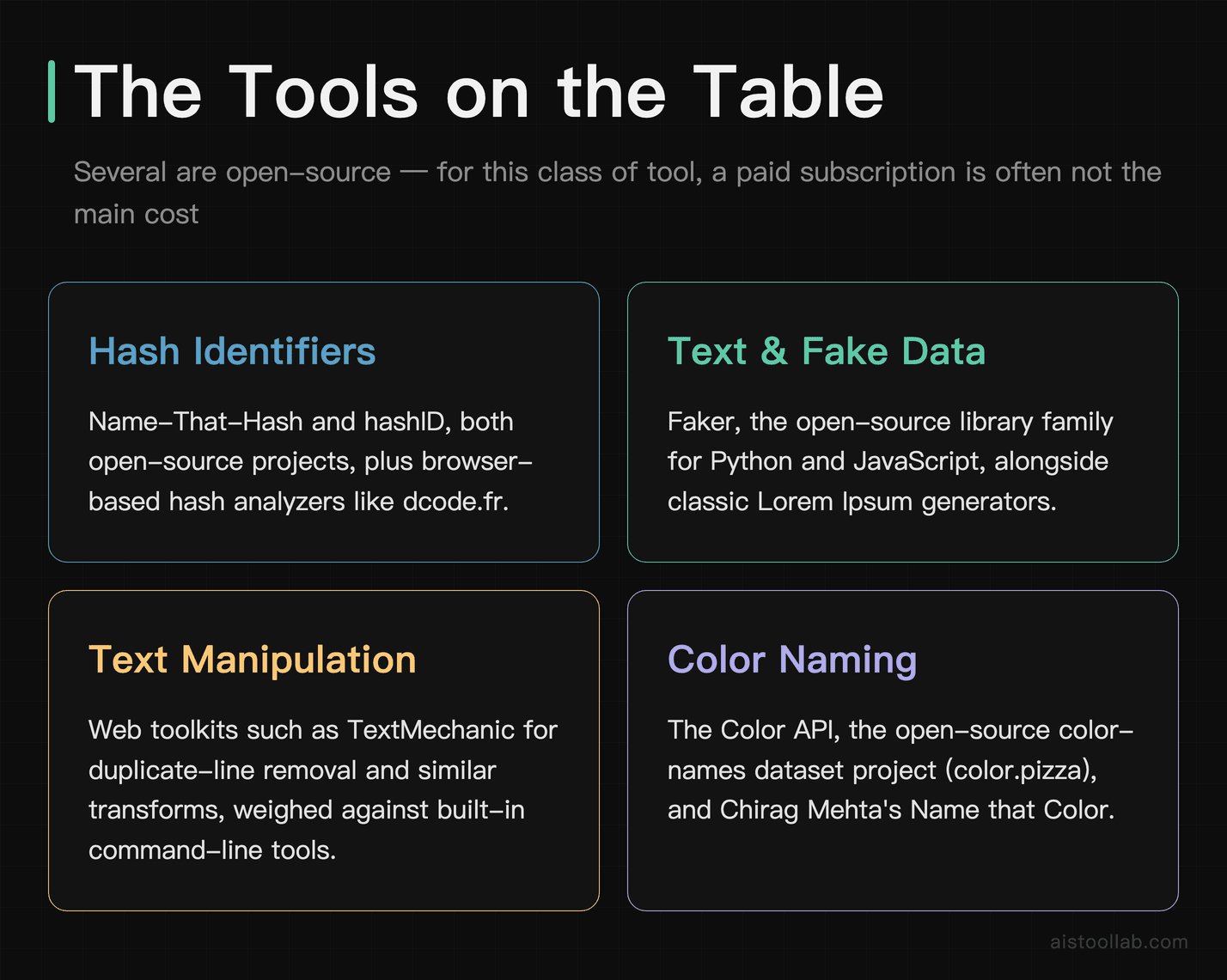
To keep this concrete, I’m anchoring each category to well-known, real options rather than every clone on the web:
- Hash identifiers: Name-That-Hash and hashID, both open-source projects, plus browser-based hash analyzers you’ll find on sites like dcode.fr.
- Text and fake-data generation: Faker (the open-source library family for Python and JavaScript) and classic Lorem Ipsum generators.
- Duplicate line removal / text manipulation: web toolkits such as TextMechanic, weighed against built-in command-line tools.
- Color naming: The Color API, the open-source color-names dataset project (color.pizza), and Chirag Mehta’s Name that Color.
Notice something already: several are open source, and for this class of tool a paid subscription is often not the main cost anyway. That reframes the whole “pricing and value” conversation. For this class of tool, the real cost is rarely a subscription — it’s the time you spend wiring the thing into your workflow, and the risk of pasting sensitive data into someone else’s server. Keep that lens on as we go.
Cross-Category Comparison
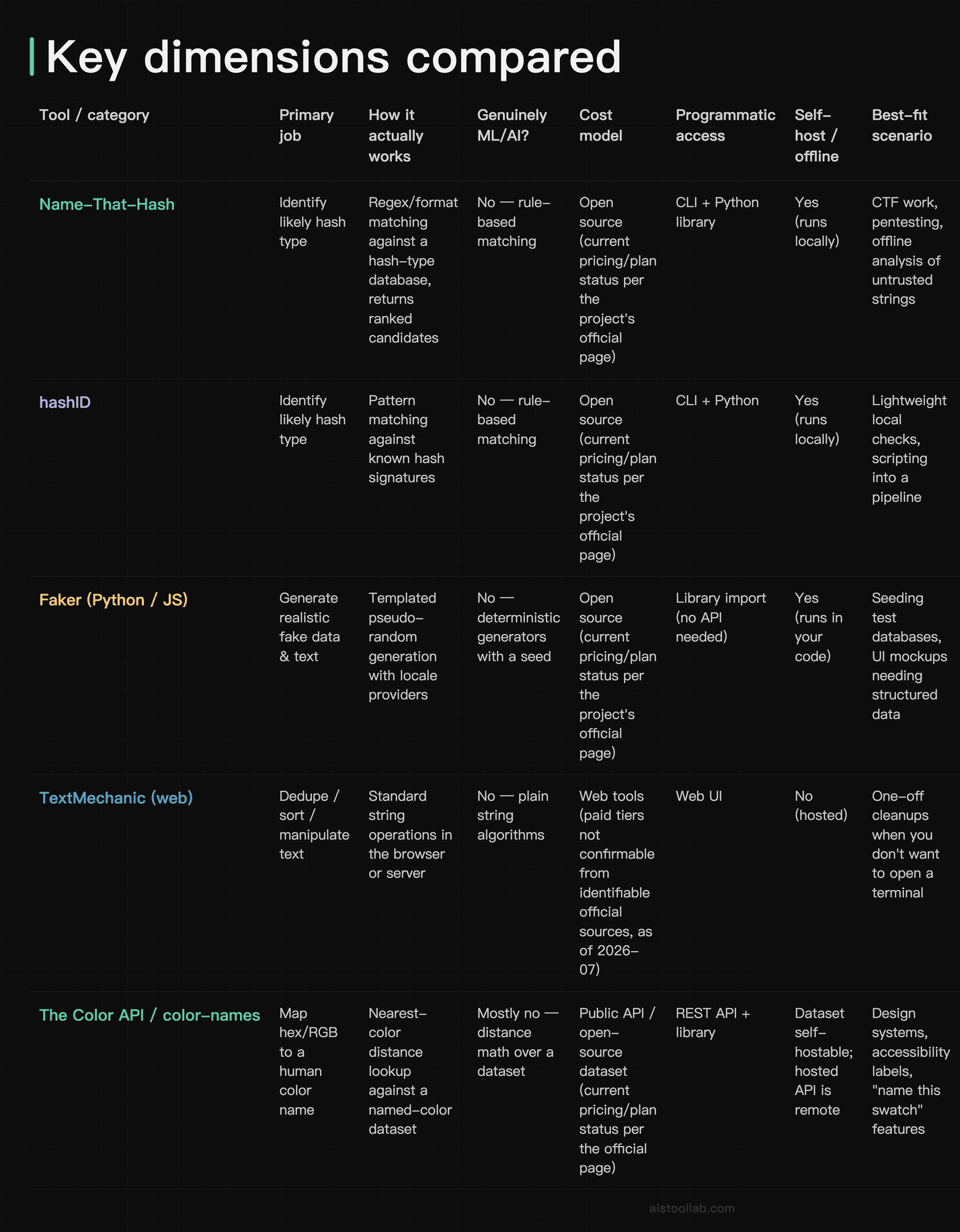
Before the table, a note on how to read it, because I’m not crowning an overall winner here — these tools solve different problems, so ranking them against each other would be meaningless. The “genuinely uses ML/AI?” column is a description of each tool’s actual mechanism (how the operation is computed), not a knock. The “best-fit scenario” column is my editorial read, tied to what each tool does — it’s a fit judgment, not a “this one beats that one” claim.
Hash Identifiers: Accuracy Is Bounded By Physics, Not AI
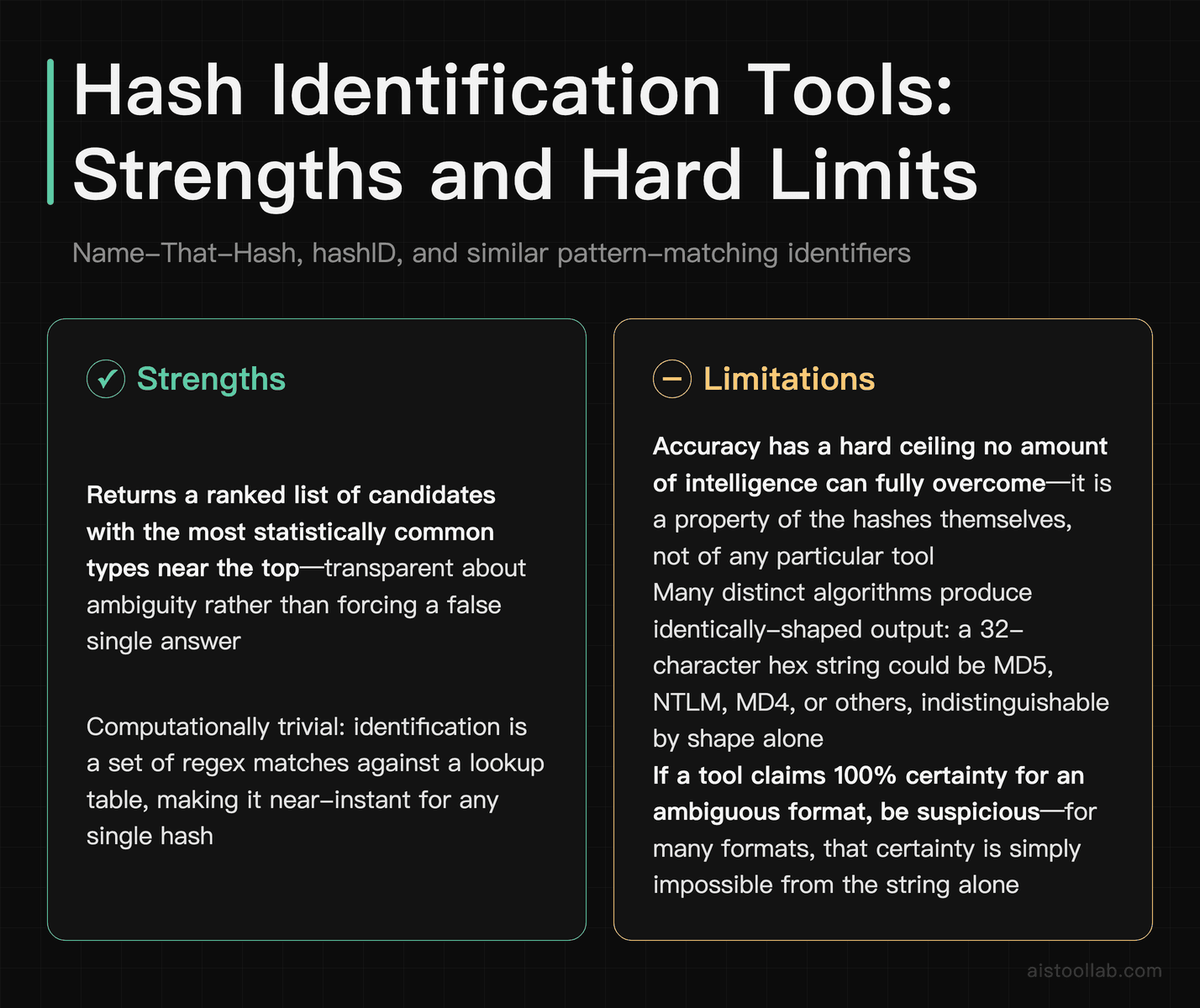
The single most important thing to understand about hash identification tools is that “accuracy” has a hard ceiling that no amount of intelligence can fully overcome. A hash type is guessed primarily from its format — length, character set, and any prefix. The problem is that many completely different algorithms produce identically-shaped output. A 32-character hexadecimal string could be MD5, NTLM, MD4, or several others; they’re indistinguishable by shape alone. That’s not a weakness of a particular tool — it’s a property of the hashes themselves.
That’s why good hash identifiers like Name-That-Hash and hashID don’t return a single confident answer; they return a ranked list of candidates with the most statistically common types near the top. If a tool ever claims to tell you “this is definitely SHA-256” from the string alone with 100% certainty, be suspicious — for many formats that certainty is impossible. Treat these tools as a “here’s where to start guessing” assistant, then confirm by context (where did the hash come from? what system generated it?).
On speed: the operation is a set of regex matches against a lookup table, which is computationally trivial for any single hash. Speed is essentially never the deciding factor between these tools — the lookup itself is computationally trivial. That’s a point in favor of the local, open-source options: because they can run locally, they don’t require sending a potentially sensitive credential hash to a third-party server. For anyone doing security work, the offline property alone can be the deciding factor. I made a similar point about verification-style tools in my Prime Number Checker write-up — the “AI” framing often oversells a deterministic check.
Text Generation: “Output Quality” Means Structure, Not Prose
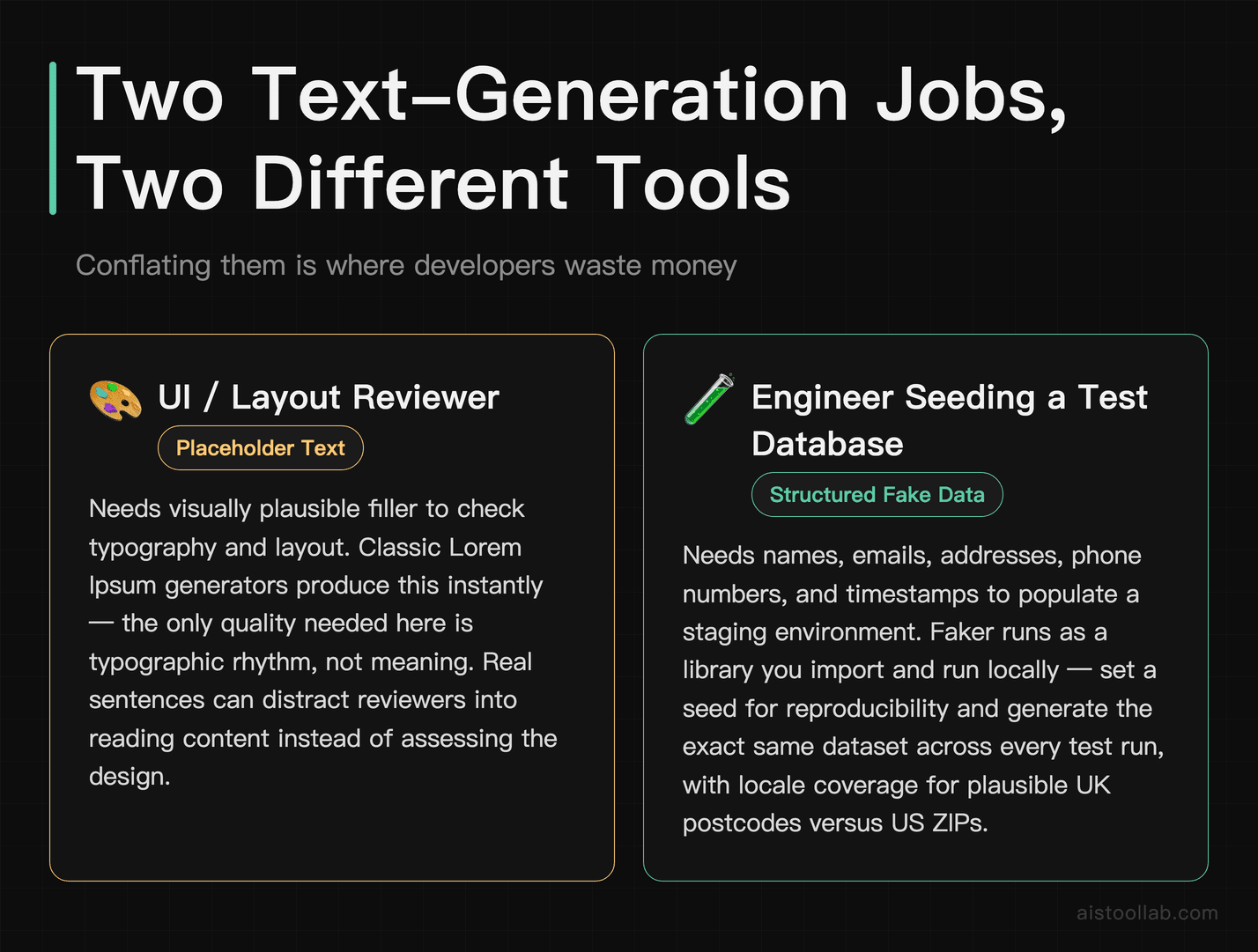
There are really two different jobs hiding under “text generation” for developers, and conflating them is where people waste money.
The first is placeholder text — Lorem Ipsum. You need visually plausible filler to check typography and layout. Classic Lorem Ipsum generators produce this instantly, because the “quality” you need is purely typographic rhythm, not meaning. Paying for an AI to write “realistic” paragraphs here is usually solving a problem you don’t have; if anything, real sentences can distract reviewers into reading the content instead of assessing the design.
The second, and far more useful for engineers, is structured fake data — names, emails, addresses, phone numbers, timestamps, company names — for seeding a test database or populating a mockup. This is where Faker earns its keep. It’s a library you import and run locally rather than a hosted API you call, so it doesn’t involve API calls or rate limits. Its “output quality” is really about realism and locale coverage: generating a plausible UK postcode versus a US ZIP, or names that fit a given region. Because it’s seedable, you can reproduce the exact same “random” dataset across test runs, which is genuinely valuable for deterministic testing — a subtlety a one-shot web generator won’t give you.
For duplicate line removal and general text manipulation, I’ll be blunt: this is the category most oversold as a “tool.” Removing duplicate lines is a single command on any Unix-like system — sort -u file.txt, or awk '!seen[$0]++' file.txt if you need to preserve original order. Deduping, sorting, case-changing, and find-replace are all built into your shell, editor, or a two-line script. Web tools like TextMechanic are a convenience when you’re away from a terminal or handling a quick one-off, and there’s nothing wrong with that. But if you find yourself reaching for a hosted text-manipulation service inside a repeatable workflow, that’s a sign to move it into a script instead.
Color Naming: The One Category Where The Dataset Is Everything
Color naming is the most interesting of the four because it’s the one where the results genuinely differ between tools — and the reason is the data, not the algorithm. Converting a hex code to a human-readable name is, mechanically, a nearest-neighbor lookup: compute the distance between your color and every color in a named dataset, and return the closest match. Some implementations use perceptually-uniform color spaces (like CIELAB with a distance metric such as CIEDE2000) to make “closest” match how human eyes actually perceive difference, which is a smarter approach than naive RGB distance — but it’s still math over a lookup table, not a neural network in most cases.
What changes your output is which name list the tool uses. A dataset built from a paint manufacturer’s catalog names colors differently than one built from crowd-sourced or web-standard names. So #7B68EE might come back as “medium slate blue” from a CSS-color-oriented list and something more evocative from a larger community dataset. There’s no objectively “correct” name — it depends entirely on the reference list, which is why I’d judge these tools on their dataset transparency and integration rather than a mythical “precision” score.
On integration: The Color API exposes a REST endpoint, which is handy if you want live naming in a hosted app but means a network dependency and rate considerations for high volume. The open-source color-names project ships the dataset itself, so you can self-host or bundle it, which lets the lookup run locally rather than depending on a hosted API call or its rate limits. For a design-system tool that names swatches at build time, bundling the dataset is the cleaner path. For an occasional lookup inside a web app, the hosted API saves you from maintaining anything. For both, check the current plans and pricing on their respective official pages — which again shifts the “value” question away from price and toward architecture.
Pricing And Value: The Real Cost Isn’t The Subscription
If you came here for a subscription cost breakdown, the honest headline is anticlimactic: across all four categories, several options are open source under permissive licenses you can read on their public repositories. Running the hash identifiers, Faker, and the color-names dataset on your own machine keeps them off a metered hosted service; check each project’s page for current plans and pricing.
So a “cost-per-operation” analysis in the traditional sense mostly returns zero. Where a real cost appears is with hosted services and any paid tiers on convenience web tools — and there, because I can’t confirm current pricing against a named official pricing page as of this writing, I’d rather you check the vendor’s page directly than trust a number I can’t source. The pattern to watch for is a rate limit on a free API tier that a paid tier lifts; that’s a legitimate reason to pay if your volume is high, but it’s an infrastructure decision, not a “smarter AI” decision.
The more meaningful value calculation is time. If pulling in a maintained library saves you from hand-writing and maintaining a hash-type lookup table, a locale-aware fake-data generator, or a curated color dataset, that’s plausibly hours or days you don’t spend — and, more importantly, code you don’t have to keep correct as edge cases pile up. Weigh that against the two hidden costs of hosted alternatives: latency on every call, and the potential privacy exposure when a hosted tool sends your data (a credential hash, a customer record, an internal string) to its server. For anything sensitive, keeping data on your own machine with an offline open-source option can avoid sending it to a third-party server, which can reduce that exposure — though local setups still depend on your own endpoint and dependency security.
Who Should Reach For What
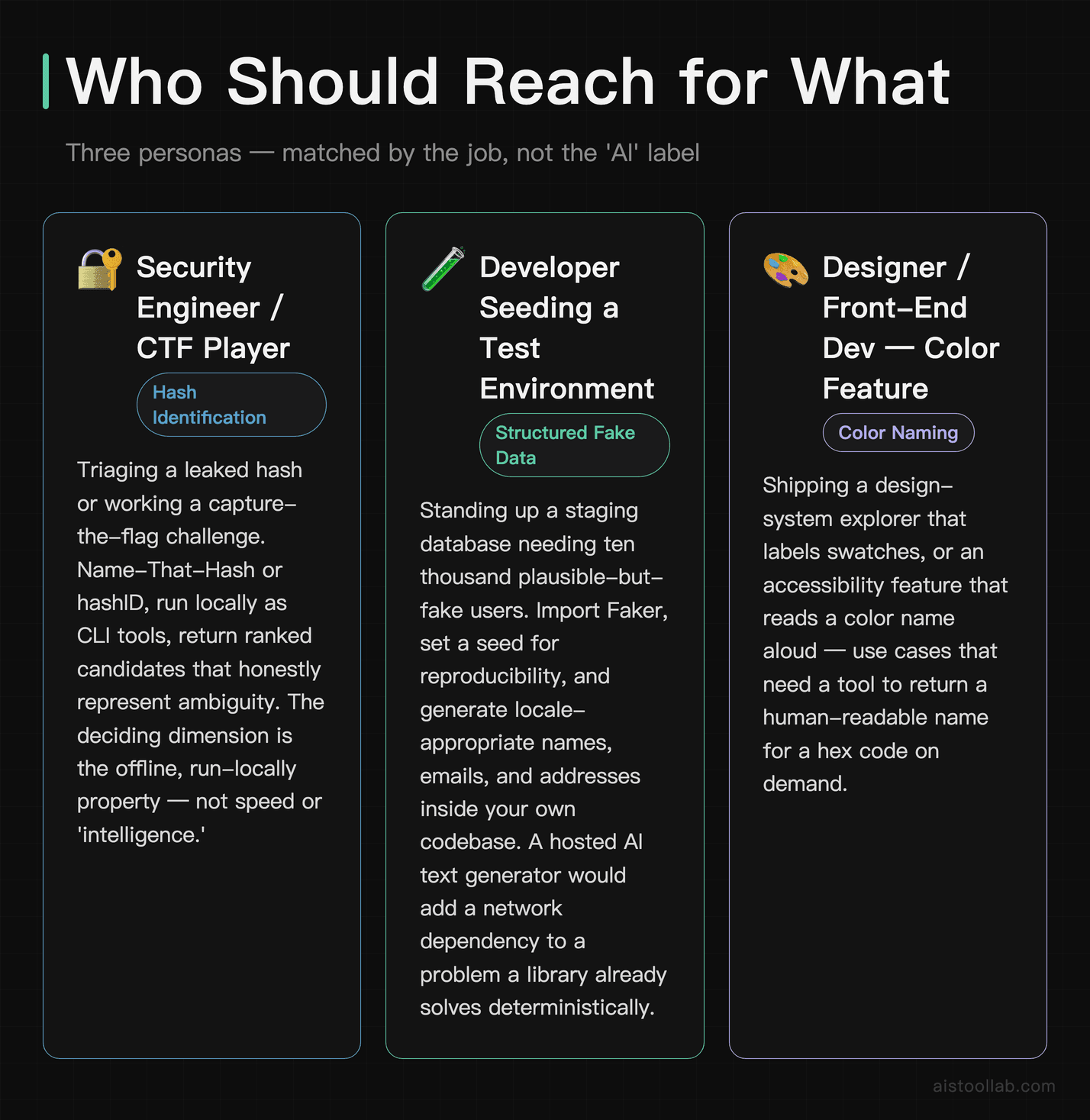
The security engineer or CTF player
Say you’re triaging a leaked hash or working a capture-the-flag challenge. Name-That-Hash or hashID, run locally, are the natural fit: they return ranked candidates so you understand the ambiguity instead of trusting a false-confident single answer, and — critically — they run as local command-line tools rather than as a hosted service. That offline, run-locally property is the deciding dimension here, not speed or “intelligence.”
The developer seeding a test environment
Imagine you’re standing up a staging database and need ten thousand plausible-but-fake users. This is Faker’s home turf: import it, set a seed for reproducibility, and generate locale-appropriate names, emails, and addresses inside your own code. It runs as a library within your own codebase rather than as a hosted service. A hosted “AI text generator” would be the wrong tool for this — you’d be adding a network dependency to solve a problem a library already solves deterministically.
The designer or front-end dev building a color feature
Picture yourself shipping a design-system explorer that labels swatches, or an accessibility feature that reads a color name aloud. If you want zero external dependencies and build-time naming, bundle the open-source color-names dataset. If you’d rather not maintain any data and you’re doing modest volume in a live app, The Color API’s REST endpoint gets you running fast. Choose on the integration model — self-host versus hosted — because on naming “accuracy” there’s no objective winner, only different reference lists.
My Take: Buy Infrastructure, Not Adjectives
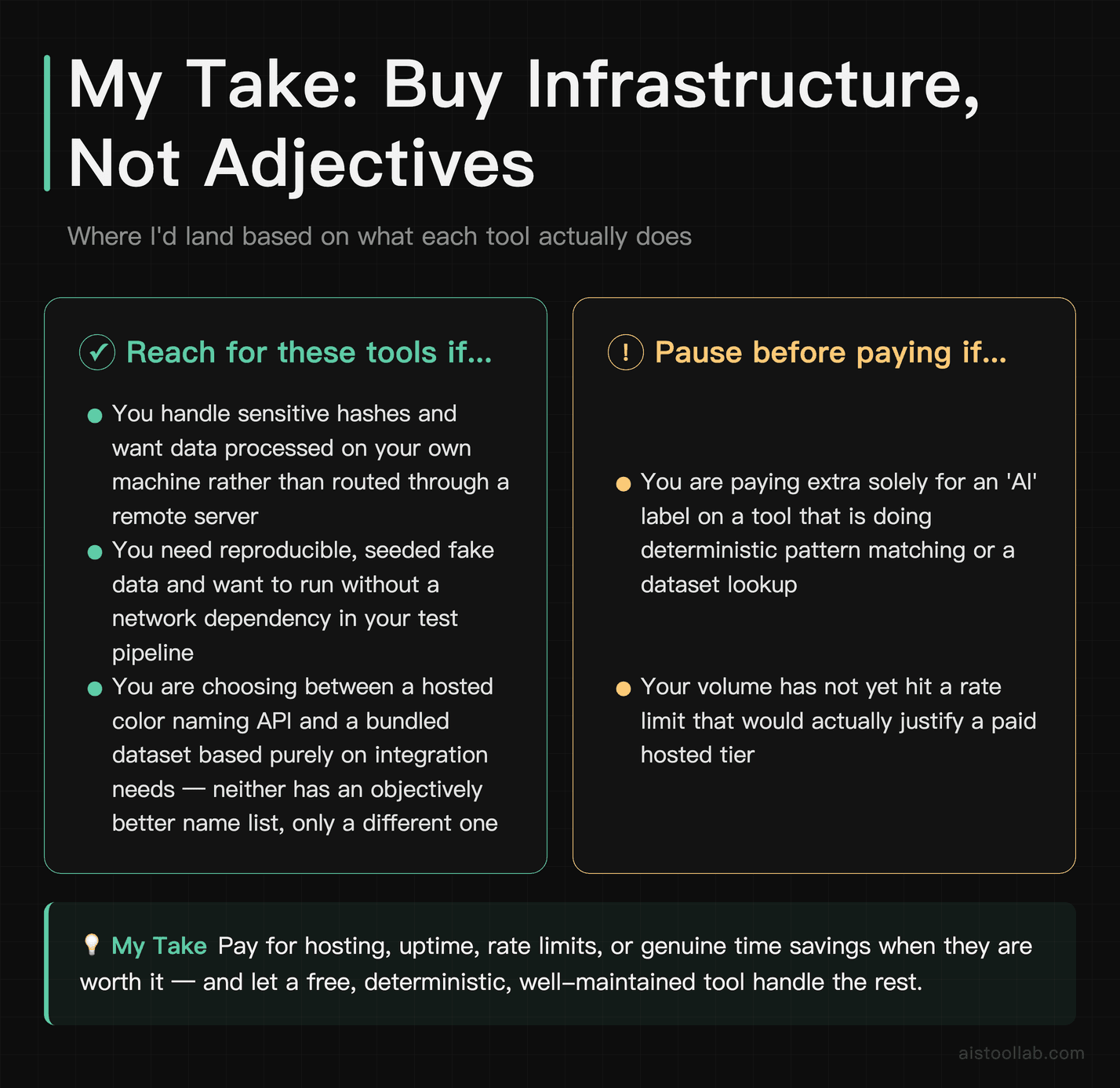
If you’re a solo developer or on a small team weighing these categories on cost and value, here’s where I’d land based on what each tool actually does. For anything touching sensitive data — hashes especially — I’d choose the offline open-source identifiers, because on the privacy-and-cost dimension a tool you run locally processes data on your own machine rather than routing it through a remote server. For test data, I’d wire in Faker rather than any hosted generator, because reproducibility and running without a network dependency are real engineering advantages, not marketing ones. For color naming, I’d pick between the hosted API and the bundled dataset purely on your integration needs, since neither has an objectively better name list — only a different one.
The through-line is that the “AI” adjective should not be the thing you’re paying for in this class of tool. Pay for hosting, uptime, rate limits, or genuine time savings when they’re worth it — and let a free, deterministic, well-maintained tool handle the rest. Next step: pick the single utility you reach for most this week, try the free or open-source option end-to-end, and only reconsider a paid tier if you actually hit a limit it doesn’t cover. That’s a far more honest signal than any landing page.
Frequently Asked Questions
Can a hash identifier tell me the hash type with certainty?
Usually not with full certainty, and that’s a limitation of hashes themselves rather than any specific tool. Identification works mainly by matching the string’s format — its length and character set. The trouble is that many distinct algorithms produce output of the same shape; a 32-character hexadecimal string is a classic example, since MD5, NTLM, and others all look identical at that level. That’s why tools like Name-That-Hash and hashID return a ranked list of candidate types instead of one definitive answer. The right mental model is “prioritized guesses,” not “identification.” To narrow it down, lean on context: which system produced the hash, what its password storage or token format typically uses, and whether a prefix or delimiter hints at a specific scheme. If any tool markets a single, guaranteed answer from the raw string alone for an ambiguous format, treat that claim with suspicion — the underlying information simply isn’t there to support certainty.
Are these “AI” developer utilities really using AI?
For most of the categories here, not in any meaningful sense. Hash identification is rule-based pattern matching. Duplicate line removal is a standard deduplication algorithm. Random and fake-text generation is templated pseudo-randomness. Color naming is typically a nearest-color distance calculation over a fixed dataset — sometimes in a perceptually-uniform color space, which is clever engineering, but not machine learning. The “AI” label often functions as marketing rather than a description of the mechanism. That’s not automatically bad — a deterministic tool that works is preferable to a fancy one that doesn’t — but it should change how you evaluate the offering. Don’t pay a premium for “AI” on a task that a well-understood algorithm solves reliably without added cost. Reserve real scrutiny for genuine AI features, like the sentiment-and-context work I covered in the Emoji Finder Tools Explained piece, where a model actually earns its complexity.
Is it ever worth paying for any of these tools?
Sometimes, but the reason is almost never “smarter” processing — it’s infrastructure and convenience. A paid tier on a hosted service usually buys you higher rate limits, uptime SLAs, or support, which can be worth it if you’re calling an API at high volume in production and don’t want to self-host. Convenience web tools may charge for batch processing or an ad-free experience that saves you friction on frequent one-offs. Those are legitimate trade-offs. What’s rarely worth paying for is the core capability itself when a maintained open-source option covers the same ground and runs locally. Before subscribing, ask two questions: does the free or open-source alternative genuinely fall short for my volume or environment, and am I paying for capability or just for hosting convenience? If it’s purely convenience and you’re technical, wiring in the open-source option is often the better long-term value. I’d rather you check any vendor’s current pricing page yourself than rely on a figure I can’t verify here.
Why not just write this functionality myself?
For the truly trivial tasks, you probably should. Removing duplicate lines is sort -u or awk '!seen[$0]++'; sorting, case conversion, and find-replace are built into your editor and shell. Reaching for a hosted tool there adds a dependency for no real gain. The calculus flips when the task has hidden complexity or ongoing maintenance. A hash-type database has to stay current as new schemes appear; a fake-data generator needs locale rules, realistic formats, and edge cases handled; a color dataset needs curation and a sensible distance metric. Rebuilding and maintaining those yourself is real, recurring work. That’s precisely where a maintained library like Faker or an open-source dataset pays off — you inherit other people’s ongoing upkeep for free. The rule of thumb: hand-roll the one-liners, adopt a maintained project for anything with a moving target or a lot of edge cases.
Faker versus a Lorem Ipsum generator — which do I want?
They serve different needs despite both being “text generators.” A Lorem Ipsum generator produces meaningless typographic filler, which is exactly right when you’re checking layout, line length, and typography and you don’t want real words distracting reviewers. Faker produces structured, realistic fake data — names, emails, addresses, dates, company names — which is what you want for seeding a test database or populating a UI mockup with data that looks like production. Faker is a library you import and run as part of your own code, and it’s seedable, meaning you can regenerate the exact same “random” dataset for reproducible tests. If your goal is “make this template look full,” a Lorem Ipsum generator produces typographic filler directly, with no data modeling. If your goal is “make this app behave like it has real records,” Faker produces structured data that matches that case. Many developers keep both around because they’re solving genuinely separate problems, not competing for the same one.
How do color-naming tools decide what to call a color?
They compute the distance between your input color and every entry in a reference list of named colors, then return the closest match. The sophistication lives in two places: the color space used for the distance (a perceptually-uniform space like CIELAB with a metric such as CIEDE2000 is designed to align with human perception, unlike raw RGB distance), and the reference list itself. That second factor is why two tools can name the same hex code differently — one might use CSS/web-standard color names, another a larger crowd-sourced list, another a paint catalog. None is objectively “right”; they’re just different vocabularies. When picking a tool, I’d weigh dataset transparency (can you see and trust the name list?) and how well the distance approach matches perception, rather than looking for a nonexistent universal “correct name.” If your product needs a specific naming style — say, marketing-friendly names versus technical CSS names — choose the tool whose dataset matches that voice.
Do I need an API for color naming, or is a library enough?
It depends on where and how often you name colors. A REST API like The Color API is convenient when you want live naming inside a hosted app and you’d rather not maintain any data — you make a call and get a name back. The costs are a network dependency on every lookup, added latency, and rate considerations if you’re doing high volume. A bundled library or dataset, like the open-source color-names project, ships the data with your code, so it runs offline, has no rate limit, and adds no network latency — ideal for build-time naming in a design system or any high-frequency, performance-sensitive path. The decision comes down to architecture: choose the hosted API for low-volume, low-maintenance convenience, and choose the self-hosted dataset when you need offline operation, high throughput, or full control over the name list. Check each project’s current pricing on its official page; for many uses the integration model, not cost, is the deciding factor.
Are hosted text and hash tools safe for sensitive data?
A hosted tool may send your input to someone else’s server, so make your decision accordingly. For genuinely sensitive material — password hashes, internal identifiers, customer records, unreleased content — I’d default to a local, open-source option that is designed to run without transmitting the data to a remote server. That’s a big reason the offline hash identifiers and locally-run libraries are attractive beyond their price: keeping data on your own machine avoids sending it to a third party. For clearly non-sensitive, throwaway text — dummy placeholder content, a public string you’re just tidying up — a hosted convenience tool may be a reasonable choice; if it matters, review the tool’s stated data-handling policy before you rely on it. The practical habit is to sort your task before you paste: if the content would be a problem to leak, use a local tool; if it’s harmless filler, use whatever’s fastest. Check a hosted tool’s stated data-handling policy when it matters, but the simplest protection is not sending sensitive data to a third party in the first place.
Which of these gives a solo developer the best overall value?
There isn’t one winner, because they don’t compete — you’d likely use several. But if I’m framing “value” as capability-per-dollar plus low maintenance for a solo developer, my own leaning is toward the free, open-source, locally-run options in each category. Name-That-Hash or hashID for identification, Faker for realistic test data, your shell for text manipulation, and a bundled color dataset for naming can cover the vast majority of these needs while running locally, rather than through a hosted service; check each project’s current licensing for cost details. Reach for a paid or hosted service when you hit a specific wall the local option doesn’t cover — very high API volume, a need for dependable uptime, or a convenience that genuinely saves you meaningful time. In other words, for most solo developers one approach is assembling free, well-maintained pieces rather than buying an “AI utility suite” that bundles paid versions of things you can already do for nothing.
Last updated: 2026
Found this review helpful?
👉 Browse the AI Tools Library to find the right tools for your workflow.
Related reading: Hash Identifier Tools Compared: Features, Accuracy, and Which Fits Your Security Needs
Related reading: How Random Text Generators Work: Practical Applications for Testing, Design, and Development
Related reading: Random Text Generation Explained: Algorithms, Methods, and Applications in 2026
Related reading: How Hash Identifiers Work: Cryptography, Pattern Recognition, and Detecting Hash Algorithms Explained
Related reading: Getting Started with Duplicate Line Removers and Text Cleanup Tools