
Striking Images, and the Frictions That Come With Them
Midjourney produces some of the most visually striking AI-generated images available today. Its painterly aesthetic, strong composition sense, and ability to interpret abstract prompts make it the go-to for concept artists and creative directors. If you’ve used it, you probably already know why people love it.
But here’s the friction: there is no free trial on the website or in Discord — Midjourney’s own Free Trials page says a limited trial is available in the niji·journey mobile app (checked 2026-07-29). Commercial licensing requires a paid subscription. And if you want API access for a product you’re building, you’re out of luck. For a lot of developers, small business owners, and budget-conscious designers, those aren’t minor inconveniences — they’re dealbreakers.
This guide covers six solid Midjourney alternatives — DALL-E 3, Stable Diffusion, Adobe Firefly, Ideogram, Flux, and Leonardo AI — compared honestly across image quality, prompt adherence, pricing, commercial rights, and ease of use. Whether you’re frustrated, evaluating, or ready to switch, here’s what you need to know.
What Actually Drives People Off: Workflow, Cost and Licensing
Before jumping into the tools, it’s worth naming the specific pain points that actually drive people to look elsewhere. These come up repeatedly in forums, Reddit threads, and user reviews:
- The workflow is split across two surfaces. Discord is not the only way to create images: Midjourney’s own Web vs Discord page (updated 2026-03-24) states that a subscription lets you create images on both the website and Discord. The split is not clean, though — the same page says custom Option Sets can only be created and managed in Discord, and reference images on Discord require hosting the file and pasting its URL, while the website takes a click. Working out which half of your workflow lives where is its own overhead.
- No free tier means no low-stakes experimentation. Midjourney’s Free Trials page states that no free trial is currently available in Discord or on the midjourney.com website, and that a limited trial is available in the niji·journey mobile app (checked 2026-07-29). If you want to test the main product for your use case before committing, you have to pay first — a real barrier for hobbyists and early-stage founders.
- Commercial use requires the right subscription tier. The Basic plan technically allows commercial use, but with a caveat: if your company earns over $1 million in annual revenue, you’re required to be on the Pro plan or higher. That catches some users off guard.
- No API access. Developers who want to integrate AI image generation directly into their apps or workflows can’t do it natively through Midjourney. Third-party workarounds exist but they’re unsupported and unreliable.
- The aesthetic isn’t always what you need. Midjourney has a signature look — dramatic lighting, painterly textures, fantasy-leaning compositions. That’s perfect for some projects and completely wrong for others, like clean product mockups, flat UI illustrations, or photorealistic commercial photography.
DALL-E 3 — prompt rewriting, and clean polished output
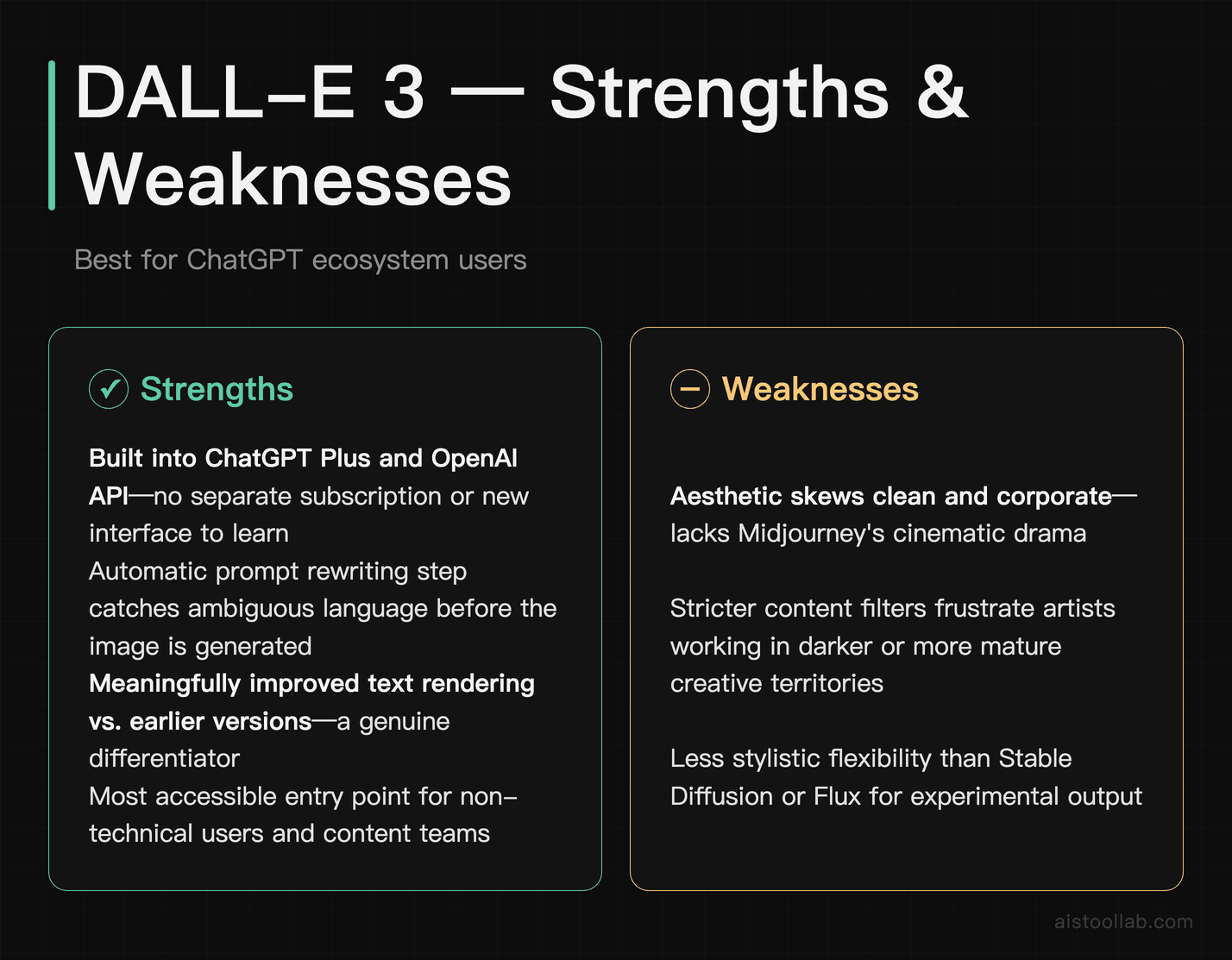
DALL-E 3 is OpenAI’s image generation model, and its biggest advantage is integration. If you’re already paying for ChatGPT Plus or using the OpenAI API, DALL-E 3 is right there — no separate subscription, no new interface to learn. You can generate images mid-conversation, iterate with follow-up instructions, and have ChatGPT automatically refine your prompt before it hits the image model. That prompt rewriting step is genuinely useful: it catches ambiguous language and fills in details you didn’t think to specify.
The honest weakness is that DALL-E 3’s aesthetic skews toward clean, polished, slightly corporate-looking results. It’s excellent for illustrations, diagrams, and concept visuals, but it doesn’t produce the cinematic drama that Midjourney does. It also has stricter content filters, which frustrates artists working in darker or more mature creative territories. Text rendering in images has improved meaningfully over earlier versions, which is a real differentiator.
For marketers, content creators, and teams already living in the ChatGPT ecosystem, DALL-E 3 is the path of least resistance. It’s also the most accessible entry point if you want to experiment without a separate signup. For more on getting the most from AI tools like this, see .
Pricing: Included with ChatGPT Plus at $20/month; API access is available via OpenAI’s platform with pay-as-you-go pricing based on image size and quality.
Stable Diffusion, for running the whole pipeline on your own machine
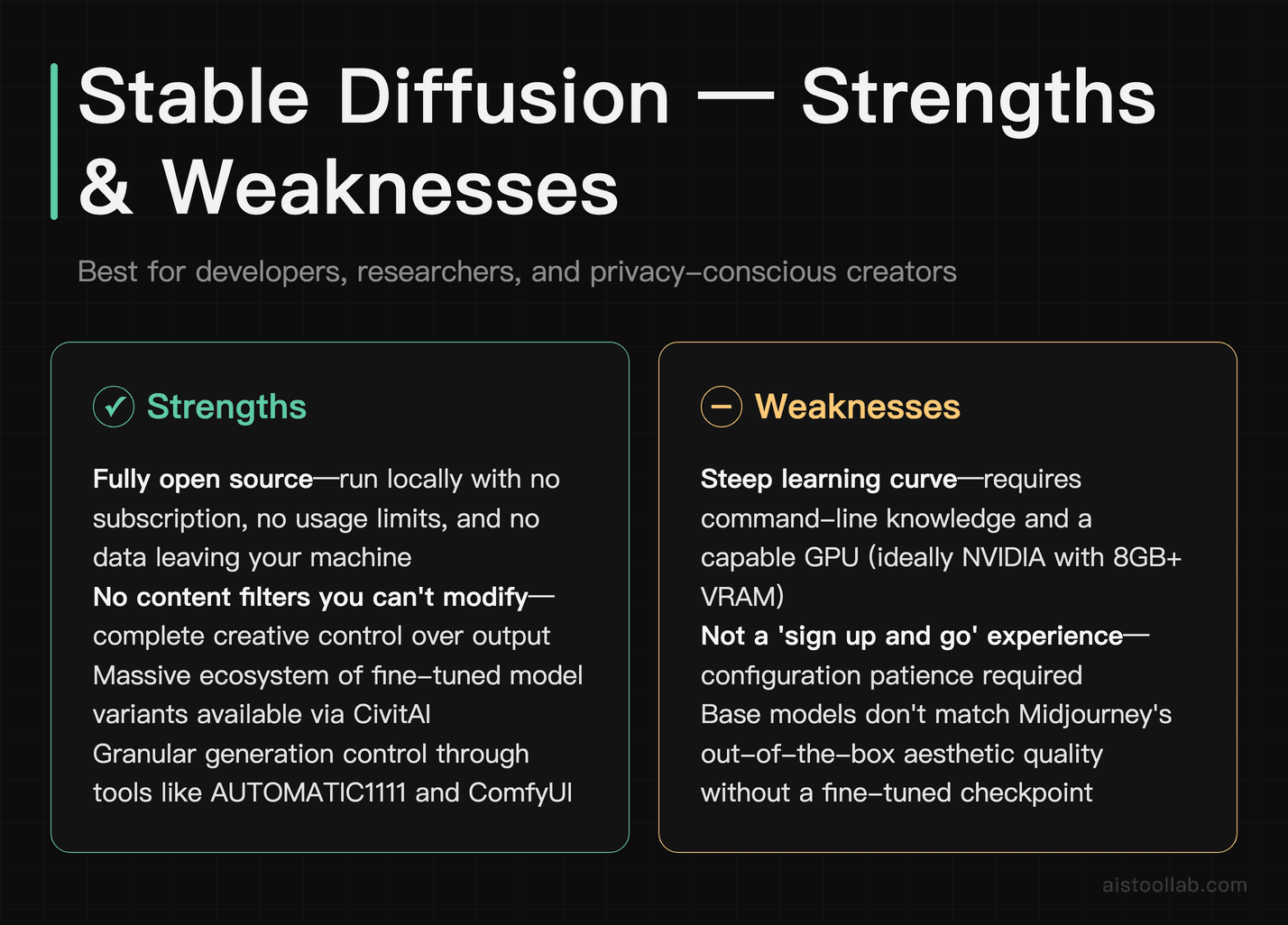
Stable Diffusion is one of at least two options on this list you can run entirely on your own hardware — Flux’s Schnell variant is another — and for Stable Diffusion that control is the whole point. There’s no subscription, no content filter you can’t modify, no usage limits, and no data leaving your machine. For developers building image generation into products, researchers, and privacy-conscious creators, that level of control is hard to match. The model is open source, there’s a massive community of fine-tuned variants (via platforms like CivitAI), and tools like AUTOMATIC1111 and ComfyUI give you granular control over every aspect of the generation process.
The weakness is the learning curve. Setting up Stable Diffusion locally requires comfortable command-line knowledge, a capable GPU (ideally NVIDIA with at least 8GB VRAM), and patience with configuration. It is not a “sign up and go” experience. Cloud-based interfaces like DreamStudio lower the barrier, but then you’re back to paying per image and dealing with another platform. The base models also don’t match Midjourney’s out-of-the-box aesthetic quality — you generally need to find the right fine-tuned checkpoint for your style.
If you’re a developer who needs API access, an artist who wants to train on their own style, or someone building a product that involves image generation, Stable Diffusion is the starting point for serious work. It pairs especially well with strong prompting knowledge — see for fundamentals that apply across tools.
Pricing: Free to run locally (hardware costs only); DreamStudio cloud access uses a credit system starting at roughly $10 for a block of credits.
Adobe Firefly: trained on licensed material, built for client work
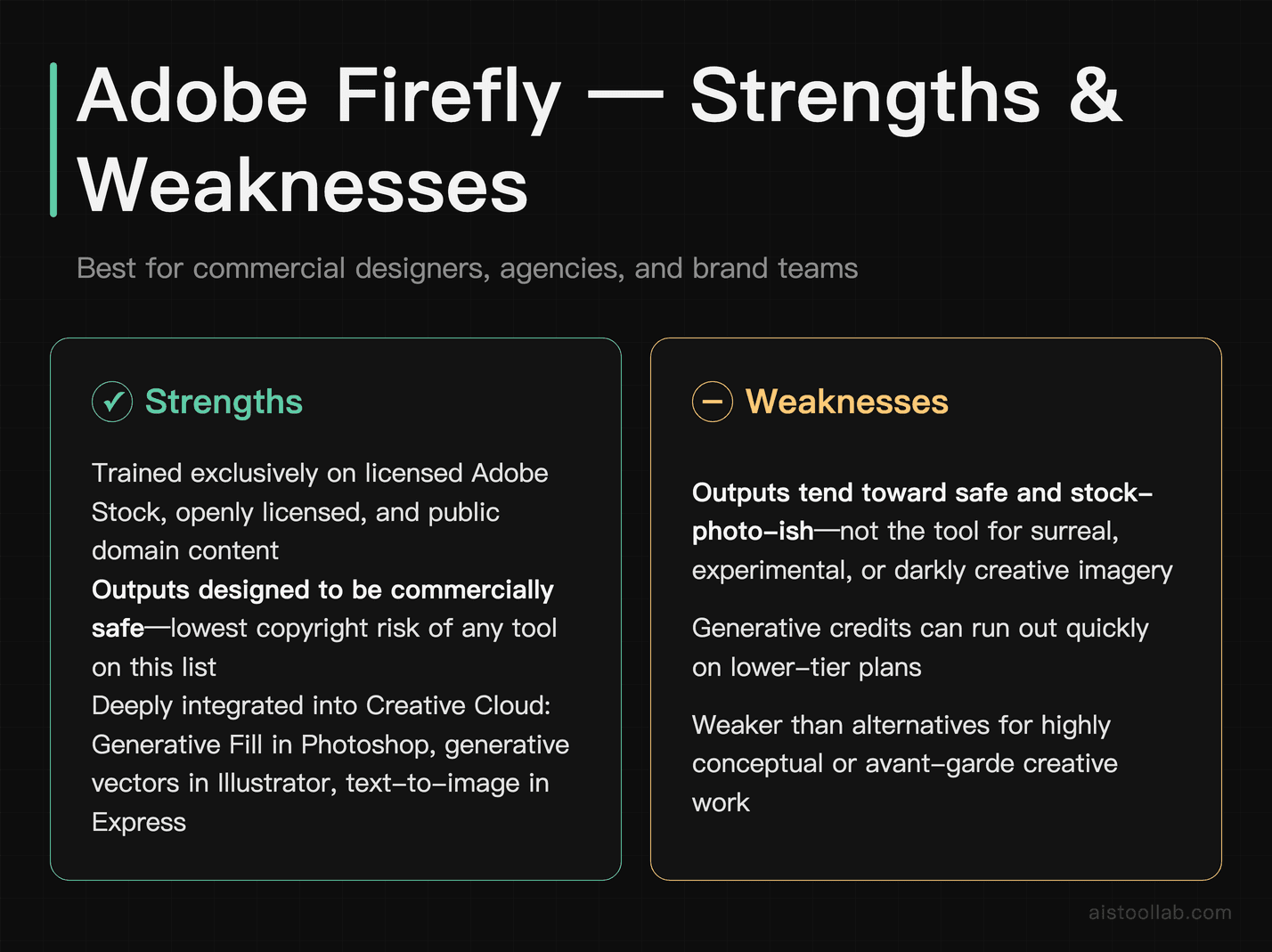
Adobe Firefly is the most commercially responsible option on this list, and that’s not a small thing. Adobe trained Firefly exclusively on licensed Adobe Stock images, openly licensed content, and public domain material. That means the outputs are designed to be commercially safe — a genuine concern for designers, agencies, and brands who’ve been burned (or spooked) by the ongoing copyright debates around AI-generated imagery.
The integration with Adobe’s Creative Cloud suite is Firefly’s other major selling point. Generative Fill in Photoshop, generative vector tools in Illustrator, and text-to-image in Express all run on Firefly. If your team already lives in Adobe products, this isn’t an add-on — it’s baked into your existing workflow. Image quality is solid, particularly for realistic photography-style outputs and product visuals. Prompt adherence is good, especially for structured prompts with clear subject and style descriptions.
The weakness is that Firefly’s outputs tend toward the safe and stock-photo-ish. If you’re looking for surreal, experimental, or darkly creative imagery, it’s not the tool. The generative credits system can also feel limiting on lower-tier plans once you’re in heavy production mode.
Pricing: Included in Creative Cloud plans starting at $54.99/month for the full suite; standalone Firefly access is available starting at around $9.99/month with limited generative credits.
Ideogram — when the words inside the image have to come out right
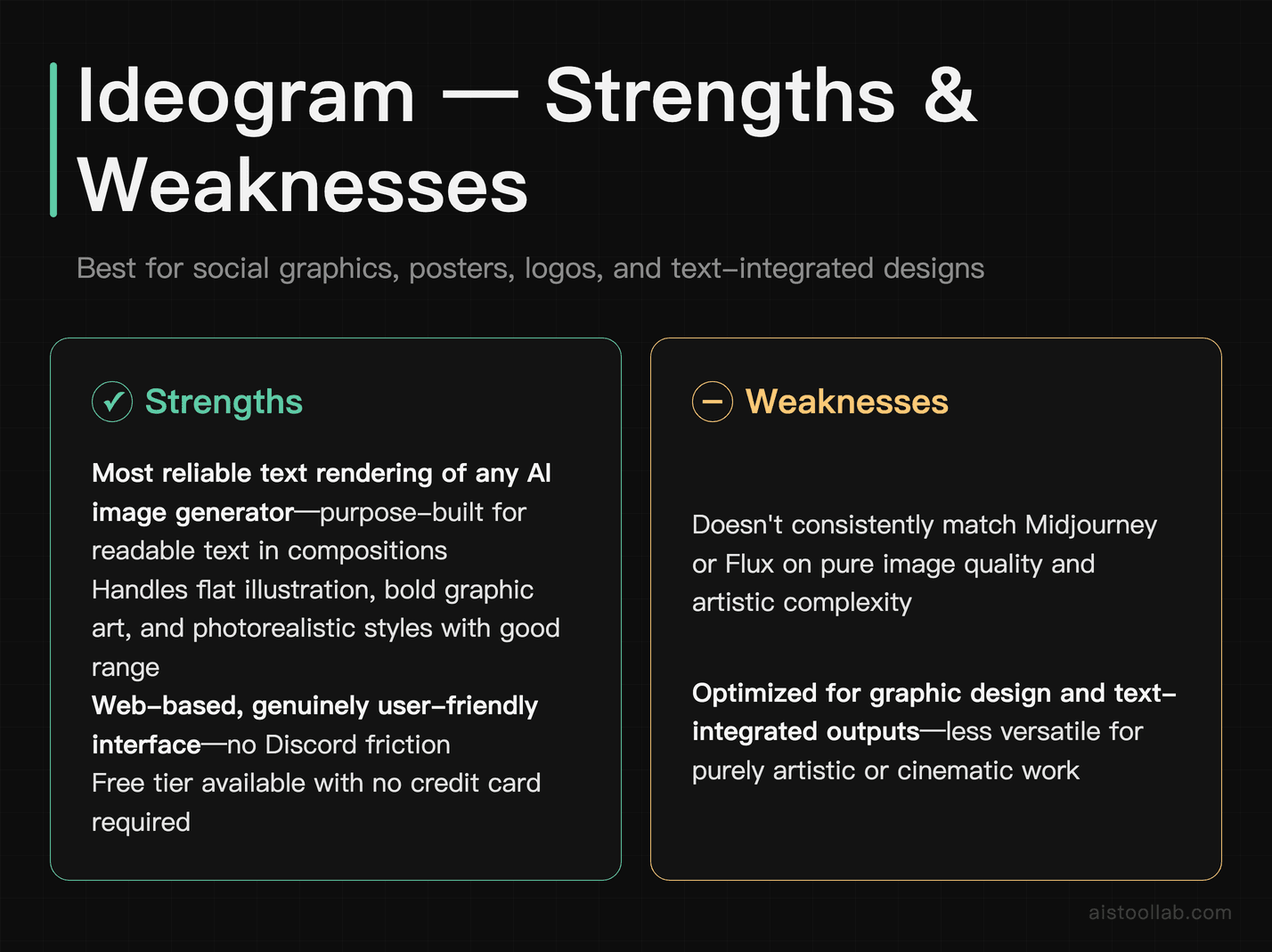
Text rendering has been the Achilles’ heel of AI image generation for years. Midjourney, Stable Diffusion, and even DALL-E 3 all struggle with it to varying degrees — letters get mangled, words blend together, or the typography looks plausible but wrong. Ideogram was built with this specific problem in mind, and it shows. If your use case involves generating social media graphics, posters, logos, t-shirt designs, or any image where readable text is part of the composition, Ideogram is the most reliable option available right now.
Beyond text, Ideogram produces clean, graphic-design-friendly outputs with good style range — it handles flat illustration, bold graphic art, and photorealistic styles reasonably well. The interface is web-based and genuinely user-friendly, which is which matters when a project has to be picked up again a week later. There’s also a free tier, which makes it easy to evaluate before committing.
The honest limitation is that for pure image quality and artistic complexity, it doesn’t consistently match Midjourney or Flux. It’s optimized for a specific type of output — graphic design and text-integrated images — and that’s where it genuinely excels. Outside of that lane, it’s a capable but not exceptional generator.
Pricing: Free tier available with limited daily generations; paid plans start at $8/month for priority generation and higher output limits.
Flux: photorealism, and prompts it actually follows
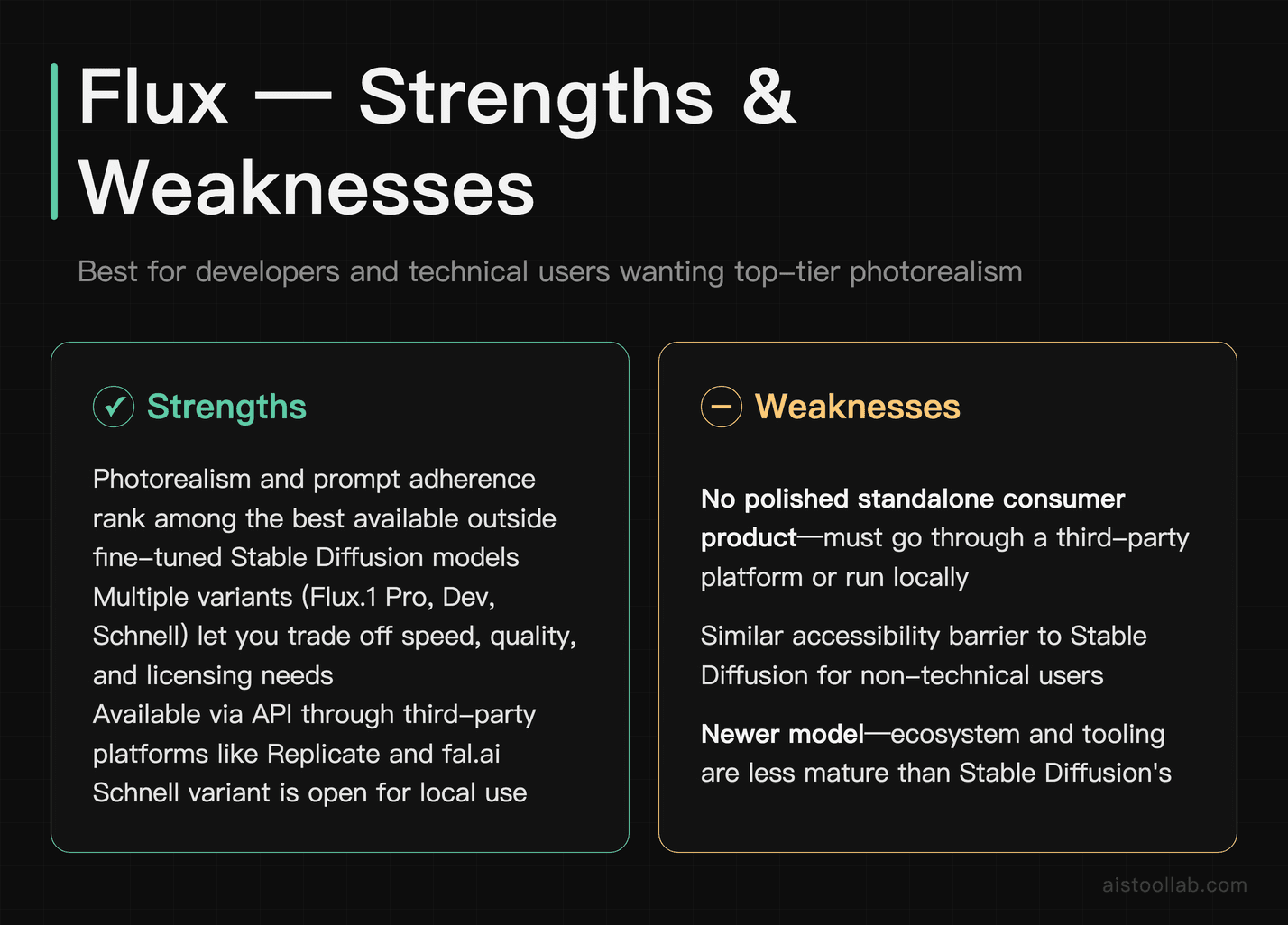
Flux is a newer model from Black Forest Labs (founded by some of the researchers behind the original Stable Diffusion work), and it’s made a significant impression in a short time. The two standout qualities are photorealism and prompt adherence — Flux tends to follow detailed, specific prompts more faithfully than most competitors, and its photorealistic outputs are among the most convincing available outside of fine-tuned Stable Diffusion models.
There are several Flux model variants (Flux.1 Pro, Flux.1 Dev, Flux.1 Schnell) that trade off speed, quality, and licensing restrictions. The Schnell variant is open for local use, while Pro is available through API partners like Replicate, fal.ai, and others. This makes Flux genuinely useful for developers and technical users who want high-quality photorealistic outputs via API without building on Stable Diffusion from scratch.
The weakness is that Flux doesn’t have a polished consumer-facing product of its own yet. To use it well, you’re typically going through a third-party platform or running it locally — which puts it in a similar accessibility bracket as Stable Diffusion for non-technical users. It’s a powerful engine that still needs a better front end for mainstream adoption.
Pricing: Open-weight models available free for local use; API access through platforms like Replicate is priced per generation, typically a few cents per image depending on the model and resolution.
Leonardo AI, for game assets and characters that stay consistent
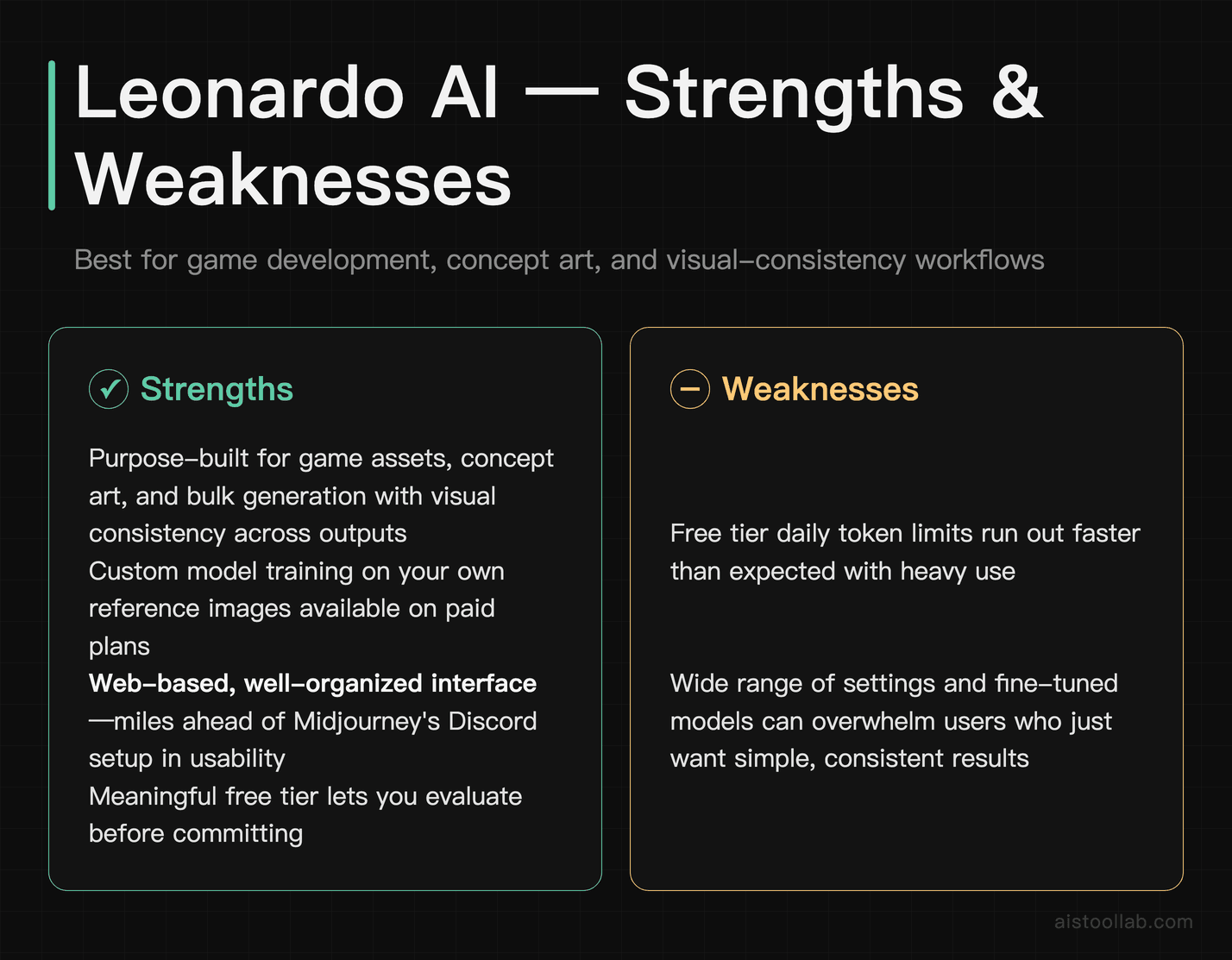
Leonardo AI has carved out a specific niche: game development, concept art, and workflows where you need visual consistency across multiple outputs. Its suite of tools — including Canvas, Motion (for video), and a selection of fine-tuned models — is built for creative professionals who need to generate assets in bulk without every image looking like it came from a different universe. The ability to train custom models on your own reference images is available on paid plans and is one of the most practical implementations of that feature available in a consumer tool.
The interface is web-based and reasonably well-organized, which keeps the learning curve shallow for a tool with this many settings. Image quality is strong, particularly when you’re using one of its specialized fine-tuned models for fantasy illustration, game assets, or anime-style work. There’s a meaningful free tier that lets you evaluate the tool before paying.
The honest weakness is that the free tier has daily token limits that run out faster than you’d expect with heavy use, and the wide range of settings and models can be overwhelming for someone who just wants simple, good results. The tool rewards users who invest time learning it — casual users may find it more complex than necessary.
Pricing: Free tier available with daily token allowance; paid plans start at $12/month for Apprentice tier with more tokens and features, scaling up for higher usage.
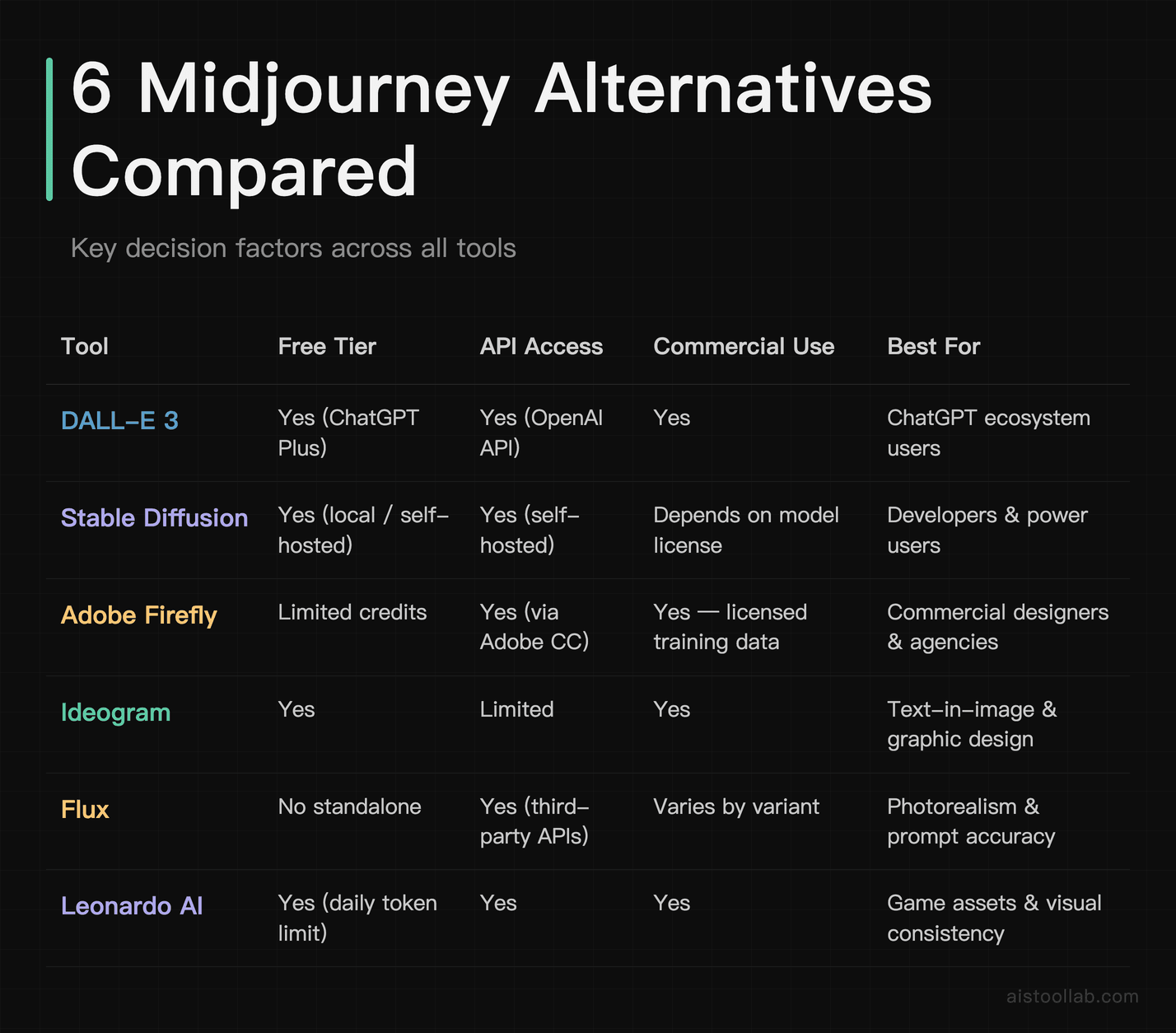
Free Tier, API Access and Commercial Use, Side by Side
Start From What You’re Actually Making
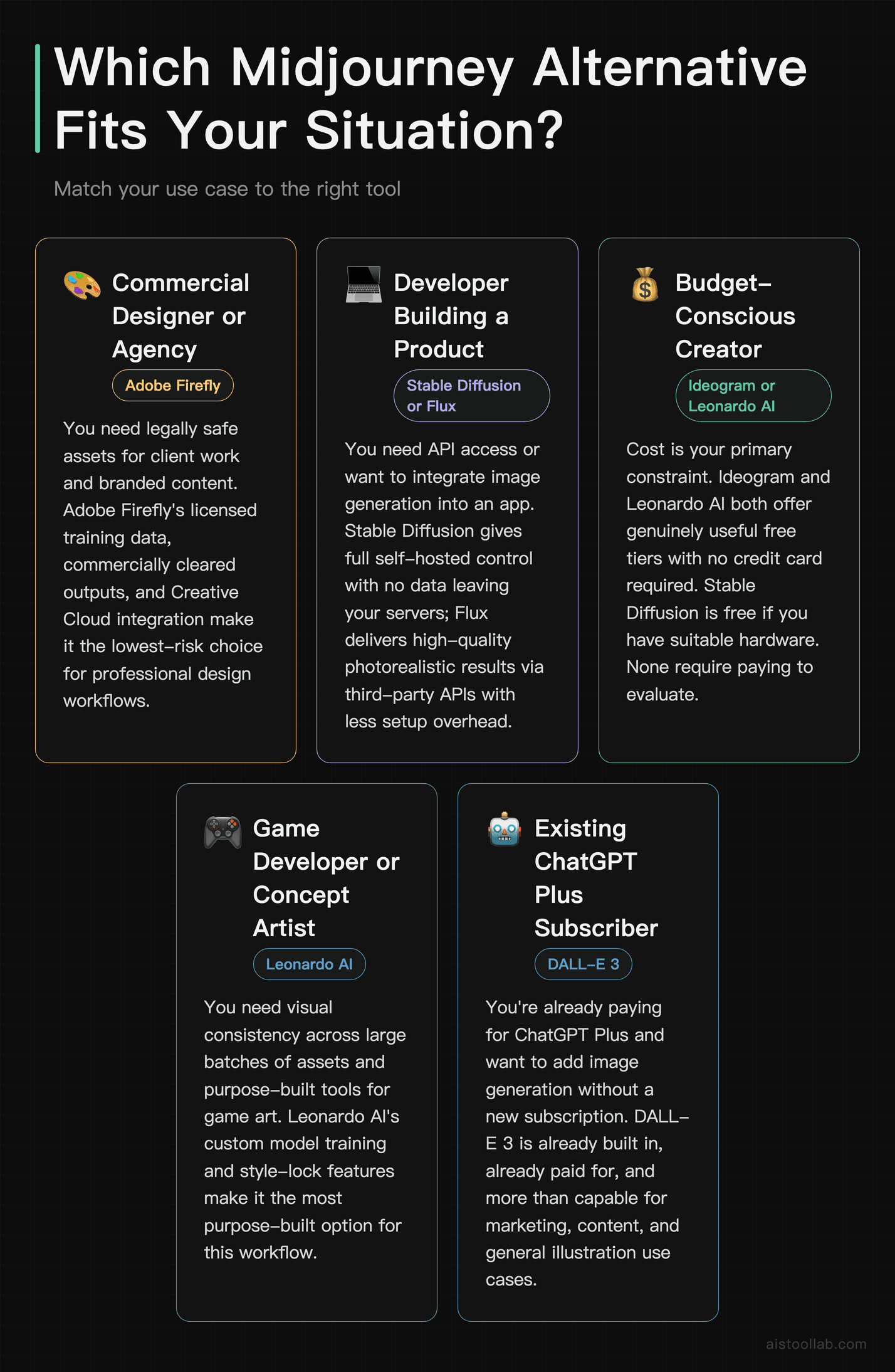
- If you’re a commercial designer who needs legally safe assets → Adobe Firefly. The licensed training data, Creative Cloud integration, and commercially cleared outputs make it the lowest-risk choice for client work and branded content.
- If you’re a developer who needs API access or wants to build a product → Stable Diffusion (for full control and self-hosting) or Flux (for high-quality results via third-party APIs with less setup). Both are far more developer-accessible than Midjourney.
- If budget is your primary constraint → Ideogram or Leonardo AI both offer genuinely useful free tiers. Stable Diffusion is free if you have suitable hardware. None of these require a credit card to get started.
- If you work in game development or need visual consistency across many assets → Leonardo AI is the most purpose-built tool for that workflow, with custom model training and style-lock features that other tools don’t match as cleanly.
- If you’re already paying for ChatGPT Plus and just want to add image generation to your workflow → DALL-E 3 is the simplest path. It’s already paid for, it’s right there in the interface, and it’s more than capable for most content and marketing tasks.
After generating images, these free tools help with color work: the Color Palette Generator lets you build and export custom color schemes, and the Image Color Extractor pulls exact hex values from any image — useful for matching your brand colors when the AI output is close but not exact.
Frequently Asked Questions
Is there a free alternative to Midjourney?
Yes — several. Ideogram, Leonardo AI, and Adobe Firefly (limited credits) all offer free tiers without requiring a credit card. Stable Diffusion is free to run locally if you have the right hardware. None of them match Midjourney’s signature aesthetic out of the box, but for many use cases they’re more than sufficient, and experimenting before paying is a reasonable way to find what works for your projects. If you’re new to AI tools generally, the is a good starting point.
Which Midjourney alternative is best for commercial use?
Adobe Firefly is the most clearly positioned for commercial use, largely because Adobe has publicly committed to the licensing provenance of its training data. DALL-E 3 (via an OpenAI API key) also provides explicit commercial use rights under its terms of service. For Stable Diffusion, commercial rights depend on which model checkpoint you’re using — some are licensed for commercial use, others aren’t, so you need to check the specific model license. Midjourney itself allows commercial use on paid plans, with revenue-based restrictions on higher-earning businesses.
Is Midjourney still worth it in 2026?
For purely creative, artistic work — concept art, illustration, cinematic visuals — Midjourney remains among the best options available. The image quality and creative interpretation are genuinely impressive. But “worth it” depends on your constraints: if the lack of API access or the absence of a free trial are blockers for your use case, then no, it’s probably not the right tool regardless of output quality. The competition has gotten significantly stronger, and tools like Flux and Leonardo AI have closed the quality gap considerably.
Can I use Stable Diffusion without a powerful GPU?
You can run it on CPU or with a lower-spec GPU, but generation times become very slow — we’re talking minutes per image rather than seconds. A dedicated NVIDIA GPU with at least 8GB VRAM is the practical minimum for a usable local experience. If you don’t have that hardware, cloud-based options like DreamStudio, Replicate, or Leonardo AI (which runs Stable Diffusion-based models) let you access the underlying technology without the hardware requirement.
What’s the best AI image generator for text inside images?
Ideogram is the clearest answer here. It was specifically designed to handle readable text within generated images, which has been a persistent weakness of most AI image tools. If your use case involves posters, social graphics, product labels, or any design where legible text is part of the image, Ideogram handles it more reliably than Midjourney, DALL-E 3, or Stable Diffusion in most comparisons. That said, DALL-E 3 has also improved meaningfully in this area and is worth testing if you’re already using it.
Last updated: 2026
Adobe Firefly standalone plan pricing per Adobe’s official page (adobe.com/products/firefly): the entry Firefly plan starts at about $9.99/month, verified July 2026 (the older $4.99 was a 2023 launch price). Plans and prices may change.