

The Design Tool Landscape Has Officially Gotten Weird (In a Good Way)
A designer I work with — she’s been freelancing for about eight years — sent me a message a few months ago that kind of stopped me in my tracks. She said: “I feel like I blinked and suddenly half my workflow is tools I didn’t know existed a year ago.” She wasn’t complaining. She was genuinely amazed. Her output increased noticeably, her revision cycles improved, and she was pitching clients on projects she would’ve turned down before because they were too time-intensive.
That message stuck with me, because the coverage around AI tools for designers is… not great. Most articles out there are either recycled lists of general-purpose AI tools (yes, ChatGPT can help you write a creative brief, we know), or they’re so surface-level that they don’t actually help anyone make a decision. Designers have a specific workflow — from ideation and moodboarding to asset generation, prototyping, client handoffs, and everything in between. They need recommendations that map to that workflow, not a generic “here are the 10 best AI tools of 2025” list.
This is the guide I wish had existed when I started. Some of these tools are household names in design circles. Others are genuinely underrated. A few surprised me. Let’s get into it.
Contents
What to Look for in These Tools
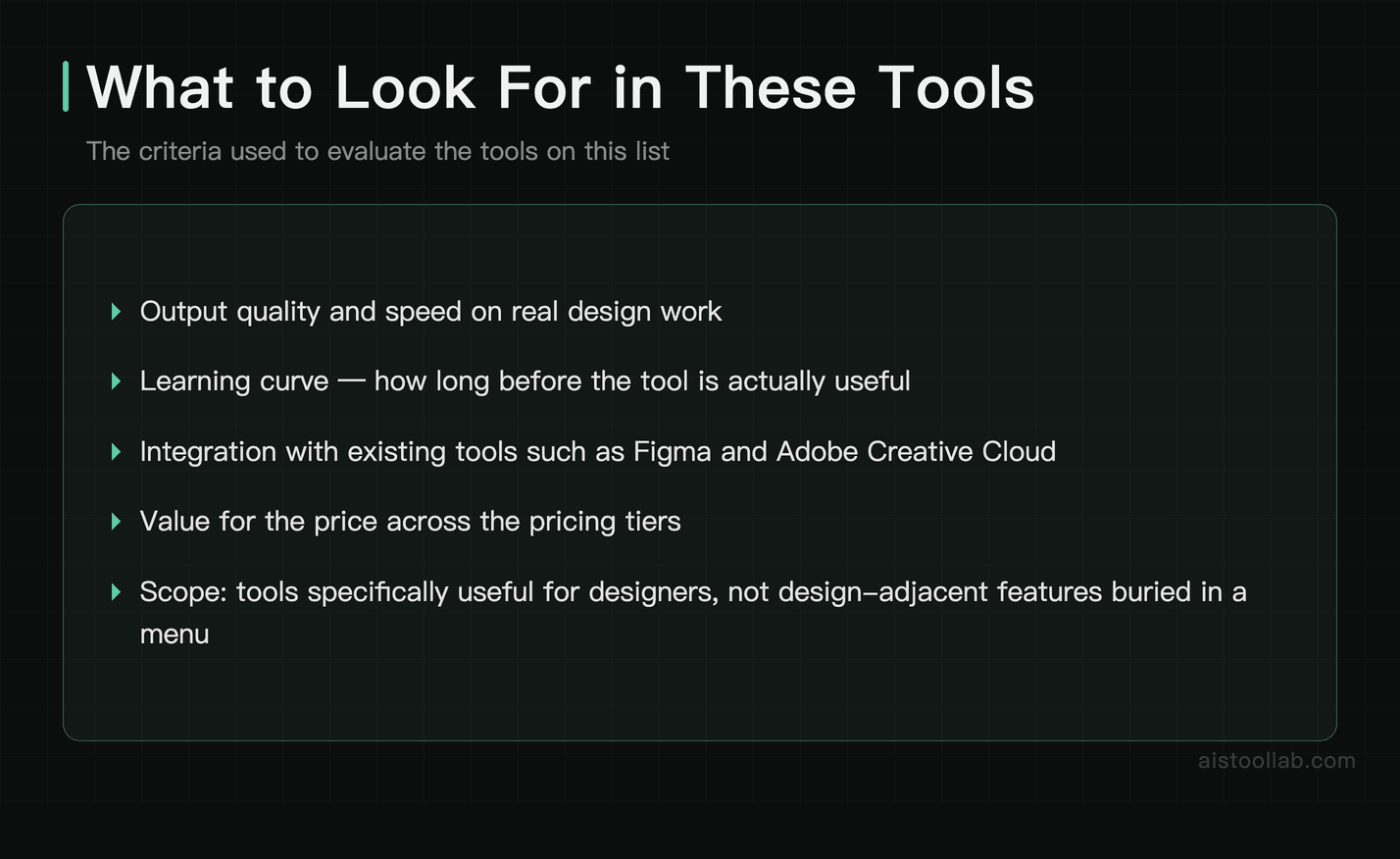
Before jumping into the list, a quick note on methodology. The criteria used to evaluate these tools were: output quality, speed, learning curve, integration with existing tools (Figma, color system generation, Adobe CC, etc.), and value for the price.
I also deliberately skewed toward tools that are specifically useful for designers, not tools that happen to have a design-adjacent feature buried in a menu somewhere. If you want a broader look at underrated AI tools across categories, I covered that in my Underrated AI Tools That Actually Deliver in 2026: WorkBeaver, NotebookLM, Dusttt, and Raycast AI Reviewed piece — worth a read alongside this one.
Image Generation Tools: Where Quality Finally Caught Up
1. Midjourney (now on V8.1)
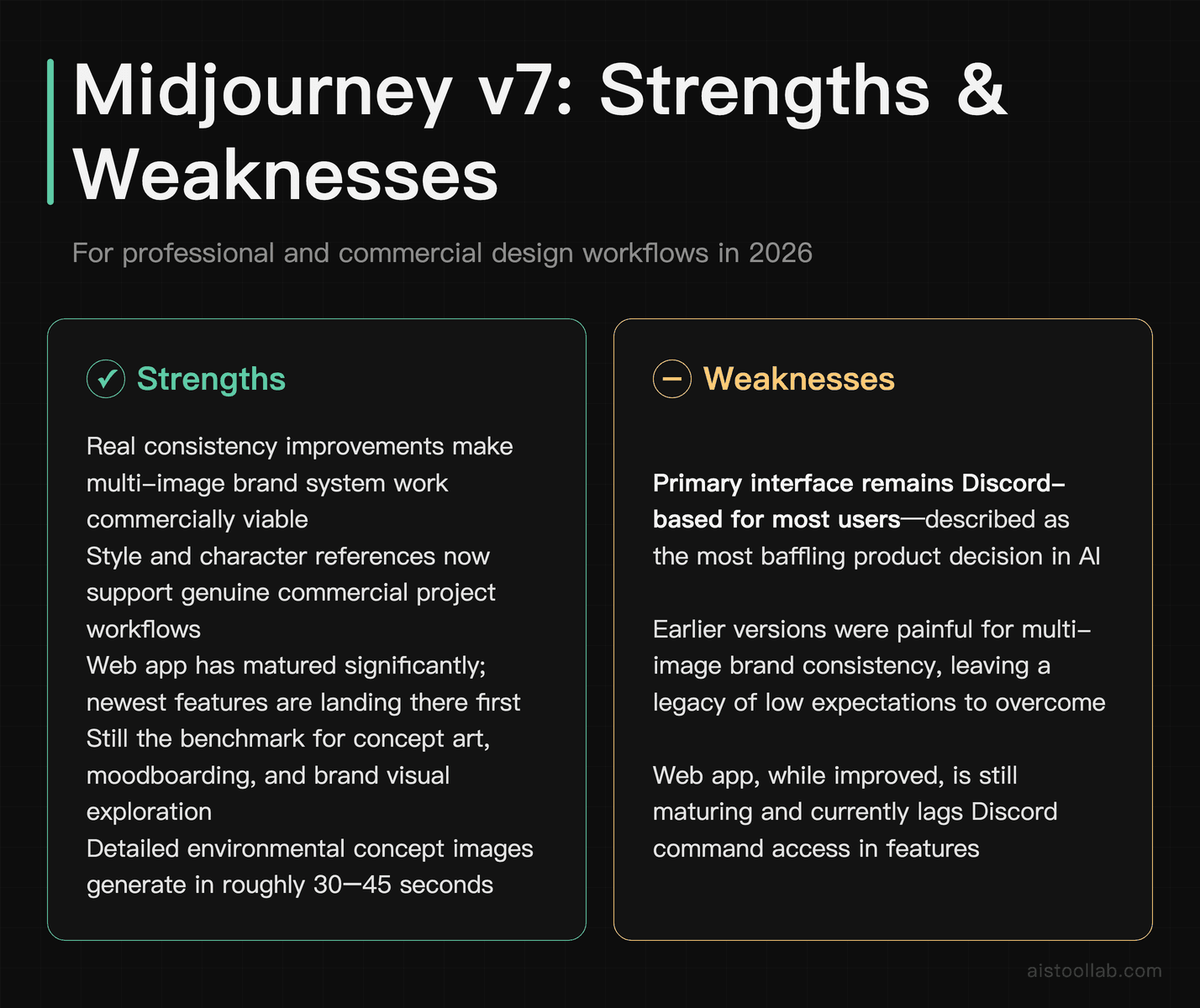
Honestly, I was prepared to be bored writing about Midjourney again. It’s been covered to death. But the version 7 release is what genuinely changed my opinion on where this tool sits in a professional design workflow, and Midjourney has kept iterating since — per Midjourney’s release notes, V8.1 shipped in April 2026 and became the default model in June 2026, with faster generation and better prompt-following (V7 is still selectable). The consistency improvements are real — if you’ve ever tried to generate a multi-image set that actually looked like it belonged to the same brand system, you know how painful earlier versions were. Midjourney now handles style references and character references in a way that makes it actually viable for commercial work, not just for generating pretty wallpapers.
The interface is still Discord-based for most users, which remains the most baffling product decision in AI history, but the web app has matured significantly. For brand concept work, moodboarding, and generating visual directions to show clients before committing to full production, Midjourney is still the benchmark. Midjourney states V8.1 renders standard jobs several times faster than earlier versions, so generation times keep dropping with each release. The Midjourney web platform is where most of the newer features are landing first now.
Best for: Concept art, moodboarding, editorial illustration, brand visual exploration
Pricing: Starts at $10/month for Basic
2. Adobe Firefly (Integrated)
Adobe Firefly has quietly become one of the most practically useful image generation tools for working designers, specifically because of where it lives — inside Photoshop, Illustrator, and Express. The Generative Fill feature in Photoshop is handy for everyday work. Extending a background that’s slightly too small for a layout? Done in seconds. Removing a distracting element from a photo? The results are genuinely impressive most of the time, which is good enough for most production work.
Adobe Firefly’s big differentiator is that it’s trained on licensed content, which matters enormously for commercial design work. That’s not a small thing when your client is a Fortune 500 company asking where your AI-generated assets came from. The vector recoloring feature in Illustrator is underused and genuinely excellent — you can describe a color mood and watch it apply intelligently across a complex illustration.
Best for: Designers already in the Adobe ecosystem, photo editing, commercial work requiring IP-safe assets
Pricing: Included with Creative Cloud subscriptions; standalone plans available
3. Ideogram 2.0
If you need AI-generated images that include readable, accurate text — and designers often do — Ideogram is the tool that actually solves that problem. For years, text in AI images was basically a running joke. Ideogram fixed it. Generating a mock poster with a specific tagline, a product label concept, or a social media graphic with integrated type? This is where it shines.
Ideogram also has a surprisingly good understanding of design layout — it understands concepts like negative space, typographic hierarchy, and visual balance at a level that feels deliberately trained for design use cases. It’s not replacing your typography skills, but as a rapid concept tool for layout exploration, it’s excellent.
Best for: Graphic design concepts, posters, social graphics, anything requiring legible text in generated images
Pricing: Free tier available; paid plans from $7/month
UI and Product Design Tools
4. Figma AI
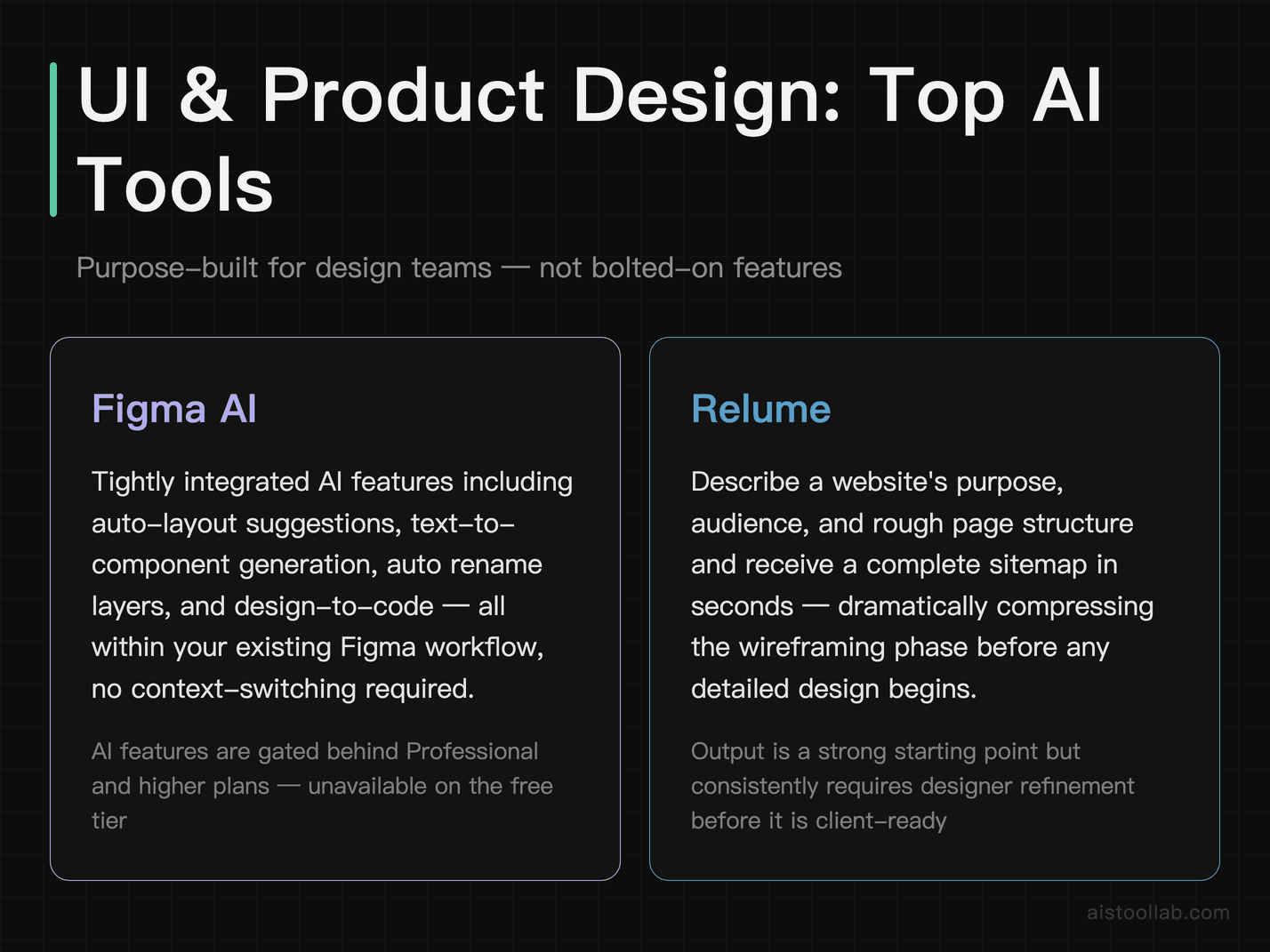
Figma has been rolling out AI features steadily, and the current state is genuinely useful rather than gimmicky. The auto-layout suggestions, the ability to generate UI components from text prompts, and the rename layers feature (bless) can all become part of a regular design workflow. What I find most valuable is the design-to-code functionality — describing a component and getting a starting structure is a massive time-saver during early wireframing phases.
Figma’s AI features are tightly integrated rather than bolted on, which makes a real difference in practice. You’re not switching contexts to use them. The Figma AI feature page gives a good overview of everything that’s currently available, and they’re shipping updates at a pace that would’ve seemed impossible a couple of years ago.
Best for: UI/UX designers, product teams, anyone already living in Figma
Pricing: AI features included in Professional and above plans
5. Relume
Relume is one of those tools where, the first time you use it, you feel slightly guilty about how fast it is. Describe a website — its purpose, audience, rough page structure — and Relume generates a complete sitemap and wireframe in about 30 seconds. Not a rough sketch. An actual wireframe with component logic that exports directly to Figma.
For freelance web designers, Relume is a genuine workflow transformation. I talked to a designer who said it cut his initial wireframing phase from about two days to a couple of hours. That’s not hyperbole — it’s just what happens when the tool is actually designed for the task. It pairs well with Webflow for teams that are building rather than just designing. If you’re curious how freelancers are using tools like this to scale their output, my article on How Freelancers Are Using AI to Double Output Without Sacrificing Quality gets into the broader strategy.
Best for: Web designers, freelancers, agencies handling multiple client site projects
Pricing: Free tier available; paid plans from $38/month
6. Uizard
Uizard targets a slightly different audience — teams that include non-designers who still need to produce design artifacts. The hand-drawn sketch-to-wireframe feature is legitimately impressive: take a photo of a whiteboard sketch and get a clean, editable digital wireframe. For design-developer collaboration or client workshops where rough ideas need to be captured fast, it’s a surprisingly capable tool.
Uizard also has a text-to-UI feature that generates mobile and web UI screens from descriptions. The output quality is better suited to early concepting than final production, but that’s exactly where it’s positioned. Don’t expect Figma-level fidelity. Do expect to significantly speed up the messy, early phase of a project.
Best for: Early-stage concepting, design-adjacent teams, workshops and client collaboration
Pricing: Free plan available; Pro from $12/month
Brand and Visual Identity Tools
7. Looka
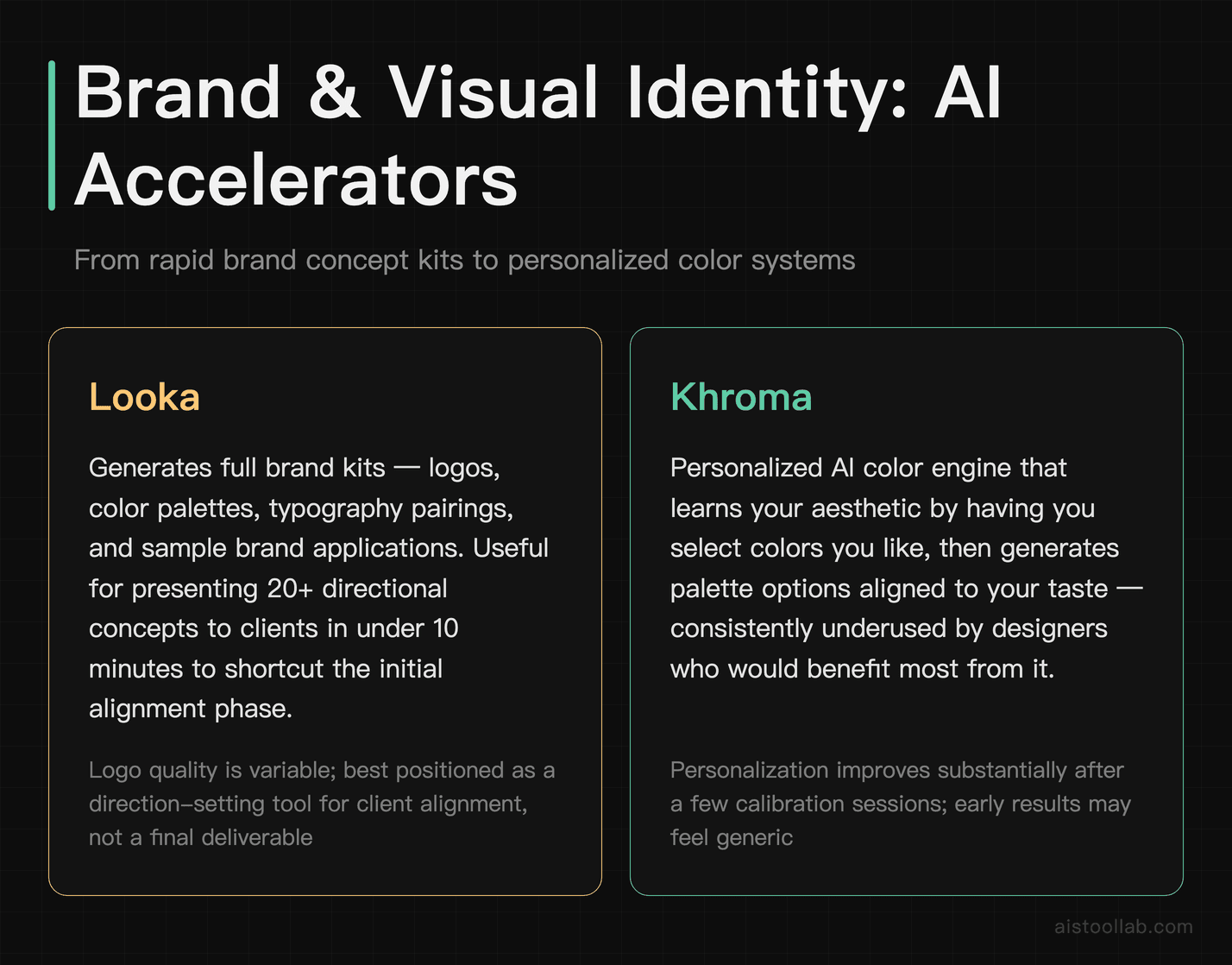
Looka sits at an interesting intersection — it’s primarily aimed at small businesses doing DIY branding, but designers can use it legitimately as a rapid brand concept generator to show clients directions before doing deep custom work. The AI-generated logo concepts are variable in quality, but they’re fast enough that generating 20 directions takes maybe 10 minutes, which makes it useful for initial client alignment conversations.
Looka produces full brand kits, not just logos — color palettes, typography pairings, sample applications. For designers pitching brand projects, it can shortcut the “show me some options” phase dramatically. Just make sure you’re positioned as the person refining and elevating the direction, not delivering the AI output as the final product.
Best for: Brand concept ideation, client direction-setting, freelancers handling small business branding
Pricing: Logo packages from $20; brand kit subscriptions available
8. Khroma
Color is one of those areas where AI assistance is underused by designers who should know better. Khroma uses a personalization approach — you select colors you like, it learns your taste, and generates infinite color combinations tailored to your aesthetic preferences. After a few sessions, the recommendations feel genuinely personal rather than generic.
It’s not a tool you open for every project, but for those moments when a color system isn’t clicking and you need inspiration that doesn’t default to the same ten Dribbble palettes everyone else is using, Khroma is genuinely useful. It’s also free, which makes the question of whether to add it to your toolkit an easy one.
Best for: Color exploration, brand color system development, breaking creative blocks
Pricing: Free
Alongside AI color generators, these free browser-based tools are useful at any stage of brand work: our Color Palette Generator lets you build and export custom palettes instantly, and the Contrast Checker verifies that your color choices meet WCAG accessibility standards — especially important before handing off to developers.
Presentation and Deck Design Tools
9. Gamma
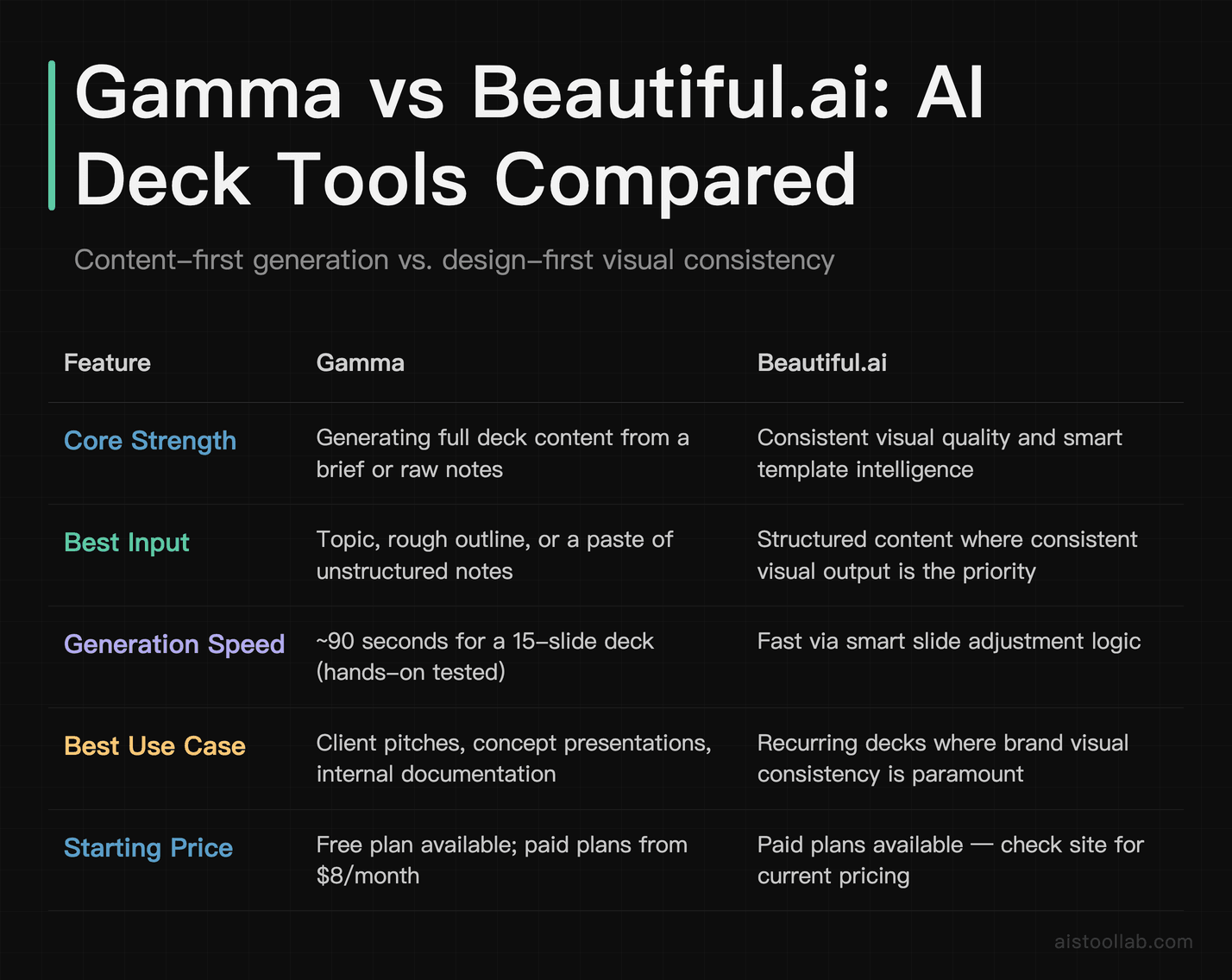
I’ll be honest — I was deeply skeptical of AI presentation tools for a long time. The outputs always looked the same: clean but lifeless, competent but forgettable. Gamma changed my mind. You give it a topic, a rough outline, or even just a paste of raw notes, and it generates a complete, visually coherent presentation. Not a template with placeholder text — an actual deck with real content structure.
Gamma handles the layout logic intelligently, breaking content into visual chunks that actually make sense for slides rather than just wrapping paragraphs in boxes. For designers who need to pitch concepts or produce client-facing documents quickly without spending half a day in Keynote, it’s become a go-to. It can generate a multi-slide deck from a rough brief quickly, cutting down on formatting work.
Best for: Client presentations, concept pitches, internal documentation that needs to look designed
Pricing: Free plan available; paid plans from $8/month
10. Beautiful.ai
Where Gamma excels at generating content, Beautiful.ai is stronger on consistent visual quality and template intelligence. It uses “smart slides” that reformat automatically as you add or remove content — no more spending 20 minutes adjusting alignment every time you add a bullet point. For design teams that produce a lot of recurring presentation types (pitch decks, project updates, case studies), the consistency it enforces is genuinely valuable.
Best for: Teams with recurring presentation needs, consistent brand communication, design-quality decks at scale
Pricing: From $12/month per user
AI Writing and Copy Tools for Designers
11. Copy.ai
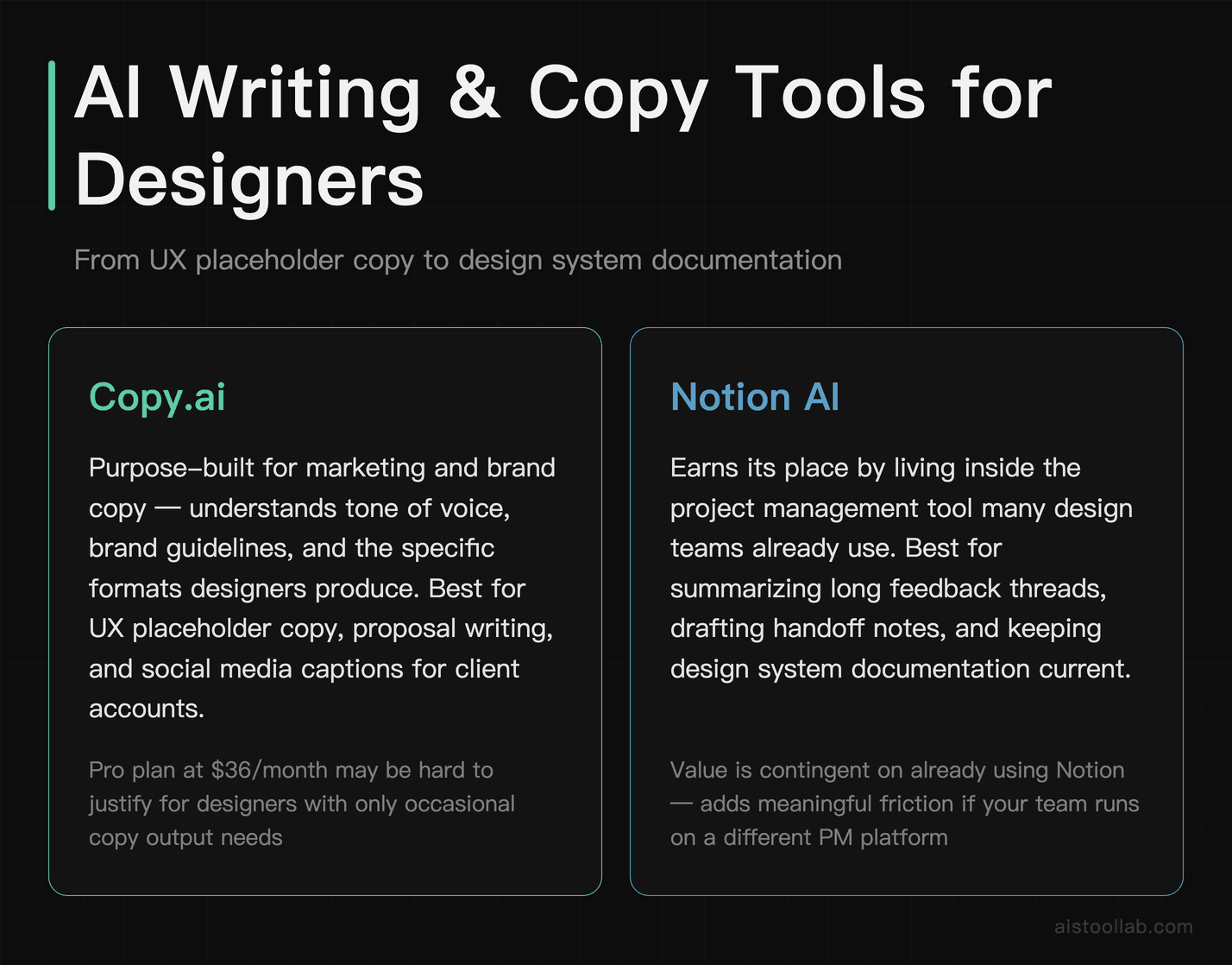
Designers write more than people think. UX copy, brand voice guides, case study narratives, proposal copy, social media captions for client accounts. Copy.ai is purpose-built for marketing and brand copy in a way that general-purpose AI models aren’t quite — it understands tone of voice, brand guidelines, and the specific formats designers actually need.
It also integrates with workflows rather than requiring you to context-switch to a chat interface. For UX designers who need to produce placeholder copy that actually reflects realistic content rather than “Lorem ipsum,” it’s genuinely useful during the mockup phase.
Best for: UX copy, brand voice development, marketing materials, proposal writing
Pricing: Free plan available; Pro from $36/month
12. Notion AI
Design work involves more documentation than most people outside the field realize — design system docs, component libraries, project briefs, retrospectives, handoff notes. Notion AI earns its place in a designer’s stack specifically because of where it lives: inside the project management and documentation tool many design teams already use.
The ability to summarize a long comment thread from a client review session, draft a component documentation entry from rough notes, or generate a project brief template on the fly — these are small wins that add up significantly across a month of work. I compared Notion AI against ChatGPT for writing tasks more directly in my Notion AI vs ChatGPT for Writing: Head-to-Head Across 8 Real Tasks piece if you want a deeper breakdown.
Best for: Design documentation, design system maintenance, project management and client communication
Pricing: $8/month add-on to existing Notion plans
Automation and Workflow Tools
13. Runway ML
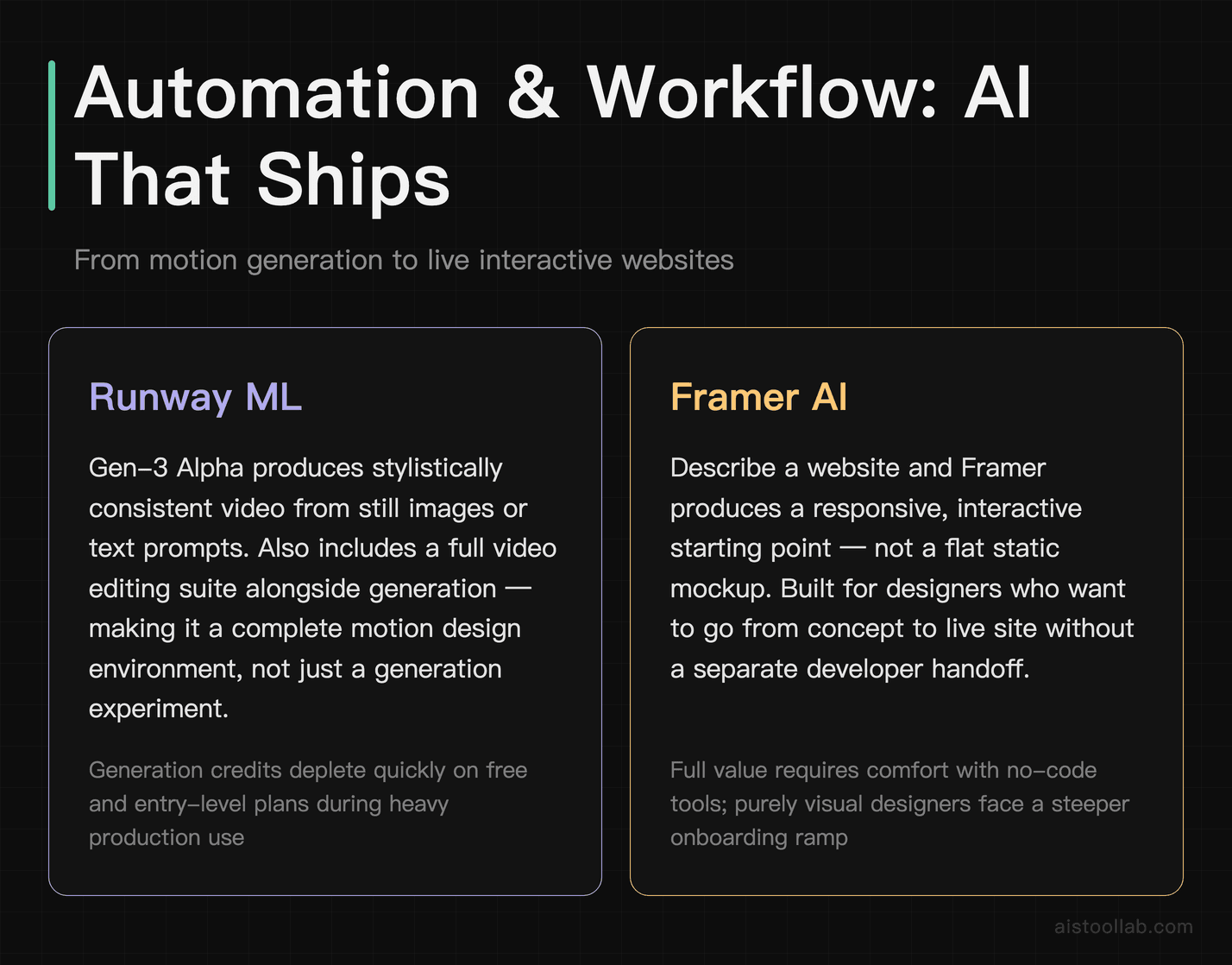
Motion design and video are increasingly part of what designers are expected to deliver. Runway has become the tool I point motion designers toward first, and increasingly, visual designers who are being asked to add motion to their deliverables. The Gen-3 Alpha model produces video that’s coherent and stylistically consistent in a way earlier AI video tools weren’t.
For designers producing social content, brand films, or presentation motion graphics, the ability to generate or extend video from a still image or text description is a genuine capability unlock. The Runway ML platform also includes a solid set of video editing tools alongside the generation features, which makes it more than just a generation toy.
Best for: Motion design, social content production, brand video, creative experimentation
Pricing: Free tier available; paid plans from $15/month
14. Framer AI
Framer has become genuinely impressive as a design-to-web tool, and its AI features push it further in a direction that’s useful for designers who want to ship, not just wireframe. Describe a website and Framer generates a responsive, interactive starting point — not a static mockup. For designers who work with clients who want to see something “live,” being able to generate a functional prototype in minutes is a meaningful capability.
Framer sits in an interesting position between design tool and CMS, and the AI layer makes the handoff between those two modes much smoother. It’s not for everyone — if you’re in a large org with dedicated developers, you probably don’t need it. For freelancers and small studios who design and build, it’s genuinely powerful.
Best for: Freelance web designers who also build, interactive prototyping, design-to-launch workflows
Pricing: Free plan available; paid plans from $10/month
15. Krea AI
Krea is the most experimental tool on this list, and also one of the most genuinely exciting. It offers real-time AI image generation — you draw rough shapes and it renders them into detailed images as you work. That sounds like a party trick, but the creative applications are real: rapid visual exploration, style testing, concept iteration at a speed that changes how you think about the ideation phase.
Krea also includes AI upscaling and enhancement tools that are useful for production work. But the real value is the interactive, real-time generation canvas, which feels less like using a tool and more like thinking with AI. If you haven’t tried it, it’s one of those things that’s hard to describe properly — just go spend 20 minutes with it.
Best for: Creative exploration, concept ideation, designers who want to push what AI-assisted creation feels like
Pricing: Free tier available; paid plans from $10/month
How to Actually Integrate These Into Your Workflow
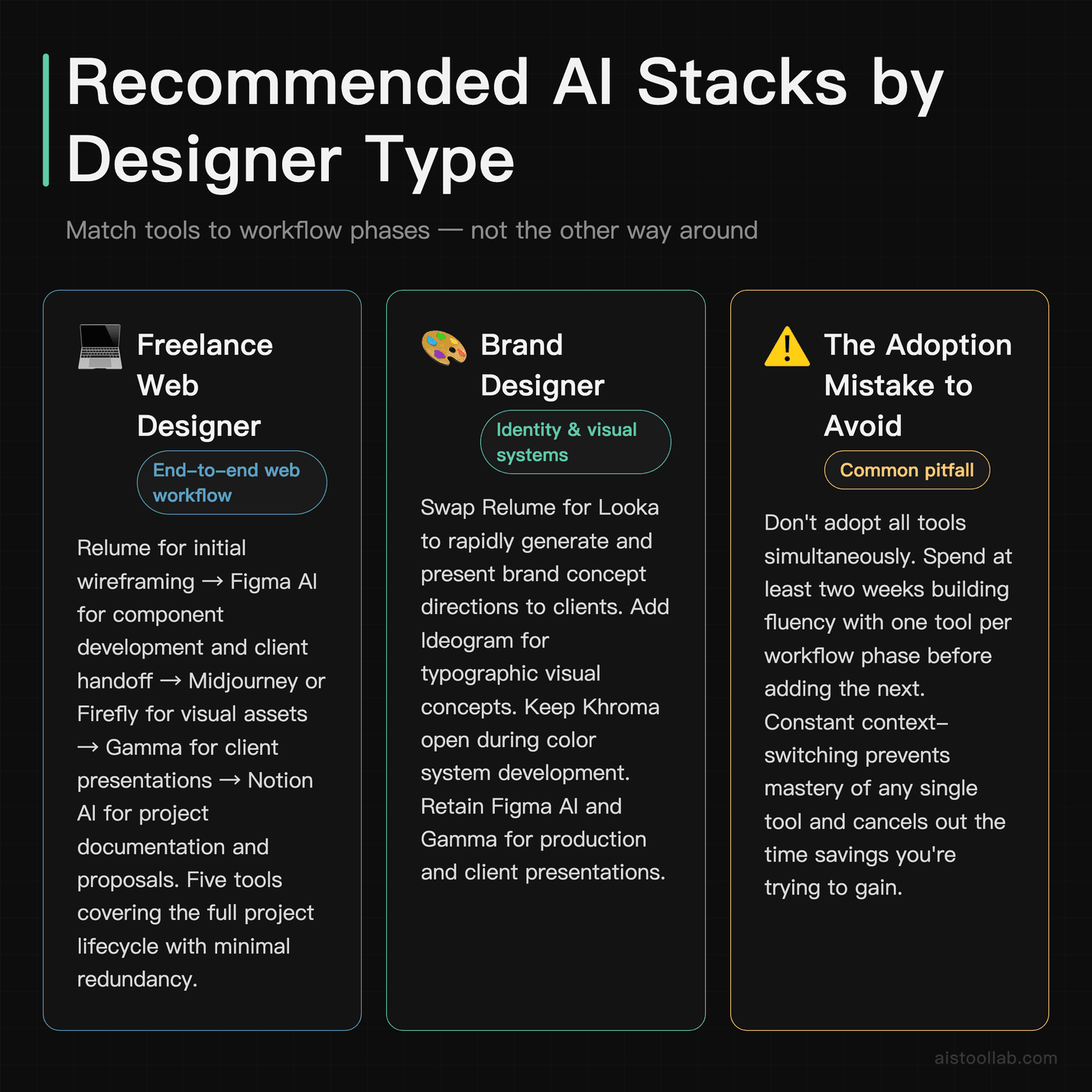
The mistake most designers make when adopting AI tools is trying to use all of them at once. You end up context-switching constantly and never building fluency with any single tool. My recommendation: pick one tool per workflow phase and spend at least two weeks with it before adding another.
A practical stack for a freelance web designer might look like this: Relume for initial wireframing, Figma AI for component development and handoff, Midjourney or Firefly for visual assets, Gamma for client presentations, and Notion AI for documentation and proposals. That’s five tools covering the full project lifecycle without significant redundancy.
For brand designers, swap Relume for Looka (for concept direction), add Ideogram for any typographic visual concepts, and keep Khroma open whenever you’re developing color systems. The key is matching tools to the actual phases of your work rather than collecting them like trading cards.
One thing worth noting: the AI-generated output is only as good as the direction you give it. Designers who see the best results treat these tools as execution accelerators for their own creative vision, not as replacement for judgment. The prompting skills that get great results from Midjourney are legitimately learnable — they’re just a new form of creative direction.
The Real Recommendation
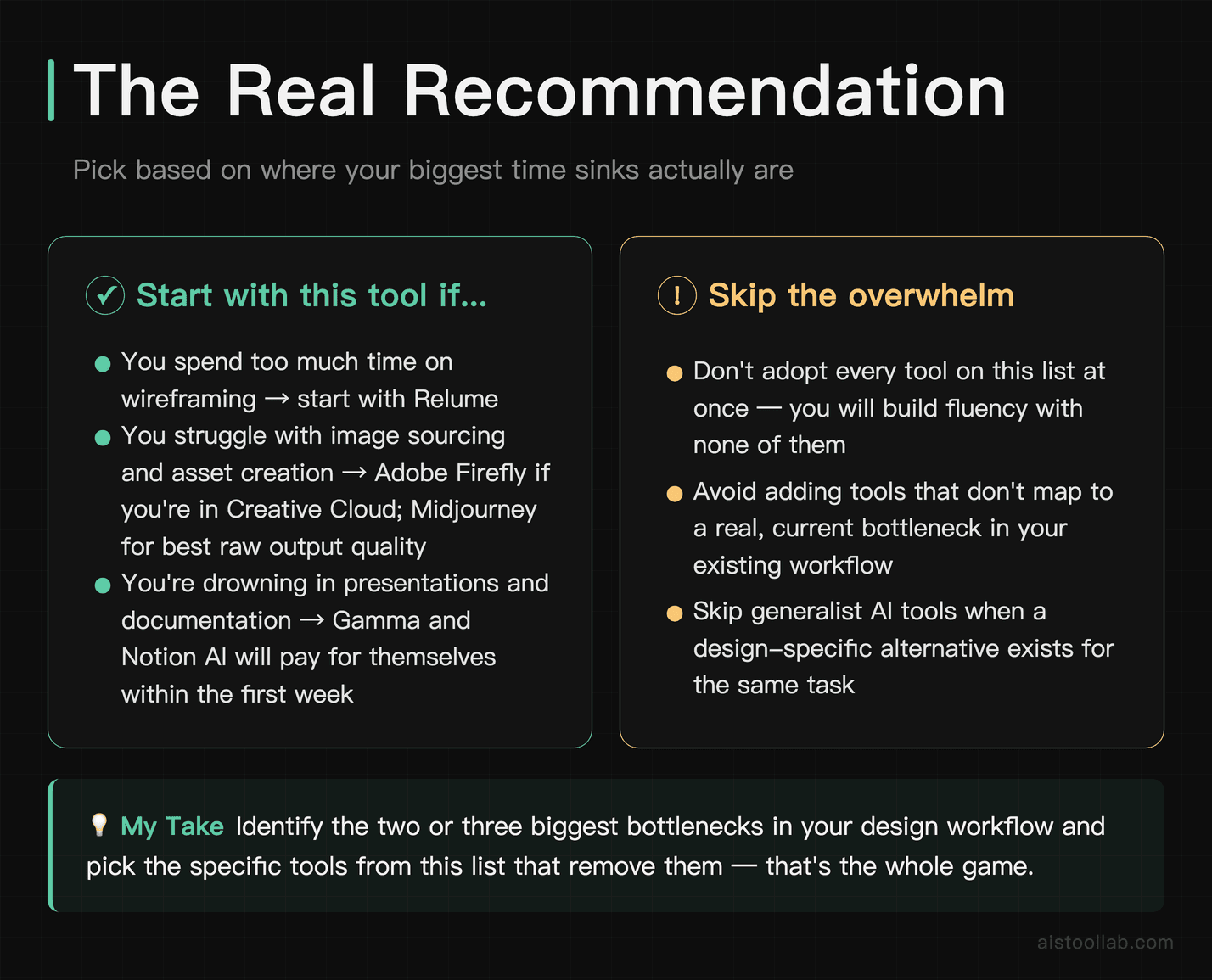
If you’re a working designer and you’re only going to add one tool from this list to your workflow this month, it depends on where your biggest time sinks are. Spending too much time on wireframing? Start with Relume. Struggling with image sourcing and asset creation? Adobe Firefly if you’re in Creative Cloud, Midjourney if you want the best raw output quality. Drowning in presentations and documentation? Gamma and Notion AI will pay for themselves in the first week.
The designers who are pulling ahead right now aren’t the ones who’ve adopted every AI tool available. They’re the ones who’ve identified the two or three bottlenecks in their workflow and found specific tools that remove them. That’s the whole game. The tools on this list are good enough that the limiting factor isn’t the technology anymore — it’s knowing where to apply it.
And if you want to go deeper on the broader AI tool landscape beyond design, my GPT-5.5 vs Claude comparison piece covers how the underlying models that power many of these tools have evolved — worth understanding even if you’re not a developer.
Use Cases
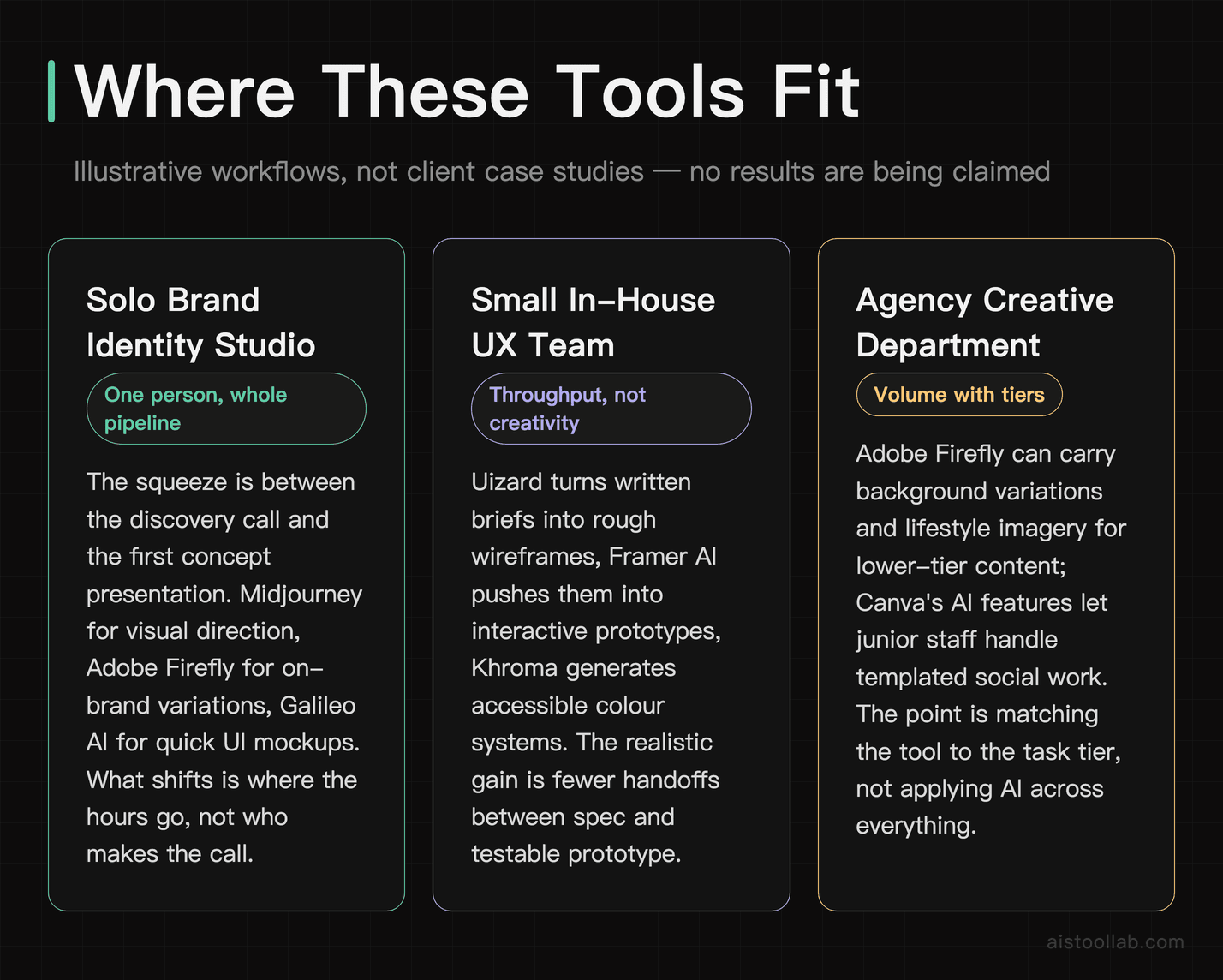
Solo Brand Identity Studio
For a one-person brand studio the squeeze sits between the discovery call and the first concept presentation: moodboarding, logo sketching and colour exploration all land on the same person. A workable split is Midjourney for visual direction, Adobe Firefly for on-brand asset variations, and Galileo AI for quick UI mockups when the client also needs digital touchpoints alongside the brand system. What changes is where the hours go — less time producing the first round of options, more time on deciding which direction is right. That judgement is still the deliverable. This is an illustrative workflow, not a client case study, and no time or revenue outcome is being claimed.
Small In-House UX Team
A small design team supporting a much larger product organisation usually has a throughput problem rather than a creativity problem. Uizard can turn stakeholder-written briefs into rough wireframes, Framer AI can push those into interactive prototypes, and Khroma can generate accessible, on-brand colour systems for new feature modules; Runway ML covers explainer video assets that would otherwise need a motion designer. The realistic gain is fewer handoffs between product spec and testable prototype, and how much time that actually saves depends entirely on how the team already works. This is an illustrative workflow, not a client case study.
Agency Creative Department
Agency creative departments live with volume: always-on social campaigns generate more deliverables than any team can hand-craft. Adobe Firefly can carry background variations and product lifestyle imagery for lower-tier content, reducing dependency on stock libraries and custom photography for work that does not need it. Canva’s AI features let junior team members handle templated social content so senior designers stay on hero campaign work. The point is tiering — matching the right tool to the right task tier rather than applying AI indiscriminately across all creative work. This is an illustrative workflow, not a client case study, and no cost or timeline saving is being claimed.
Frequently Asked Questions
Are there free AI tools for designers that are actually worth using?
Yes, genuinely — though the honest answer is that the best free tiers tend to be gateways into paid plans rather than fully functional standalone products. That said, several tools offer meaningful free access. Canva’s free plan includes AI-powered design suggestions, background removal, and basic text-to-image generation that’s legitimately useful for freelancers and students. Adobe Firefly offers a free tier with limited monthly credits that can cover light experimentation. Uizard has a free plan that allows a small number of projects, which is enough to evaluate whether it fits your workflow. Microsoft Designer is free and surprisingly capable for social content. The key is being realistic about what free tiers are designed to do: they’re built to demonstrate value and encourage upgrades. If you’re doing professional client work at volume, you’ll almost certainly hit the limits of free plans quickly. Use them to test and validate, then budget accordingly for the paid tier that matches your actual output needs.
What are the biggest limitations of AI design tools in 2026?
Despite the impressive progress, AI design tools still have meaningful limitations that designers should understand before building workflows around them. First, consistency is still a challenge — generating a character, product, or visual element and then reproducing it with high fidelity across multiple outputs remains difficult in image generation tools like Midjourney, though features like style references and character references have improved this significantly. Second, AI tools can struggle with text rendering inside images, often producing garbled or nonsensical letterforms (though this has improved with newer models). Third, most AI tools lack deep understanding of design systems — they can generate beautiful individual assets but don’t inherently understand how those assets should function within a coherent, scalable design system. Fourth, commercial licensing clarity is still evolving, and designers working on client projects should carefully review each tool’s terms of service. Finally, output quality is heavily prompt-dependent, meaning designers still need significant skill and iteration to get professional-grade results consistently.
How do AI tools for designers compare to hiring a junior designer or a freelancer?
This is one of the most practically important questions for studio owners, creative directors, and agency leads making resourcing decisions. The honest comparison is nuanced. AI tools excel at high-volume, variation-heavy, and time-sensitive tasks — generating 20 layout variations, producing background imagery for social campaigns, or rapidly wireframing user flows. They don’t get tired, don’t need briefs explained twice, and don’t have off days. However, a skilled junior designer brings something AI tools currently cannot: contextual judgment, client relationship instincts, iterative creative dialogue, and the ability to navigate ambiguous briefs through conversation. A junior designer can also catch strategic misalignments that an AI tool will execute without question. The most effective approach most studios are landing on in 2026 is using AI tools to handle the production and exploration layers of work, which actually elevates the role of human designers — freeing them to focus on strategy, client communication, and final creative direction rather than execution-heavy tasks.
Which AI design tool is best for freelancers just starting out?
For freelancers at the beginning of their AI tool journey, the recommendation depends on your primary design discipline. If you’re doing brand and visual identity work, starting with Adobe Firefly (especially if you’re already a Creative Cloud subscriber) or Canva AI gives you an accessible entry point with commercial-safe content. If you’re a UX or product designer, Uizard or Framer AI are strong starting points because they map directly to wireframing and prototyping workflows you’re already familiar with. For social media and content-heavy work, Canva’s AI suite is genuinely hard to beat for the price-to-output ratio. The general advice for early-stage freelancers: don’t try to adopt five tools at once. Pick one that solves your most painful bottleneck, spend two to three weeks learning it deeply, and then evaluate whether a second tool is genuinely additive. The overhead of managing multiple subscriptions and learning curves can easily negate the time savings if you spread attention too thin too early.
Can AI tools help with client presentations and design communication, not just asset creation?
Absolutely, and this is an underrated dimension of how AI tools are transforming design workflows. Tools like Gamma AI and Beautiful.ai can take a design brief or strategy document and generate structured, visually polished presentation decks in minutes — a huge time saver when preparing client-facing materials. Tome is another tool gaining traction in design circles for creating narrative-driven presentations that blend text, visuals, and interactive elements. On the written communication side, tools like Claude and ChatGPT are widely used by designers to draft creative rationale documents, client emails, project scopes, and case study copy — tasks that many designers find draining and time-consuming. Even tools like Notion AI can help structure and polish design documentation, handoff notes, and process guides. The designers getting the most value from AI in 2026 are often the ones who’ve realized that design work is only about 60% visual output — the rest is communication, and AI can meaningfully accelerate that too.
How much does it realistically cost to build an AI-augmented design workflow?
For a working freelance designer or small studio, a practical AI tool stack in 2026 typically runs between $80 and $180 per month depending on the tools selected and usage tier. A common mid-tier stack might include Adobe Creative Cloud with Firefly integration at roughly $55 per month, Midjourney at $30 per month for the Standard plan, and either Uizard or Framer AI at $12 to $20 per month. That lands around $97 to $105 monthly for a three-tool stack that covers image generation, UI prototyping, and integrated asset creation. For agencies scaling this across a team, per-seat costs become a meaningful budget line, and it’s worth negotiating annual plans (most tools offer 20 to 30% discounts for annual billing). The ROI calculation most designers run is straightforward: if these tools save 10 hours per month at your billable rate, do they pay for themselves? For most working professionals charging market rates, the math works out clearly in favor of a thoughtful AI stack.
Are AI-generated designs considered original work, and who owns the copyright?
This is a genuinely complex and still-evolving legal question, and the answer varies by jurisdiction and tool. In the United States, the Copyright Office has taken the position that purely AI-generated content without meaningful human authorship is not eligible for copyright protection. However, designs that involve substantial human creative input — selection, arrangement, editing, prompting strategy, and post-processing — may qualify for protection as the human designer’s work. Most AI tool terms of service (including Midjourney, Adobe Firefly, and Canva) grant users a license to use outputs commercially, though the specifics vary by plan. For client work, the safest practice is to: (1) document your creative process and human decision-making, (2) review each tool’s commercial use terms carefully, (3) disclose AI tool usage to clients if required by contract or jurisdiction, and (4) consult an intellectual property attorney for high-stakes or high-value projects. The legal landscape is actively being shaped by ongoing court cases, and designers doing significant commercial work should stay current on developments in their operating jurisdiction.
Is it worth paying for premium AI design tools, or do free alternatives cover most needs?
For professional designers doing client work, the premium tiers of leading AI tools are almost universally worth it — but the justification needs to be grounded in actual workflow impact rather than novelty. The meaningful differences between free and paid tiers typically include: higher output resolution and quality, faster generation speeds, commercial licensing clarity, higher monthly generation limits, access to newer and more capable models, and priority support. Midjourney’s paid plans, for instance, unlock significantly faster generation and the ability to run multiple jobs simultaneously — features that matter enormously when you’re iterating quickly on client deliverables. Adobe Firefly’s deeper features are unlocked through Creative Cloud, which most professional designers are already paying for. The tools where free tiers come closest to covering professional needs are Canva (for templated social content) and some emerging tools that are still in growth mode and offering generous free access to build user bases. The honest framework: if a tool is saving you more time per month than its cost represents in billable hours, it’s paying for itself. Most premium AI design tools clear that bar easily for working professionals.
Explore more AI tools
👉 Browse the AI Tools Library to find the right tools for your workflow.
Related reading: Let’s Enhance Tutorial 2026: Master AI Image Upscaling with Real-World Use Cases
All prices in this article were verified against official pricing pages in July 2026; plans and fees may change, so please refer to the official page for current details.
Related reading: Framer Capabilities: What the Official Docs Say
Last updated: 2026