

The Prompt Engineering Rabbit Hole Nobody Warns You About
A colleague of mine spent an entire Saturday refining a single prompt. We’re talking six hours, dozens of iterations, a notebook full of “frameworks” she’d lifted from various YouTube tutorials. By the end of it, her output seemed somewhat better than what she started with. I asked her what she was trying to accomplish. “I just wanted ChatGPT to write better product descriptions,” she said, looking genuinely exhausted.
That story isn’t unusual. There’s an entire cottage industry built around the idea that prompt engineering is some kind of high-skill discipline — a secret layer between you and AI greatness that only the initiated understand. Courses sell for hundreds of dollars. LinkedIn is full of people listing “Prompt Engineer” in their job titles. Twitter threads promising “100 prompts that will change your life” rack up thousands of retweets every week.
Across writing, research, coding, and analysis work with ChatGPT and Claude, my honest take? Most of what gets labeled “prompt engineering” is either marginally useful or actively distracting you from the things that actually move the needle. Let me break down what actually works — and what you can safely ignore.
What “Prompt Engineering” Actually Means vs. What People Sell It As
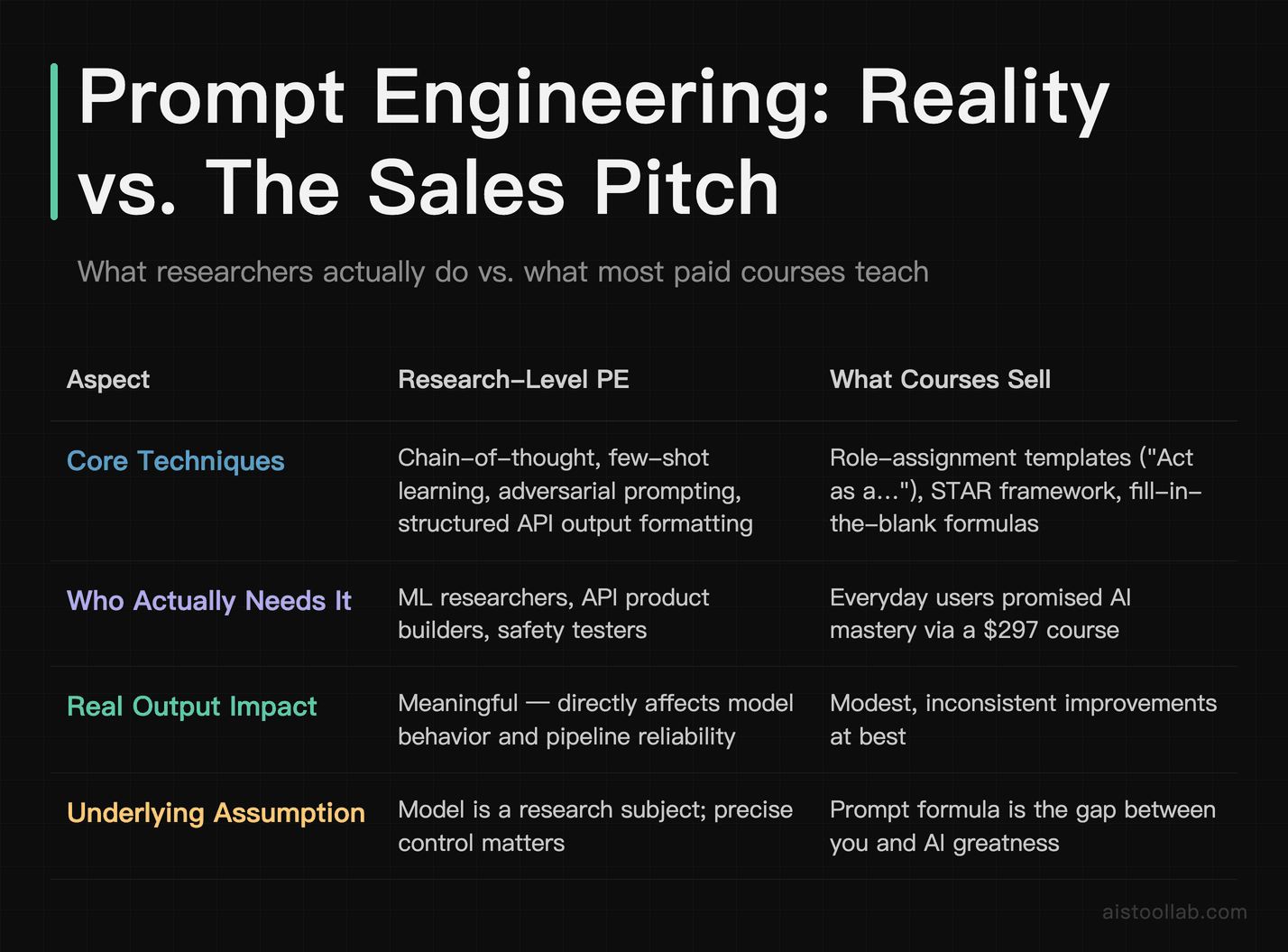
To be fair, prompt engineering as a concept isn’t wrong — it’s just wildly overstated for casual and professional users. At the research level, prompt engineering involves genuinely sophisticated techniques: chain-of-thought prompting, few-shot learning, structured output formatting for API pipelines, adversarial prompting for safety testing. That stuff is real, it matters, and it requires expertise.
But that’s not what most people are buying when they sign up for a $297 “Prompt Engineering Mastery” course. What they’re getting is a collection of formulaic templates — “Act as a [role],” “Use the STAR framework,” “Output in a table with columns for X, Y, Z” — that provide modest, inconsistent improvements at best.
The uncomfortable truth is that modern large language models are remarkably good at understanding intent from relatively plain language. The gap between a “perfectly engineered” prompt and a clear, conversational one is much smaller than the prompt engineering industry wants you to believe. And in many cases, what looks like a prompting problem is actually a model selection problem, a context problem, or simply a task that AI isn’t well-suited for yet.
Comparing the same task done two ways — a careful “engineered” prompt with role assignment, output format instructions, tone specifications, and step-by-step reasoning requests, versus just explaining what you want clearly, the way you’d explain it to a smart colleague — neither approach consistently comes out ahead. The difference is rarely dramatic enough to justify treating prompt crafting as a serious time investment.
The Three Things That Actually Improve AI Output
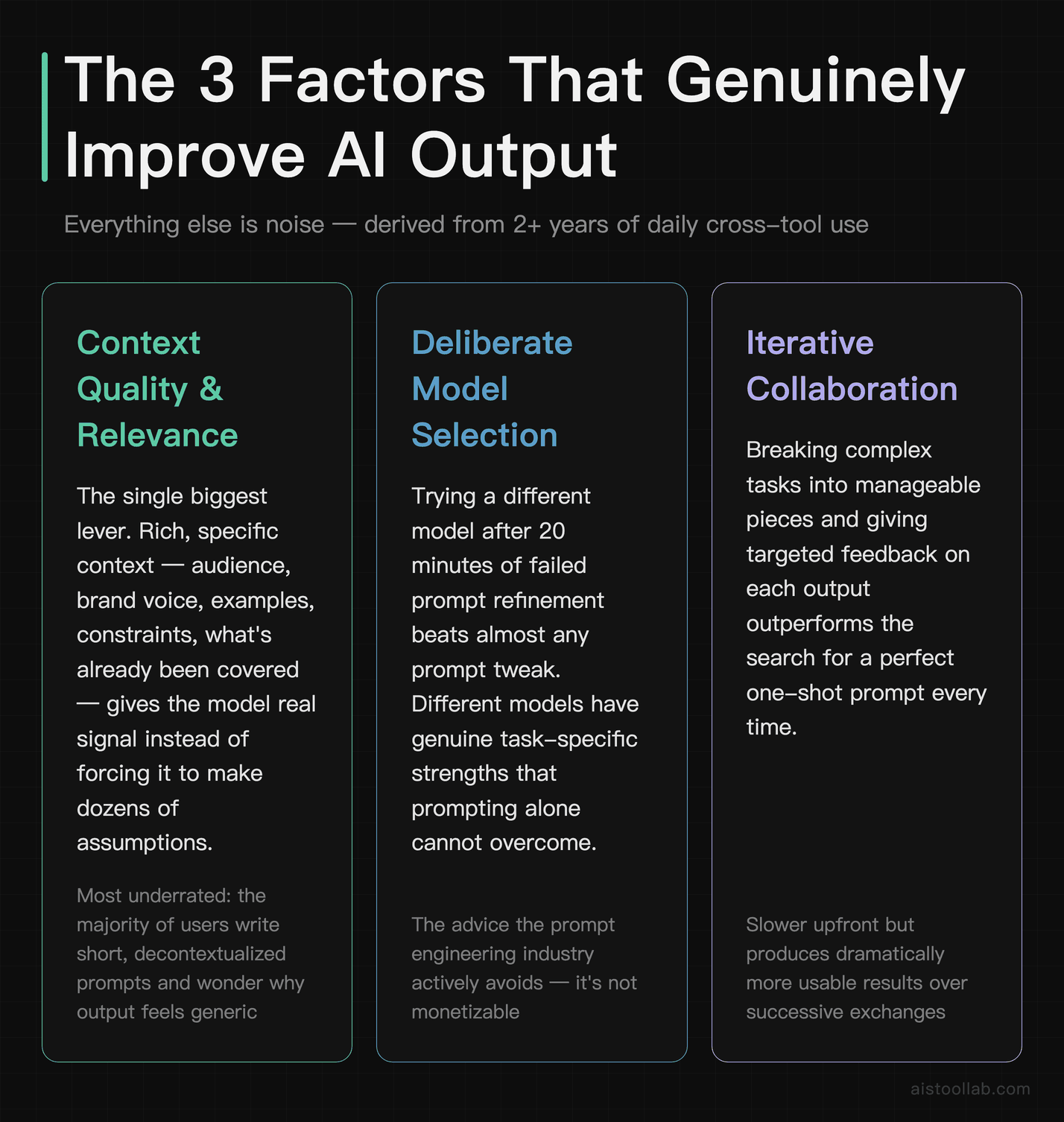
Three factors genuinely and consistently improve AI output quality. Everything else is noise.
1. Quality and Relevance of Context
This is the biggest one by a significant margin, and it’s the most underrated. Most people write short, decontextualized prompts and then wonder why the output feels generic. “Write me a blog post about content marketing” is a bad prompt — not because it lacks a role assignment or a Chain-of-Thought trigger, but because the model has almost no useful signal to work with. It has to make dozens of assumptions about your audience, your brand voice, your angle, what you’ve already covered, what your readers already know.
Compare that to: “I run a blog for independent e-commerce store owners who are technically literate but time-poor. I want a post about why email marketing outperforms social media for their specific situation. My tone is direct and a bit skeptical of hype — I don’t do inspirational fluff. The post should be around 800 words and lead with a concrete data point.” That’s not a clever prompt. It’s just good context. And the output will be dramatically better, not because of any prompting technique, but because the model now has something real to work with.
Context includes: your actual goal (not just the surface task), the audience, relevant background information, examples of what good looks like, constraints that matter, and what you’ve already tried. Pasting in a sample of previous writing before asking Claude to match that tone tends to produce far better results than asking it to “write in a casual, conversational style.”
2. Task Decomposition
The second biggest lever is breaking complex tasks into smaller, sequential steps rather than asking the model to do everything at once. This isn’t about prompting technique — it’s about understanding how these models process information. Asking for “a complete 3,000-word research report with analysis, recommendations, and an executive summary” in a single shot will almost always produce something shallower than building it in stages: first an outline you can review and adjust, then section by section, then a final synthesis pass.
This approach works well for anything non-trivial. For a detailed comparison piece, you can ask the model to first list out all the key dimensions of comparison, refine that together, then request each section individually. The final product is more coherent, more thorough, and requires less correction. The “magic” isn’t in the wording of any individual prompt — it’s in the workflow structure.
3. Iterative Refinement (But Not the Way You Think)
Iteration matters, but there’s a right and wrong way to do it. The wrong way is spending hours tweaking a single prompt in isolation, adjusting adjectives, rearranging clauses, trying different role assignments. The right way is to get a first draft, identify specifically what’s wrong with it, and give the model that concrete feedback. “This is too formal — make it sound like I’m talking to a friend, not writing a press release” is more useful than rewriting your original prompt from scratch. “The third paragraph contradicts the point you made in the first — resolve that” is more useful than adding “be consistent and logical” to your instructions.
Treat the first output as a starting point, not a pass/fail test of your prompting skill. The models are actually quite good at incorporating specific, targeted feedback. What they’re not good at is reading your mind when your original request was underspecified.
Context vs. Instructions: Which One Actually Wins
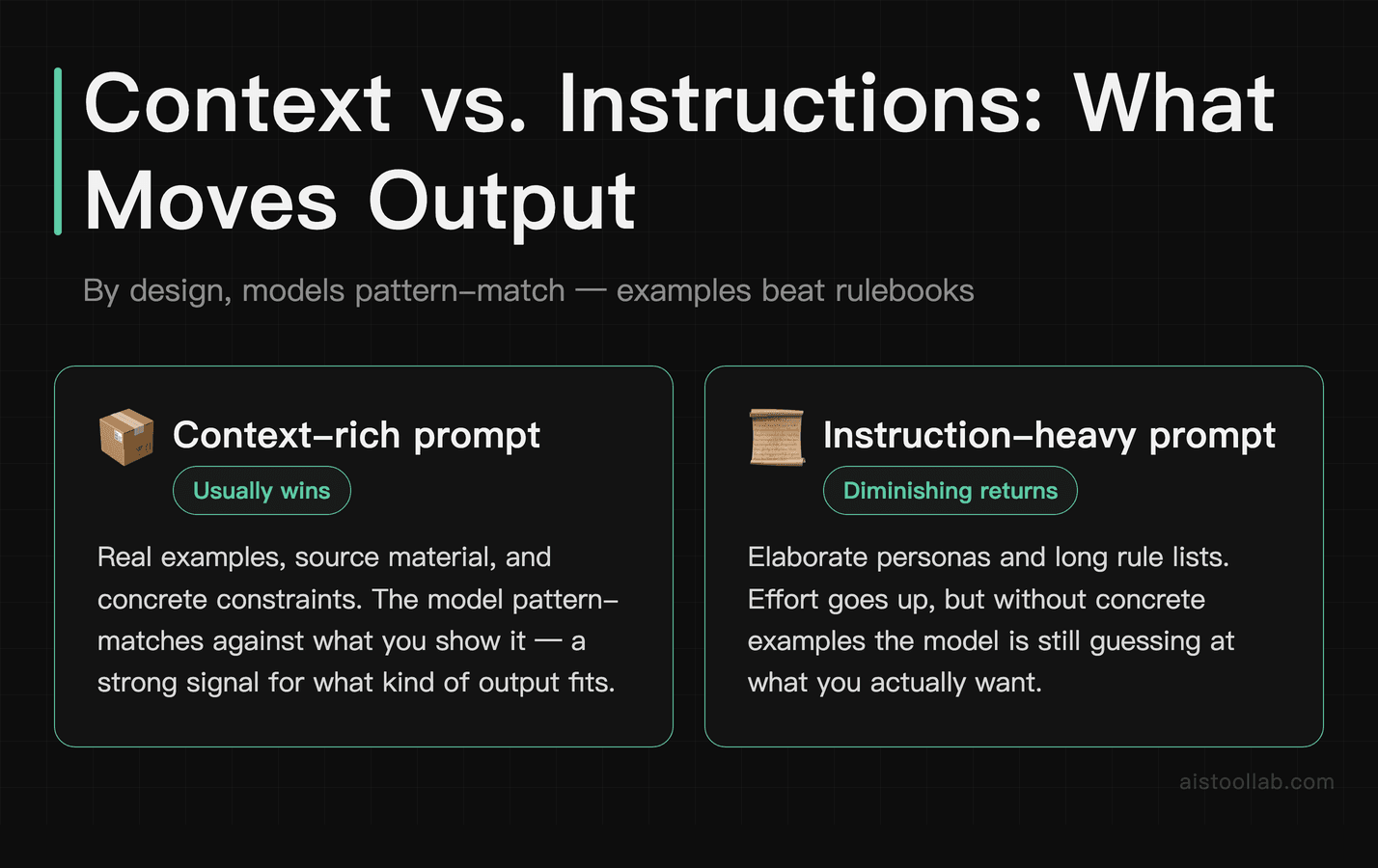
This is worth its own section because I see the debate play out constantly. People spend enormous energy crafting elaborate instruction sets — persona definitions, formatting rules, tone guidelines, behavioral constraints — when the context they’re providing is thin or generic.
My experience is unambiguous: context beats instructions almost every time. Give me a model with rich, relevant context and simple instructions over a model with elaborate instructions and vague context, and the former will produce better output nine times out of ten.
Here’s a practical example. Consider setting up a Claude workspace for customer support drafts. A common first instinct is to write a long system prompt defining the “persona” — name, personality traits, communication style — basically a character sheet. Outputs from that approach can be fine but robotic. Scrapping the persona and instead pasting in a handful of examples of actual customer support replies, along with a brief description of the company’s situation and common customer pain points, tends to make outputs feel more authentic and usable with minimal editing. Same model, same basic task, completely different quality — driven largely by richer context rather than better instructions.
This connects to something important about how these models actually work. They’re not following instructions the way a computer executes code. They’re pattern-matching against training data, and the context you provide acts as a strong signal about what kind of output fits. Real examples consistently outperform written style guides.
Why Switching Models Often Beats Prompt Refinement
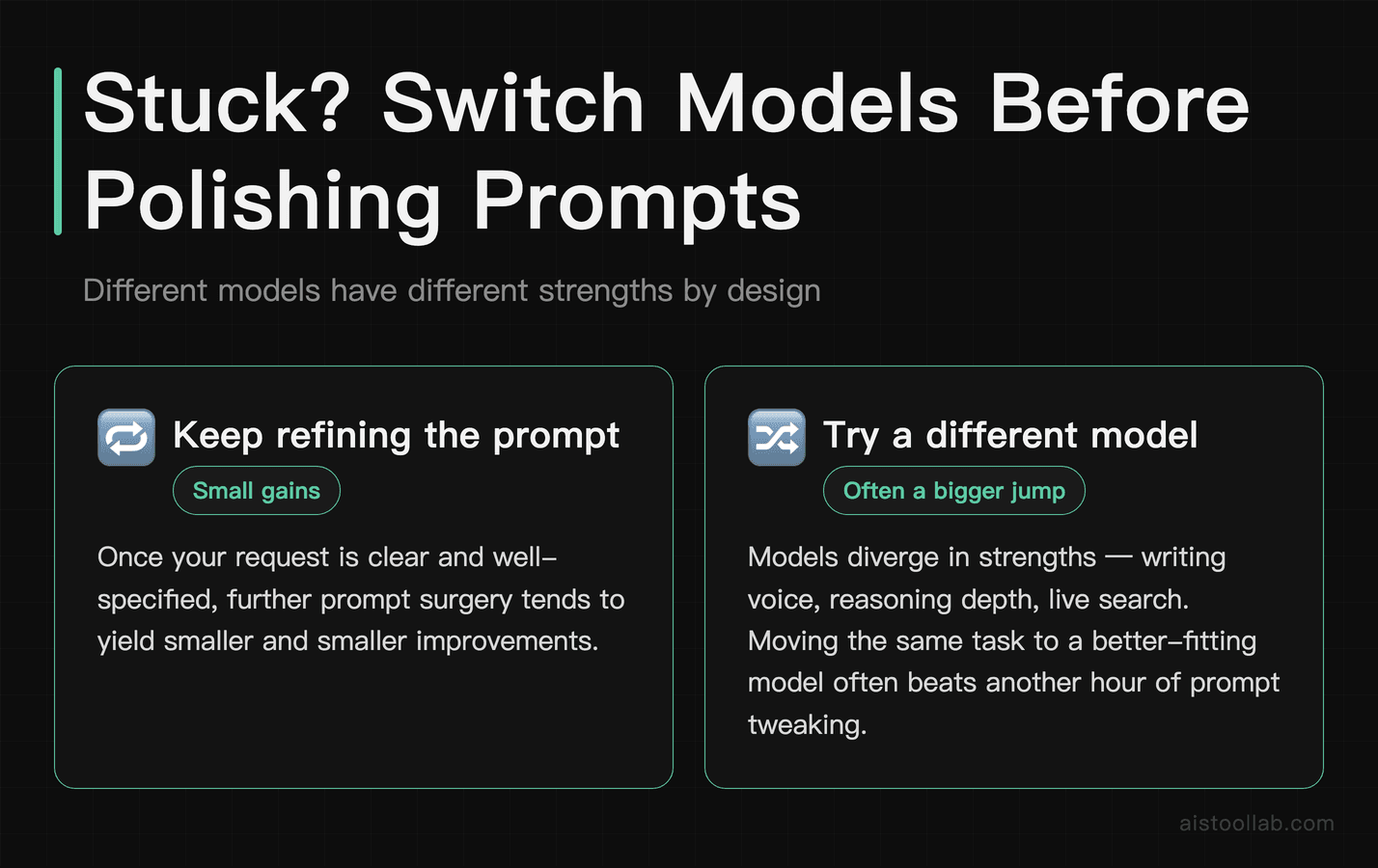
This is the advice nobody in the prompt engineering space wants to give you, because it’s not monetizable. But it’s probably the most practically useful thing I can say: if you’ve spent more than 20 minutes trying to get a decent output on a specific task and it’s still not working, try a different model before you try a different prompt.
Different models have genuinely different strengths that no amount of prompting will overcome. I’ve written about this at length in my Claude vs ChatGPT comparison comparison — but the short version is that Claude tends to handle nuanced writing tasks and long-context work better, while GPT-4o has strengths in structured reasoning and tool use. Neither model is universally better, and the task type matters enormously.
For coding tasks, the same problem described in the same way can get meaningfully different quality responses from different models — and the best response isn’t always from the most obvious model. For creative writing, Claude tends to be more interesting and less generic. For data analysis and structured output, GPT-4o often has an edge. OpenAI’s model page and Anthropic’s Claude documentation are worth reading just to understand what each model is actually optimized for.
The practical implication: before you spend another hour refining your prompt, spend five minutes running the same basic request through a different model. It’s a faster diagnostic than prompt iteration, and it’s often the actual solution.
The Skills Worth Developing vs. The Ones You Can Skip
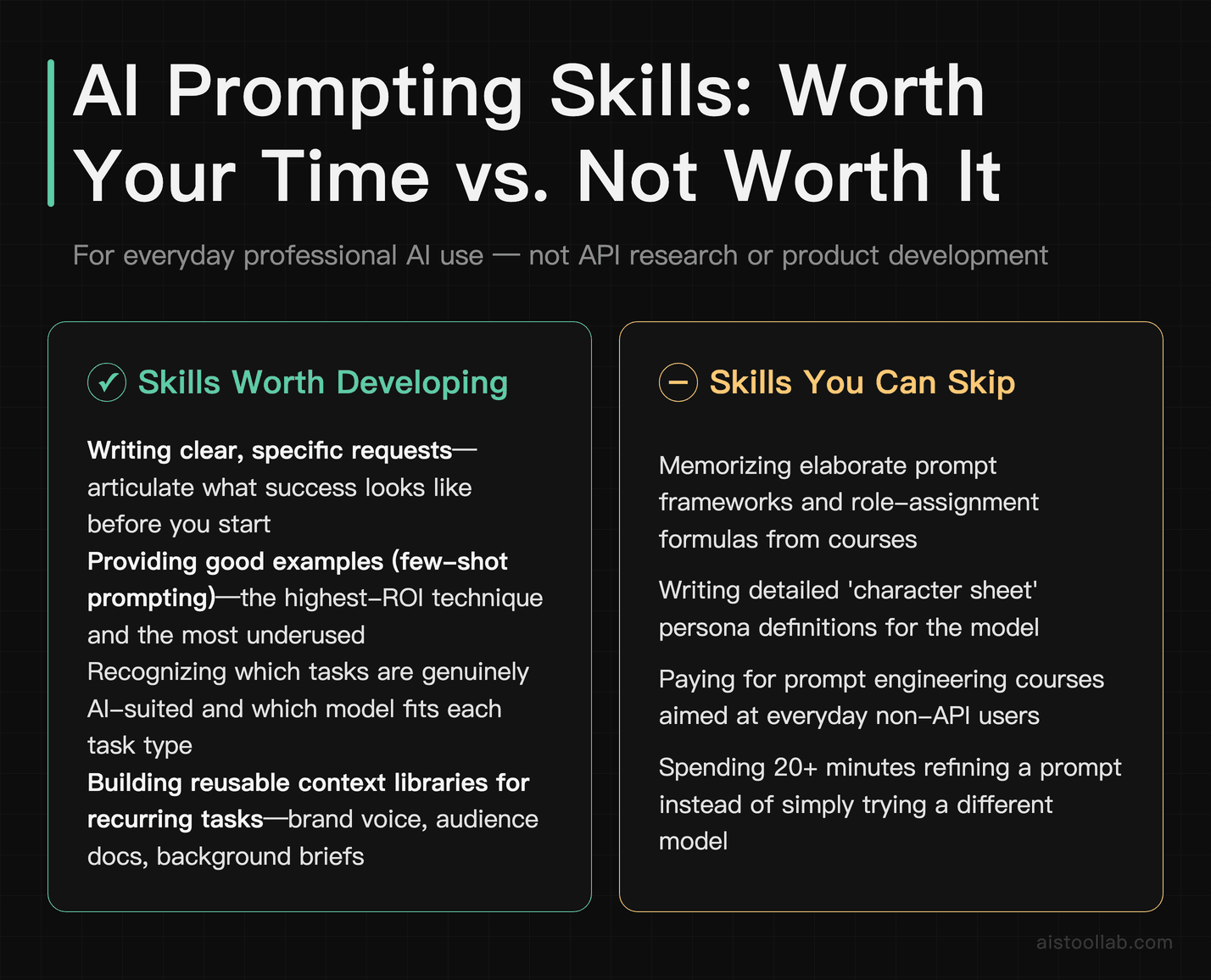
I want to be concrete here because I think a lot of people waste time on techniques that sound sophisticated but don’t pay off in everyday use. Let me split this into what’s actually worth your attention and what isn’t.
Worth Developing
- Writing clear, specific requests. This sounds obvious, but most people are surprisingly vague. The skill here is learning to articulate exactly what success looks like before you start prompting. This pays dividends across every tool you use.
- Providing good examples. Few-shot prompting — giving the model two or three examples of what you want — is probably the single highest-ROI prompting technique and also the most underused. If you want a specific kind of output, show it.
- Recognizing when a task is genuinely AI-suited. Not every task benefits from AI assistance, and knowing which ones do (and which model fits them) is a real skill that saves enormous time.
- Building useful context libraries. If you do the same type of task repeatedly, having pre-written context blocks — your brand voice, your audience description, relevant background — that you can paste in quickly is much more valuable than memorizing prompt formulas.
- Giving targeted feedback on outputs. Learning to identify specifically what’s wrong (not just “this isn’t great”) and communicate that efficiently is a skill that compounds over time.
Safely Ignorable
- Complex role-assignment prompts. “Act as a senior McKinsey consultant with 20 years of experience in…” — these have modest and inconsistent effects. A clear task description outperforms elaborate personas in most cases.
- Memorizing specific prompt frameworks. STAR, RISEN, CRISPE — these framework acronyms are mnemonic devices for remembering to include context and specificity. Once you understand the underlying principle, the acronym is just scaffolding you don’t need.
- Chasing prompt “hacks” and “tricks.” “Add ‘think step by step’ to every prompt” — some of these tips have a kernel of truth but get cargo-culted long past their usefulness. They’re often solving problems that newer model versions have already fixed.
- Extensive system prompt engineering for personal use. Unless you’re building a product or working with the API at scale, spending hours on system prompts is mostly procrastination. A good context block achieves most of the same effect.
Practical Principles That Work Across Every Major AI Tool
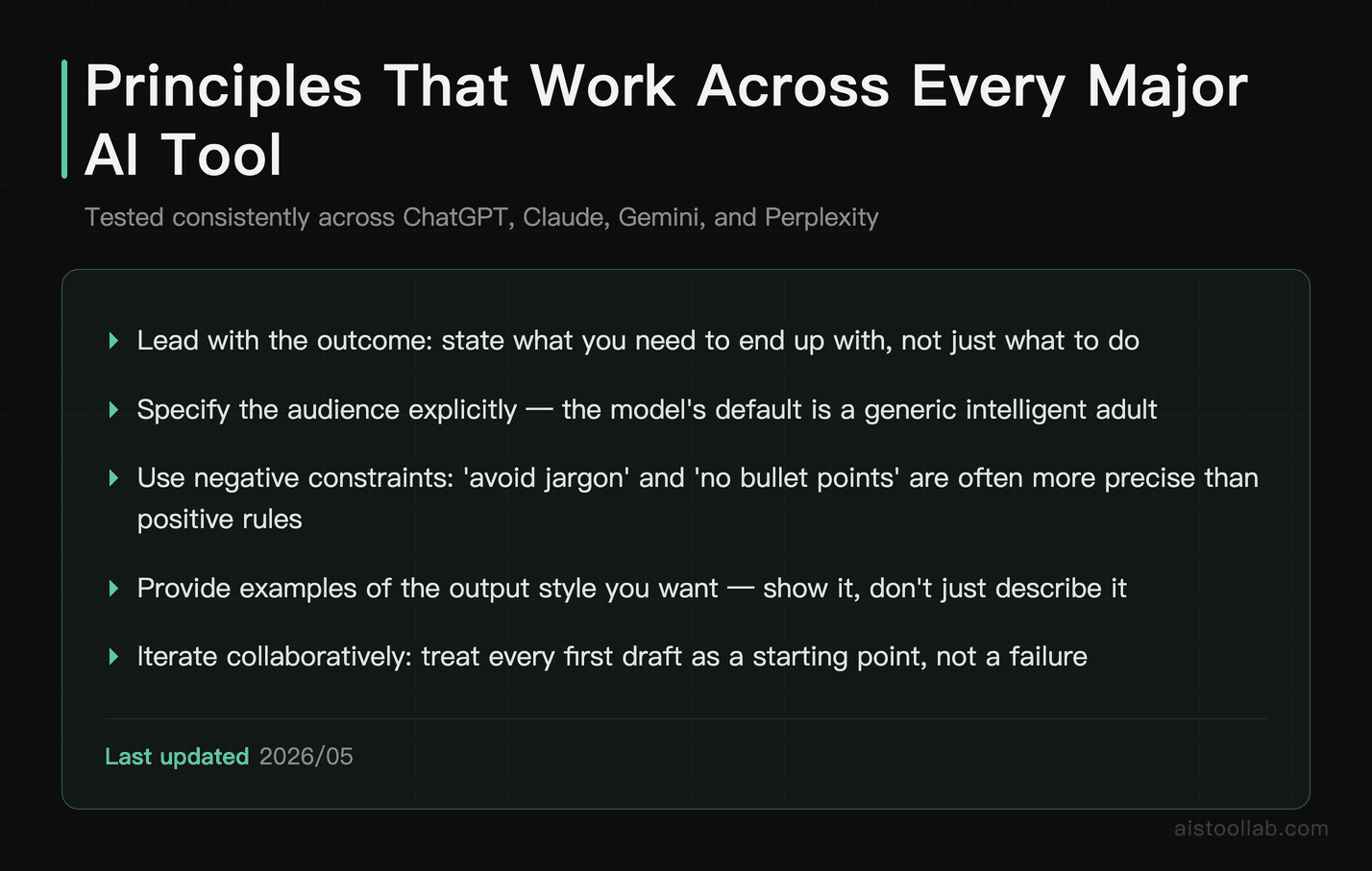
There are plenty of AI tools to work with — ChatGPT, Claude, Gemini, Perplexity, and various specialized tools depending on the task. If you’re curious how these stack up for research specifically, there’s more in the Perplexity AI vs ChatGPT for Research piece. A small set of principles tends to translate cleanly across all of them, regardless of the underlying model.
Lead with the outcome, not the process. Tell the model what you want to end up with, not just what you want it to do. “I need a 500-word email that convinces my manager to approve a budget increase for design tools” is better than “Write a professional email about design tools.”
Specify the audience explicitly. This single addition improves output quality reliably across every tool. The model’s default “audience” is a generic intelligent adult. The more specific you are about who’s actually reading the output, the better calibrated the response will be.
Tell it what to avoid. Negative constraints are often more efficient than positive instructions. “Don’t use bullet points,” “avoid jargon,” “don’t start with a definition” — these tend to work very cleanly and save you from having to edit out the model’s default tendencies.
Ask for a draft, not a final product. This shifts your mindset and the model’s output. When you frame it as a first draft, you’re more likely to engage with it critically, and the model is less likely to pad the output to seem comprehensive.
Use the conversation history intentionally. Multi-turn conversations where you build on previous outputs are almost always better than single mega-prompts. The context accumulates naturally, and you can steer incrementally rather than trying to anticipate everything upfront.
These aren’t secret techniques. They’re just good communication principles that happen to work especially well with AI models. If you’re newer to all of this, the AI Tools Starter Pack has a solid grounding in which tools to even start with before you worry about any of this.
The Bottom Line: Stop Optimizing the Wrong Thing
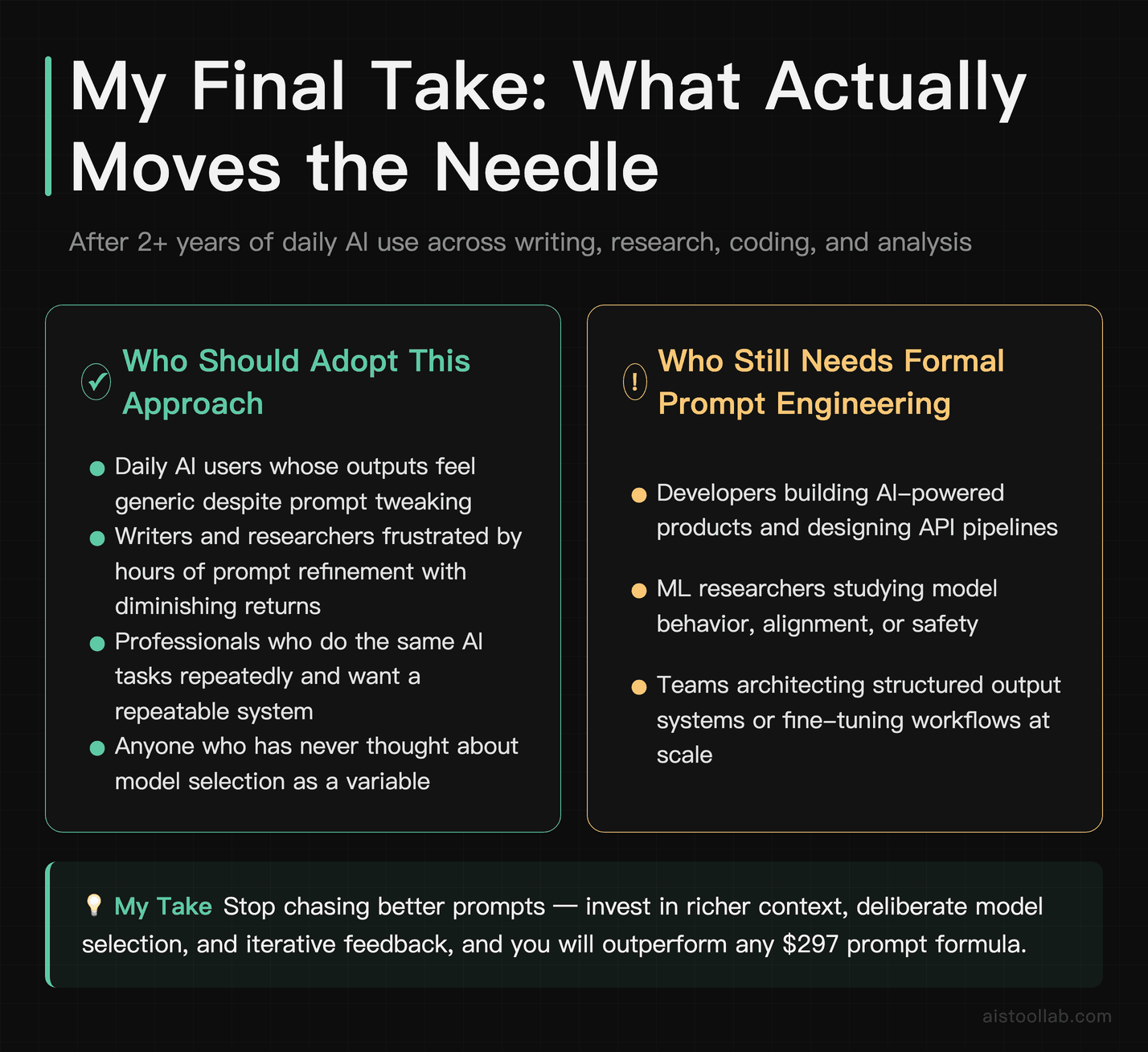
Here’s where I land after two years of daily use and more failed prompt experiments than I’d like to admit. Prompt engineering as a discipline is real and valuable — at the API level, for building products, for research into model behavior. For the vast majority of people using AI tools daily, it’s a distraction from the things that actually matter.
What actually matters: giving the model enough real context to do the work, breaking complex tasks into manageable pieces, and being a good iterative collaborator rather than searching for the perfect one-shot prompt. Oh, and just trying a different model when one isn’t working — that five-minute switch will beat most prompt refinement sessions.
The skills worth building are the ones that make you better at thinking clearly about what you actually need and communicating that efficiently. That’s it. That’s the whole game. And honestly? Those skills make you better at working with people too, which is a nice bonus.
The prompt engineering industrial complex will keep selling courses and frameworks. That’s fine. Meanwhile, the people quietly getting the most out of these tools are the ones who’ve stopped trying to hack the prompt and started treating the model like a capable collaborator who needs good briefings, not magic words.
If you want to go deeper on specific models, my GPT-5 Breakdown covers what’s actually changed in the latest generation and whether any of this advice needs updating for the newest models. Spoiler: the fundamentals hold.
Frequently Asked Questions
Is prompt engineering a real skill worth learning?
Yes, with a caveat. At the API and product-building level, prompt engineering involves genuinely useful techniques like few-shot learning, structured output formatting, and chain-of-thought prompting. For everyday AI use, the returns are much more modest. The fundamentals — providing clear context, specifying your audience, breaking tasks down — are worth internalizing. Memorizing elaborate prompt frameworks and paying for prompt engineering courses is mostly not worth your time.
Should I use ChatGPT or Claude for better outputs?
Depends entirely on the task. Claude tends to excel at nuanced writing, long-document analysis, and tasks requiring careful tone calibration. ChatGPT (especially GPT-4o and newer versions) tends to do well with structured reasoning, tool use, and tasks that benefit from its broader ecosystem integrations. For a detailed breakdown, check my comparison of these two tools — the differences are meaningful enough to matter for specific use cases.
What’s the single most impactful change I can make to get better AI outputs?
Provide more context. Not longer prompts, not more instructions — more relevant background information. Tell the model who the audience is, what you’ve already tried, what good looks like, and what constraints actually matter. That single change will improve your outputs more than any prompting technique.
Do “jailbreak” prompts and tricks actually work?
Some historically did, and some still work around specific edge cases. But modern models have been extensively trained to resist manipulation, and most of what circulates as “jailbreak prompts” either doesn’t work on current models or produces outputs that aren’t actually useful. It’s also worth noting that trying to circumvent safety guidelines is a good way to get your account flagged. Not worth the effort for legitimate use cases.
How important is the system prompt vs. the user prompt?
For API and product contexts, system prompts are genuinely important for setting consistent behavior, persona, and constraints. For everyday conversational use through the standard interfaces, this distinction matters much less. Spending time on elaborate system prompts for personal ChatGPT or Claude use is usually overkill — a good context block at the start of your conversation achieves most of the same effect.
Use Cases
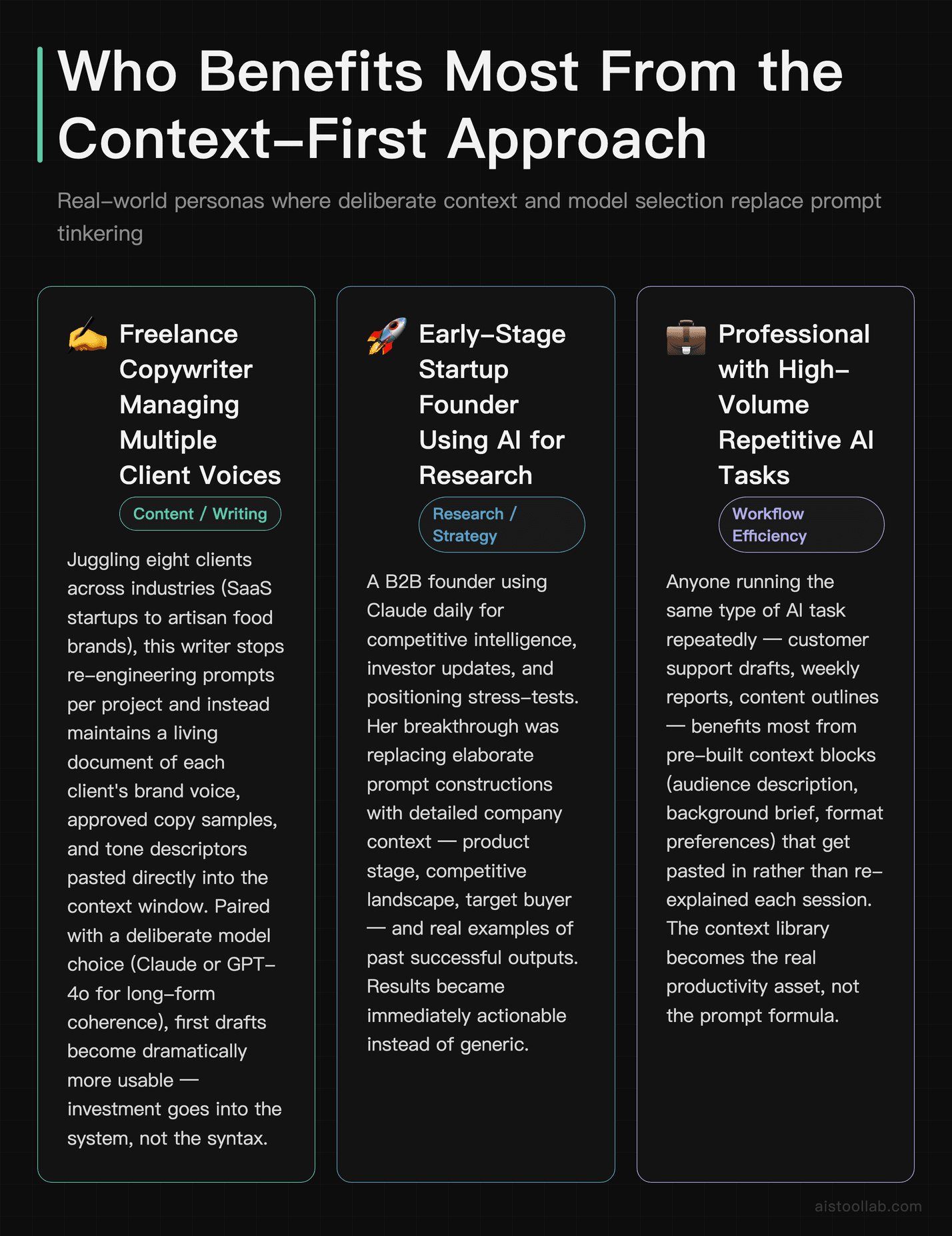
Freelance Copywriter Managing Multiple Client Voices
A freelance copywriter in Austin, Texas juggling eight clients across industries — from SaaS startups to artisan food brands — doesn’t have time to re-engineer prompts from scratch for every project. What actually transforms their workflow isn’t memorizing prompt frameworks; it’s building a structured system. That means maintaining a living document of each client’s brand voice guidelines, past approved copy samples, and tone descriptors that get pasted directly into the context window before any generation happens. Combined with a capable model like Claude or GPT-4o selected deliberately for long-form coherence, the copywriter sees dramatically more usable first drafts — not because of any clever prompt trick, but because the model has real, specific information to work from. The investment is in the system, not the syntax.
Early-Stage Startup Founder Using AI for Market Research
A founder in London building a B2B HR tech startup uses Claude daily to synthesize competitive intelligence, draft investor updates, and stress-test positioning statements. Her early mistake was trying to craft elaborate prompt chains she’d seen in productivity influencer content. What she eventually discovered was far simpler and more powerful: feeding the model actual data — anonymized customer interview transcripts, competitor pricing pages copied verbatim, and her own internal strategy docs — and asking direct, specific questions. The model’s output quality jumped noticeably, not because she’d mastered prompting, but because she’d stopped asking it to invent context it didn’t have. She now spends her saved time on analysis, not prompt iteration.
UX Researcher at a Mid-Size E-Commerce Company
A UX researcher at a Seattle-based e-commerce firm uses AI to help synthesize usability test findings, draft discussion guides, and generate affinity map themes from raw interview notes. Her biggest frustration early on was getting generic, surface-level output despite trying elaborate role-playing prompts and chain-of-thought techniques. The shift came when she started pasting in actual participant quotes, session timestamps, and specific task failure moments before asking the model to identify patterns. She also switched from GPT-3.5 to GPT-4o for this work specifically, recognizing that model selection mattered far more than rephrasing the same request seventeen different ways. Her synthesis time dropped by nearly half, and stakeholder feedback on report quality improved noticeably.
Independent Financial Consultant Preparing Client Reports
A fee-only financial planner based in Chicago uses AI to help draft personalized retirement planning summaries and scenario analyses for clients. Regulatory sensitivity means the output needs to be precise and appropriately caveated, which led him to initially over-invest in elaborate constraint-based prompts. What he found more effective was a combination of model choice — Claude for its tendency toward measured, hedged language — and rigorous output review paired with a structured editing checklist. Rather than trying to prompt away the model’s tendency toward overconfidence, he treats AI output as a strong first draft requiring expert review, which is how every professional tool should be used. His practice now scales client communication without sacrificing the personal touch clients expect.
Last updated: 2025