

Who this is for: developers and technical founders choosing between three different categories of tool — a terminal agent, an AI editor, and a prompt-to-app builder. If all three of your candidates are mainstream coding assistants and you want them run through the same everyday tasks, that comparison is Claude Code vs Cursor vs GitHub Copilot.
Contents
Three Tools That Aren’t Even the Same Shape
There’s a running joke among developers right now: you can spend more time evaluating AI coding tools than actually writing code. It’s funny because it’s not far off — the space moves fast and the options keep multiplying. The AI coding assistant landscape in 2025 going into 2026 has exploded in a way that’s genuinely hard to keep up with. We went from “GitHub Copilot is the only real option” to having half a dozen serious contenders fighting for your subscription dollars.
Transparency note: this article is compiled from each tool’s official documentation and publicly available user feedback rather than a first-hand paid test; check the vendors’ latest announcements for current pricing and features.
Claude Code, Cursor, and Lovable have become the three names I keep hearing in developer Slack channels, Discord servers, and Twitter/X threads. Each one is solving a slightly different problem, each one has a passionate fanbase, and each one has at least one major flaw that its fans tend to quietly ignore.
So let’s settle this properly. Not with a vague “it depends on your use case” non-answer, but with an actual recommendation based on what you’re trying to build and how you like to work.
Quick Background: What Each Tool Is Actually Trying to Do
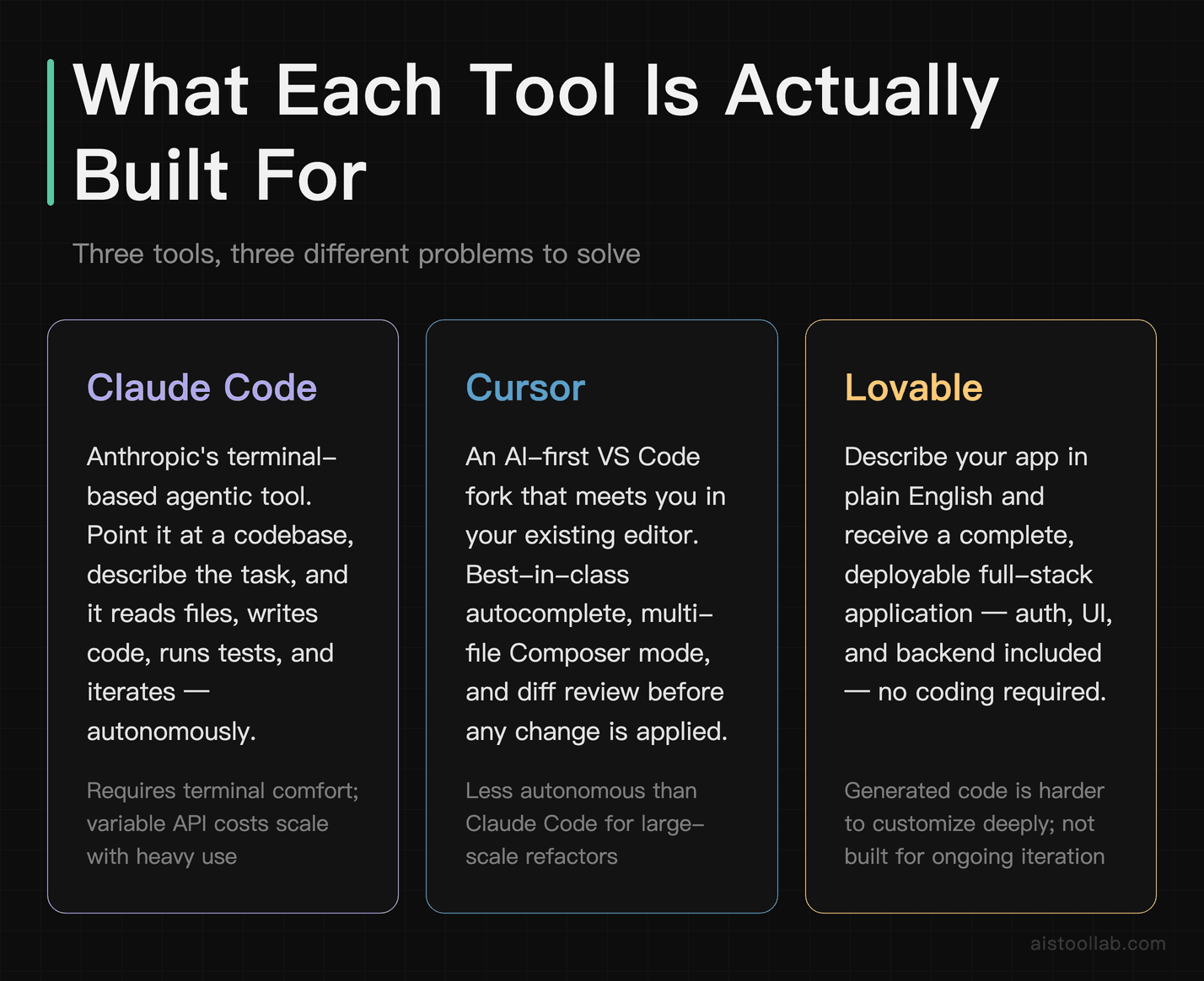
Before diving into the head-to-head stuff, it’s worth being clear about what these three tools are, because they’re not all competing in exactly the same lane.
ClaudeCode is Anthropic’s terminal-based agentic coding tool. It’s not an IDE plugin — it runs in your command line and operates with genuine autonomy. You can point it at a codebase, describe what you want done, and it’ll read files, write code, run tests, and iterate. It’s built on top of Claude’s models, which means it inherits that model’s well-documented strengths in reasoning and instruction-following. Think of it less like an autocomplete tool and more like a junior developer you can actually trust to go handle something while you work on something else.
Cursor is an AI-first code editor — a fork of VS Code that wraps AI capabilities directly into your editing experience. If you’ve read my Cursor Review 2025 piece, you already know the gist: it can change how you write code, not just how fast you write it. The key thing about Cursor is that it meets you where you are. You’re already in an editor, and Cursor adds AI as a layer on top of that familiar environment. Autocomplete, chat, composer mode — it’s all there without you having to leave the editor.
Lovable is a different beast entirely. It’s a natural language to full-stack app builder. You describe what you want — “build me a SaaS dashboard with authentication and Stripe integration” — and Lovable generates the whole thing. It’s less about assisting with code you’re already writing and more about generating entire working applications from scratch. It targets a slightly different audience: founders, designers, and non-technical builders who want to ship something real without necessarily understanding every line underneath it.
These distinctions matter a lot when we get to the “who should use what” section. Don’t skip ahead — context is everything here.
Claude Code: Terminal-Native, Genuinely Agentic
I’ll be honest — when Claude Code first launched, I was skeptical. A command-line coding tool in 2025? Feels like a step backward from having everything in a nice GUI, right? Wrong, as it turns out.
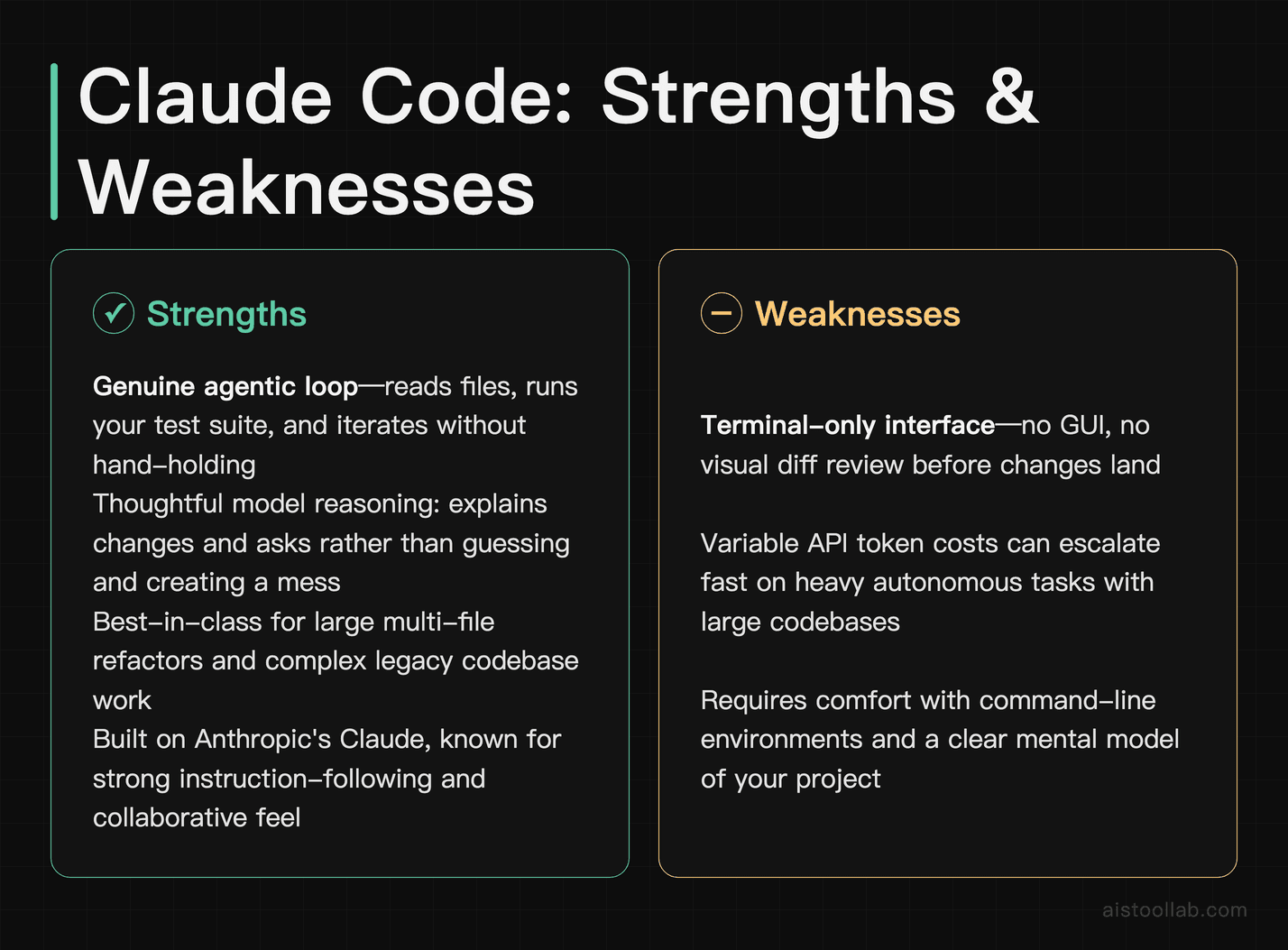
What makes Claude Code genuinely impressive is the depth of its autonomy. You can drop it into a large existing codebase and ask it to do something like “refactor the authentication module to use JWT instead of sessions, update the tests, and make sure nothing breaks.” And it’ll actually attempt the whole thing — reading the relevant files, making a plan, executing changes, running your test suite, and adjusting when tests fail. The agentic loop is real, not just a marketing claim.
The underlying model quality shows, too. Responses are thoughtful. When it makes a change you didn’t expect, it explains the reasoning. When it’s not sure about something, it asks rather than guessing and creating a mess. This is the Anthropic fingerprint — they’ve always prioritized model behavior that feels like a collaborator, not just a code generator. You can learn more about what powers this tool in Anthropic’s official Claude documentation.
The practical performance is solid. The tradeoff is clear: it’s slower than autocomplete-style tools, but the output tends to be more complete and more correct.
Where Claude Code Falls Short
The terminal-only interface is a real limitation for developers who are deeply visual. There’s no diff viewer, no inline suggestion UI, no way to easily review changes in a split-pane before accepting them. You get text output and the results in your files. If you’re comfortable in the command line, fine. If you’re used to the polished UX of a modern IDE, this will feel friction-heavy at first.
Cost is also worth flagging. Claude Code operates on token-based billing since it’s hitting Claude’s API under the hood. Heavy usage on a complex codebase can burn through tokens faster than you’d expect. If you’re doing exploratory work across a large repo, keep an eye on your usage. There’s no flat monthly fee that makes the cost predictable.
And finally — it works best as a standalone tool, but it doesn’t deeply integrate into an editor workflow the way Cursor does. You can use it alongside your editor, but it’s not embedded in it. That creates a context-switching cost that some developers find annoying.
Cursor: The Editor That Actually Gets It
Cursor is the tool I’ve recommended most consistently over the past year, and it’s held up. I detailed a lot of this in my Cursor Review 2025 piece, but for those coming in fresh: Cursor is what VS Code would look like if it had been designed from day one around AI assistance rather than retrofitting it in later.
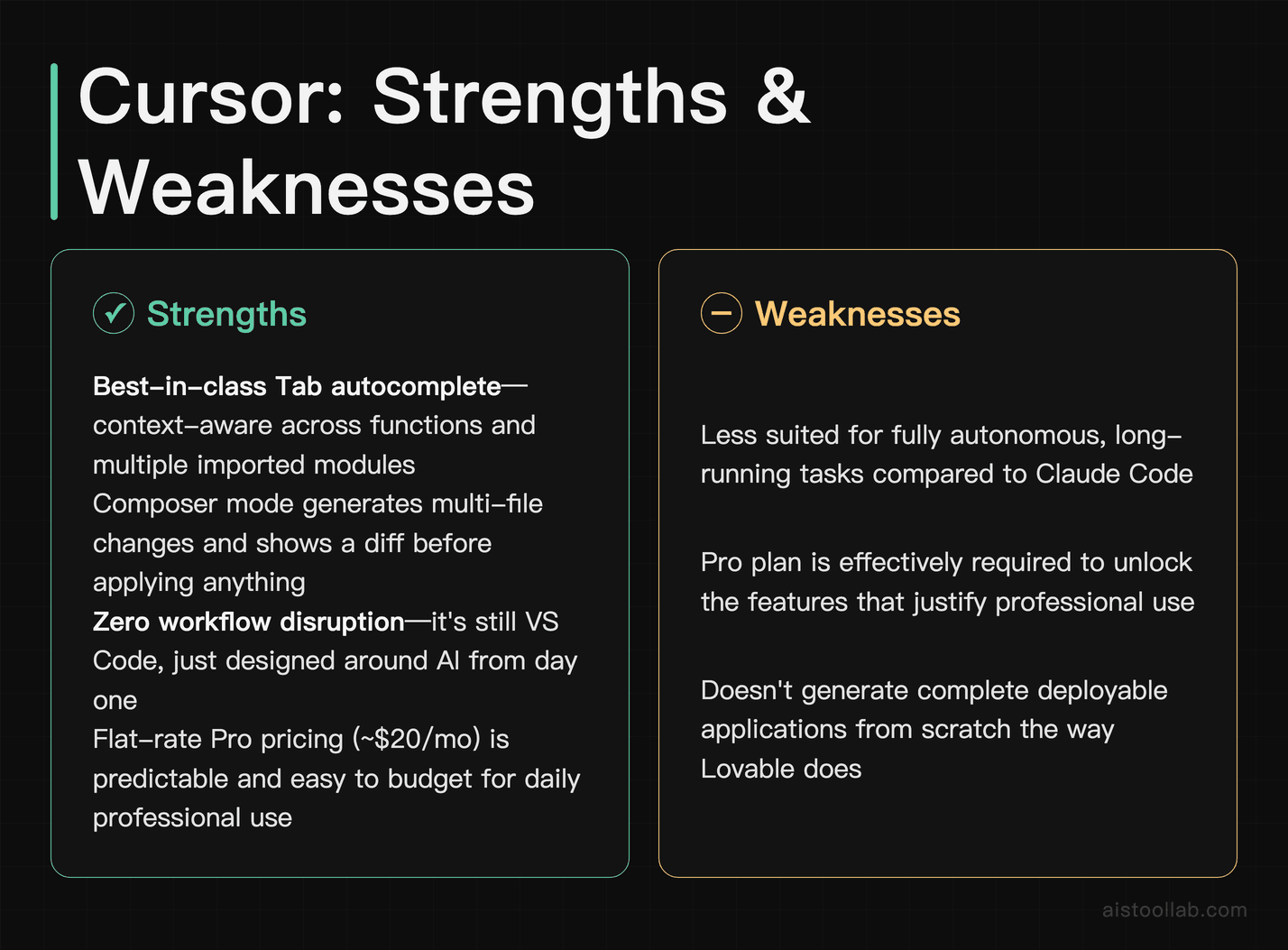
The autocomplete — which Cursor calls Tab — is the best in the class. It doesn’t just complete the current line; it understands what you’re trying to do across the whole function and sometimes across files. It can complete a function body that references context from several imported modules, and Composer mode generates utility code quickly with good fidelity to the intended behavior.
Composer mode is where Cursor really shines for larger tasks. You describe what you want in natural language — “add a debounced search input to this component that queries the existing API endpoint” — and Cursor figures out what needs to change across multiple files and shows you a diff before applying anything. That diff review step is huge. You stay in control. You’re not just hoping the AI did it right; you’re reviewing and approving changes before they hit your codebase.
The codebase indexing feature is genuinely smart. Cursor scans and indexes your entire project so that its AI features understand the full context of what you’ve built. Ask it about a function you defined in a file you haven’t opened in weeks, and it knows what you’re talking about. This is the kind of feature that takes a while to fully appreciate, but once you’ve relied on it you can’t imagine going back.
Check out the Cursor official site for the latest pricing and feature updates — they’ve been shipping fast.
Where Cursor Falls Short
Cursor’s main weakness is that it’s best for people already writing code. If you’re a non-technical founder who wants to spin up a full app, Cursor is going to frustrate you quickly. It helps you write better code faster — it doesn’t generate entire applications from scratch with any real reliability.
There’s also the elephant in the room: it costs real money for the Pro features. The free tier is limited, and the plans that make Cursor genuinely useful are paid. For professionals, that’s usually fine — the productivity gain pays for itself fast. For hobbyists or students, the value proposition is harder to justify.
Some power users have also flagged that when you’re working in very large codebases — enterprise scale, millions of lines — even Cursor’s indexing can struggle with context limitations. It’s excellent for most project sizes, but not unlimited.
Lovable: The “No Code but Actually Real Code” Contender
Lovable is the one that’s hardest to categorize fairly, because it’s doing something different from the other two. Calling it an “AI coding assistant” undersells it for some audiences and oversells it for others.
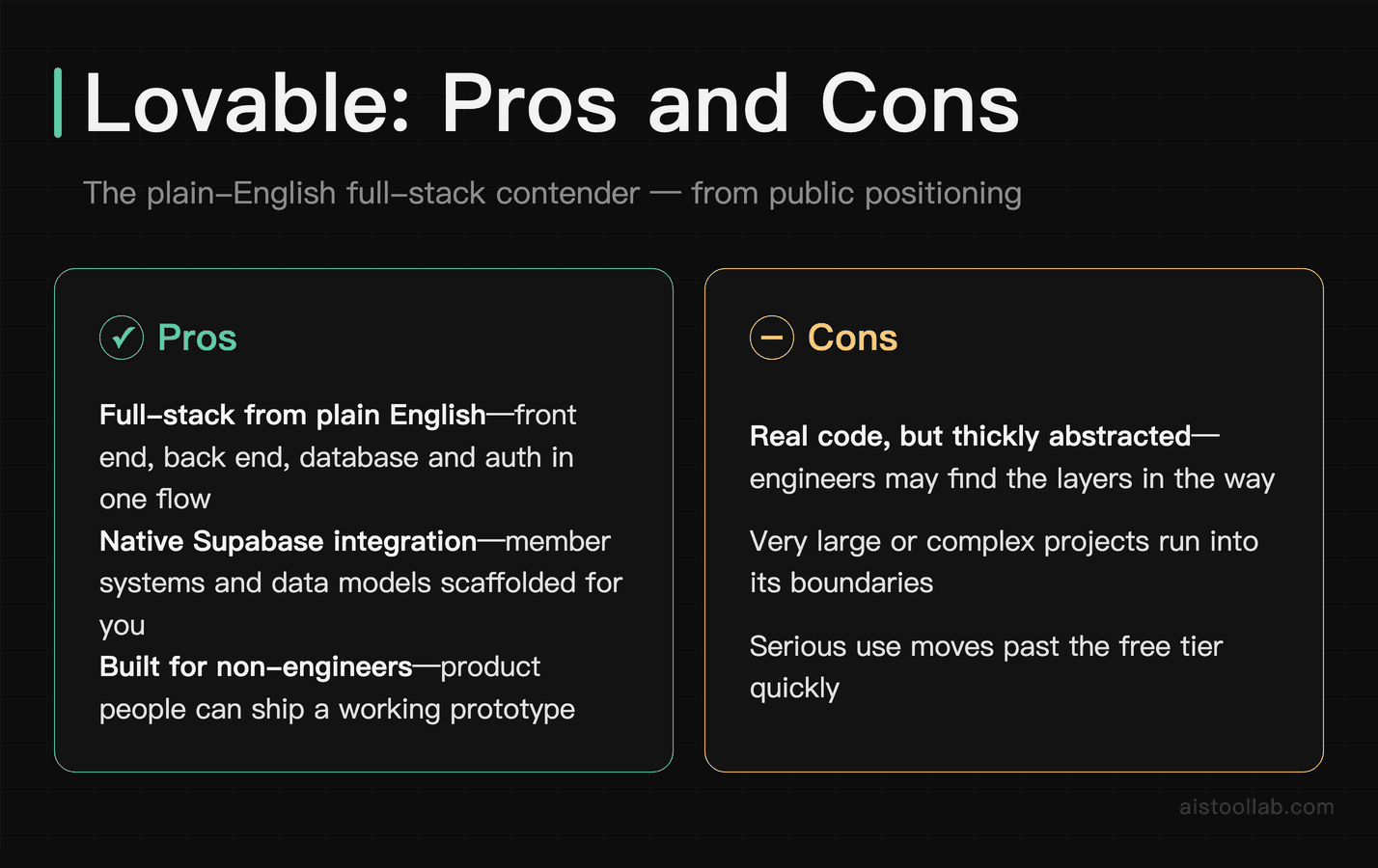
The core pitch is this: describe the app you want in plain English, and Lovable builds it — a complete, deployable full-stack application with a real frontend, backend, database, and authentication. Not a prototype. Not a toy. Something you can actually put in front of users.
Lovable can get something working quickly — with functional auth and a real UI — in a short session. That’s wild. For a non-technical founder, that’s borderline magic. For a technical developer, it’s… interesting, but comes with caveats.
The generated code quality is decent but not clean. It works, but if you need to go in and customize deeply, you’re often fighting against the generated structure rather than working with it. Lovable is excellent at getting you to 60–70% of a working product fast. Getting from 70% to production-quality, edge-case-handled, properly architected software takes either significant manual work or a developer who knows what they’re doing.
Lovable also has a built-in editor and GitHub sync, so you can push generated code to your own repo and continue from there. That’s a thoughtful touch — it’s not trying to lock you in entirely. For the audience it’s targeting, that matters a lot. You can explore what it’s built for on the Lovable official site.
Where Lovable Falls Short
If you’re a professional developer who cares about code architecture, testing practices, and maintainability, Lovable is going to make you twitch. The generated code prioritizes “working fast” over “written well.” That’s not a criticism of the tool’s mission — it’s just important to be clear-eyed about what it optimizes for.
It’s also not great for working on existing codebases. Lovable is primarily a greenfield tool. Drop an existing project into it and ask it to make changes, and the results are much less reliable than when you’re building from scratch. Claude Code and Cursor both handle existing codebases much better.
Finally, the more specific and unique your requirements, the more Lovable struggles. Common patterns — dashboards, landing pages, CRUD apps — it handles beautifully. Niche business logic, complex integrations, or unusual architectural requirements tend to produce worse results that require more manual intervention.
Pricing Reality Check
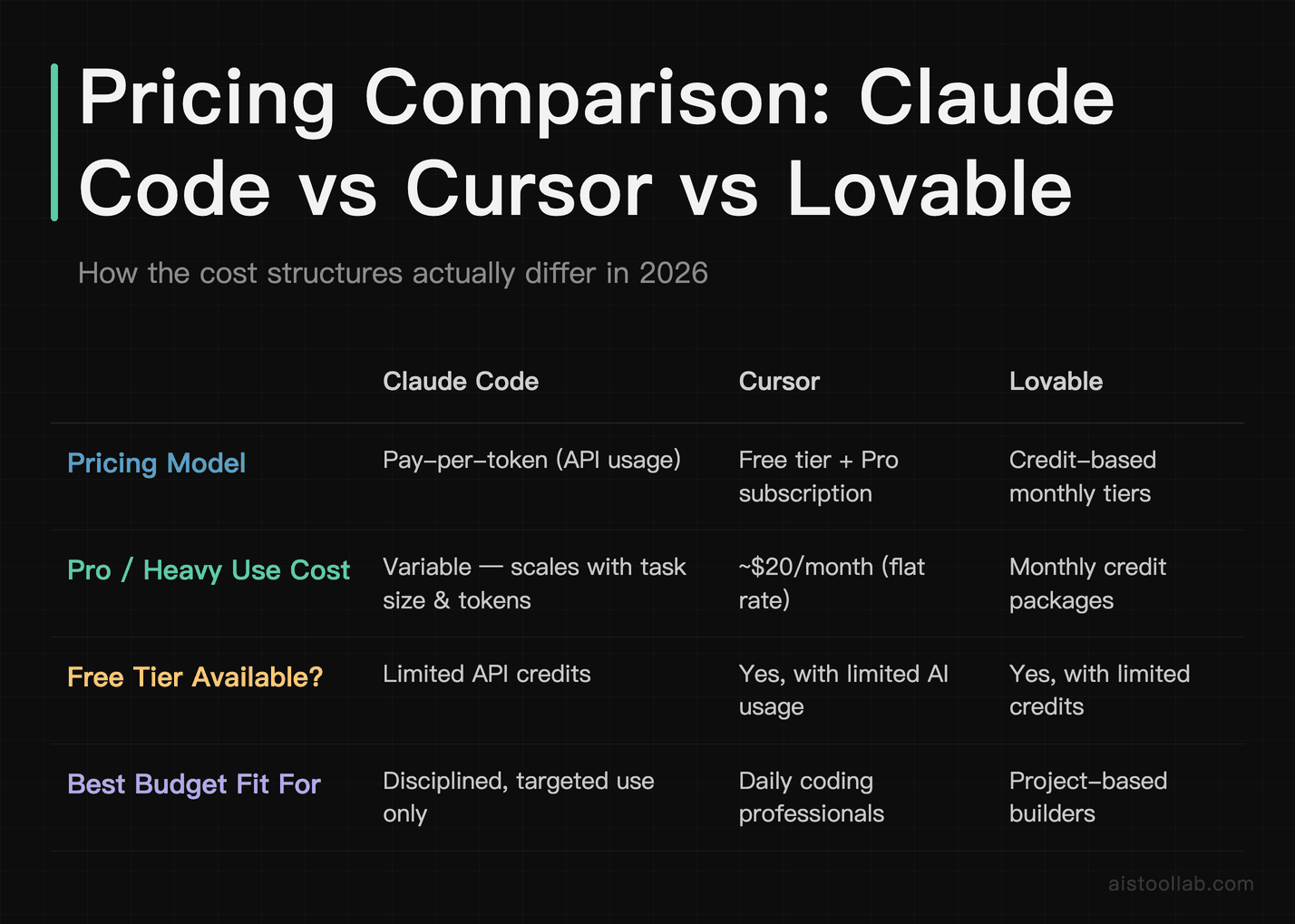
These tools have different pricing models, and it matters for how you use them.
- Claude Code is billed through Anthropic’s API usage — you pay per token, which means costs scale with how much you use it. For light use, it’s affordable. For heavy autonomous tasks on large codebases, it can get expensive fast. Monitor your usage carefully.
- Cursor has a free tier and a paid Pro plan (currently around $20/month as of this writing). The Pro plan includes significantly more AI usage, access to more powerful models, and the full Composer features. For professional use, the Pro plan is basically required.
- Lovable operates on a credit-based system — you get a certain number of messages/generations per month, with paid tiers offering more. The free tier gives you a taste, but any serious project will exhaust free credits quickly.
For pure value per dollar on daily coding productivity, Cursor’s flat Pro pricing is the easiest to budget for. Claude Code’s variable cost is fine if you’re disciplined about how you use it. Lovable’s credit model works well if you’re doing targeted, project-based work rather than ongoing daily development.
Head-to-Head: The Specifics
For Working on Existing Codebases
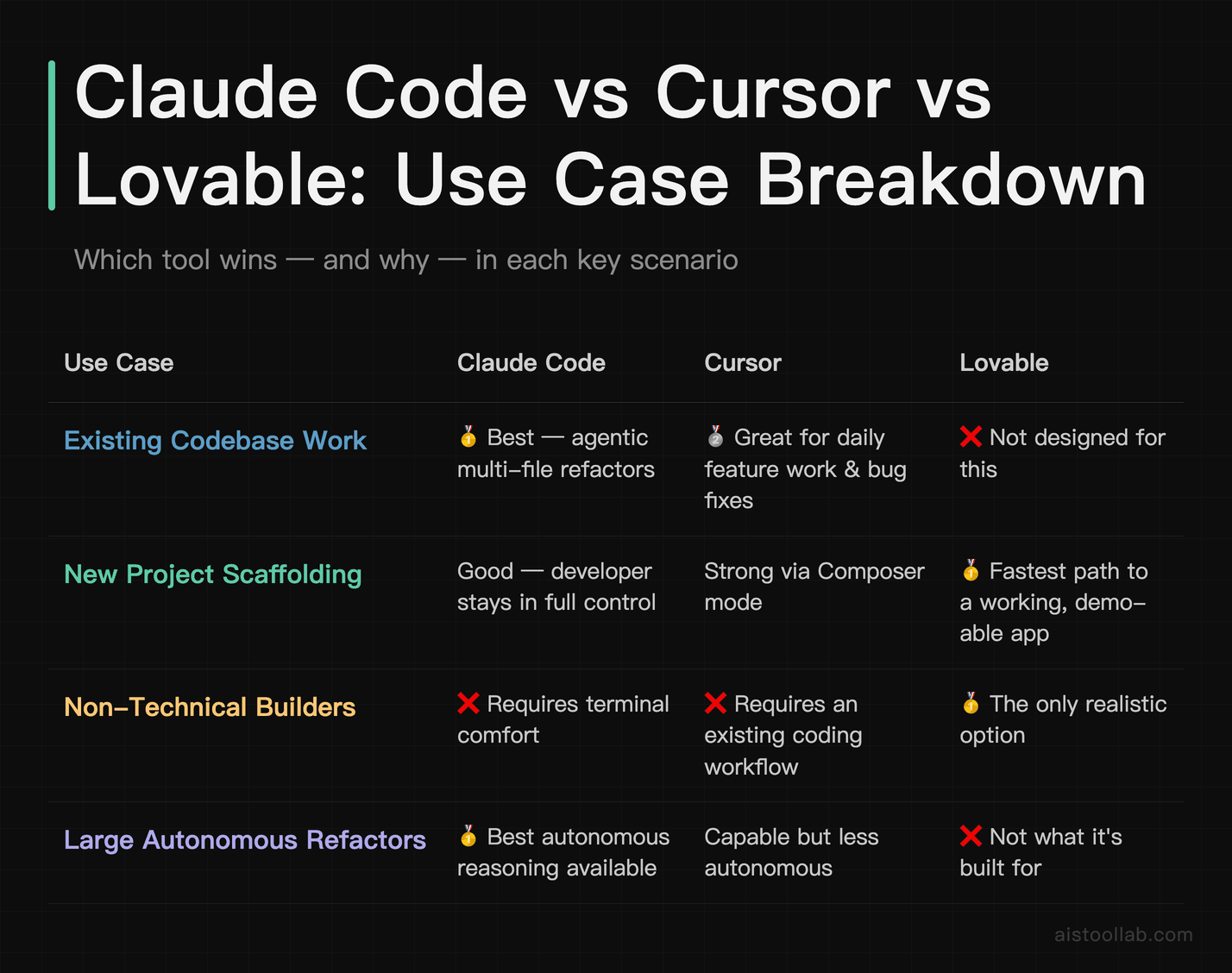
Claude Code wins here, with Cursor close behind. Both tools are built to understand context in existing projects and make targeted, meaningful changes. Claude Code’s agentic approach is better for large, multi-file refactors. Cursor is better for the day-to-day flow of adding features and fixing bugs within your existing editor. Lovable is a distant third — it’s not what it’s designed for.
For Building New Projects From Scratch
If you want to ship something fast and you’re not precious about the code quality underneath: Lovable, not even close. If you’re a developer who wants to scaffold properly and maintain control: Cursor’s Composer mode or Claude Code, depending on your preferred workflow.
For Non-Technical Builders
Lovable is the obvious choice. Claude Code requires comfort with terminal environments and a basic understanding of what you’re asking for. Cursor requires you to already have a coding workflow it can plug into. Lovable is designed for people who want to build software without necessarily knowing how to write software. If you’re a founder, a designer, or someone in the early stages of learning to code, Lovable is the entry point that makes the most sense.
For Enterprise / Team Use
Cursor has the most mature team and enterprise story right now. The shared indexing, the editor-native experience that fits existing workflows, and the predictable pricing make it easiest to roll out across a development team. Claude Code works great for individual developers but is harder to standardize across a team. Lovable is still primarily a solo-founder or small-team tool.
For Code Quality and Accuracy
Claude Code produces consistently correct code, particularly on complex logic. The model quality is genuinely superior for tasks that require real reasoning — not just pattern matching. Cursor is excellent on code quality too, especially with its diff review workflow that keeps you in the loop. Lovable produces functional code that frequently needs cleanup, particularly around edge cases and error handling.
How These Fit Into a Bigger AI Workflow
Here’s something I’ve noticed: developers who get the most out of these tools aren’t picking one and ignoring the others. The most effective pattern I’ve seen — and started using myself — is treating them as complementary layers.
Use Lovable to scaffold a new idea fast. Get to something demo-able in an hour. Then pull the code into your own environment and use Cursor for the day-to-day feature work and refinement. Bring in Claude Code for the bigger refactors, the architectural changes, the tasks that need genuine autonomous reasoning across the codebase. Stack the tools based on the task.
This is actually a theme I see across a lot of AI tool usage — it’s not about finding the one tool to rule them all, it’s about understanding what each one is genuinely good at. If you’re just getting started with AI tooling in general, my AI Tools Starter Pack piece is worth reading first — it covers the foundational stuff that makes all of these tools more useful.
Also worth noting: the underlying models matter. Claude Code runs on Anthropic’s Claude models, and if you’ve been following the model releases — I wrote about Anthropic’s Claude vs ChatGPT comparison and what it means for developers — you know the model quality has been improving fast. Cursor lets you choose which model to use for some features, including Claude models. So in some configurations, you’re getting similar model quality but different interface and workflow approaches.
And honestly, how you prompt these tools matters more than most people realize. Not in a “prompt engineering is everything” way — I’ve written about why that’s overrated — but in the sense that clear, specific instructions consistently produce better results than vague ones across all three of these tools. Check out the Why Prompt Engineering Is Overhyped piece for a grounded take on this.
Pick the Shape First, Then the Tool
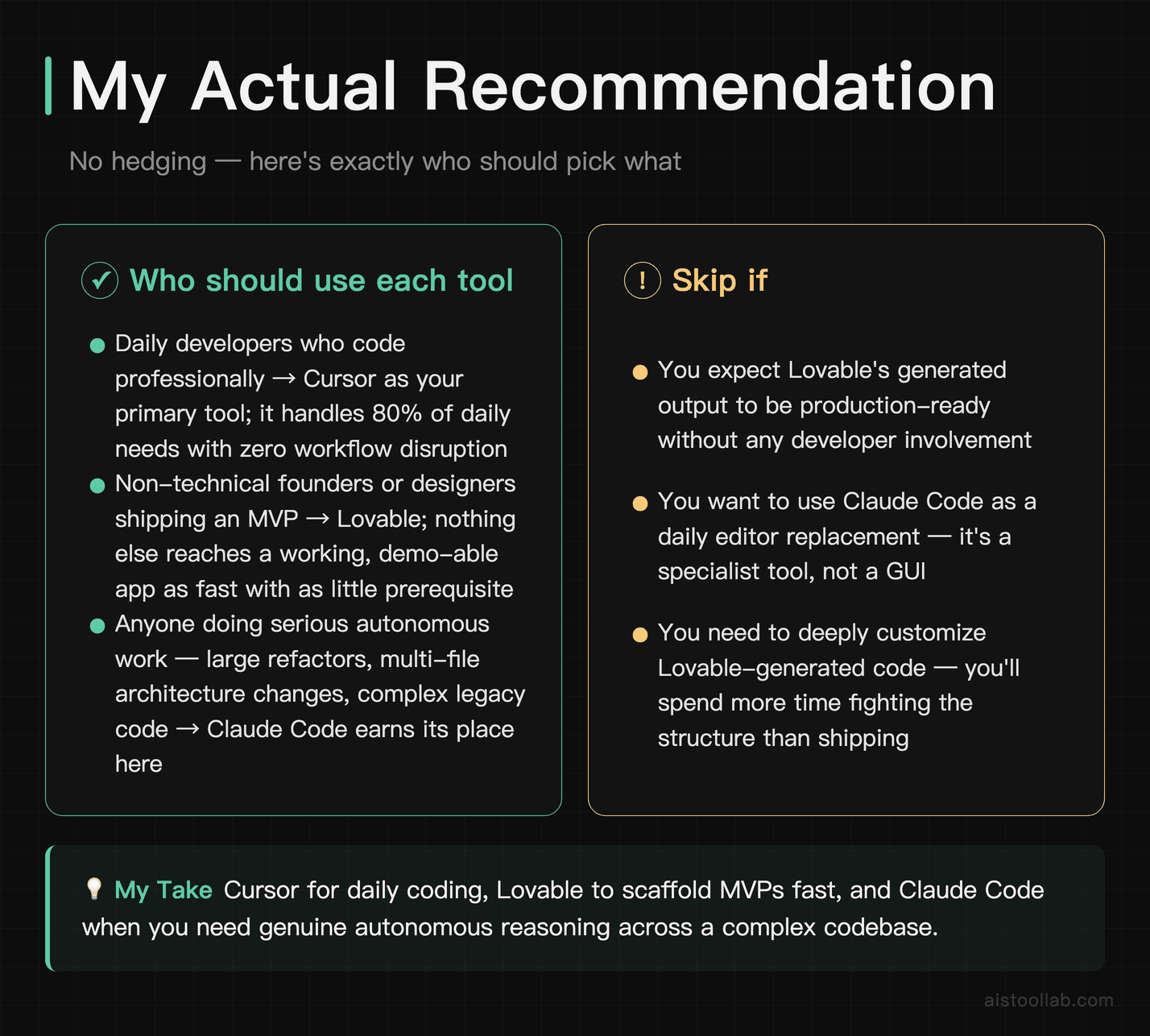
Alright, no hedging. Here’s where I land:
If you’re a working developer who codes daily: Cursor is your primary tool. It fits into your existing workflow, the code quality is excellent, and the productivity gain is real and immediate. You don’t need to change how you work — you just get better at it faster. Claude Code is worth having in your toolkit for larger refactoring tasks, but Cursor handles 80% of your daily needs better.
If you’re a non-technical founder or someone who wants to ship an MVP fast: Lovable is the move. Nothing else gets you to a working, deployable application as fast with as little technical prerequisite. Just go in with eyes open — the code underneath isn’t production-hardened, and you’ll likely need developer help to get it the rest of the way if you’re building something serious.
If you’re doing serious autonomous, agentic coding tasks — large refactors, multi-file architectural changes, complex legacy code work: Claude Code earns its place. It’s not the most comfortable interface, but the depth of reasoning and the quality of autonomous execution is the best available right now. Budget carefully for the API costs.
If you’re a developer trying to move faster without losing control of your codebase: The Cursor + Claude Code combination is a genuinely powerful stack. Use Cursor for daily flow, Claude Code for the heavy lifting. Lovable is optional — useful for spinning up new side projects quickly, but you won’t need it for your main work.
The worst thing you can do is spend three weeks evaluating tools instead of building things. Pick the one that matches your current situation, actually use it for a month, and adjust from there. The tools are good. The bottleneck is probably not the tool.
Frequently Asked Questions
Is Claude Code better than GitHub Copilot?
They’re solving different problems. GitHub Copilot is an inline autocomplete and chat assistant embedded in your editor — similar in category to Cursor. Claude Code is an agentic, terminal-based tool that works more autonomously on larger tasks. If you want something that feels like a powerful autocomplete with chat, Copilot and Cursor are comparable (though I think Cursor edges it out). If you want something that can independently work through a complex multi-step coding task, Claude Code is in a different category.
Can I use Cursor and Claude Code together?
Yes, and honestly this is a strong setup. Use Cursor as your daily editing environment for inline completions, chat, and feature work. Drop into Claude Code when you have a larger autonomous task — a significant refactor, migrating a module, writing a full test suite. They don’t conflict; they serve different moments in your workflow.
Is Lovable actually good for real apps, or just demos?
It’s good for getting to “real enough to show people” surprisingly fast. The apps it generates work. But for production-grade software with proper error handling, security considerations, and long-term maintainability, you’ll need a developer to review and clean up the output. The closer your requirements are to common patterns — auth, dashboards, simple CRUD — the better the output quality.
Which tool is best for beginners learning to code?
Lovable for building things without needing to understand the code yet. Cursor for learning by doing — it’s excellent at explaining what it’s doing and why, which makes it a surprisingly good learning tool if you engage with the explanations rather than just accepting the output. Claude Code requires too much command-line comfort to be a good entry point for complete beginners.
How does the cost of Claude Code compare to Cursor over time?
For most developers doing normal daily work, Cursor’s flat Pro pricing (~$20/month) will be more cost-effective and predictable than Claude Code’s token-based billing. Claude Code costs scale with use, and heavy use on complex codebases can easily exceed $20/month in API costs. However, if you’re using Claude Code selectively for specific high-value tasks rather than all day every day, the token costs can stay reasonable. Know your usage patterns before committing.
Does Lovable lock you into its platform?
Less than you might expect. Lovable syncs to GitHub, so you can export your generated code and continue developing it in any environment you choose. You’re not locked into Lovable’s editor forever. That said, the experience of modifying Lovable-generated code in a traditional environment has its rough edges — it’s clean enough to work with, but it wasn’t hand-crafted by a developer who made careful architectural choices along the way.
Which tool handles large codebases best?
Claude Code handles large codebases well because of its agentic architecture — it can navigate, read, and modify across many files as part of a single task. Cursor’s codebase indexing is strong for search and context-aware suggestions, but it can hit context limits on truly massive enterprise codebases. Lovable is a greenfield tool and doesn’t meaningfully handle large existing codebases at all. For large-scale legacy code work, Claude Code is the most capable of the three.
Last updated: 2025
Explore more AI tools
👉 Browse the AI Tools Library to find the right tools for your workflow.
Related reading: AI Developer Utility Tools Compared 2026: Hash Identifiers, Text Generators, Color Tools — Speed, Pricing, and Practical Value