

The Video Editing Gap Nobody’s Talking About
Every AI tool ranking you’ll find online covers the same ground: writing assistants, coding helpers, image generators. The lists are practically interchangeable at this point. But if you’re a YouTuber grinding out weekly uploads, a TikTok marketer producing multiple short-form clips daily, or a marketing team trying to repurpose a 60-minute webinar into a week’s worth of content — you’ve probably noticed that nobody’s actually ranking the tools you need.
This article contains affiliate links. If you buy through them I may earn a commission at no extra cost to you. All opinions are my own.
I’ve been testing AI video tools seriously for well over a year now, across everything from automated clip generation to AI avatar presentations to one-click caption tools. The space has matured faster than almost any other AI category, and the difference between the right tool and the wrong one isn’t just about features — it’s about whether the tool actually fits your workflow. A solo creator on YouTube has completely different needs from an enterprise team producing internal training videos. Most rankings don’t make that distinction. This one does.
So here’s what I built: a ranked list of 15 AI video tools, segmented by the type of creator who gets the most value from each one. I’ll tell you exactly who should use what — and just as importantly, who should skip it. No padding, no affiliate-first ordering. Let’s get into it.
Contents
How I Evaluated These Tools
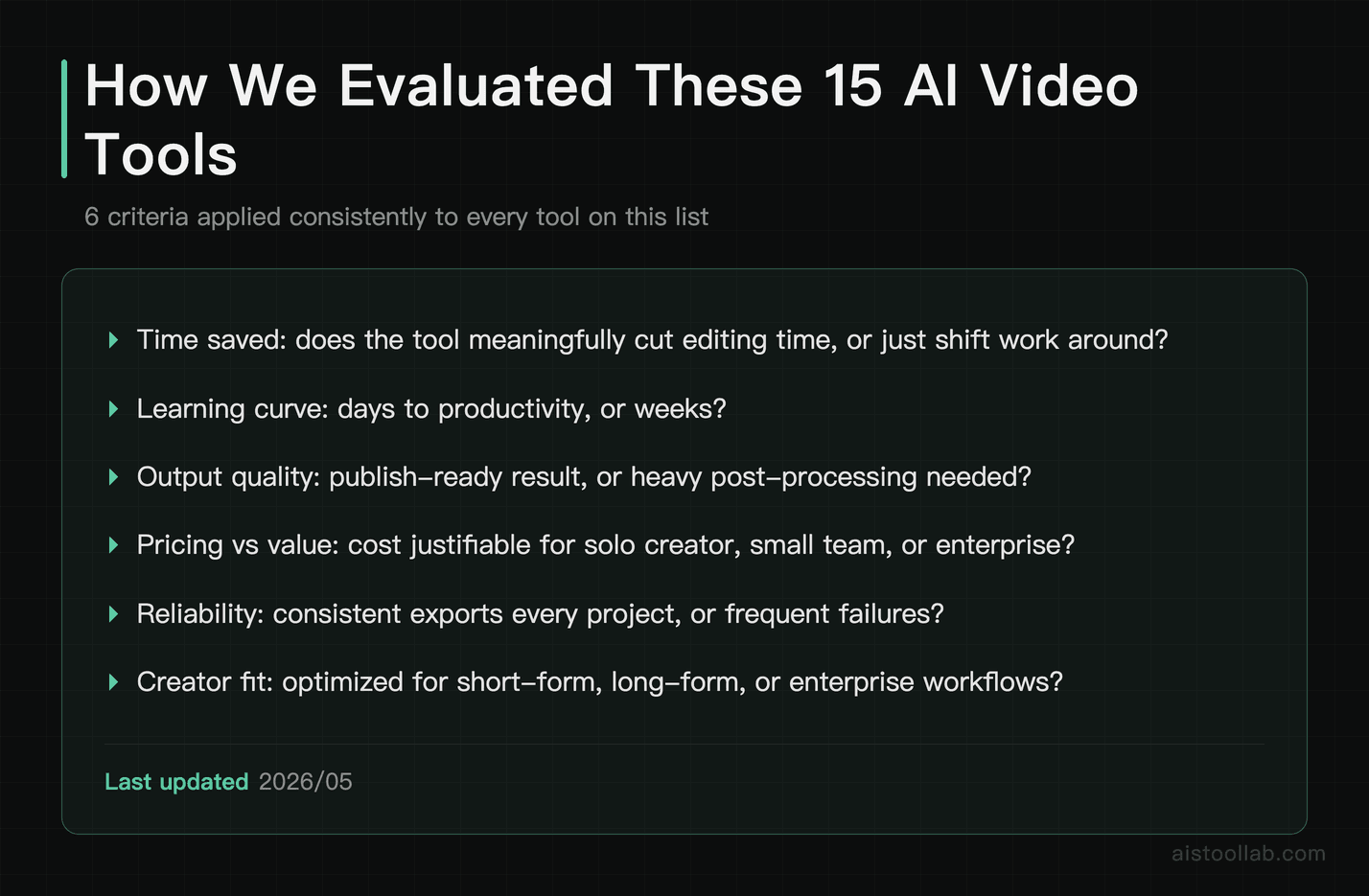
Before I reveal the rankings, you deserve to know what I was actually measuring. Specs don’t matter much if a tool collapses under real-world use. Here’s the evaluation framework I applied to every entry on this list:
- Time saved per project: Does the tool meaningfully reduce editing time, or does it just move work around?
- Learning curve: How long before a reasonably tech-savvy person is productive? Days or weeks?
- Output quality: Does the AI-generated result need heavy post-processing, or is it close to publish-ready?
- Pricing vs. value: Is the cost justifiable for the audience it’s targeting — solo creator, small team, or enterprise?
- Reliability: Does it work consistently, or does every third export produce something unusable?
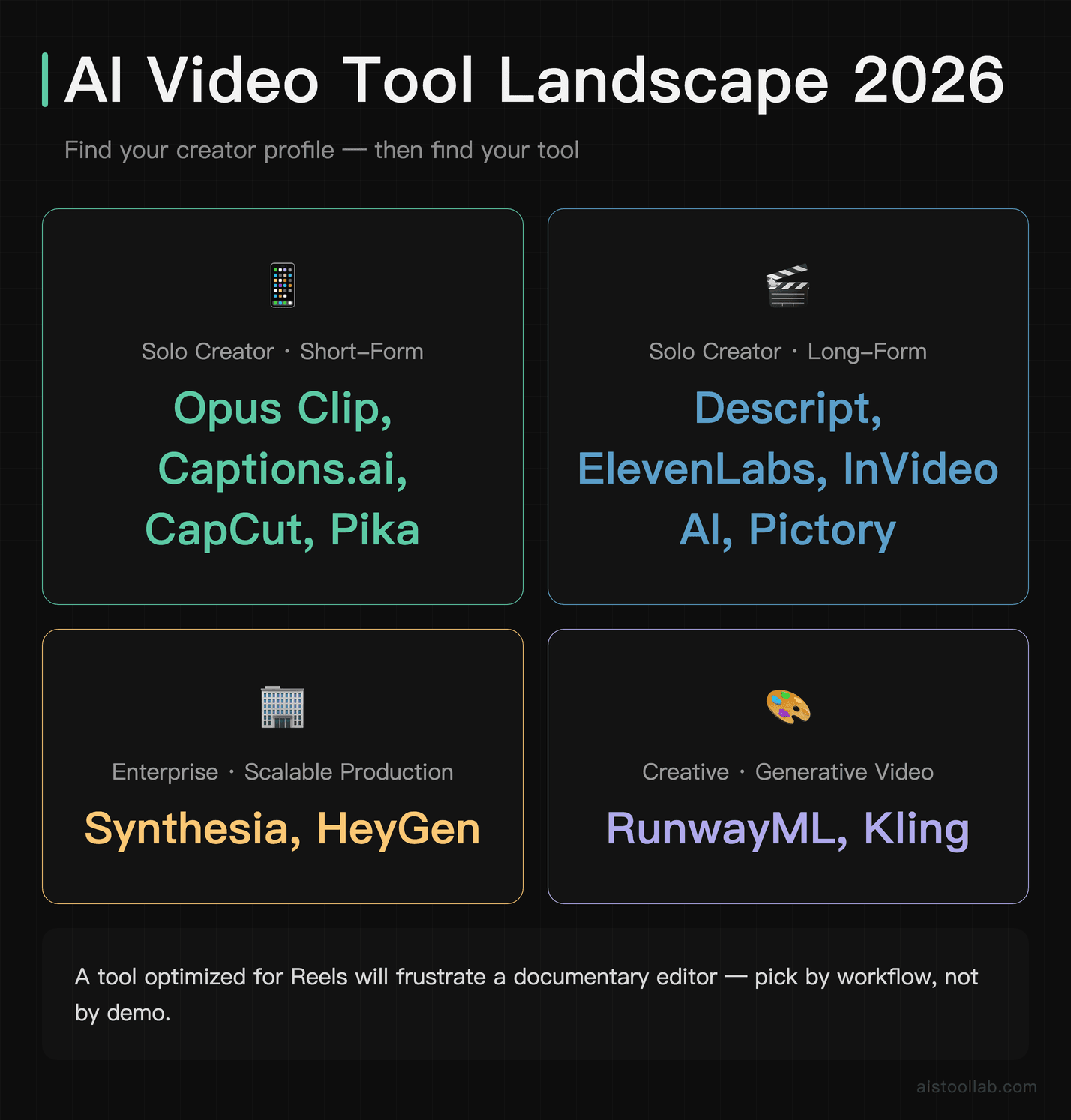
- Fit for creator type: Short-form, long-form, or enterprise? A tool optimized for Reels will frustrate a documentary editor.
I also paid attention to what’s changed recently. Several tools on this list have shipped significant updates heading into 2026. Where that changes the recommendation, I’ve noted it.
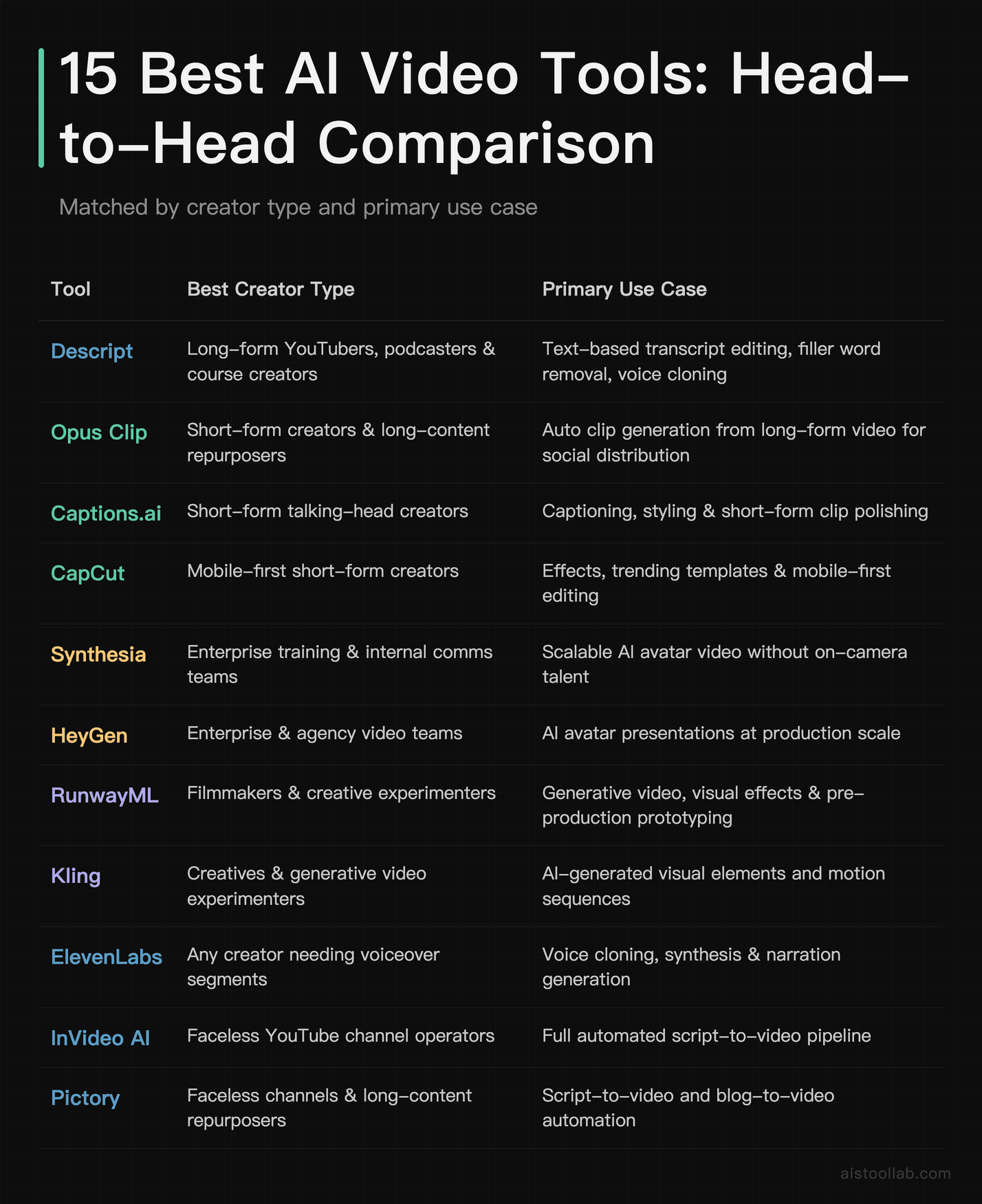
The Full Comparison Table
The Rankings: Who Should Use Each Tool
#1 — Descript: The Best Overall for Long-Form Creators
Descript earns the top spot not because it does everything, but because it does the most important things exceptionally well. The core concept — edit your video by editing a text transcript — sounds simple, but in practice it transforms how long-form video editing feels. Instead of scrubbing through a timeline looking for that one stumble, you delete a sentence and the footage disappears with it. Filler word removal works reliably. The Overdub feature lets you correct mistakes by typing new words in your own cloned voice, which is genuinely useful when you record a fact wrong and don’t want to re-record a full take.
For podcasters turning their audio into video content, YouTube educators, and anyone producing content over five minutes, Descript is the single best time-saver on this list. At $24/month, it’s roughly the price of two streaming services — and if you’re publishing even weekly content, the workflow speed alone justifies it. The free plan is functional enough to test properly before committing.
Best for: YouTubers, podcast video producers, online course creators, documentary-style content
Skip it if: You’re primarily making short-form social clips under 60 seconds — there are better tools for that
#2 — Opus Clip: Best for Repurposing Long Video into Short-Form
Opus Clip has quietly become the go-to tool for a very specific and extremely common problem: you have a 45-minute webinar, a long YouTube video, or a podcast recording, and you need social-ready clips for TikTok, Reels, and Shorts — fast. Opus Clip analyzes your long-form video, identifies the most engaging moments using its AI scoring system, and spits out auto-captioned vertical clips, often with surprisingly good judgment about what actually constitutes a “hook.”
The output isn’t always perfect — you’ll occasionally get a clip that’s technically high-energy but missing context — but the ratio of good clips to duds is strong enough that the time savings are real. Many users report that what used to take an afternoon of manual clipping now takes under an hour including review and export. At $19/month, this is practically a no-brainer for anyone running a YouTube channel alongside social accounts.
Best for: Creators who produce long-form content and want short-form clips without a separate editor
Skip it if: You only produce short-form content natively — you won’t have source material for it to work with
#3 — Synthesia: Best for Enterprise Training and Scalable Presentations
Synthesia ↗ occupies a category almost entirely its own on this list. It’s not a video editor in the traditional sense — it’s a platform for creating videos using AI avatars, without a camera, studio, or presenter. You type a script, pick an avatar (or create one based on yourself), choose a language from its extensive roster, and the video is generated. The quality of the avatars has improved substantially; for corporate training content, product demos, or internal communications, the output is genuinely professional.
According to Synthesia’s official documentation, the platform supports over 130 languages, which makes it particularly powerful for global enterprise teams that need localized training content without hiring voiceover talent in every market. At $29/month for individuals or higher tiers for enterprise, it’s not cheap — but compared to the cost of a production crew, it’s a different conversation entirely.
Best for: L&D teams, HR departments, SaaS companies building onboarding content, anyone who needs scalable multilingual video
Skip it if: You’re a solo creator — the avatar aesthetic doesn’t land well with personal brand audiences
#4 — RunwayML: Best for Experimental and Cinematic AI Generation
RunwayML is where things get genuinely exciting if you’re a filmmaker, art director, or anyone who thinks of video as a creative medium rather than a content delivery mechanism. Runway’s Gen-3 Alpha model produces text-to-video and image-to-video output with a level of cinematic quality that was unimaginable even two years ago. Motion feels intentional rather than glitchy, lighting behaves correctly, and the inpainting and background removal tools are among the most capable available.
The catch is the credit system. The free tier gives you limited credits, and serious use burns through them quickly. The $15/month plan is a reasonable entry point for experimenting, but working professionals will likely need higher tiers. That said, for creative agencies, music video directors, or indie filmmakers looking to prototype visual concepts without a full production budget, RunwayML is currently the most powerful tool on this list in terms of raw generative capability.
Best for: Filmmakers, motion designers, creative agencies, music video producers
Skip it if: You need reliable, predictable output at scale — generative tools still require creative oversight
#5 — HeyGen: Best for Marketing and Sales Video at Scale
HeyGen has carved out a strong niche between Synthesia’s enterprise focus and the broader creator market. Its avatar quality is excellent, its voice cloning is among the best available (check my ElevenLabs Review 2026 for comparison on the voice side), and its real distinguishing feature is the video translation capability — you can upload an existing video of yourself speaking and have it re-rendered in another language with lip-sync that’s increasingly convincing.
For SaaS companies, marketing teams at growth-stage startups, or sales organizations that need personalized video outreach at scale, HeyGen hits a sweet spot. A $50/month tool that saves your team hours per week across multiple use cases hits differently than a consumer app — this is a legitimate business productivity investment. The free plan offers a small monthly allowance, which is enough to evaluate whether the avatar quality meets your brand standards.
Best for: Marketing teams, sales teams using video outreach, companies needing multilingual video
Skip it if: Budget is tight and you only need occasional video — the cost is hard to justify for low-volume use
#6 — Pika: Best for Quick Text-to-Video Social Content
Pika entered the generative video space with strong momentum and has continued refining its output. At approximately $8/month (pricing tiers have evolved — check the official site for current plans), it’s one of the most accessible entry points into AI-generated video. You describe a scene, optionally provide a reference image, and Pika generates a short clip. The results are visually interesting though consistency across multiple shots remains a challenge — as it does with most generative video tools at this stage.
For social media content where a distinctive, stylized aesthetic is actually an asset, Pika’s outputs can be genuinely eye-catching. It’s particularly useful for marketers who need motion graphics-style content without a motion designer on staff.
Best for: Social media managers, digital marketers, solo creators experimenting with AI-generated visuals
Skip it if: You need narrative consistency across a project — Pika is better for standalone clips
#7 — Kling AI: Best Generative Video for Cinematic Realism
Kling AI has made a strong impression since becoming more widely available to Western creators. Developed by Kuaishou Technology, its text-to-video and image-to-video output is notable for realistic physics and motion — things like water, cloth, and human movement that typically look wrong in AI video actually hold up better here than in many competitors. Clips can run longer than the short bursts many generative tools cap out at, which matters for actual narrative use.
Queue times can be frustratingly slow during peak periods, which limits its usefulness for time-sensitive production work. But for filmmakers storyboarding ideas, marketers producing concept videos, or creators building visually ambitious projects, Kling is worth having in your toolkit alongside Runway rather than instead of it.
Best for: Filmmakers, creative marketers, anyone who needs longer and more physically realistic AI video clips
Skip it if: You need fast turnaround — queue times can be unpredictable
#8 — Adobe Firefly Video: Best for Professional Editors Already in the Adobe Ecosystem
Adobe Firefly Video is the easiest recommendation to make to a specific audience: if you’re already paying for Adobe Creative Cloud and you edit in Premiere Pro, Firefly’s generative video features are increasingly worth using. The key differentiator isn’t just quality — it’s that Adobe has built Firefly on commercially licensed training data, which matters enormously for agencies and brands that need IP-safe content.
Generative extend, background replacement, and B-roll generation directly inside Premiere’s timeline streamline real professional workflows in ways that switching between apps simply doesn’t. For independent professionals and agencies billing hourly, reducing context-switching is a genuine productivity gain. The limitation is obvious: if you’re not an Adobe subscriber, the value proposition collapses.
Best for: Professional video editors, creative agencies, brands with IP compliance requirements
Skip it if: You’re not already in the Adobe ecosystem — the subscription cost makes it a poor standalone choice
#9 — Captions.ai: Best for Polishing Talking-Head Content
Captions.ai does a narrow set of things and does them very well. The automatic captions are accurate and highly customizable in terms of style. The eye contact correction feature — which uses AI to make it appear you’re looking directly into the camera even when you’re reading from notes slightly off-axis — is one of those features that sounds gimmicky until you use it and realize how much it improves the professional feel of an otherwise decent recording. Filler word detection and removal is reliable.
At $17/month, it’s squarely aimed at solo creators who want a polished output without learning complex editing software. It won’t replace a full editor, but for the specific problem of “I look decent on camera but my raw footage needs cleanup,” Captions.ai solves that problem efficiently.
Best for: Solo educators, coaches, talking-head YouTubers, LinkedIn video creators
Skip it if: You need comprehensive video editing — this is a polish tool, not a full workflow
#10 — InVideo AI: Best Script-to-Video for YouTubers Starting from Scratch
InVideo AI occupies a useful middle ground: you provide a topic or script, it generates a full video with stock footage, AI voiceover, and captions. For YouTubers in informational niches — finance tips, travel guides, listicles — InVideo AI can produce a publishable video from a prompt in a way that would have required a team just a few years ago. The AI voiceover quality is solid, the stock footage library is substantial, and the overall workflow is genuinely beginner-friendly.
The limitation is creative control. Once InVideo AI makes decisions about pacing, footage selection, and structure, adjusting them takes more effort than you’d expect. It’s best treated as a strong draft generator rather than a finished product machine.
Best for: Faceless YouTube channel operators, content marketers, beginners who need a full video pipeline
Skip it if: You have a specific visual style in mind — the outputs lean toward a predictable template aesthetic
#11 — Pictory: Best for Content Marketers Turning Articles into Video
Pictory solves a genuine content marketing problem: you have a library of blog posts, and you want video content without producing everything from scratch. Paste a URL or paste text, and Pictory assembles a video with relevant stock footage, auto-generated captions, and background music. The pipeline is fast and the learning curve is minimal.
The honest limitation is that stock footage used in automated pipelines tends to feel generic, and Pictory is no exception. For brands with a strong visual identity, the outputs can feel mismatched. But for content teams that need volume and aren’t precious about visual style, it punches above its price point.
Best for: B2B content marketers, bloggers with existing article libraries, small marketing teams
Skip it if: Brand consistency matters deeply to your output — the generic stock footage issue is real
#12 — Lumen5: Best Entry-Level Social Video for Non-Editors
Lumen5 has been around longer than most tools on this list and remains a solid choice for social media managers who need a simple, branded video template tool with just enough AI to speed up the workflow. The AI will summarize text and match it to stock footage, but the real value is its simplicity — someone who has never edited video can produce something publishable in under 30 minutes.
The trade-off is creative ceiling. You’ll hit the limits of what Lumen5 can do fairly quickly if your needs grow. But for the small business owner managing their own social presence, or the solo marketing hire at a startup, it’s a practical tool at a fair price. Note that the free plan watermarks exports — the $29/month paid plan is where it becomes genuinely usable.
Best for: Social media managers, small business owners, beginners building a video habit
Skip it if: You need more than social-format templated video — the creative ceiling is low
#13 — ElevenLabs (Video Voiceover): Best AI Voice Layer for Any Video Workflow
I covered ElevenLabs Review 2026 in depth recently, and the summary for video creators is this: no other tool on this list produces AI voiceover quality that approaches ElevenLabs. If you’re producing faceless YouTube content, explainer videos, or any project that requires a voiceover that doesn’t sound like a robot reading a script, ElevenLabs ↗ is the audio layer you pair with everything else on this list.
At $5/month for the starter tier, it’s the cheapest high-impact addition to any video workflow on this entire list. The voice cloning feature is particularly powerful for creators who want a consistent vocal identity without recording every script themselves. It’s not a standalone video editing tool, but it belongs in almost everyone’s stack.
Best for: All creator types — this is a universal add-on, not a specialist tool
Skip it if: You’re on-camera and recording your own audio — the main value is for synthetic or off-camera voiceover
#14 — CapCut (AI Features): Best Free Mobile Tool for Short-Form Creators
CapCut needs a caveat upfront: data privacy concerns have been raised about the app in various Western markets, and if you’re creating content for enterprise clients or working with sensitive material, that’s worth investigating for your specific situation. For individual creators producing public social content, it remains one of the most capable free options available.
The AI features — auto-captions, background removal, smart crop for vertical video, trending effects — are genuinely polished and the app’s template ecosystem is enormous. For a creator just starting out who needs to move fast on mobile without spending anything, CapCut is hard to beat on pure capability-per-dollar terms. The Pro plan at $7.99/month removes watermarks and unlocks additional assets.
Best for: TikTok and Reels creators, beginners, mobile-first workflows
Skip it if: You’re creating content for corporate clients or working with proprietary footage — review the privacy implications first
#15 — Topaz Video AI: Best for Upscaling and Archival Restoration
Topaz Video AI is the most specialized tool on this list and the most powerful at what it does. If your use case involves upscaling older footage to 4K, restoring archival video, denoising shaky GoPro footage, or improving slow-motion clips shot at insufficient frame rates, Topaz is essentially the industry standard. The AI models for upscaling and frame interpolation are meaningfully better than anything else I’ve tested in this category.
The significant caveat is that it runs locally on your machine — there’s no cloud processing. You’ll want a reasonably powerful GPU to process anything in a reasonable timeframe. At $199/year (approximately $16.50/month), it’s fairly priced for professionals, but it’s the wrong tool if you don’t have a specific quality-enhancement use case in mind.
Best for: Professional editors, video archivists, filmmakers working with archival or low-quality source footage
Skip it if: You’re working with recent, high-quality source footage — the value proposition disappears without a restoration use case
Use Cases: Which Creator Type Should Use Which Stack
Short-Form Creator: TikTok, Reels, and YouTube Shorts
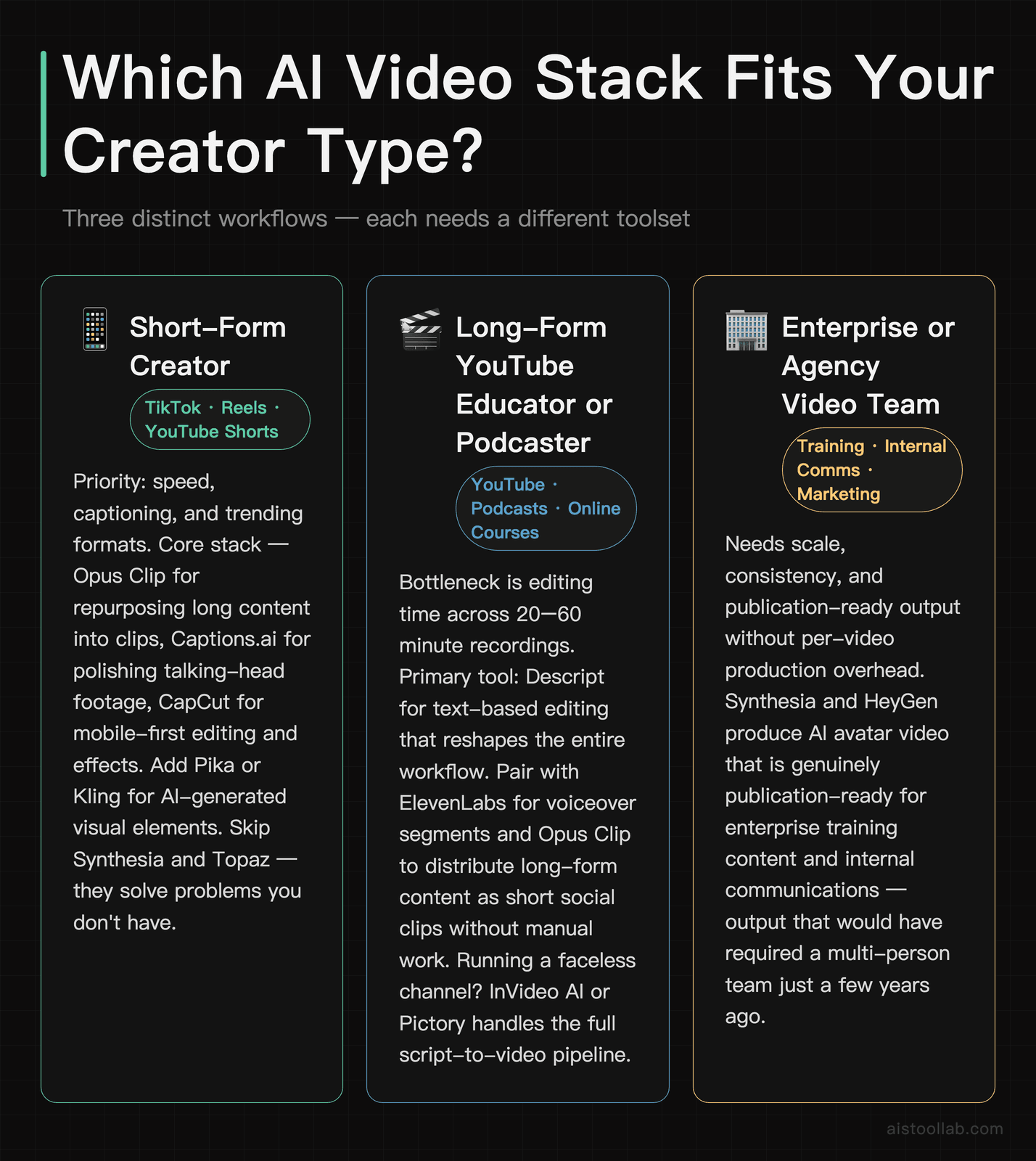
If you’re producing multiple short-form clips weekly — whether that’s daily TikToks or a Reels strategy for a brand — your priorities are speed, captioning, and trending formats. The optimal stack here is Opus Clip if you’re repurposing long content, Captions.ai for polishing talking-head clips, and CapCut for mobile-first editing and effects. Add Pika or Kling if you want to experiment with AI-generated visual elements. You don’t need Synthesia or Topaz — those solve problems you don’t have.
Long-Form YouTube Educator or Podcaster
Your bottleneck is editing time. You’re likely recording 20–60 minute videos and dreading the timeline work that follows. Descript is your primary tool — text-based editing alone will reshape your workflow. Pair it with ElevenLabs if you need voiceover for any segments, and Opus Clip to turn your long-form content into short clips for social distribution without doing it manually. If you’re producing a faceless channel rather than on-camera content, InVideo AI or Pictory can handle the full pipeline from script to video.
Enterprise or Agency Video Team
You have brand compliance requirements, multiple stakeholders, and likely a headcount that can afford specialist tools. Synthesia or HeyGen handles scalable avatar-based training and marketing content. Adobe Firefly Video integrates into professional Premiere workflows with IP-safe generation. Topaz Video AI handles quality enhancement for archival or legacy footage. ElevenLabs covers multilingual voiceover at scale. The consideration isn’t “which one tool do I use” — it’s building a stack where each tool handles what it’s genuinely best at.
Frequently Asked Questions
Are AI video tools actually good enough for professional use in 2026?
The honest answer is: it depends what “professional” means in your context. For enterprise training video, internal communications, and marketing content, tools like Synthesia and HeyGen produce output that is genuinely publication-ready without needing apology. For cinematic narrative filmmaking, AI-generated video is still a creative tool for prototyping and visual effects supplementation rather than a replacement for production. The middle ground — YouTube content, social media video, educational explainers — is where AI tools have become most mature. Many creators and small teams are now producing polished, consistent video output with AI tooling that would have required a multi-person team just a few years ago. The quality ceiling has risen substantially across all these categories heading into 2026, and the tools that struggled with artifacts and unnatural motion a year ago have shipped meaningful improvements. My general position: for anything other than high-end cinematic production, the “not good enough” objection has largely expired.
What’s the best free AI video editing tool?
If you’re on a strict budget, CapCut offers the most capable free tier for short-form content — auto-captions, AI background removal, and a vast template library at no cost (with watermarks on some exports). Descript has a functional free plan that’s worth testing properly before committing to a subscription. RunwayML offers limited free credits that are enough to evaluate the generative video quality. Opus Clip has a free tier that handles a modest number of clips per month. The honest limitation of all free tiers is export caps, watermarks, or credit restrictions — they’re genuinely useful for evaluation but most serious creators outgrow them quickly. If your output volume is low enough (a few videos a month), some free tiers like CapCut’s are legitimately sustainable long-term. For anyone publishing regularly, a $15–25/month investment in the right tool typically pays for itself in time saved within the first week of use.
How does Opus Clip compare to Descript for repurposing content?
They’re solving related but different problems. Opus Clip is optimized specifically for the long-to-short repurposing workflow — upload a long video, receive short-form clips with captions, done. It’s opinionated and fast. Descript is a full video editor that also includes clip creation features, but its strength is comprehensive editing of the source material itself: removing filler words, correcting mistakes, reorganizing structure. If your workflow is “I want short clips from my YouTube videos for social media,” Opus Clip wins on speed and simplicity. If your workflow is “I want to edit my long-form videos properly AND get short clips from them,” Descript handles both. The overlap exists but the primary use cases are distinct enough that many creators end up using both. The cost of running both simultaneously is around $43/month — which is worth evaluating against how much editing time you’re currently spending.
Is Synthesia worth it for solo creators, or is it mainly an enterprise tool?
Synthesia is genuinely built for enterprise and corporate use cases, and that shapes everything about the tool — the avatar aesthetic, the pricing model, the workflow. Solo creators building a personal brand generally find that AI avatar video works against them rather than for it: audiences following a creator expect a human face, and a polished AI avatar can feel distancing rather than professional. That said, there are solo creator use cases where Synthesia makes sense: online course creators who want module-introduction videos without recording themselves every time, coaches creating scalable onboarding content, or anyone building faceless educational content in a professional register. At $29/month, it’s not prohibitive if those use cases apply to you. But if you’re a personality-driven creator on YouTube or TikTok, the tool is solving a problem you probably don’t have.
Which AI video tool has the shortest learning curve for a complete beginner?
For absolute beginners, CapCut and Lumen5 are the most accessible — both have intuitive interfaces, strong template libraries, and don’t require any understanding of traditional video editing concepts to produce something usable. Opus Clip is arguably even simpler for its specific use case: you paste a video URL and wait. InVideo AI lets you go from a text prompt to a complete video without any editing knowledge at all. The trade-off with all of these is creative control — the easier the tool, the more it makes decisions for you. If you’re willing to invest a few hours in learning a slightly steeper curve, Descript is worth the investment even for beginners: it teaches you to think about video editing differently, and that conceptual shift pays dividends even if you later move to other tools.
How do RunwayML and Kling compare for AI-generated video quality?
Both are strong generative video tools, but they have distinct characteristics. RunwayML’s Gen-3 Alpha model has a cinematic, slightly stylized quality that works beautifully for creative and artistic applications — visual effects, music videos, abstract sequences. Kling’s output tends toward more realistic physical simulation, with better handling of natural motion like water, fabric, and human movement in everyday contexts. For filmmakers prototyping sequences, many practitioners report using both: Runway when the goal is cinematic style, Kling when realism in motion is the priority. In terms of practical workflow, Runway is more accessible with clearer documentation and a more established Western user community. Kling has made significant improvements in availability and interface for Western users but still occasionally has slower processing times. Pricing models also differ — Runway uses a subscription-plus-credits model, while Kling has used a credit-based system. Current pricing should be verified on official sites as both have adjusted plans recently.
Can AI video tools actually replace a human video editor?
For specific, defined tasks — yes, increasingly. Auto-captioning that used to take an editor an hour now takes two minutes. Cutting filler words across a 30-minute recording used to require careful manual work; Descript does it in seconds. Repurposing long-form video into short-form clips used to mean hiring a short-form specialist; Opus Clip handles a workable version of that job automatically. Where AI cannot replace human editors is in creative judgment at the high end: understanding pacing, emotional arc, when to hold a shot, how a sequence should feel. For content that’s primarily functional — corporate training, informational YouTube, social media clips — AI can handle substantial portions of the workflow with minimal human intervention. For content where creative quality is the product — film, high-end brand storytelling, documentary — AI is a powerful assistant that accelerates the human editor rather than replacing them. The honest prediction: the volume of routine video editing work done by humans will continue to decrease, while the creative ceiling for what AI-assisted human editors can produce in the same time continues to rise.
What’s the best AI video tool for a two-person marketing team at a startup?
Context matters, but if I had to pick a starting stack for a lean marketing team, it would be: Descript as the primary editing and repurposing tool, ElevenLabs for voiceover when needed, and HeyGen if video outreach or multilingual content is part of the strategy. That covers long-form editing, audio quality, and scalable video production without requiring anyone to become a professional video editor. Total cost is roughly $50–60/month depending on tiers — comparable to a few hours of freelance video work, and it produces ongoing output without additional per-project cost. If the team is primarily producing social content rather than longer video, swap Descript for Opus Clip and add Captions.ai for the polishing layer. The key principle for small teams: pick tools that solve your actual bottleneck, not tools that solve every conceivable problem. Over-investing in a complex stack you don’t fully use is just as wasteful as under-investing.
My Recommendation: Match the Tool to the Workflow, Not the Hype
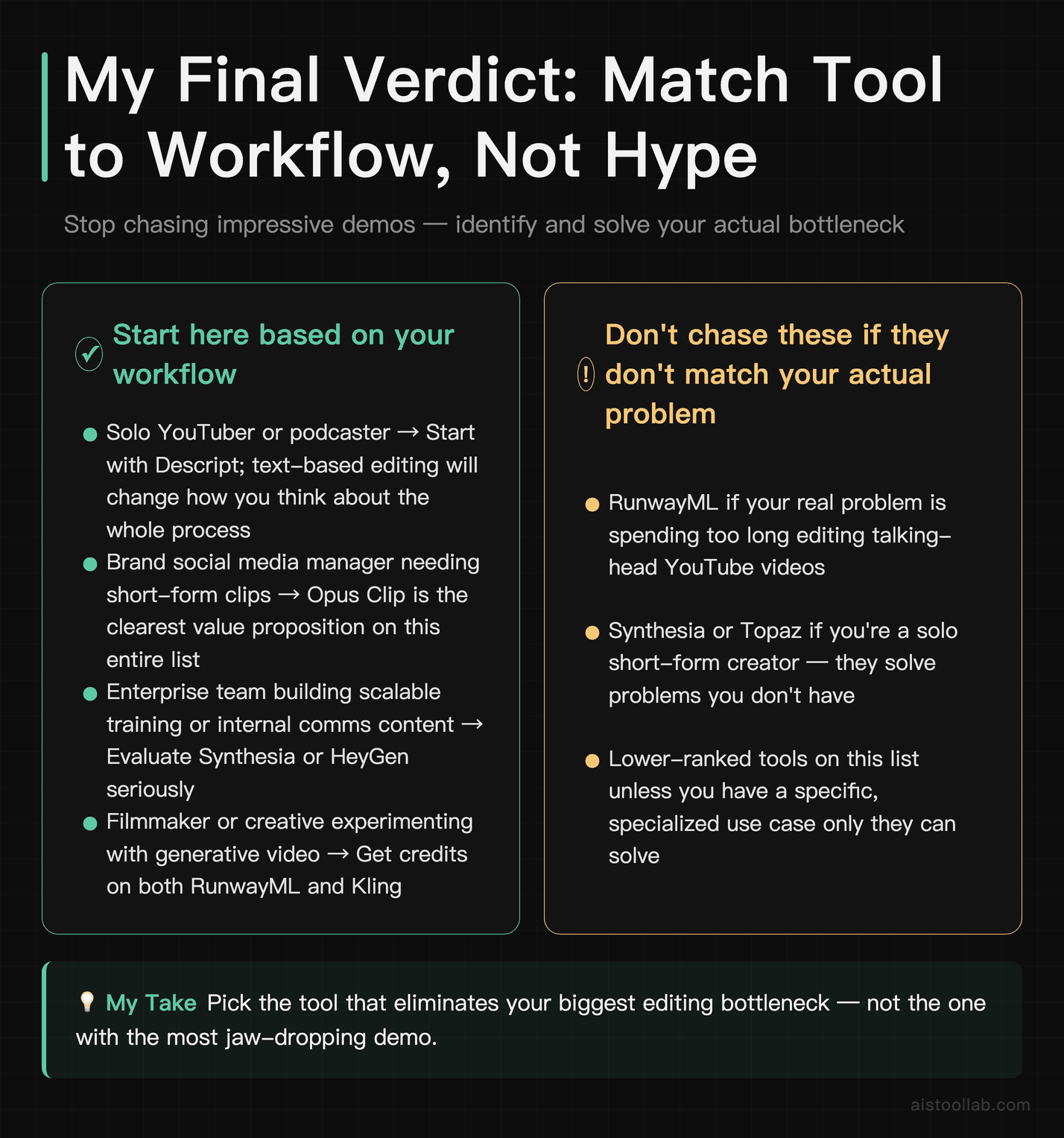
The biggest mistake I see creators and marketing teams make with AI video tools is chasing the most impressive demo rather than solving their actual bottleneck. RunwayML’s generative video is genuinely jaw-dropping — but if your problem is that you spend too long editing talking-head YouTube videos, Runway doesn’t help you at all. Matching tool to problem is the whole game.
Here’s where I’d direct different readers right now: if you’re a solo YouTuber or podcaster, start with Descript — it will change how you think about editing. If you’re running social media for a brand and need short-form clips from longer content, Opus Clip is the clearest value proposition on this entire list. If you’re an enterprise team building scalable training content, Synthesia or HeyGen deserve a serious evaluation. And if you’re a filmmaker or creative who wants to experiment with generative video, RunwayML and Kling are both worth having credits on.
The tools ranked lower aren’t bad — they’re just more specialized or more limited in creative ceiling. For more context on how AI capabilities have matured across modalities in 2026, my overview of Multi-Modal AI and Foundation Models in 2026 covers the underlying technology driving most of the improvements you’re seeing in these video tools right now.
Next step: pick the one tool that matches your most pressing workflow pain point and sign up for the free trial. Most of these have free tiers or trial periods. You’ll know within a few hours of real use whether it’s earning its place in your stack.
Last updated: 2026
Explore more AI tools
👉 Browse the AI Tools Library to find the right tools for your workflow.