

Perplexity Is Good — But It’s Not Perfect
Perplexity AI genuinely changed how a lot of people think about search. Instead of a list of blue links, you get a synthesized answer with cited sources, follow-up questions, and a conversational interface. For researchers and curious professionals, that’s a real step forward. It’s fast, the interface is clean, and the free tier is generous enough to hook you before the paywall appears.
But spend enough time with it and the cracks show. The Pro tier runs $20/month — the same price as ChatGPT Plus — which is harder to justify when citations occasionally point to low-quality sources, when niche technical queries produce confident-sounding answers that don’t fully hold up, and when you realize you’re essentially paying for a search wrapper built on top of models you could access directly. That’s not a dealbreaker for everyone, but it’s enough to make a lot of users start looking around.
This guide covers five specific Perplexity alternatives — ChatGPT Search, Google AI Overview, You.com, Phind, and Bing Copilot — and tells you honestly which one fits which type of user. Whether you’re a researcher, a developer, or just someone who wants to replace Google without paying $20/month, there’s a real answer here.
Why People Look for Perplexity Alternatives
Before jumping into the alternatives, it’s worth being specific about what’s actually pushing people away. “I want something better” isn’t a useful signal. These are:
- The Pro tier cost adds up fast. At $20/month, Perplexity Pro competes directly with ChatGPT Plus, Claude Pro, and Gemini Advanced. If you’re already paying for one of those, paying separately for an AI search tool requires a clear, demonstrable edge — which isn’t always there.
- Citation quality is inconsistent. Perplexity cites sources, which looks reassuring, but the sources themselves range from Wikipedia and reputable journals to thin content farms and outdated pages. For researchers who actually click through, this erodes trust quickly.
- Hallucinations on niche topics. When you ask about well-documented subjects, Perplexity performs well. Ask it something specific — a lesser-known API endpoint, a regional regulation, a niche academic debate — and the confident tone doesn’t always match the accuracy. This is a problem shared with most LLMs, but it’s particularly jarring in a search-focused tool where accuracy is the whole point.
- No real API for search features. Developers who want to build on top of AI-powered search find Perplexity’s API offering limited compared to what they can do with OpenAI or Anthropic directly.
- The free tier throttles quickly for heavy users. Daily limits on Pro model queries mean power users hit a wall faster than they’d like, especially if they’re using it as a primary research tool.
ChatGPT Search: Best for People Already in the OpenAI Ecosystem
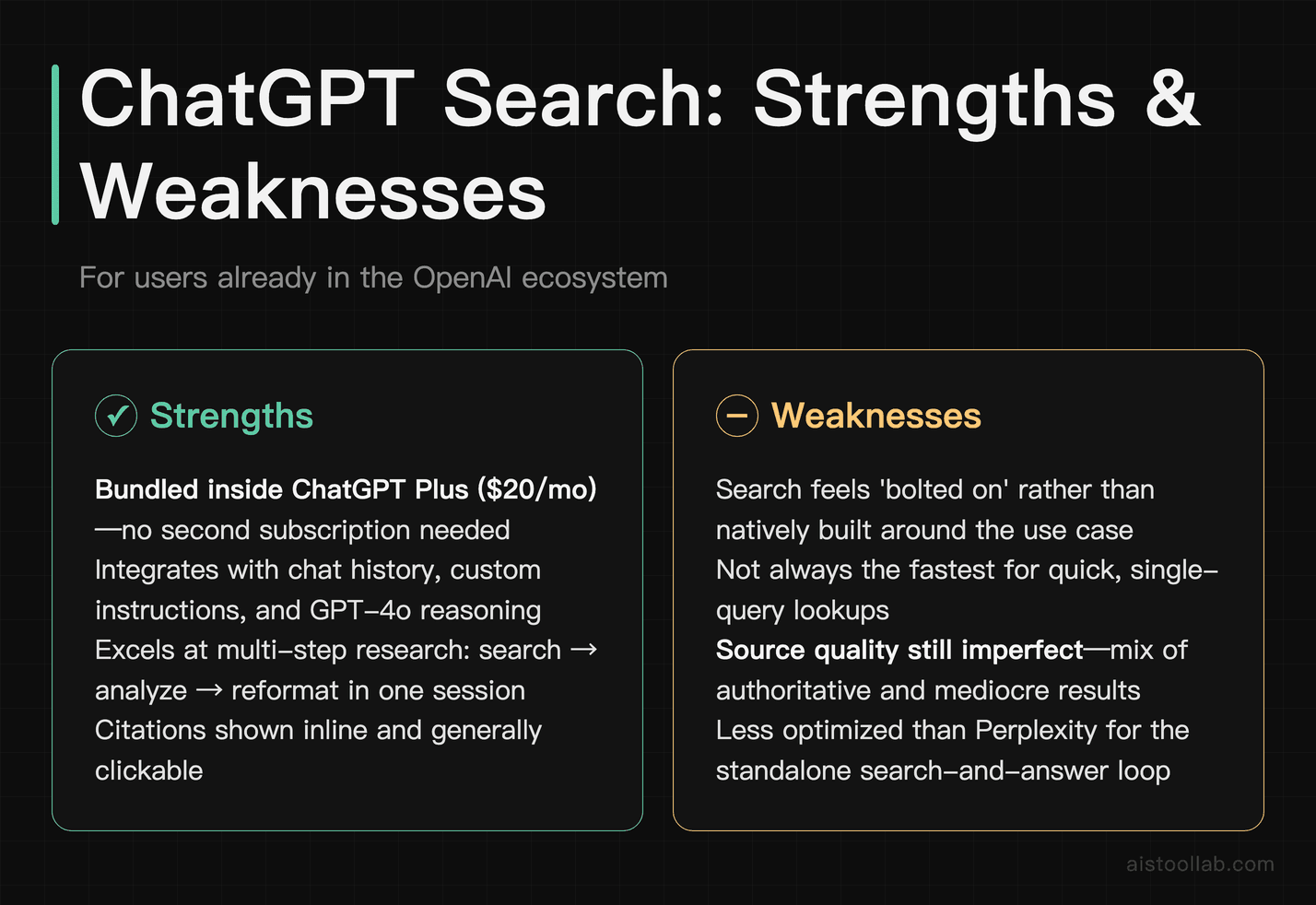
OpenAI added real-time web search to ChatGPT in late 2023 and has steadily improved it since. If you’re already a ChatGPT Plus subscriber, you have access to this without paying anything extra — which immediately makes it a compelling Perplexity alternative on cost alone. The search experience integrates directly into your existing chat history, custom instructions, and GPT-4o’s reasoning capabilities, so you’re not context-switching between tools.
Where ChatGPT Search genuinely wins is in follow-up depth. You can ask it to search something, then immediately ask it to rewrite the answer in a specific format, cross-reference it with something else you’ve shared, or push it toward more nuanced analysis. Perplexity is optimized for the single search-and-answer loop; ChatGPT is better when the search is just one step in a longer thinking process. Source quality is still imperfect — you’ll get a mix of authoritative and mediocre results — but citations are shown inline and are generally clickable.
The honest weakness: ChatGPT Search isn’t always the fastest, and the search feature can feel bolted on rather than native. Perplexity was built around search from day one; ChatGPT was a chatbot that grew a search feature. That architectural difference still shows in occasional cases where it misses obvious sources or fails to fully synthesize multiple results. For developers interested in what’s possible with GPT-4o more broadly, covers how the underlying models compare.
Pricing: Included in ChatGPT Plus at $20/month; limited search access on the free tier.
Google AI Overview (Gemini in Search): Best for Casual Searchers Who Just Want a Better Google
Google’s AI Overview — formerly Search Generative Experience — is now baked into Google Search results for most users in supported countries, and it’s completely free. For the vast majority of people who use Perplexity as a smarter alternative to Google, this is the most practical comparison. You’re already in Google. You don’t have to switch tools. You just get an AI-generated summary at the top of your results.
The real advantage here is source quality. Google has spent decades building its index and ranking signals. When AI Overview synthesizes an answer, it’s drawing from a corpus that’s generally more curated than what Perplexity pulls. For everyday queries — current events, product comparisons, “how do I” questions — the answers are solid, and the underlying links are reliable enough to trust. Google also has Gemini Advanced ($19.99/month via Google One) for more capable AI interactions if you want to go deeper.
The weakness is that AI Overview is passive and limited. It’s a summary pasted above your search results, not a conversational interface. You can’t follow up the way you can with Perplexity. You can’t ask it to refine, go deeper, or explore a tangent. If you want the interactive, back-and-forth research experience that makes Perplexity actually useful, Google AI Overview isn’t a replacement — it’s a supplement. It’s also noticeably cautious in ways that can be frustrating, hedging on anything remotely controversial or medical with disclaimers that bury the actual answer.
Pricing: Free with standard Google Search; Gemini Advanced is $19.99/month via Google One AI Premium.
You.com: Best for Privacy-Conscious Users Who Want a Customizable Search Feed
You.com has been around longer than most people realize, and it’s gone through several identity shifts before landing in a reasonably compelling spot. The current version is a hybrid AI search engine with a customizable interface, multiple AI model options, and a privacy-forward stance — it doesn’t build a profile of your searches in the way Google does. For users who left Google partly for privacy reasons and find Perplexity’s data practices unclear, You.com offers a cleaner conscience alongside the AI search experience.
One thing that genuinely stands out is the ability to switch between different underlying AI models and search modes within the same interface. You can toggle between research mode, code mode, and writing mode, which changes how results are presented and what sources are prioritized. It’s not the smoothest experience in the world, and the UI feels like it’s trying to do a lot at once, but the flexibility is real. Source citations are present and reasonably reliable for mainstream topics.
The honest weakness is that You.com doesn’t match Perplexity’s polish on research-heavy queries. The synthesis feels shallower on complex topics, and the model switching, while a nice idea, can make the experience feel inconsistent — you’re never quite sure which “version” of the tool you’re using. The free tier is genuinely useful, though, and the paid YouPro tier is priced lower than Perplexity Pro, which helps its case significantly for budget-sensitive users.
Pricing: Free tier available; YouPro starts at around $15/month (verify current pricing on their site as this has changed).
Phind: Best for Developers Who Need Technical Search Done Right
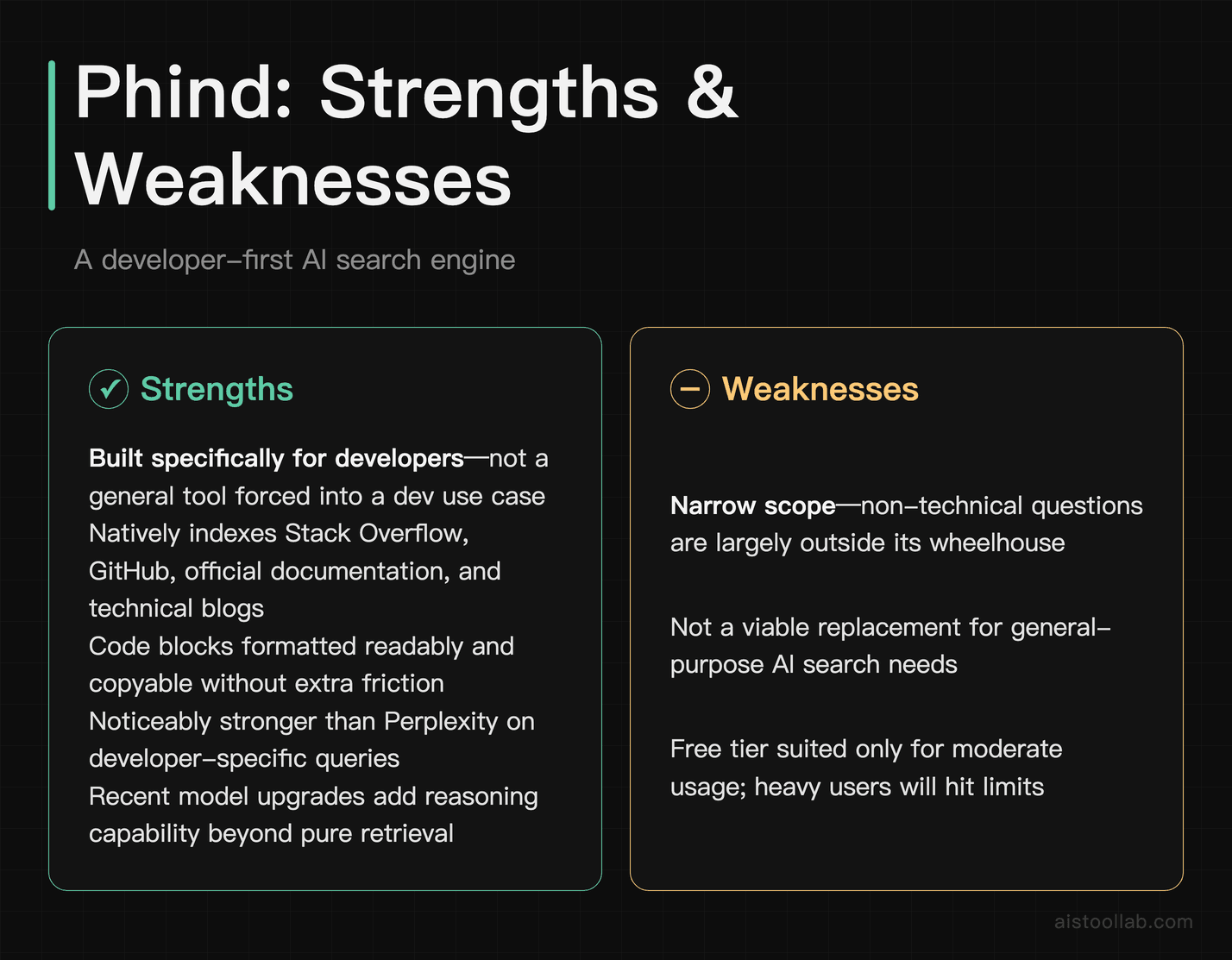
Phind is the most focused tool on this list. It’s not trying to be a general-purpose AI search engine — it’s built specifically for developers, and that specialization shows in everything from the default sources it searches (Stack Overflow, GitHub, official documentation, technical blogs) to the way it formats code in responses. If your primary use case for Perplexity is asking technical questions — debugging, API lookups, framework comparisons — Phind is almost certainly a better fit.
The quality of technical answers is noticeably stronger than Perplexity’s on developer-specific queries. Phind indexes coding-relevant sources more deeply, pulls from documentation directly, and presents code blocks in a readable, copyable format without extra friction. It also updated its underlying model capabilities significantly in recent versions, moving away from pure retrieval toward more reasoning-capable responses. For developers who use Perplexity as a glorified Stack Overflow, Phind cuts out the middleman more cleanly. covers a related tool if you’re evaluating the broader developer AI toolkit.
The clear weakness is scope. Ask Phind a non-technical question and you’ll feel the tool straining outside its comfort zone. It’s not designed for news, general research, product comparisons, or anything that isn’t broadly in the developer/technical domain. It’s also less useful for non-programmers — marketers, writers, and researchers will find little reason to choose it over the other options here. The free tier is usable, and the Pro plan adds faster responses and longer context.
Pricing: Free tier available; Phind Pro at $20/month with faster models and higher usage limits.
Bing Copilot: Best for Windows Users Who Want Real-Time Search Without Extra Cost
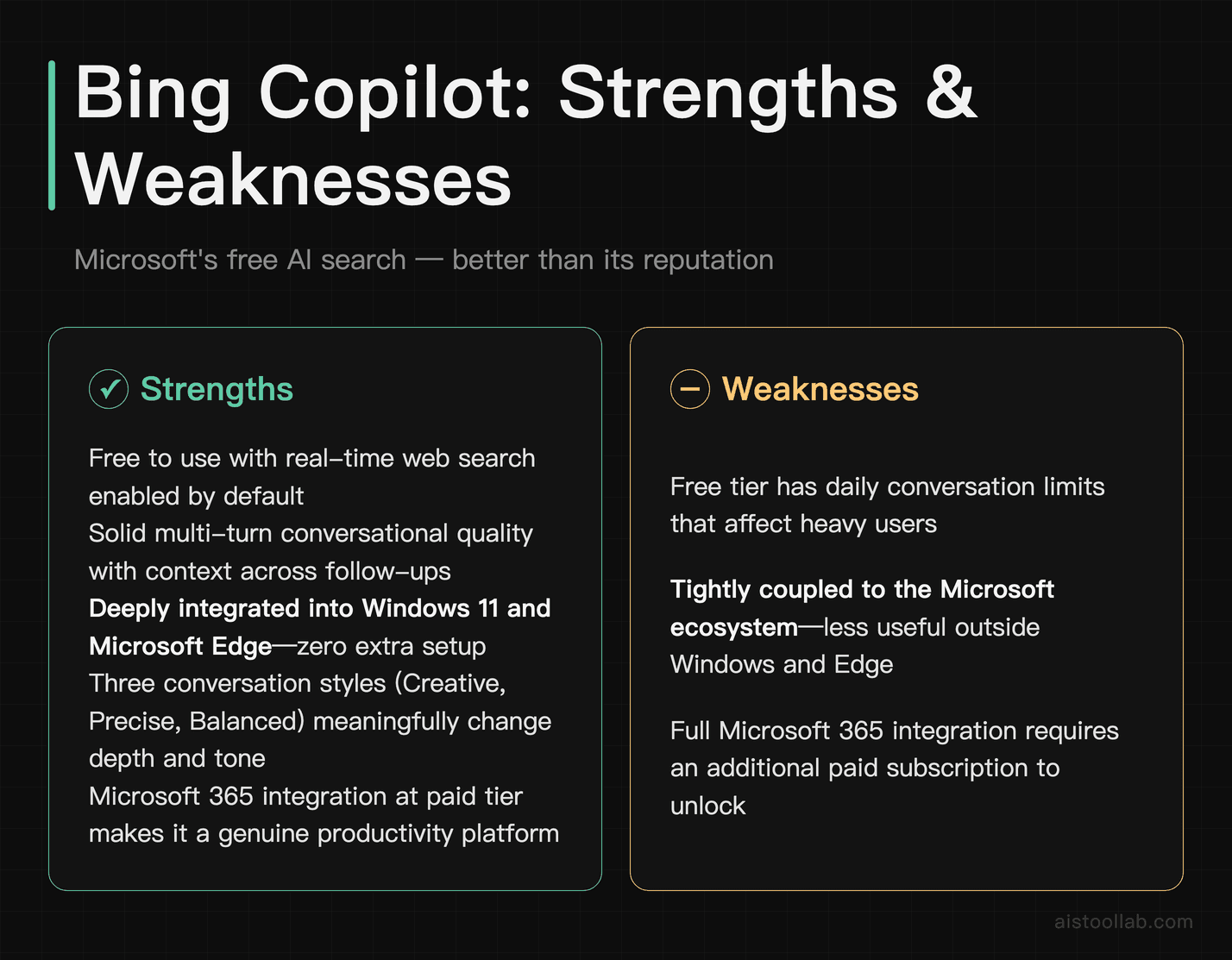
Bing Copilot — Microsoft’s AI search integration — deserves more credit than it typically gets in these comparisons. It’s powered by OpenAI’s models (Microsoft has a substantial investment in OpenAI), it’s free to use, it supports real-time web search by default, and it’s deeply integrated into Windows 11 and Microsoft Edge. For anyone already living in the Microsoft ecosystem — using Teams, Outlook, Edge, or Windows — it’s the path of least resistance to AI-powered search.
The conversational quality is solid. Copilot handles multi-turn conversations well, maintains context across follow-ups, and can switch between different “conversation styles” (more creative, more precise, more balanced) which genuinely changes the tone and depth of answers in useful ways. It also integrates with Microsoft 365 at the paid tier, which makes it more of a productivity platform than a pure search replacement. For researchers who work heavily in Word or need to pull from SharePoint or OneDrive sources, the premium tier is hard to beat in that specific context.
The weaknesses are real. The free version has daily conversation limits that kick in for heavy users. The interface inside Edge can feel cluttered, particularly on smaller screens. And while citation quality is decent, it shares the same fundamental challenge as every tool here: it’s pulling from the open web, so source quality varies. Some users also report that Copilot leans toward Microsoft-affiliated sources in ways that feel non-neutral, though this is hard to quantify definitively.
Pricing: Free via Bing and Edge; Copilot Pro is $20/month for priority access and Microsoft 365 integration.
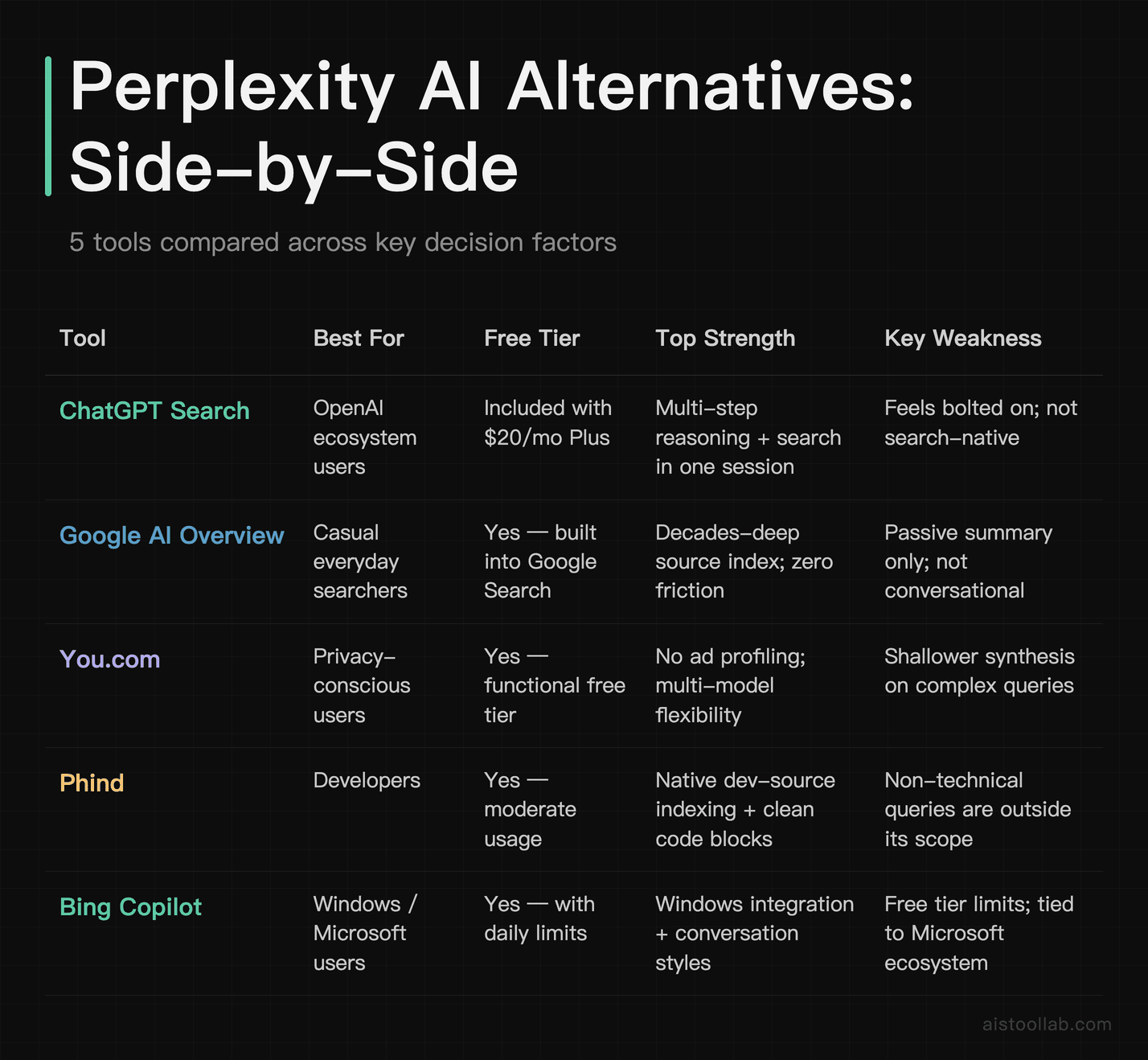
Side-by-Side Comparison
Which Alternative Is Right for You?
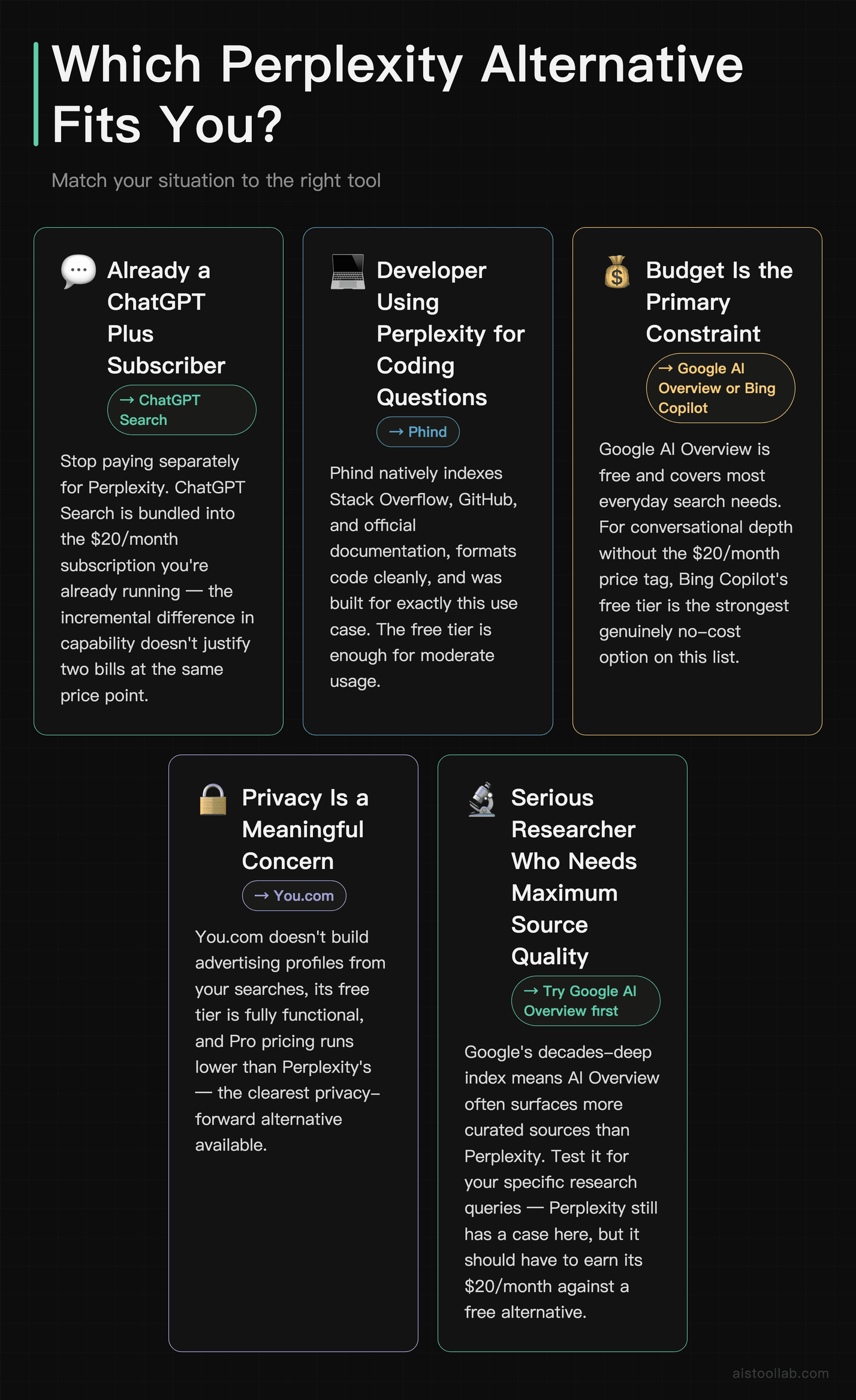
- If you’re already paying for ChatGPT Plus: Stop paying for Perplexity separately. ChatGPT Search gives you most of the same functionality bundled into the subscription you’re already running. The incremental difference doesn’t justify two $20/month bills.
- If you’re a developer using Perplexity mostly for coding questions: Switch to Phind. It indexes better sources, formats code more cleanly, and was built for exactly this use case. The free tier is enough for moderate usage. Pair it with a subscription for in-editor help.
- If budget is your primary constraint: Google AI Overview is free and covers most everyday search needs. If you want more conversational depth without paying $20/month, Bing Copilot’s free tier is the strongest genuinely no-cost option on this list.
- If privacy is a meaningful concern: You.com is the clearest option here. It doesn’t build advertising profiles from your searches, the free tier is functional, and the Pro pricing is lower than Perplexity’s.
- If you do serious research and need maximum source quality: This is the one case where Perplexity still has a reasonable argument. But push it — try Google AI Overview for free first, and use ChatGPT Search with careful source verification before committing to the Pro plan. For prompt strategies that improve AI output quality across all these tools, is worth reading.
When researching and writing, these two free tools help polish the output: the Readability Score tool checks whether your writing hits the right reading level, and the Word Counter gives you instant word, sentence, and character counts.
Frequently Asked Questions
Is there a completely free alternative to Perplexity AI?
Yes — several. Google AI Overview is built into standard Google Search at no cost and covers the majority of everyday queries. Bing Copilot also has a free tier with real-time web search and conversational follow-ups. Both have daily usage limits on their more capable features, but for light-to-moderate use, you can avoid paying anything at all.
Is Perplexity Pro worth $20/month in 2026?
For general users, it’s hard to recommend unless you specifically prefer Perplexity’s interface and workflow. At the same price point as ChatGPT Plus and Copilot Pro, you’re paying for a narrower tool. Where it still earns its keep is for users who want a clean, dedicated research interface without the broader chatbot features — some people genuinely prefer the focused experience. But if you’re price-sensitive, the alternatives in this guide cover most of the same ground for less, or for free.
Which AI search tool has the most accurate citations?
No tool on this list has solved citation accuracy completely — all of them occasionally surface low-quality sources or misattribute information. That said, Google AI Overview benefits from Google’s established ranking signals, which tends to surface more authoritative sources for mainstream topics. For technical content specifically, Phind prioritizes documentation and official sources, which makes its citations more reliable within that domain. Always click through and verify on anything that matters.
Can I use any of these tools via API to build my own product?
ChatGPT (via OpenAI’s API) and Bing (via Microsoft Azure AI Search) both offer developer-accessible APIs for building search-integrated applications. Perplexity also has an API, though it’s more limited than what OpenAI provides. Phind and You.com have more restricted API offerings. If building on top of AI search is your goal, the OpenAI ecosystem currently gives you the most flexibility and documentation.
What’s the best Perplexity alternative for non-English searches?
Google AI Overview is the strongest option here by a considerable margin. Google’s multilingual index is unmatched, and Gemini’s language coverage is broad. Most of the other tools on this list — Phind especially — are heavily optimized for English-language content, and quality drops noticeably in other languages. If you’re searching in French, Spanish, Japanese, or any other major language, Google remains the most reliable foundation.
Last updated: 2026