

Too Many AI Tools, Too Little Time to Test Them All
If you run a small business, you’ve probably noticed that everyone — your business coach, your industry newsletter, the random LinkedIn post you saw at 7am — is telling you to “use AI.” What they’re not telling you is which tools are actually worth the subscription fee when you’re watching every dollar, or which ones will eat three hours of your week just figuring out how to set them up. The AI tool market in 2026 is genuinely overwhelming, and most “best of” lists don’t help because they’re written for enterprise teams with dedicated IT staff, not a 6-person e-commerce shop or a solo service provider billing 40 clients a month.
This guide is different. We’re not listing every AI tool with a slick landing page. We’re covering the seven tools that consistently deliver measurable value for small business owners — the ones that handle real work like drafting customer emails, creating marketing content, automating repetitive tasks, and pulling finance summaries without requiring you to become a prompt engineer. We’ve focused specifically on cost at team scale, data privacy concerns, integration with tools you probably already use, and how quickly a non-technical person can get up and running.
We’ll cover ChatGPT, Claude, Notion AI, Canva AI, ElevenLabs ↗, Zapier AI, and HubSpot AI — with honest notes on pricing, limitations, and which type of business each one suits best. By the end, you’ll have a clear shortlist and a starting point that matches your actual situation.
How We Picked These Tools
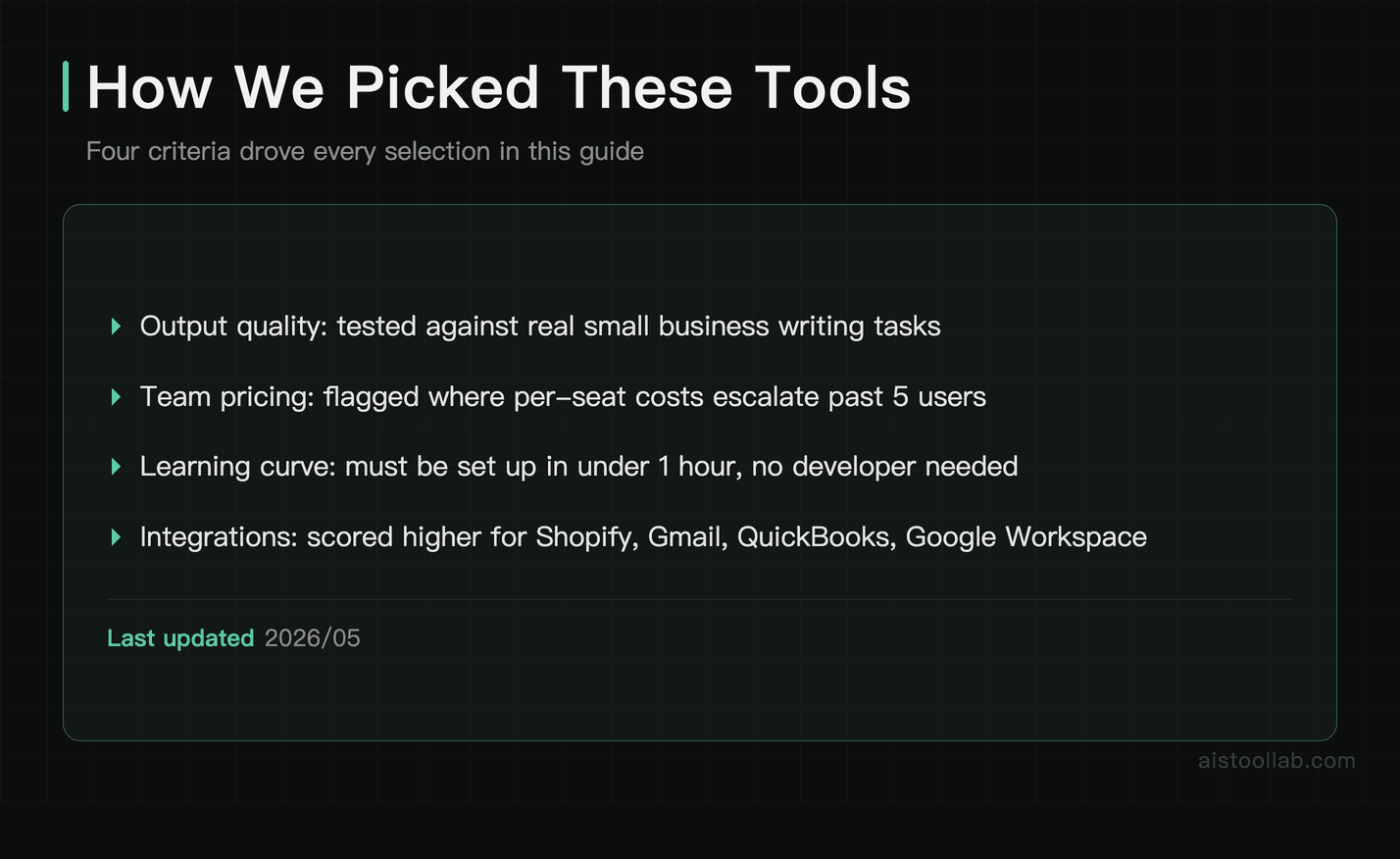
We didn’t just read the feature pages. Here’s what drove the selections:
- Real-world output quality for small business tasks: How well does it actually write a promotional email, summarise a messy financial report, or generate a social post that doesn’t sound robotic? We tested these against the tasks small business owners actually need done.
- Pricing that makes sense at small team scale: A tool that costs $20/month per seat sounds reasonable until you have five staff members. We flagged where costs escalate fast and where there’s genuine value at the entry tier.
- Learning curve for non-technical users: Can a business owner with no coding background set this up in under an hour? Or does it require a developer?
- Integration with common small business stacks: Tools that connect to Shopify, Gmail, Slack, QuickBooks, or Google Workspace scored higher than isolated solutions requiring manual copy-paste.
The Best AI Tools for Small Business Owners in 2026
#1. ChatGPT — Best For Customer Communication and Everyday Writing Tasks
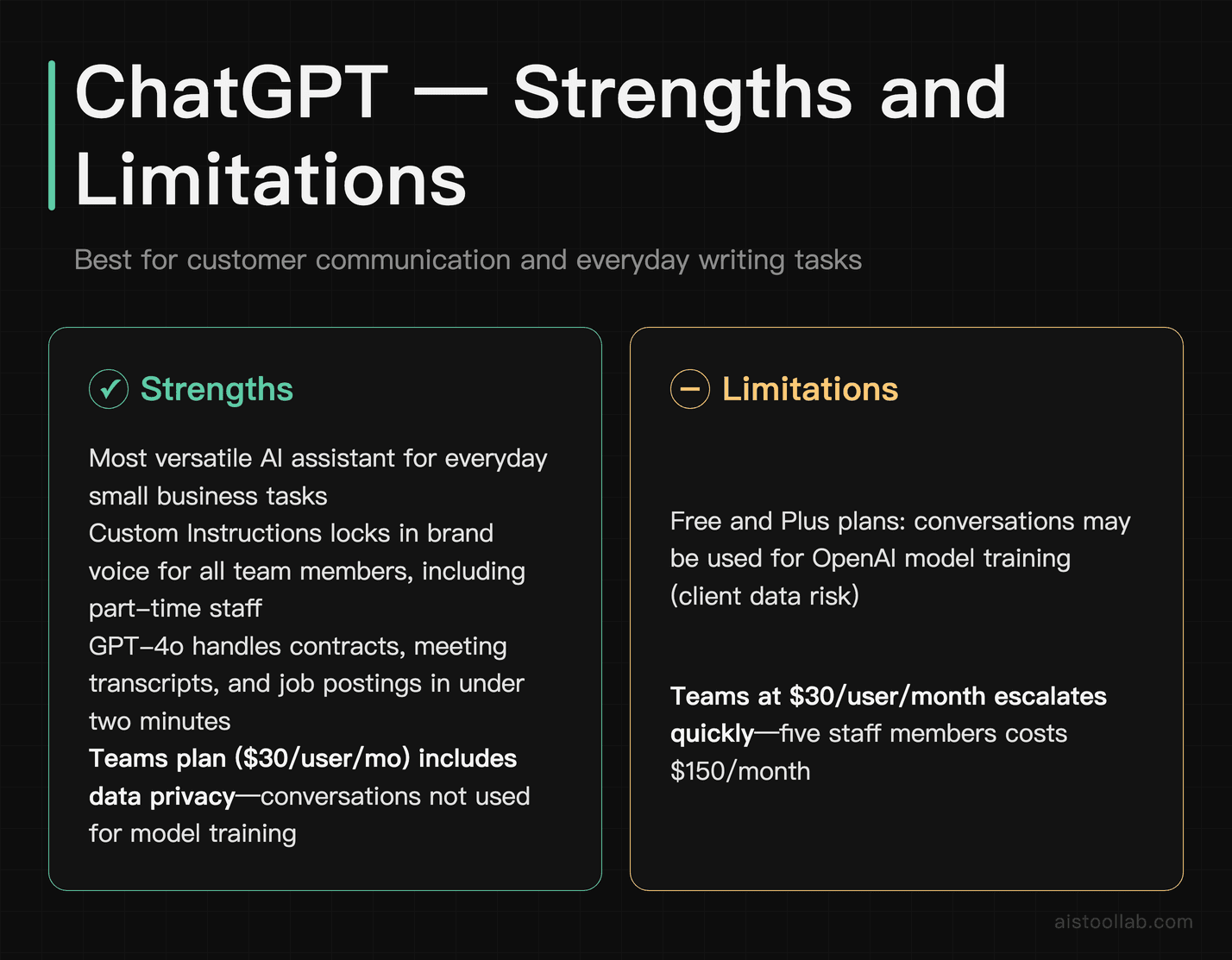
ChatGPT remains the most versatile AI assistant a small business owner can have on their desktop. For customer communication specifically, it shines at drafting templated-but-personalised responses to common enquiries, writing complaint resolution emails that strike the right tone, and building FAQ content from a rough notes document. The Custom Instructions feature lets you set your brand voice once, and every output will reflect it — useful when you’re handing the tool to a part-time assistant who’s never written in your brand’s style before.
The GPT-4o model also handles structured tasks well: summarising long supplier contracts, pulling key action items from meeting transcripts, or drafting a job posting in under two minutes. If your team needs a shared workspace, ChatGPT Teams ($30/user/month as of early 2026) gives you a collaborative environment with data privacy protections — your conversations are not used to train OpenAI’s models, which matters if you’re sharing client details or internal financial information.
For deeper guidance on getting quality output from ChatGPT without wasting time on trial and error, see our .
One real limitation: ChatGPT doesn’t natively connect to your inbox, CRM, or accounting software. You’re still copy-pasting in most workflows unless you build a Zapier or Make integration, which adds complexity.
Pricing: Free tier available (GPT-4o with usage limits). ChatGPT Plus is $20/month per user. ChatGPT Teams is $30/user/month (minimum 2 users). Enterprise pricing requires a sales call.
Verdict: The best starting point for any small business owner who wants an AI writing and thinking partner with no setup friction.
#2. Claude — Best For Long Documents, Contracts, and Nuanced Business Writing
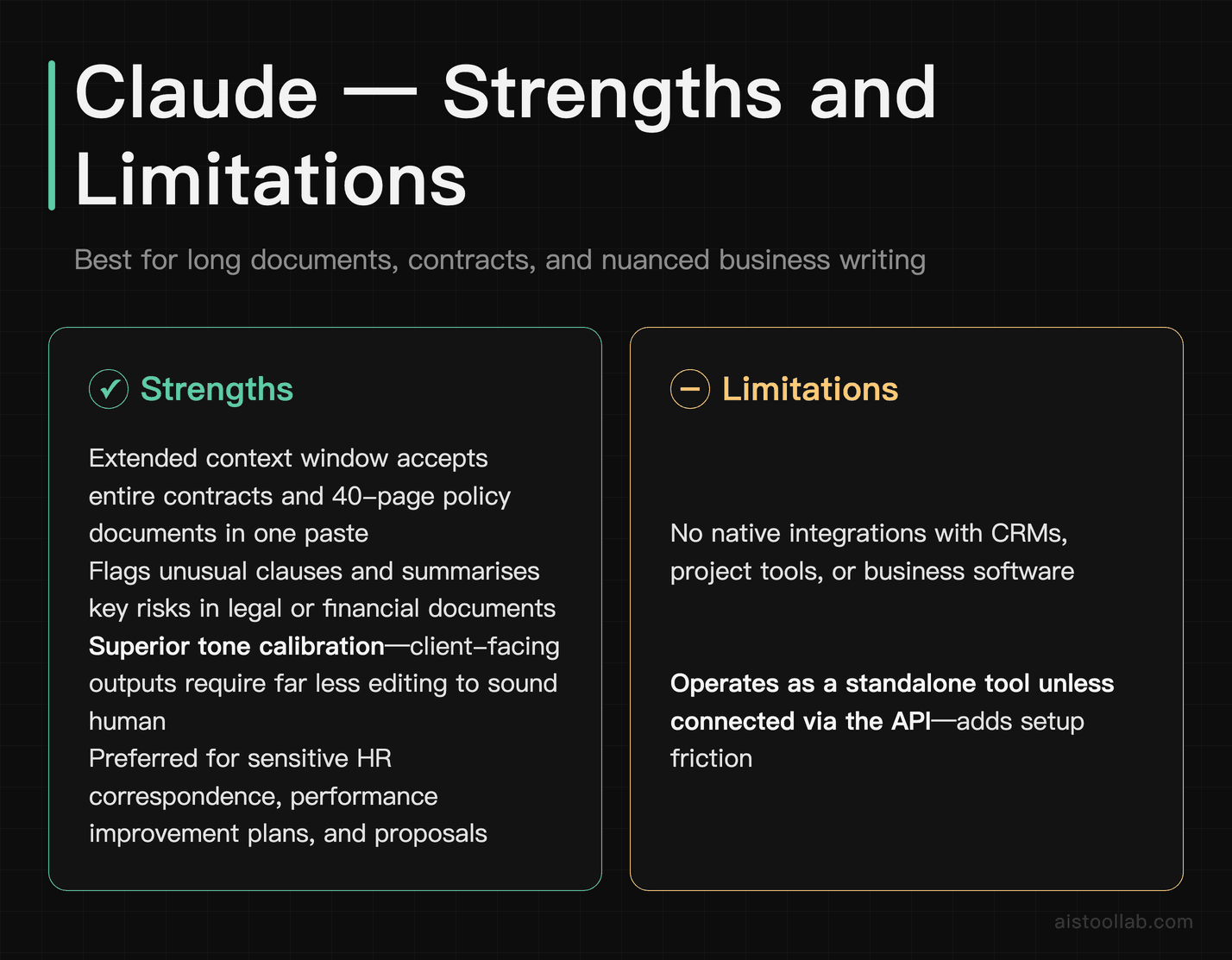
Claude, built by Anthropic, has quietly become the preferred AI assistant for business owners who deal with dense documents. Its extended context window means you can paste an entire lease agreement, supplier contract, or 40-page policy document and ask it to summarise the key risks, flag unusual clauses, or rewrite the plain-English version for a client. That’s genuinely useful for service businesses, consultants, and anyone who spends time reviewing legal or financial documents without a lawyer on speed dial.
Where Claude stands out from ChatGPT for business writing is tone calibration. It tends to produce writing that sounds less like it came from a template — which matters for client-facing communications, proposals, and sensitive HR correspondence. If you’re writing a performance improvement plan or a difficult client update, Claude’s outputs require less editing to sound human.
For a detailed breakdown of Claude’s capabilities and how it compares to GPT-4o, our covers the specifics in depth.
One real limitation: Claude doesn’t have native integrations with business software. Like ChatGPT, it operates as a standalone tool unless you connect it via API or automation platforms. It also has no image generation capability, which is a gap if you need marketing visuals.
Pricing: Free tier available with usage limits. Claude Pro is $20/month per user. Team plans are available — check Anthropic’s pricing page for current team seat pricing as this has shifted in 2025–2026.
Verdict: The better choice over ChatGPT if your work involves contracts, proposals, HR documents, or any writing that needs a human, considered tone.
#3. Notion AI — Best For Internal Operations, SOPs, and Team Knowledge Management
If you’re already using Notion to manage projects, store SOPs, or run your team wiki, adding Notion AI is one of the highest-ROI upgrades available to small businesses. It lives directly inside your workspace, so instead of switching between tabs, your team can highlight any block of text and ask AI to summarise it, translate it, turn a bullet list into a full procedure, or generate a first draft of a meeting agenda from a few rough notes.
For small businesses building their operations infrastructure — the kind of thing that lets you onboard a new hire in a week instead of a month — Notion AI is genuinely useful for writing SOPs from scratch. Give it a rough description of how you handle a process (refund requests, end-of-month reporting, client onboarding), and it produces a structured, editable document in under two minutes. The quality isn’t always perfect, but it gets you 70% of the way there, which is the hard part.
The AI also does a reasonable job of summarising long meeting notes and generating weekly status updates from project data inside your workspace — the kind of admin tasks that eat 30–45 minutes of a manager’s day.
One real limitation: Notion AI is genuinely only valuable if your team actually uses Notion. If you’re running on Google Drive and Slack and have no plans to migrate, this isn’t the tool for you. The AI also isn’t connected to external data sources — it can only work with what’s inside your Notion workspace.
Pricing: Notion AI is an add-on at $10/member/month on top of your Notion plan. The Plus plan (required for most team features) is $15/member/month, making the combined cost $25/member/month for a team member with full AI access.
Verdict: Essential for small businesses that run their operations on Notion. Skip it if you don’t already use Notion or won’t commit to the platform.
#4. Canva AI — Best For Marketing Content Without a Designer
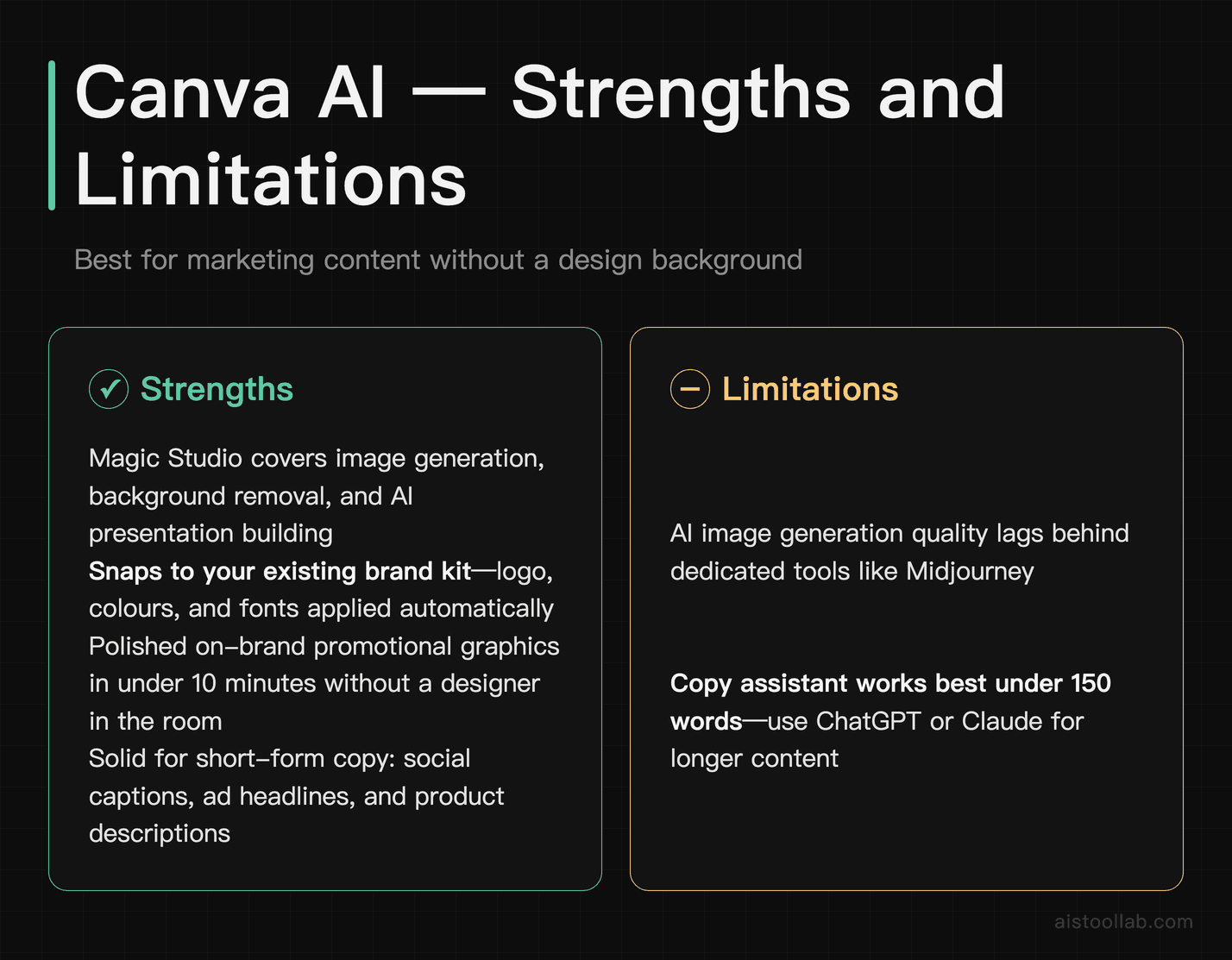
Canva has been the small business owner’s design tool for years, and its AI features in 2026 have made it genuinely capable for teams with no design background. The Magic Studio suite — which includes text-to-image generation, background removal, the AI presentation builder, and the AI copy assistant — means you can go from “we need a promotional banner for our summer sale” to a polished, on-brand graphic in under 10 minutes without a designer in the room.
What makes Canva AI practical for small businesses specifically is that it works within your existing brand kit. Upload your logo, brand colours, and fonts once, and every AI-generated design suggestion snaps to your visual identity. This is a meaningful time-saver compared to prompting a standalone image generator and then manually adjusting colours and fonts in another tool.
The AI copy features are serviceable — good for short-form content like social captions, ad headlines, and product descriptions — though for anything more than 150 words, you’ll get better results from ChatGPT or Claude and then paste the copy into Canva.
One real limitation: Canva’s AI image generation still lags behind dedicated tools like Midjourney for photorealistic or highly stylised images. If your brand requires premium photography-quality visuals, you’ll hit the ceiling quickly. It’s best for graphic design, not AI photography.
Pricing: Canva Free includes limited AI features. Canva Pro is approximately $15/month per user (or around $120/year). Canva Teams starts at around $10/user/month with a minimum of 3 users — check Canva’s current pricing as it varies by region.
Verdict: The default choice for any small business that needs regular marketing content and can’t justify a full-time designer or agency retainer.
#5. ElevenLabs — Best For Audio Content, Customer-Facing Audio, and Video Narration
ElevenLabs is the most underused tool on this list for small businesses. Its AI voice generation is the best available for producing professional audio from text — and the applications for small business owners are more practical than they might first appear. Think product demo voiceovers for your website, audio versions of your newsletters or how-to guides, customer-facing phone greeting scripts delivered in a consistent, professional voice, or training video narration for new staff.
For e-commerce businesses especially, ElevenLabs can produce high-quality product video narration without the cost or scheduling friction of hiring a voiceover artist every time you launch a new product. You create a custom voice that matches your brand once, and then generate audio from any script in minutes.
The voice cloning feature — where you clone a real person’s voice using a sample — is powerful but comes with important data privacy and consent considerations. Use it responsibly and only for your own team members who have given explicit consent.
One real limitation: ElevenLabs is a single-purpose tool. It does audio exceptionally well, but it doesn’t help with any other part of your marketing or operations stack. At $22/month for the Starter plan, it’s only worth the cost if you’re producing audio or video content regularly.
Pricing: Free tier available (limited monthly characters). Starter is approximately $5/month. Creator is approximately $22/month. Check ElevenLabs’ current pricing page as tiers have been updated in 2025–2026.
Verdict: Worth it for any small business producing video content, podcasts, training materials, or customer-facing audio. Skip it if audio content isn’t part of your regular workflow.
#6. Zapier AI — Best For Automating Repetitive Tasks Without a Developer
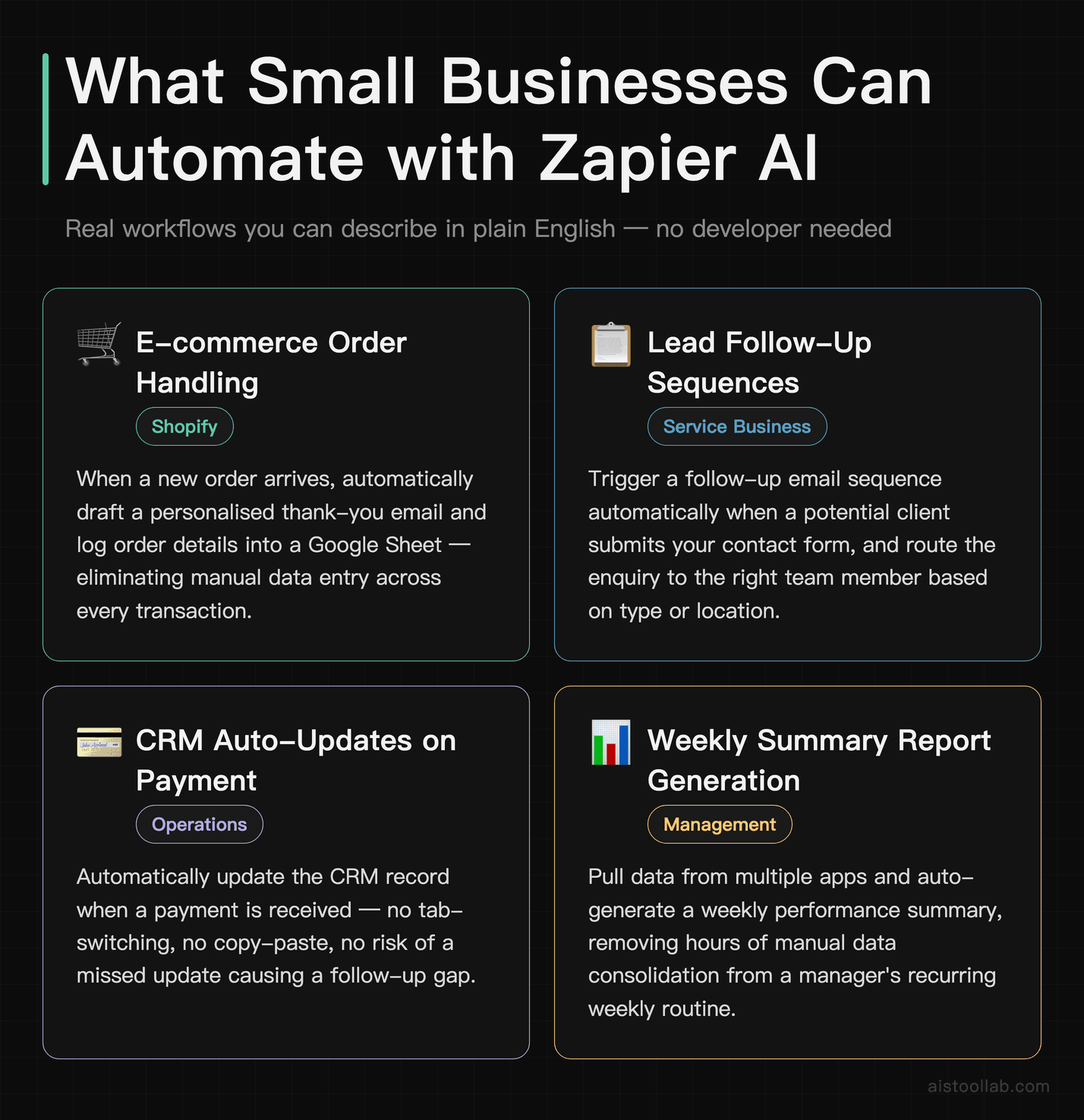
Zapier has been the small business automation tool for years, and its AI-powered features now make building those automations faster and more accessible than ever. The Zap builder with AI assistance lets you describe in plain English what you want to automate — “when a new order comes in on Shopify, draft a personalised thank-you email and log it in my Google Sheet” — and Zapier will suggest the workflow structure. You still need to configure it, but the barrier to entry has dropped significantly.
The practical applications for small businesses are significant: auto-routing customer enquiries to the right team member, triggering follow-up sequences after a lead fills out a contact form, automatically updating your CRM when a payment is received, or generating weekly summary reports from data spread across multiple apps. These are the tasks that typically require either a developer or hours of manual work each week.
Zapier also integrates with ChatGPT and Claude directly, which means you can build workflows where AI processes or writes content as part of the automation chain — for example, automatically summarising a new customer support ticket and sending the summary to your Slack channel.
One real limitation: Costs escalate quickly as you build more automations. The free plan is limited to 100 tasks per month, which you’ll blow through fast if you automate anything with volume. The Professional plan (starting around $49/month) is where most small businesses will actually land, and it requires some technical confidence to build non-trivial workflows.
Pricing: Free plan available (100 tasks/month, single-step Zaps). Starter is approximately $29.99/month. Professional is approximately $49/month. Team plans available from around $103.50/month — verify current pricing at Zapier’s site.
Verdict: High ROI for any small business with repetitive data-moving tasks across multiple apps. The setup investment pays off quickly if you have recurring workflows eating staff time.
#7. HubSpot AI — Best For CRM, Sales Pipeline, and Marketing Automation in One Place
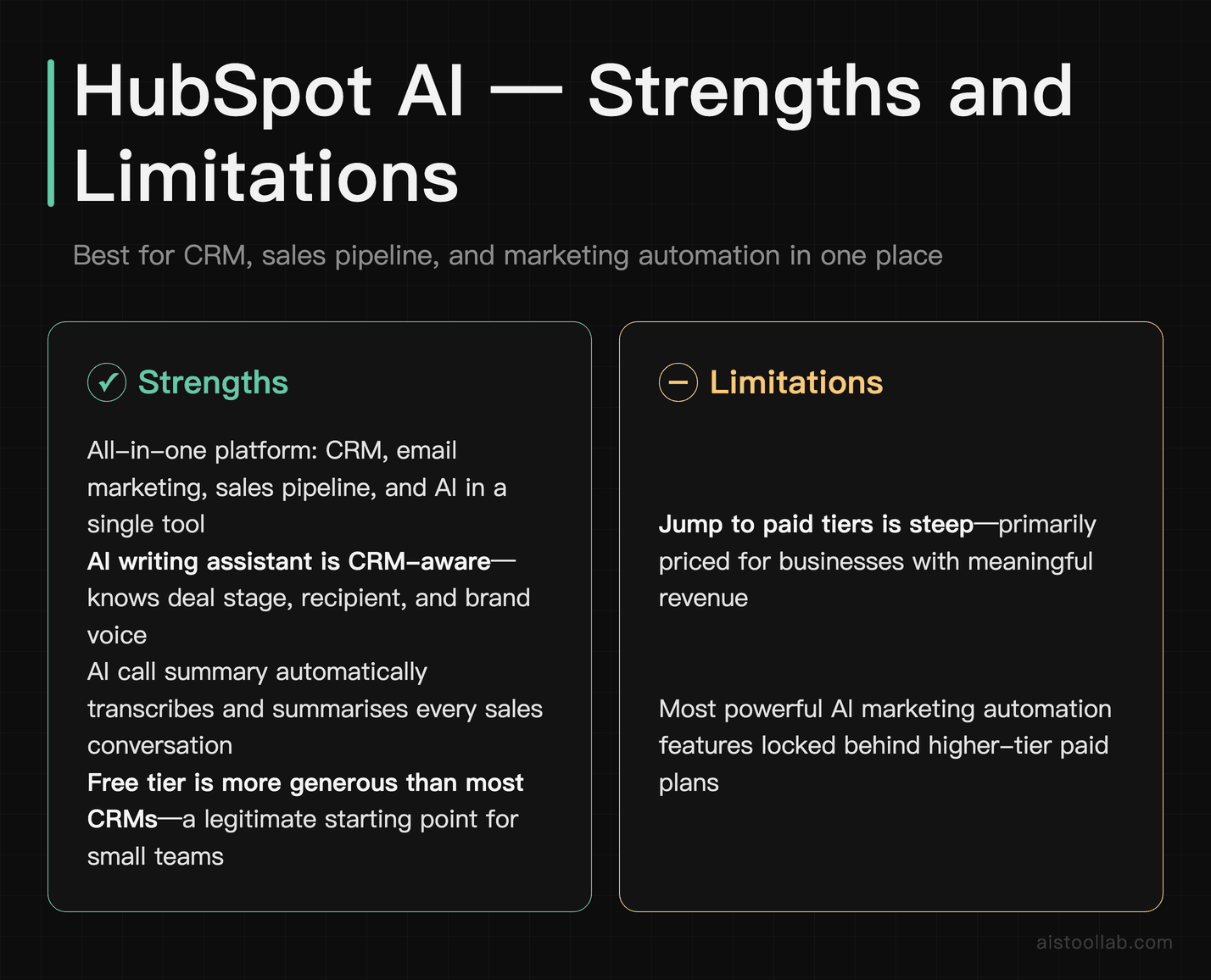
HubSpot’s AI features — embedded across its CRM, email marketing, content tools, and sales pipeline — make it the strongest all-in-one option for small businesses that want AI-powered customer management without stitching together five separate tools. The AI writing assistant inside HubSpot can generate marketing emails, landing page copy, and follow-up sequences directly within your CRM context, meaning it knows who you’re writing to, what stage they’re at in your pipeline, and what your brand voice is.
For service businesses managing client relationships over long sales cycles, HubSpot AI’s ability to summarise deal history, suggest next steps, and draft personalised outreach based on CRM data is genuinely time-saving. The AI call summary feature — which transcribes and summarises sales calls automatically — is one of the better implementations of AI in a small business CRM context.
The free tier of HubSpot is more generous than most CRMs, and it’s a legitimate starting point for small businesses that don’t need advanced automation yet. The jump to paid tiers is steep, however, which is the main reason to evaluate carefully before committing.
One real limitation: HubSpot’s pricing model is genuinely expensive at scale. The Starter plan is accessible, but the Marketing Hub Professional tier — where most of the powerful AI automation lives — runs into hundreds of dollars per month. For a 3-person business, this may not be justifiable.
Pricing: Free CRM available. Starter plans begin around $20/month. Marketing Hub Professional starts at approximately $800/month (billed annually). Sales Hub and Service Hub have separate tiers — check HubSpot’s pricing page for current bundled options, as they offer discounts on combined hubs.
Verdict: The best choice for small businesses ready to centralise their CRM, email marketing, and sales pipeline in one AI-powered platform — but verify the cost tier you’ll actually need before committing.
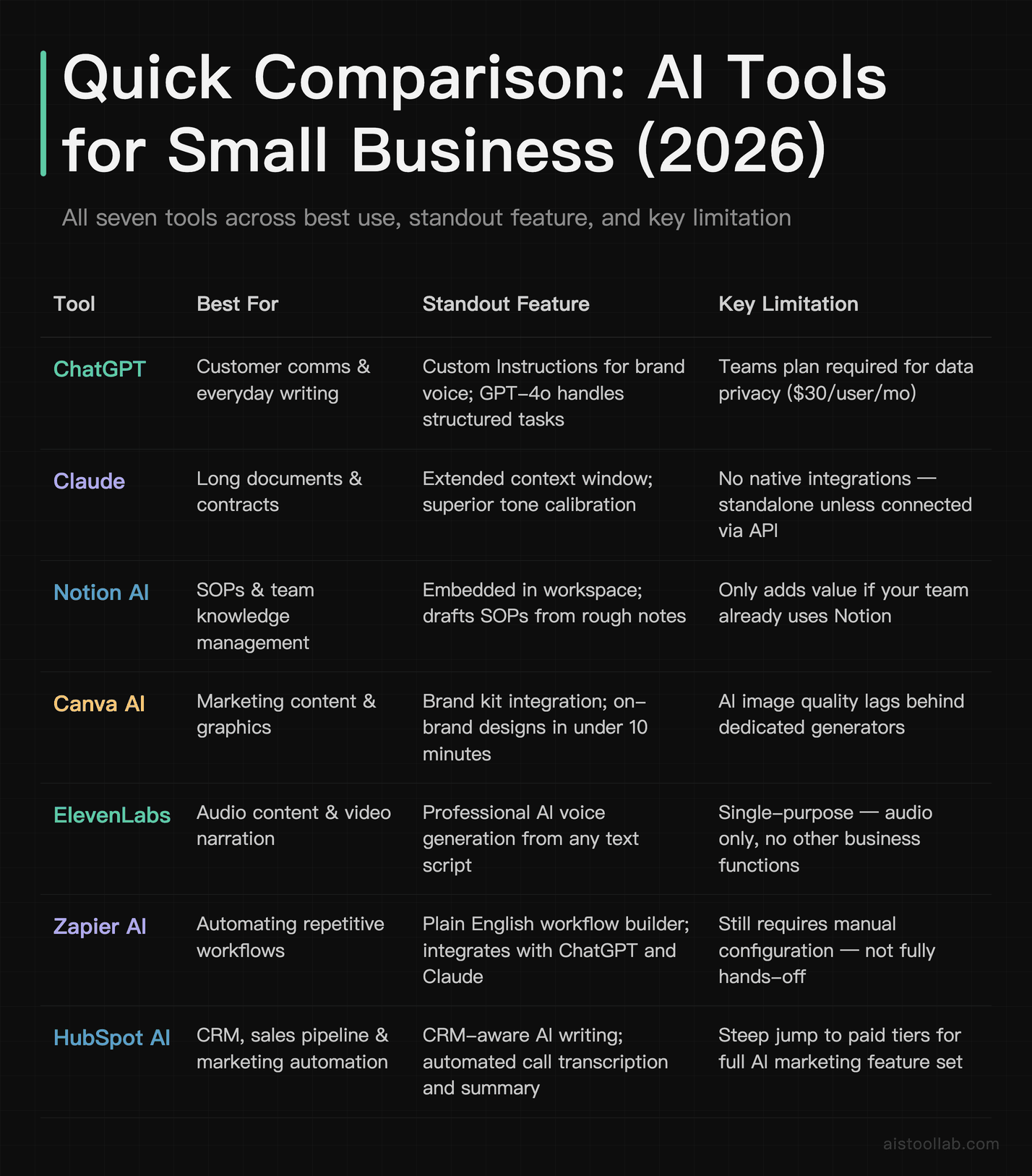
Quick Comparison Table
How to Choose the Right Tool for Your Business Type
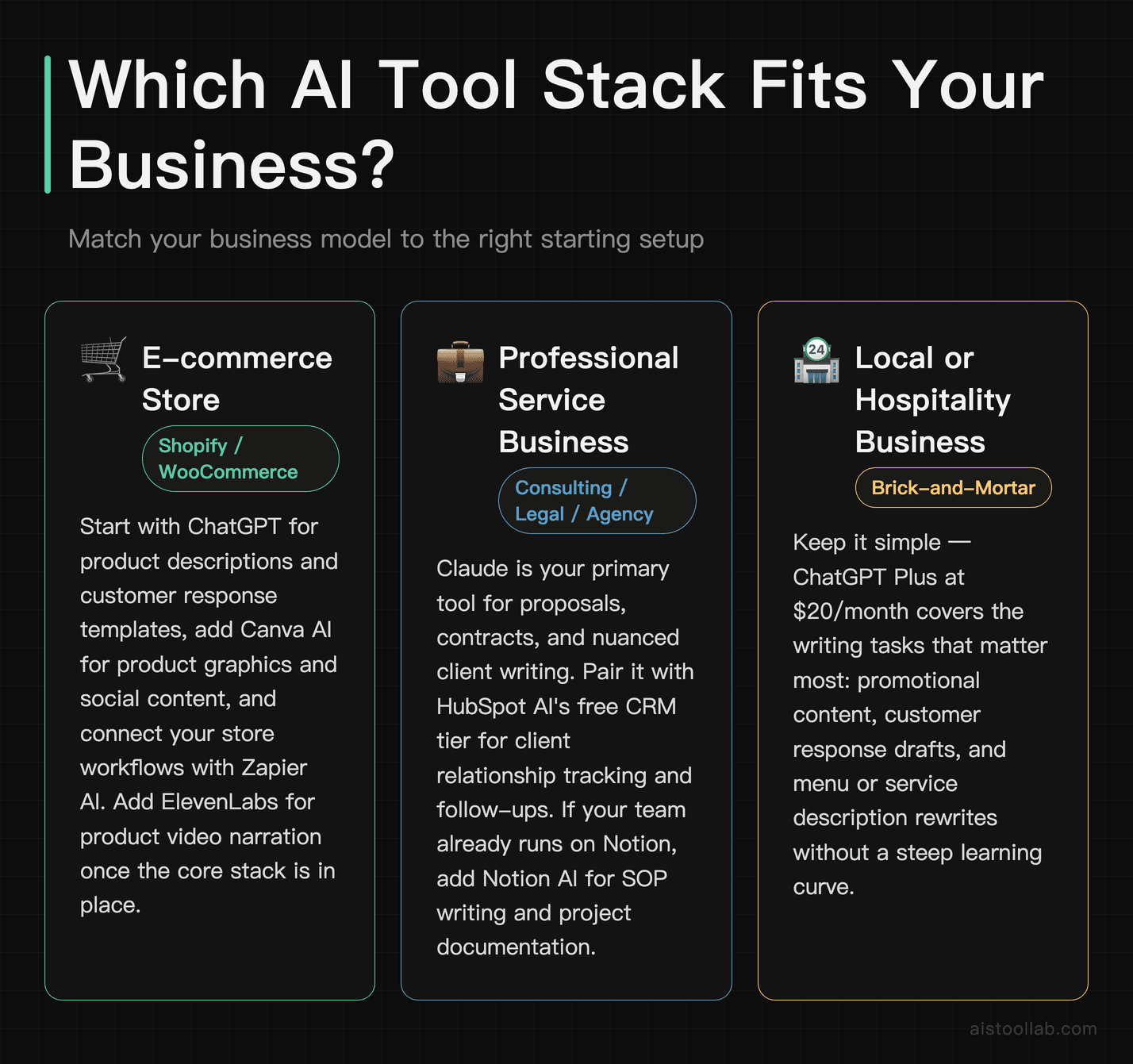
The tool that’s right for you depends heavily on your business model, team size, and the specific bottleneck you’re trying to solve. Here’s how we’d approach it by situation:
If you run an e-commerce store (Shopify, WooCommerce, or similar)
Start with ChatGPT for product description writing, customer response templates, and promotional email drafts. Add Canva AI for product graphics and social content. Connect both to your store workflows using Zapier AI to eliminate manual data entry. If you produce product videos, ElevenLabs for narration is a strong add-on once you have the first three in place.
If you run a professional service business (consulting, legal, accounting, agency)
Claude is your primary tool — its strength with long documents, proposals, and nuanced writing aligns directly with how service businesses spend their time. Pair it with HubSpot AI’s free CRM tier for managing client relationships and tracking follow-ups. If your team runs on Notion already, adding Notion AI for SOP writing and project documentation is a natural second step.
If you run a local brick-and-mortar or hospitality business
Keep it simple. ChatGPT Plus ($20/month) covers the majority of what a local business needs: responding to reviews, drafting staff communications, writing seasonal promotions, and summarising supplier quotes. Canva AI for social media content rounds out a lean, low-cost stack that won’t overwhelm a team that’s primarily focused on in-person operations. Avoid over-engineering with automation tools until you’ve exhausted what these two can do.
If you’re a SaaS startup or tech-enabled small business
ChatGPT Teams or Claude Pro for your core team’s writing and thinking. Zapier AI to connect your product data, CRM, and communication tools. HubSpot AI at the Starter or Professional tier if you have an active sales pipeline. At this stage, data privacy matters — ensure you’re using team or business plans that exclude your data from model training, not free tiers. For engineering and product work, also consider GitHub Copilot — see our for a detailed assessment of whether it earns its subscription.
If you’re a solo operator or freelancer watching costs closely
The free tiers of both ChatGPT and Claude are genuinely useful for getting started. The free tier of Canva covers basic design needs. Before paying for anything, use these three free tools for 30 days and identify the specific task that’s still taking too long — then pay for exactly that solution. Don’t subscribe to five tools simultaneously before you know which one you’ll actually use.
If your primary pain point is team communication and internal knowledge
Notion AI is the answer, but only if you’re willing to migrate your team’s documentation into Notion properly. A half-hearted implementation won’t deliver value. If migration isn’t realistic, ChatGPT Teams with shared custom instructions for your brand voice is a lower-friction alternative for team-level writing consistency.
Two free calculators worth bookmarking for business decisions: the ROI Calculator helps you estimate return on investment before committing to a new tool subscription, and the Meeting Cost Calculator quantifies what each hour of team meetings actually costs — useful context when evaluating AI tools that promise to reduce meeting time.
Frequently Asked Questions
What’s the best free AI tool for small businesses?
ChatGPT’s free tier (GPT-4o with usage limits) is the most useful free AI tool for small businesses in 2026. It handles writing, summarisation, and customer communication drafts without requiring a subscription. Claude’s free tier is a close second, particularly for document-heavy tasks. Canva’s free plan covers basic design needs. If you can only afford one paid upgrade, ChatGPT Plus at $20/month delivers the broadest value across the most common small business tasks. For guidance on getting the most out of these tools without paying for premium tiers, see our .
Is HubSpot AI worth it for a small business?
The free HubSpot CRM is worth it for almost any small business managing more than a handful of client relationships — the AI features embedded in the free tier are a bonus. The paid tiers, however, require careful evaluation. Marketing Hub Professional (which unlocks the most powerful AI marketing automation) is priced for businesses with meaningful revenue and an active lead generation operation. If you’re a service business with under 10 clients, the free CRM plus ChatGPT for writing will deliver equivalent value at a fraction of the cost. HubSpot’s paid tiers earn their keep once you have regular lead volume and need automated nurture sequences running in the background.
How do I protect my business data when using AI tools?
This is a legitimate concern, especially if you’re sharing client details, financial data, or proprietary information with AI tools. The key steps: use business or team plans (not free consumer tiers) for any tool you use with sensitive information — these plans typically exclude your data from model training. Read the data processing agreements for any tool before you share confidential client data. For tools like ChatGPT and Claude, the paid business tiers include stronger data privacy protections than the free plans. Never paste identifiable personal data (names, addresses, financial account numbers) into any AI tool unless you have confirmed how that data is handled under your jurisdiction’s privacy laws. If you’re in a regulated industry (legal, healthcare, financial services), get legal advice before integrating AI tools into client-facing workflows.
Can I use AI tools without any technical knowledge?
Yes — for most of the tools on this list. ChatGPT, Claude, and Canva AI require no technical knowledge whatsoever. You use them like a search engine or a document editor. Notion AI requires familiarity with Notion itself, which has a learning curve but no coding involved. Zapier AI is where non-technical users are most likely to hit friction — building multi-step automations requires logical thinking about workflows, even with AI assistance. Start with the zero-learning-curve tools (ChatGPT, Canva) and only move to automation tools like Zapier once you’re clear on what specific process you want to automate. The biggest mistake small business owners make with AI tools is trying to learn everything at once — see our piece on for more on this.
How much should a small business realistically budget for AI tools in 2026?
A practical starting budget is $40–$60/month for a solo operator or very small team. That covers ChatGPT Plus ($20) and Canva Pro ($15) with room for one more tool. A team of 5 that’s serious about AI-assisted operations might spend $150–$300/month across ChatGPT Teams, Canva Teams, and Zapier’s Starter plan. Beyond that, you’re either adding HubSpot (which has its own significant cost curve) or scaling usage-based tools like ElevenLabs. The mistake to avoid is paying for five tool subscriptions before you’ve used any of them enough to justify the cost — start with one or two, build habits, then expand the stack when you can identify the specific bottleneck each new tool will solve.
Last updated: 2026
This post contains affiliate links. Our reviews remain independent and unbiased.