

The Real Problem with Finding AI Tools as a Student or Researcher
Every student and researcher using AI tools right now is navigating the same minefield. You need help synthesising dense literature, structuring arguments, and managing citations — but the tools that get hyped on social media are either built for marketers, optimised for code generation, or simply make up references with total confidence. A fabricated citation in a term paper is embarrassing. In a dissertation or published paper, it’s career-ending.
The other frustration is that most “best AI tools for students” lists just name-drop ChatGPT and call it a day. This guide is different. Every tool here has a specific job in an academic workflow, a real free tier assessment, and an honest take on where it falls short. If you’re an undergrad writing your first research paper, a PhD student drowning in papers to read, or a lifelong learner who just wants to understand complex topics faster — there’s a distinct best pick for each of you.
This guide covers seven tools: Perplexity AI, NotebookLM, ChatGPT, Claude, Elicit, Consensus, and Grammarly. Together they cover research discovery, literature synthesis, essay drafting, academic writing polish, and source-grounded note-taking. We’ll tell you which one to start with today and which ones are only worth paying for if your needs are serious.
How We Picked These Tools
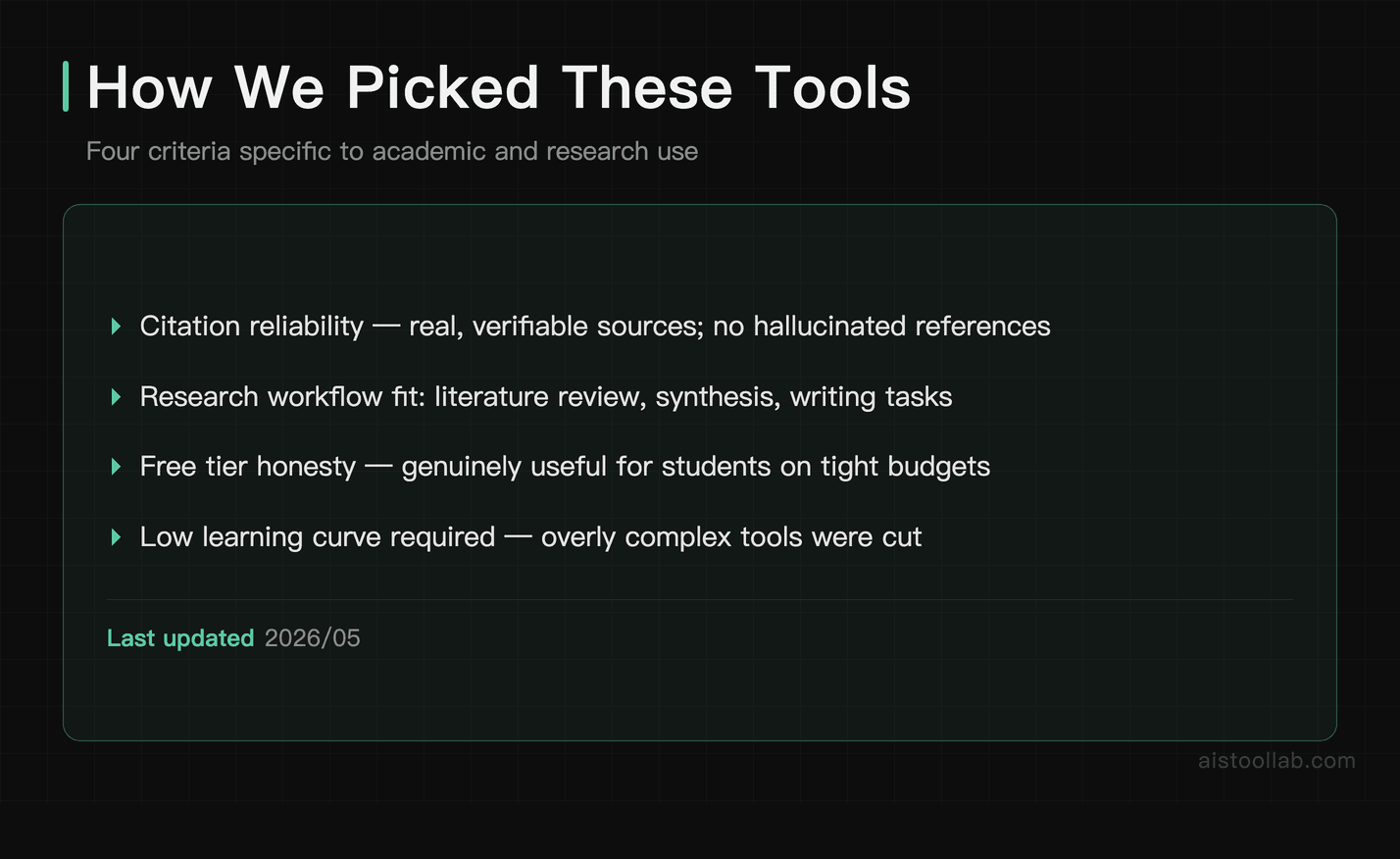
We filtered a longer list down to seven using four criteria specific to academic and research use:
- Citation reliability: Does the tool ground its outputs in real, verifiable sources, or does it hallucinate confidently? For academic use, this is non-negotiable.
- Real-world research workflow fit: Can it actually help with literature review, synthesis, note-taking, or writing — not just chat?
- Free tier honesty: Is the free plan genuinely useful for a student on a tight budget, or is it a teaser that breaks after five minutes?
- Learning curve vs. payoff: Tools that require a PhD to operate were cut. Academic work is already complex enough.
The Best AI Tools for Students and Researchers in 2026
#1. Perplexity AI — Best for Research Discovery and Cited Answers
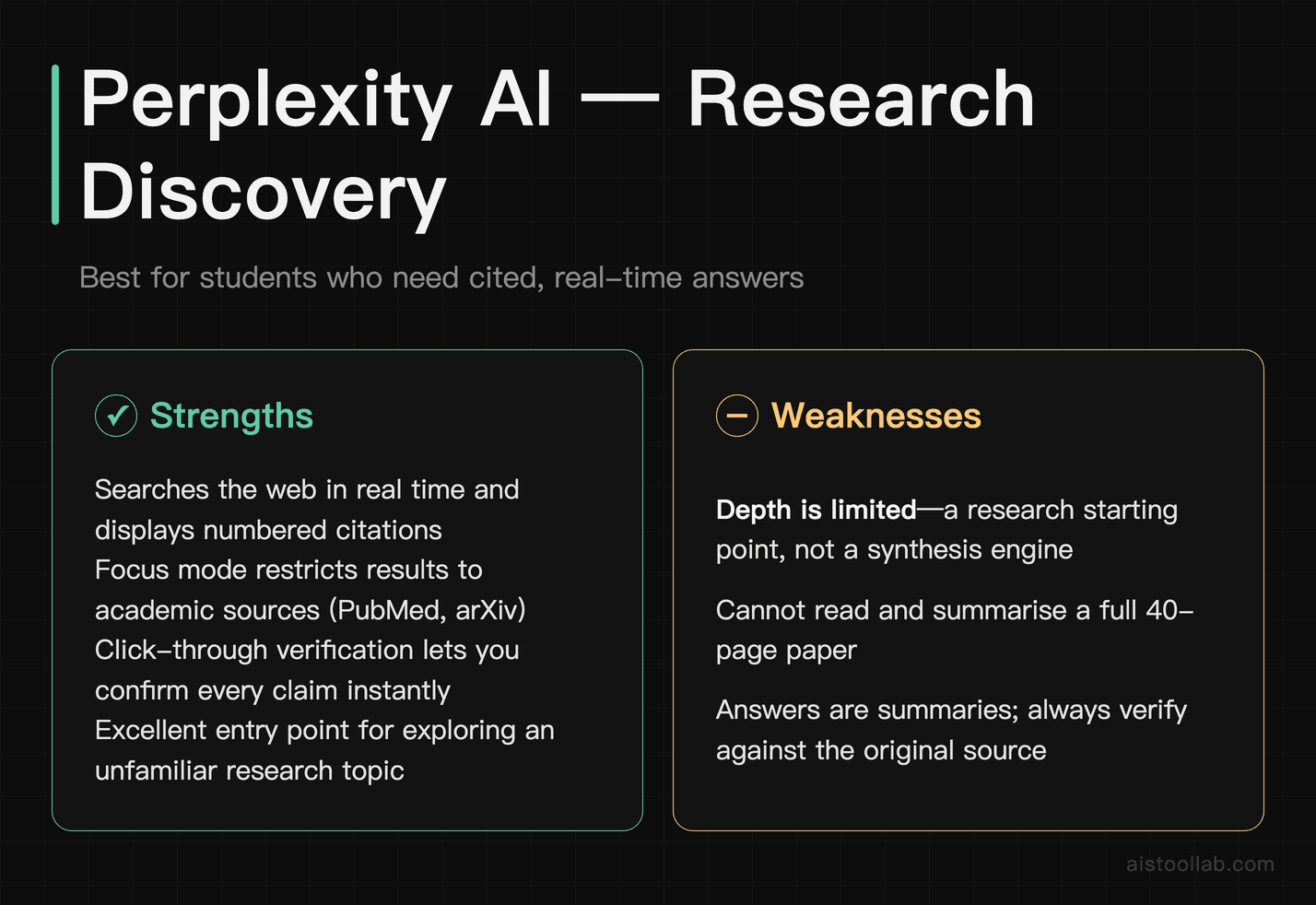
If there’s one tool every student should have open alongside their browser, it’s Perplexity. Unlike ChatGPT without a browsing plugin, Perplexity searches the web in real time and — crucially — shows you the sources behind every claim it makes. You can click through to verify any statement immediately. That alone makes it dramatically safer for academic use than a standard language model.
For research discovery specifically, Perplexity excels. Type a research question in plain language and it returns a synthesised answer with numbered citations you can inspect. It’s particularly good at surfacing recent papers, news articles, and authoritative sources on a topic you’re just entering. The “Focus” feature lets you restrict searches to Academic sources (via sources like PubMed and arXiv) or Reddit, which is useful for finding practitioner-level discussion on a topic.
Where Perplexity falls short is depth. It’s a research starting point, not a synthesis engine. It won’t read a 40-page paper and give you a structured summary — that’s NotebookLM’s job. And while citations are real, the answers are still summaries; you should always read the primary source before citing it yourself.
Pricing: Free tier is genuinely usable — unlimited standard searches with citations. Perplexity Pro is around $20/month and adds more powerful AI models, higher limits on “Pro Search” queries, and file upload analysis.
One-line verdict: If you start every research session by Googling things, replace that habit with Perplexity — it’s the fastest way to get cited, synthesised answers on any topic.
#2. NotebookLM — Best for Literature Synthesis and Source-Grounded Note-Taking
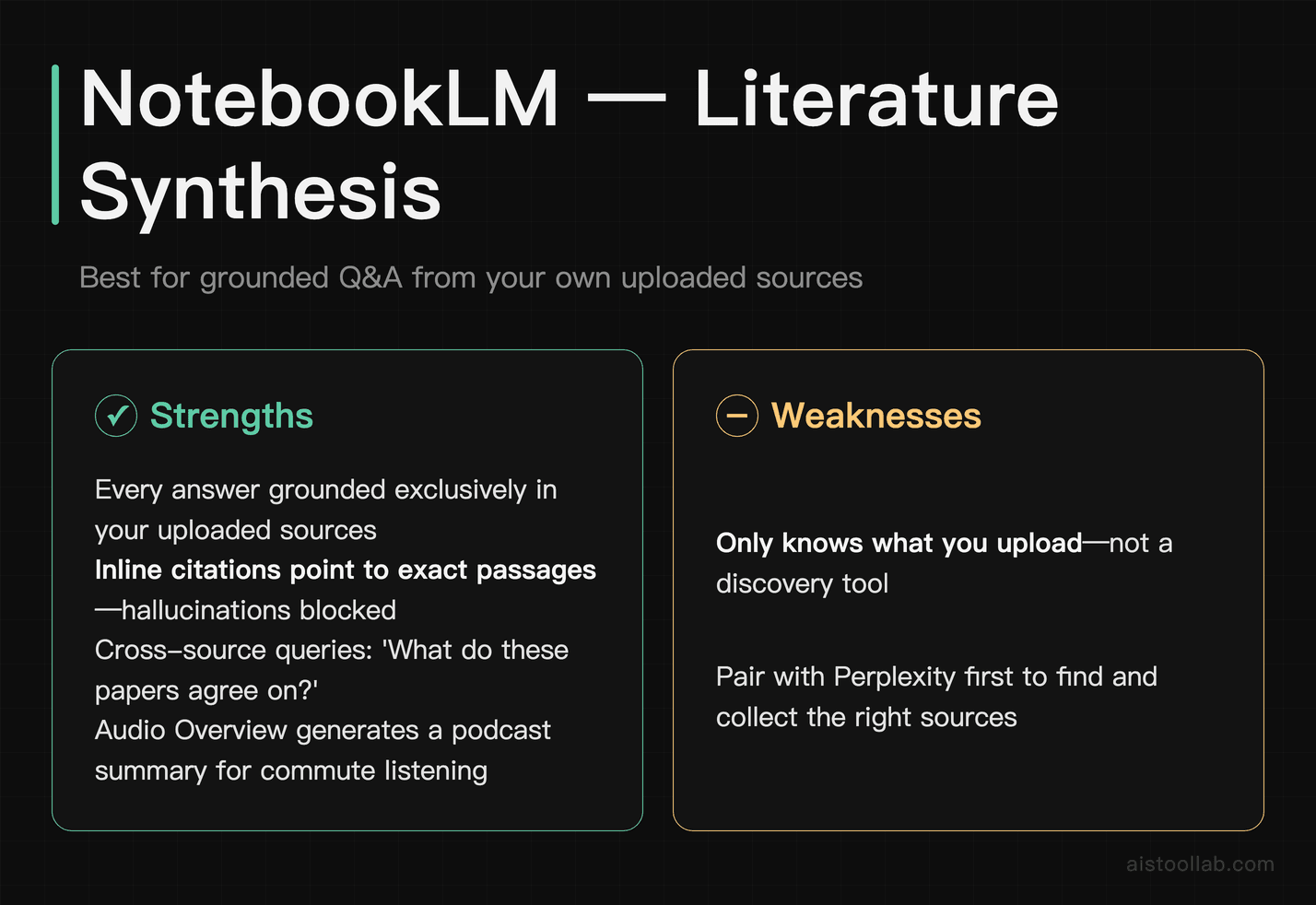
NotebookLM, built by Google, is the most underrated tool on this list for serious academic work. The premise is simple but powerful: you upload your own sources — PDFs of journal articles, lecture notes, book chapters, your own draft — and then ask questions. Critically, every answer NotebookLM gives you is grounded exclusively in what you’ve uploaded, with inline citations pointing to the exact passage. No hallucinations from the model’s training data sneaking in.
For a literature review, this is transformative. Upload ten papers on your topic, ask “What do these sources agree on regarding X?” or “Which authors contradict each other on Y?” and get a structured answer you can actually trust. The “Audio Overview” feature, which generates a podcast-style conversation between two AI voices summarising your sources, sounds gimmicky but is surprisingly useful for absorbing a set of papers on a commute.
The limitation is that NotebookLM only knows what you feed it. If you haven’t uploaded a paper, it doesn’t exist in its world. It’s a synthesis tool, not a discovery tool — pair it with Perplexity for finding sources, then import them here for deep analysis.
Pricing: Free with a Google account. NotebookLM Plus (available through Google One AI Premium, around $20/month) adds higher source limits, more notebooks, and enhanced features. For most students, the free tier is sufficient.
One-line verdict: Graduate students and researchers doing literature reviews should use this tool every single day — it’s free, trustworthy, and purpose-built for exactly this kind of work.
#3. ChatGPT — Best for Essay Drafting, Brainstorming, and Explaining Complex Concepts
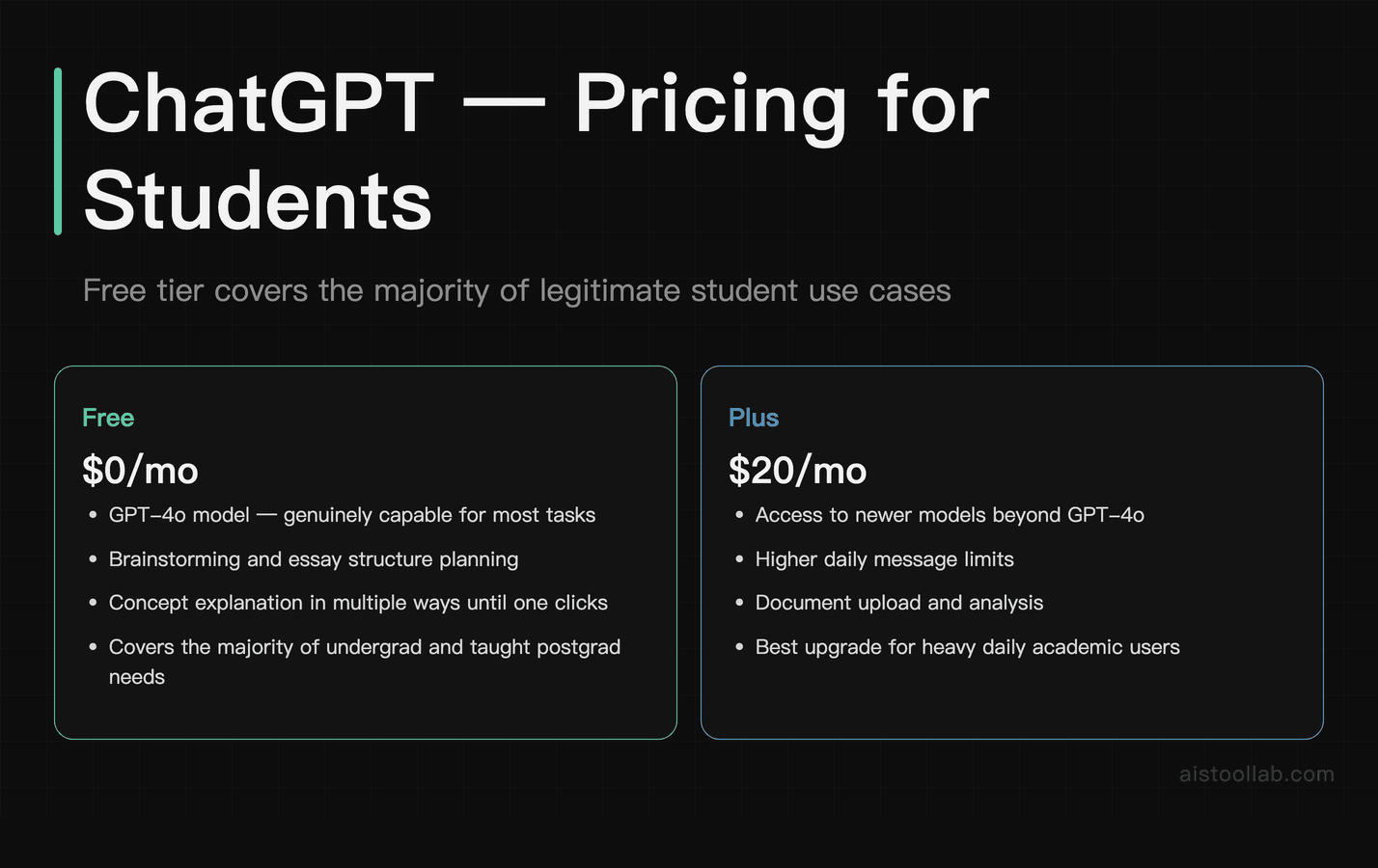
ChatGPT needs no long introduction, but it does need an honest one. For students, it’s most valuable as a thinking partner and drafting tool — not a citation engine. Use it to brainstorm essay structures, generate counterarguments you hadn’t considered, get a difficult concept explained three different ways until one clicks, or work through the logic of an argument before you write it up properly.
The GPT-4o model available on the free tier is genuinely capable for most of these tasks. For undergrads and taught postgrads, the free tier will cover the majority of legitimate use cases. ChatGPT Plus ($20/month) adds access to newer models, higher message limits, and the ability to upload documents for analysis — which starts to overlap with NotebookLM’s territory, though with less rigorous source-grounding.
The academic integrity concern is real and worth naming directly. Using ChatGPT to write your essay for you is academic dishonesty at most institutions. Using it to understand a concept, get feedback on your argument, or identify gaps in your reasoning is — at most institutions — in a legitimate grey zone that’s rapidly being codified. Check your institution’s specific policy. The tool itself is neutral; how you use it isn’t.
The hallucination problem remains significant for citations specifically. ChatGPT will confidently produce plausible-sounding but entirely fictional references. Never cite anything from ChatGPT without independently verifying the source exists. For citation-safe research, use Perplexity or Elicit instead. For a deeper look at getting the most out of this tool, see our .
Pricing: Free tier (GPT-4o with usage limits). ChatGPT Plus at $20/month. ChatGPT Edu plans are available for institutions.
One-line verdict: The best tool for understanding difficult concepts and thinking through arguments — just keep it far away from your reference list.
#4. Claude — Best for Long-Form Reading, Nuanced Essay Feedback, and Academic Writing
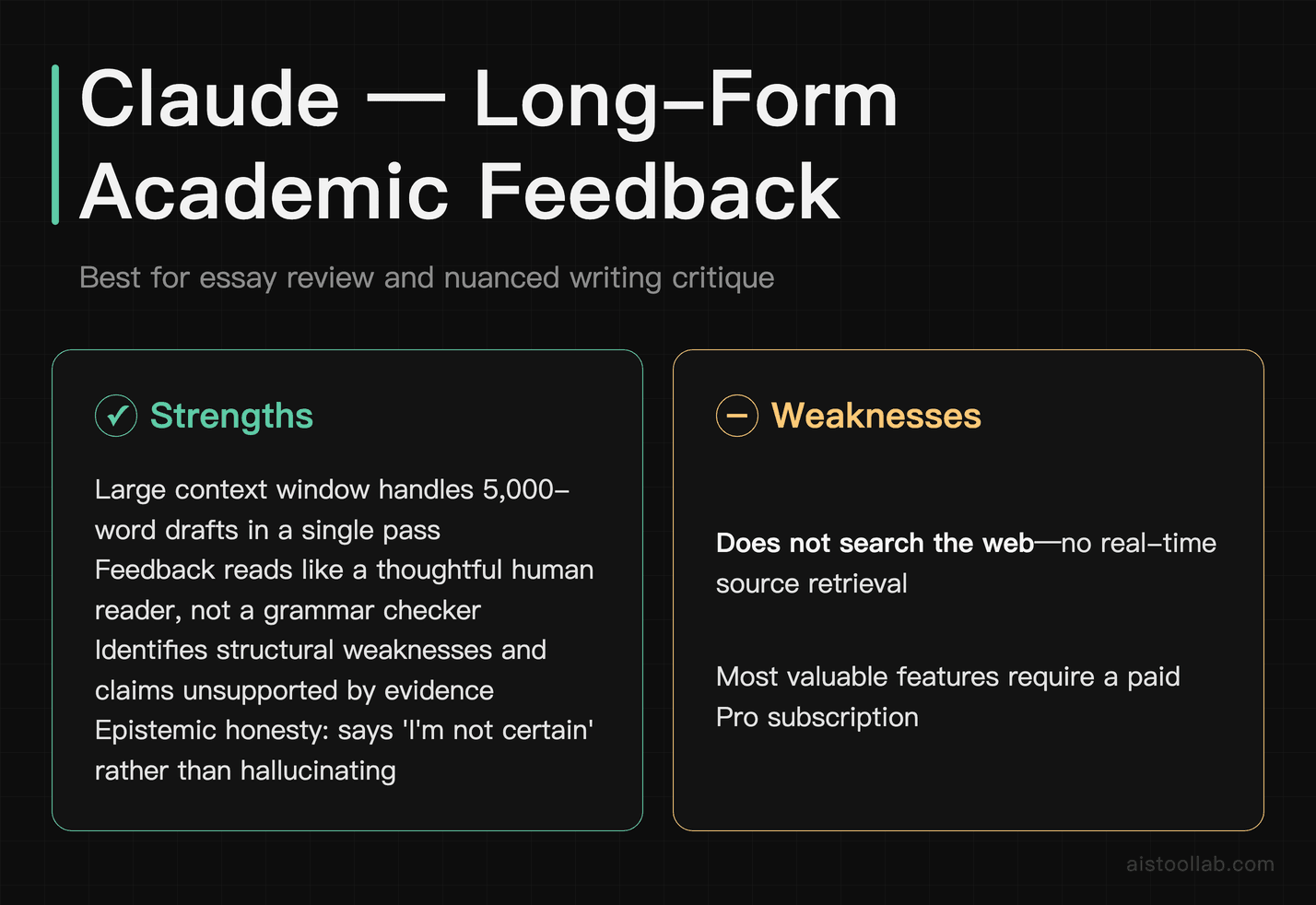
Claude, built by Anthropic, has earned a strong reputation among academics and researchers for one specific strength: handling long, dense text with care and nuance. Its context window — the amount of text it can process in one go — is among the largest available, which matters when you’re trying to get feedback on a 5,000-word essay draft or ask questions about a lengthy technical document.
For academic writing specifically, Claude is noticeably better than most alternatives at giving feedback that sounds like a thoughtful human reader rather than a grammar checker. It will identify structural weaknesses in your argument, point out where your evidence doesn’t support your claim, or flag where your writing assumes knowledge your reader might not have. It’s genuinely useful as a pre-submission review before you hand something to a supervisor or tutor.
Claude is also markedly more cautious about making things up than some alternatives. It’s more likely to say “I’m not certain about this specific detail” than to fabricate a confident answer. That epistemic honesty is valuable in academic contexts. For a detailed breakdown of its capabilities, see our .
The limitation for researchers is that Claude doesn’t browse the web or access real-time sources. It works from its training data and what you paste in. For literature synthesis, you still need to bring your own documents.
Pricing: Free tier available with usage limits. Claude Pro at $20/month gives significantly higher usage, priority access, and access to the most capable models.
One-line verdict: The best tool for getting substantive, honest feedback on your academic writing — treat it like a smart study partner who has read widely and will tell you when your argument has holes.
#5. Elicit — Best for Systematic Literature Review and Research Paper Analysis
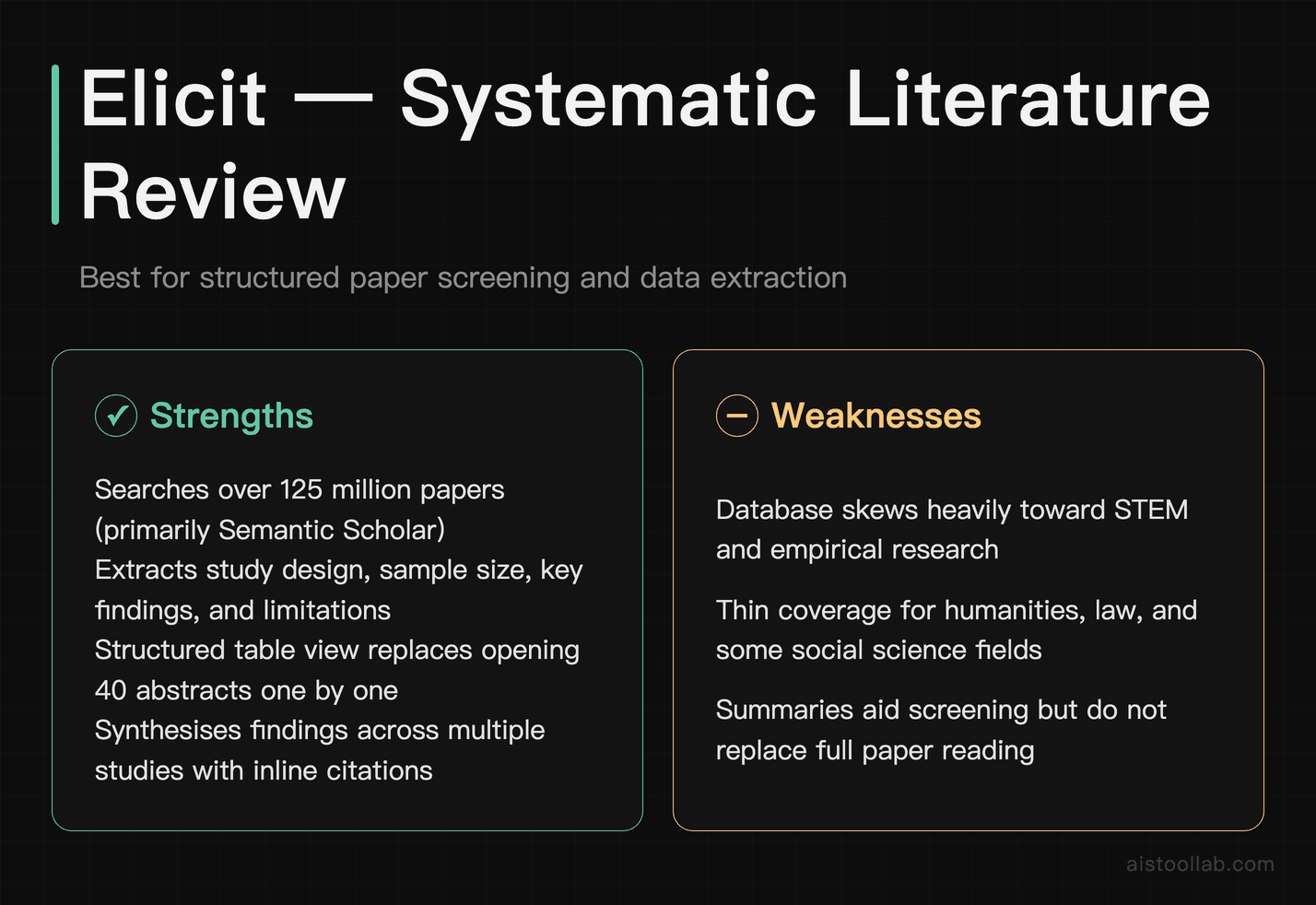
Elicit is the most purpose-built academic research tool on this list. It’s designed specifically for literature review workflows — not general chat, not marketing copy, not code. You enter a research question, and Elicit searches a database of over 125 million papers (primarily from Semantic Scholar) to find relevant studies, then extracts structured information: study design, sample size, key findings, limitations.
For anyone doing a systematic or scoping review, Elicit saves an enormous amount of time on the screening and data extraction phases. Instead of opening 40 abstracts one by one, you can scan extracted summaries in a structured table and quickly identify which papers are worth reading in full. The “Summarise papers” feature synthesises findings across multiple studies on a question, again with inline citations to real papers.
The limitation is scope: Elicit’s database skews heavily toward empirical research and STEM fields. If your research is in humanities, law, or certain social science areas, coverage can feel thin. It also doesn’t replace careful human reading — the summaries are useful for screening, but you still need to read papers you plan to cite.
Pricing: Free tier includes a limited number of AI credits per month, which is enough to evaluate the tool. Elicit Plus is around $12/month (or less on annual billing) and is genuinely worth it for anyone doing regular literature reviews. This is one of the few tools where the paid tier provides clear, proportionate value for the price.
One-line verdict: Graduate students and academic researchers doing literature reviews should try Elicit before any other tool on this list — it’s built exactly for that job and the paid tier is priced fairly.
#6. Consensus — Best for Evidence-Based Question Answering from Research Papers
Consensus sits in similar territory to Elicit but approaches it differently. Rather than a research management workflow, Consensus is more like a search engine that answers your question by finding consensus (or disagreement) across published studies. Ask “Does sleep deprivation affect working memory?” and it returns a synthesised answer with a breakdown of what studies found, colour-coded by whether they support, contradict, or partially support the claim.
The “Consensus Meter” feature — a visual indicator of how much published research agrees with a given claim — is genuinely useful for quickly evaluating contested topics. For students writing evidence-based arguments, it helps you understand whether you’re arguing with the weight of evidence or against it, which matters for how you frame your claims.
Consensus is narrower than Elicit in its use case. It’s better for answering specific factual or empirical questions than for managing a full literature review workflow. Think of it as a fact-checking and background-understanding tool for specific claims, rather than a comprehensive research assistant.
Pricing: Free tier includes limited searches per day. Consensus Premium is around $9.99/month and is worth it if you’re regularly doing evidence-based research. The free tier is enough for occasional use.
One-line verdict: Excellent for quickly checking what the research actually says on a specific claim — particularly useful for health, psychology, and social science topics where the evidence base matters.
#7. Grammarly — Best for Academic Writing Polish and Clarity
Grammarly has been around long enough that some readers might dismiss it as basic. Don’t. The current version, with its AI-powered writing suggestions, is genuinely useful for academic writing in ways that go well beyond spell-check. It understands register — it knows that academic writing has different conventions than email — and it flags issues like unclear antecedents, overly convoluted sentence structures, weak hedging language, and consistency problems across a long document.
For non-native English speakers writing in English-language academic contexts, Grammarly is particularly valuable. It catches the kinds of grammatical and idiomatic errors that native speakers skim past but that can affect how seriously academic writing is taken.
The limitation is that Grammarly won’t improve your ideas or your argument structure — it works at the sentence and paragraph level. It also occasionally suggests changes that flatten distinctive voice, so use it as a checklist, not a replacement for your own judgment. The plagiarism detection feature in the paid tier is useful but shouldn’t replace your institution’s own submission system.
Academic integrity note: Grammarly’s AI rewriting features are in the same grey zone as other AI writing tools. Using it to fix grammar and clarity is almost universally accepted. Using its “full rewrites” feature to substantially transform your writing may not be, depending on your institution’s policy.
Pricing: Free tier covers the core grammar and clarity suggestions and is genuinely useful. Grammarly Premium is around $12–$15/month (cheaper on annual plans) and adds tone suggestions, clarity rewrites, and plagiarism checking. The free tier covers most student needs.
One-line verdict: The free tier is worth having installed for anyone writing in English — it catches the surface errors that undermine otherwise strong academic work.
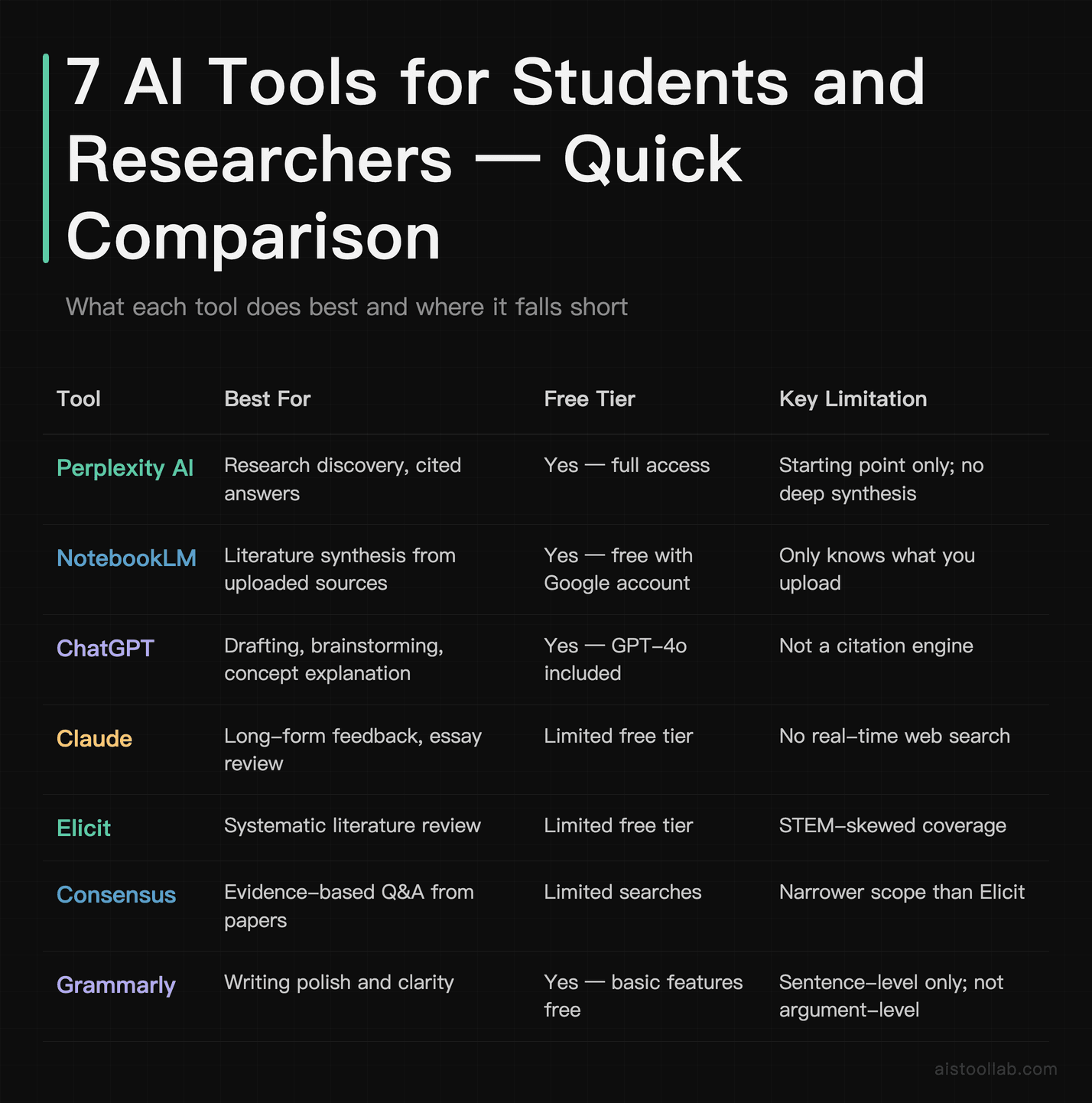
Quick Comparison Table
How to Choose the Right Tool for Your Situation
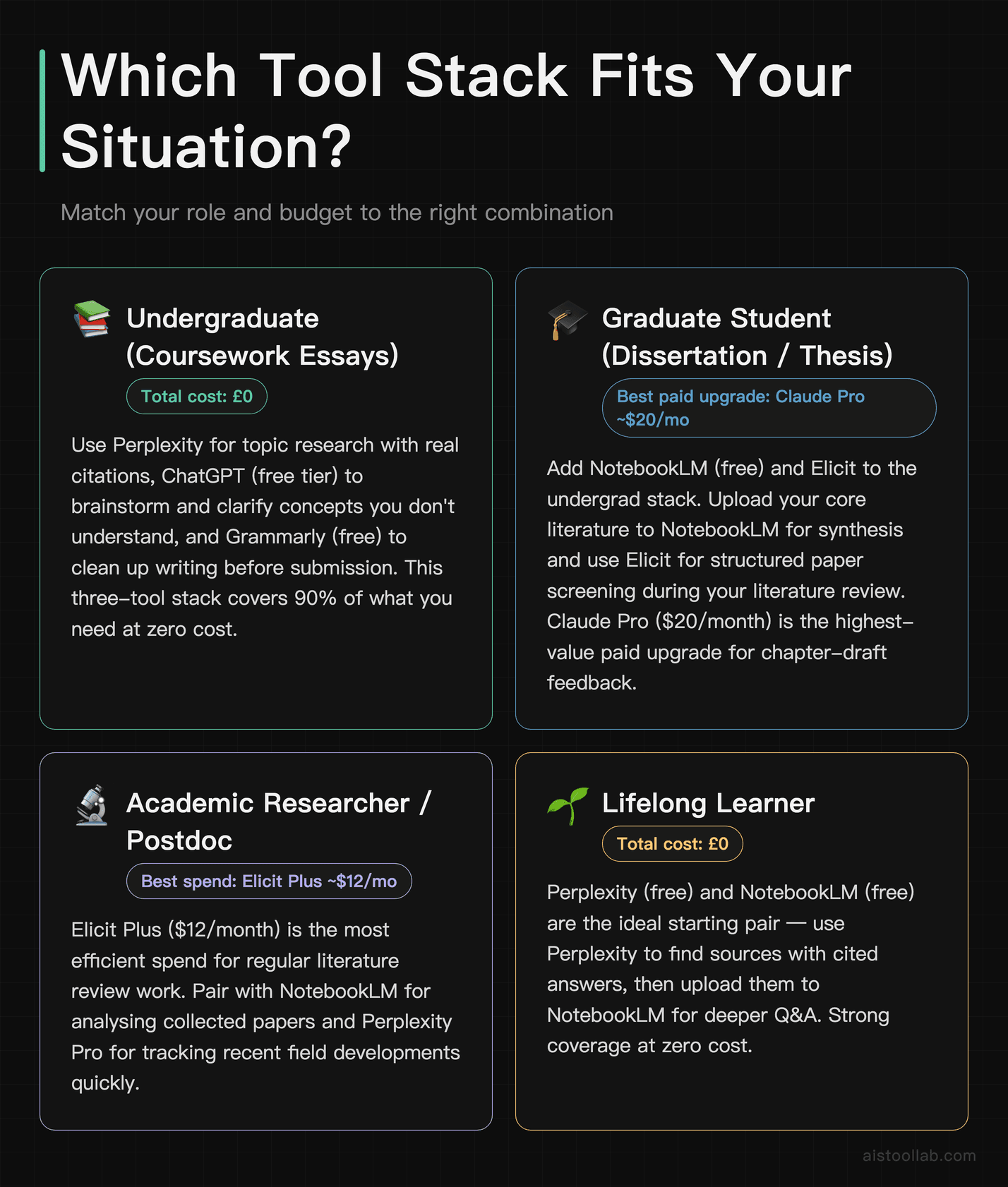
Not every student needs every tool. Here’s how to match the list to your actual situation:
- If you’re an undergraduate writing coursework essays: Start with Perplexity for researching your topic with real citations, use ChatGPT (free tier) to brainstorm and clarify concepts you don’t understand, and install Grammarly (free) to clean up your writing before submission. Total cost: £0. This three-tool stack covers 90% of what you need without spending anything.
- If you’re a graduate student doing a dissertation or thesis: Add NotebookLM (free) and Elicit to the above. Upload your core literature to NotebookLM for synthesis, use Elicit for structured paper screening during your literature review. Consider Claude Pro ($20/month) for serious feedback on chapter drafts. This is the highest-value paid upgrade for grad students.
- If you’re an academic researcher or postdoc: Elicit Plus ($12/month) is the most efficient spend for regular literature review work. Pair it with NotebookLM for analysing papers you’ve collected and Perplexity Pro if you need to track recent developments in a field quickly.
- If you’re a lifelong learner who just wants to understand complex topics: Perplexity (free) and ChatGPT (free) are your tools. Ask Perplexity to explain topics with sources you can follow up on, use ChatGPT to get explanations at different levels until one makes sense. No need to pay for anything.
- If you’re on a strict budget (free tools only): Perplexity, NotebookLM, and Grammarly’s free tier together form a surprisingly capable free research and writing toolkit. All three have free tiers that are genuinely functional — not just teaser plans.
- If English is your second language and academic writing is a challenge: Prioritise Grammarly Premium and Claude (free or Pro). Claude is particularly good at explaining why a sentence reads awkwardly, not just flagging that it does — which helps you improve rather than just accept corrections blindly. For prompting strategies that help you get better outputs from these tools, see our .
Two free tools that complement your academic writing workflow: the Readability Score tool checks whether your writing hits the right complexity level for your audience — useful before submitting to journals or professors. The Word Counter gives you exact word, sentence, and character counts to meet submission requirements.
Frequently Asked Questions
What’s the best free AI tool for student research?
For research specifically — meaning finding real sources and synthesising information from them — Perplexity AI is the best free option. It searches the web in real time, cites every claim, and has an academic search mode that pulls from databases like PubMed and arXiv. NotebookLM is a close second for students who already have their source materials and need help making sense of them. Both are free with a Google account or email signup.
Is using AI tools for academic work cheating?
It depends entirely on how you use them and what your institution’s policy says — and the honest answer is that policies vary significantly and are still evolving. Using AI to understand a concept, get feedback on your argument’s logic, or improve your grammar is widely accepted and functionally similar to using a tutor or writing centre. Using AI to write your essay or generate content you submit as your own work is academic misconduct at virtually every institution. The specific tools on this list vary in risk: Grammarly for proofreading and Perplexity for research discovery are low-risk; using ChatGPT or Claude to draft sections of your submitted work is where you need to consult your institution’s specific policy before proceeding.
Do AI tools make up citations? How do I avoid fake references?
Yes — general language models like ChatGPT and Claude will sometimes generate plausible-sounding but entirely fictional citations. This is called hallucination, and it’s a well-documented problem. The tools that are safest for citations are those grounded in real-time web search or specific databases: Perplexity AI pulls from the live web and shows you its sources; Elicit and Consensus work from indexed academic databases and link you to real papers; NotebookLM only cites documents you’ve uploaded yourself. If you use ChatGPT or Claude for research, treat any specific citation they produce as unverified until you’ve independently confirmed it exists and says what they claim it says.
Is Elicit worth paying for as a student?
If you’re doing regular literature reviews — and most graduate students are — yes, Elicit Plus at around $12/month is one of the better-value paid plans on this list. The time saved on abstract screening alone is significant during a literature review phase. The free tier gives you enough credits to evaluate whether it fits your workflow before committing. If you’re an undergraduate who only does occasional research papers, the free tier is probably sufficient.
Can I use these AI tools without any technical knowledge?
Every tool on this list is designed for non-technical users. Perplexity, ChatGPT, Claude, and Grammarly are all conversational interfaces — you type naturally, they respond. NotebookLM requires you to upload files, which takes about sixty seconds. Elicit and Consensus involve slightly more structured input (research questions rather than chat), but neither requires any technical background. The bigger learning curve is developing good prompting habits — knowing how to ask questions that get you useful answers. That skill improves quickly with practice, and it transfers across all these tools. Our guide covers exactly this.
Last updated: 2026